Simplifying API operations with AI as you scale your API programs

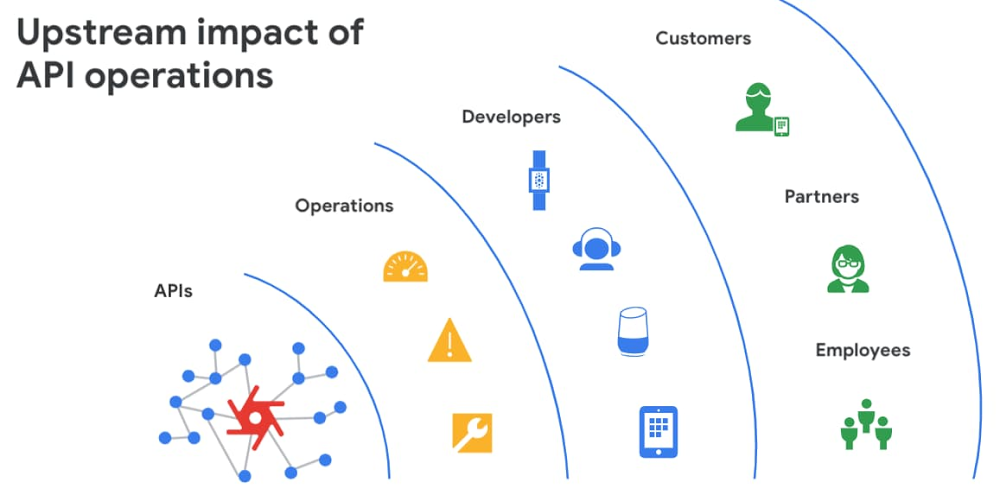
APIs are the backbone of digital transformation. Via APIs, you can securely share data and functionality with developers both inside and outside of your organizational boundaries, letting you build applications faster, seamlessly connect and interact with partners, and drive new business revenue. Because APIs encompass business-critical information, any downtime or performance degradation can lead to significant loss in revenue, customers, and brand value. Therefore, there’s mounting pressure on operations teams to ensure that APIs are always available and performing as expected. If the APIs go down, so too do the services that fuel customer experiences and on which the organization relies for collaboration and business processes.However, as you build and scale your API programs, it becomes practically impossible for API operators to manually monitor and manage all your APIs. To help, we brought the power of industry-leading AI and ML technologies to API operations via Apigee X, a major release of our API management platform. Apigee X seamlessly weaves together Google Cloud’s expertise in AI, security and networking to help you efficiently build and manage APIs at scale. Put your API data into actionApigee applies machine learning to your API metadata and provides you the required tools that simplify various aspects of API operations. A great example of AI for APIs is anomaly detection: AI-powered rules trigger alerts based on a set of predefined conditions that are determined by applying Google’s industry-leading machine learning models to your historical API data.Auto-thresholds adjust the monitoring criteria of your APIs and set them to pattern-based values. Reduce overhead results because operators don’t have to manually monitor anomalies or adjust the monitoring thresholds on APIs.“By applying AI and ML models to our historical API data, these advanced features are able to alert us about scenarios we haven’t thought of. Such automation capabilities significantly reduce our upfront efforts. And from a security perspective, the actionable insights help us ensure that our proxies are exposed only over secure HTTPs ports and adhere to compliance requirements. We’re also able to closely monitor user activity and quickly pull out reports during audits.” – Adam Brancato, Sr. Manager, Global Technology and Security at CitrixAs our customers scale their API programs, they find it extremely useful to harness AI-powered capabilities.  In our recent State of the API Economy 2021 report, we found a 230% increase in enterprises’ use of anomaly detection, bot protection, and security analytics features.To learn more about Apigee X, and see AI and machine learning in action, check out this video, and to try Apigee X for free, click here.Related ArticleThe time for digital excellence is here—Introducing Apigee XApigee X, the new version of Google Cloud’s API management platform, helps enterprises accelerate from digital transformation to digital …Read Article
Quelle: Google Cloud Platform

VM Manager simplifies compliance with OS configuration management Preview

OS configuration management is an important way that administrators of large fleets of virtual machines (VMs) can automate and centralize the deployment, configuration, maintenance and reporting of software configurations of those VM instances. You can install security and monitoring agents to make sure all VM are secured and protected, bootstrap management tools or ensure OS compliance across your fleet. In January, we introduced VM Manager, a suite of infrastructure management tools to simplify and automate the maintenance of large fleets of Compute Engine VMs, including OS patch, OS inventory, and OS configuration management. The first version of OS configuration management helps install and maintain agents and operating system (OS) software configurations at scale, and is currently used in production by hundreds of customers. Today, we are excited to introduce OS configuration management (Preview) with enhanced features and capabilities. What’s new?OS configuration management introduces a new UI (in addition to the API and gcloud command-line), providing an at-a-glance compliance view for your VM fleet and the ability to drill down and find the root cause for non-compliant VMs in seconds. The new UI provides a guided wizard-based experience to create and apply policy assignments to managing VM fleets at scale.  In the new version we have also improved reliability with independent zonal services—a user-controlled safe rollout process for deploying policies. If new policies are not working as expected, you can stop the process without impacting all VMs.  Finally, OS configuration management introduces multiple new functional capabilities: dry-run (compliance only) reporting mode; the ability to define, validate and enforce compliance for custom resources periodically; as well as options to exclude or include certain VMs, for example Google Kubernetes Engine (GKE) nodes, based on labels. For more information see OS configuration management overview.VM Manager uses the OS Config agent to manage VMs. Today, the OS Config agent is pre-installed for all Compute Engine public OS images (Windows, Debian, CentOS, RHEL, Ubuntu, SLES, and Container-Optimized OS) and can be activated with one click across all your VM instances. Once VM Manager is enabled, it automatically activates agents for newly created VMs, making sure the whole fleet is under control. For OS configuration management (Beta) usersAll existing guest policies will continue to work without any changes. We’ll continue to support OS configuration management (beta release) at the same level as before. A comparison document is available to help you to understand the differences between OS configuration management Preview and Beta to guide you on which version to use. Get started todayGeneral Availability of OS configuration management is planned for later this year. To learn more about all the new features of OS configuration management, see the OS configuration management documentation.To learn more about VM Manager, visit the documentation, or watch our Google Cloud Next ‘20: OnAir session, Managing Large Compute Engine VM Fleets.Related ArticleIntroducing VM Manager: Operate large Compute Engine fleets with easeThe new VM Manager simplifies infrastructure and compliance management for the largest of Compute Engine VM fleets.Read Article
Quelle: Google Cloud Platform