Designing distributed systems using NALSD flashcards

There are many ways to design distributed systems. One way involves growing systems organically—components are rewritten or redesigned as the system handles more requests. Another method starts with a proof of concept. Once the system adds value to the business, a second version is designed from the ground up. At Google, we use a method called non-abstract large system design (NALSD). NALSD describes an iterative process for designing, assessing, and evaluating distributed systems, such as Borg cluster management for distributed computing and the Google distributed file system. Designing systems using NALSD can be a bit daunting at first, so in this post, we introduce a nifty strategy to make things easier: flashcards. We describe how you can use flashcards to connect the most important numbers around constrained resources when designing distributed systems. These numbers include educated estimates concerning the CPU, memory, storage, and network latencies and throughputs.Let’s look at two examples illustrating the use of these numbers.For the first example, say you have a server designed to store images. We are most interested in the write throughput of the underlying storage layer. The underlying storage layer might be limited by the write speed of the disks it consists of. Knowing disk seek times and the write throughput is important so we can spot the bottleneck in the overall system.For the next example, say you have another server that may be responsible for serving low-latency metadata search queries. Here, potential bottlenecks might be memory consumption or CPU utilization. The memory consumption is from holding an index, and CPU utilization is from performing the actual search. To find out which one is the bottleneck, we have to consult latency numbers on CPU cache and main memory access. We are probably less concerned with network throughput, because we expect requests and responses to be small in size. However, as we scale the system up on the drawing board, the bottlenecks may change. So it’s best to always assign educated estimates to all components in a distributed system.NALSD helps identify potential bottlenecks as systems scale up. We address the bottlenecks early on—for example, by iterating on the design until we find an overall more scalable architecture.‘The numbers everyone should know’So what are the magical numbers we’ve alluded to? According to long-time Google engineer Jeff Dean, there are “numbers everyone should know.” These include numbers that describe common actions performed by the machines that servers and other components of a distributed system run on. (Numbers have changed since this video was recorded. In this post, we’re using the most recent figures.) Here are some examples:An L1 cache reference takes a nanosecond.A branch misprediction is roughly three times as expensive as an L1 cache reference, and takes three nanoseconds.Locking or unlocking a mutex (a resource-guarding structure used for synchronizing concurrency) costs about 17 nanoseconds, more than five times the cost of a branch misprediction.Referencing main memory is slightly more expensive, costing roughly 100 nanoseconds.Sending two kilobytes over a 10 Gb/s network takes 1.6 microseconds, or 1600 nanoseconds. Stuff gets expensive here!A round trip within the same data center takes only 500 microseconds, while a round trip from California to the Netherlands takes roughly 300 times as long (150 milliseconds).A disk seek takes about 10 milliseconds. That’s quite expensive compared to reading 1 MB sequentially from disk, which takes about 5 milliseconds.Memorizing these numbers may come naturally to some, but others, like us, may prefer flashcards to help remember the numbers that engineers use to design and maintain a system. Flashcards are a helpful companion for designing large systems. An added bonus of these flashcards is that they can be used as an entertaining, on-the-spot quiz for fellow site reliability engineers (SREs), or as a preparation tool for an NALSD interview with Google’s SRE team.If you’re interested in these flashcards, you can download your own set of flashcards for site reliability engineers. Follow these easy steps to turn them into handy flashcards:  Print the document, preferably on thick paper.Fold each page once vertically, then glue the back sides together.Cut out the cards along the lines.Voilà! Now you have a nice set of NALSD flash cards. Happy quizzing!Learn more about how these numbers fit in with the overall process of NALSD:Distributed Log-Processing Design WorkshopNon-Abstract Large System Design (The Site Reliability Workbook, chapter 12)
Quelle: Google Cloud Platform

Discover, understand and manage your data with Data Catalog, now GA

Google Cloud Data Catalog is a fully managed and scalable metadata management service. It can help your organization quickly discover, understand, and manage all your data from one simple interface. Accessible from within the Google Cloud console, Data Catalog allows immediate access to data discovery without requiring any upfront setup.The Data Catalog service is now generally available, providing regionalized service in 23 different regions globally. In addition to providing higher resilience against potential outages, the regionalized service delivers metadata residency at rest in each of the supported regions while providing a unified view of all data assets distributed across multiple regions.Most organizations today are dealing with a large and growing number of data assets, and want to open up access to that data so business users can find the right data assets through self-service. Past approaches have failed to scale up, required tedious set up, and did not deliver easy data discovery for all.At Google, we also faced this challenge for large and growing data assets, and built an internal data catalog service to help bring comprehensive metadata management to all data users. You can see more about the techniques used to build an effective data catalog in Goods: Organizing Google’s Datasets. Data Catalog builds on that foundation, bringing a scalable managed service to all Google Cloud users for data within BigQuery, Pub/Sub, and Cloud Storage. Here are some details on how Data Catalog works, and how it can help.Auto-syncing technical metadataTechnical metadata for all Google BigQuery data assets like datasets, tables, and views is synced into Data Catalog on a continuous basis. This means you can start using Data Catalog instantly and don’t need to deal with any tedious setup. Data Catalog also auto-syncs technical metadata from Pub/Sub and user-created filesets from Cloud Storage. These filesets are simple to create—you just need to specify a pattern with wildcards and apply it to a bucket. A fileset groups together all files in the bucket that match the wildcard pattern.Technical metadata vs. business metadataTechnical metadata refers to metadata that is available in the source system. Technical metadata for a BigQuery table includes table name, table description, column names, column types, column descriptions, creation date, last modification date, and more. For Pub/Sub, technical metadata refers to Pub/Sub topic names and date created. For Cloud Storage filesets, technical metadata refers to the fileset name, the pattern used for creating the fileset, creation date, and modification date.Business metadata refers to the collection of metadata that is critical for business and operational purposes but is not available in technical metadata. Business metadata might include the person responsible for a particular data asset, whether the data asset contains personally identifiable information (PII), if the data is approved for official use, the data retention policy for the data asset, the life cycle stage of the data asset, the data quality score, any known data quality issues, or data asset freshness. Data Catalog supports structured tags for capturing complex business metadata (more on that below).Data discoveryData Catalog can be used from a Google Cloud project by simply enabling it in that project. Data Catalog discovers data assets that are located not only in the project where the API is enabled but across all projects and across all regions. Support for data assets outside of BigQuery, Pub/Sub and Cloud Storage are in the Data Catalog roadmap, while support for non-Google Cloud data sources are available through open-source connectors (see below). You can use Data Catalog to search for all your data assets by simply typing a keyword and discovering all matching data assets. You can also narrow down your search to locate data assets in specific projects, systems, types of data assets, or data assets created during specific time periods.Structured tags for business metadataAt Google, we believe that simple string tags, once used widely, are no longer sufficient to capture the richness of business metadata. With Data Catalog, you can create tags with structure such that each tag contains multiple attributes, and each attribute is of one of the types string, double, boolean, enumerated, and datetime. Creating structured tags is a two-step process. First, define the structure of your tag in a tag template, then create tags with metadata that adhere to the template. You can attach each tag to individual data assets like datasets, tables, views, and even columns.As illustrated below, the structured tags on data assets provide rich business metadata to all data users. You as a data analyst or a data scientist can search for specific tags and better understand your data assets with the business context provided by the collection of tags. You as a data curator or a data governor can better manage data assets by using the metadata on data quality and data governance.Access control for metadataData Catalog is integrated with Cloud Identity and Access Management (Cloud IAM). All operations, including search for data discovery, are serviced in accordance with the applicable access control specifications. If user A has read access to a data asset and user B does not have any access to that data asset, a search carried out by user A reveals the data asset, while the same search carried out by user B does not return the data asset.Metadata can be sensitive in nature and data governance teams might want certain business metadata tags to be visible only to select groups of users. Data Catalog provides access control on templates, and the access control extends to all tags created using that template.Auto-tagging PII data with Cloud DLPData Catalog’s integration with Cloud Data Loss Prevention (Cloud DLP) enables users to run Cloud DLP inspection jobs on BigQuery and automatically create Data Catalog tags for identifying PII data. You can find this in the Cloud DLP interface. You can also refer to the Google tutorial Create Data Catalog tags by inspecting BigQuery data with Cloud Data Loss Prevention and use the accompanying source code.Data Catalog support for non-Google Cloud data assetsThe Data Catalog API supports ingestion of technical metadata from non-Google Cloud data assets as well. The open-source connectors are organized in four Google Cloud Github repositories: datacatalog-connectors contains the common components for all connectors; datacatalog-connectors-rdbms has connectors for Oracle, SQL Server, Teradata, Redshift, PostgreSQL, MySQL, Vertica, and Greenplum; datacatalog-connectors-bi hosts connectors for Looker and Tableau; and data catalog-connectors-hive provides the connector for Hive with the option for live syncing.You can attach structured metadata tags on the Data Catalog entries for data assets that reside outside of Google Cloud. The single interface of Data Catalog lets you discover, annotate, and manage all your data assets. Next steps with Data Catalog Data Catalog is now GA and provides self-service data discovery at scale to enterprise users across all regions. Getting started with Data Catalog couldn’t be easier, as it does not require any setup to quickly discover, understand, and manage all your data in Google Cloud and supports ingesting on-premises metadata from non-Google Cloud data sources. Learn more about Data Catalog, check out our comprehensive documentation, or try the Quickstart guide.
Quelle: Google Cloud Platform

Anthos in depth: What new AWS multi-cloud support means for you

Last week we announced new features for Anthos that our customers tell us will drive business agility and efficiency. Today, we’d like to dive a bit deeper into one of Anthos’ most exciting new features: support for multi-cloud. Now, you can use Anthos to consolidate all your operations across on-premises, Google Cloud, and other clouds (starting with AWS).Getting multi-cloud rightMany of you deploy workloads to multiple clouds to take advantage of best-of-breed capabilities and improve the resiliency of your services. But managing applications across different clouds is easier said than done. I’ve heard from many of you that the specialized skill sets required for multi-cloud deployments lead to siloed, disconnected, teams—even if those teams are working on the same application. Despite these challenges, concerns about lock-in to one cloud provider and availability in the case of an outage make succeeding with multi-cloud a priority for many of you.Taking advantage of an open application modernization platform like Anthos can help ease some of those challenges and enable you to modernize your existing applications, build new ones, and run them anywhere. According to a new app modernization survey from Enterprise Strategy Group, “92% of organizations feel it is important to utilize a multi-cloud enabled container management and orchestration solution.“1 Let’s take a deeper look at how Anthos can help you build a successful multi-cloud strategy. Enabling consistency across multiple cloudsDisjointed management tools slow down teams, waste valuable time and money, and ultimately lead to reduced employee productivity. Anthos layers on top of Kubernetes and brings consistency to orchestration and policy enforcement across multiple clouds and on-premises. With the same open software experience across all environments, your platform teams can move faster while your security teams maintain consistent controls, all while reducing both complexity and your exposed attack surface. Anthos lets you take a holistic view of your services running across a multi-cloud architecture. Anthos Service Mesh manages, and secures, traffic running in your data center, on Google Cloud and on other clouds such as AWS. Anthos Config Management allows you to distribute and enforce hierarchical policies (such as authorization, resource quotas, and limits for namespaces) at scale across multiple apps running in multiple clouds. In short, Anthos frees you from cloud provider constraints and gives you the tools to run your applications anywhere.When you’re developing your application, Anthos helps by providing a “build once, deploy anywhere” platform so you can take your applications to multiple public clouds, starting with AWS. Regardless of the environment for which your app was developed, Anthos gives you the same development experience. You spend less time focused on the tool chain, configuration, and management of your app, and more time writing great code. Empowering you with flexibility and choiceSince we launched Anthos, we’ve been committed to giving you more choice in cloud providers. Far too often we hear from customers who started building applications in one cloud and are stuck with proprietary technology that prevents them from moving fast and using the services they need, in the locations that they want. The open technology underpinning Anthos unlocks the flexibility you need to make the best decision for your organization and avoids lock-in to any cloud—even our own. But we also know that trusting a new cloud vendor with your critical workloads is not a decision you take lightly. That’s why we made getting started with Anthos for AWS as seamless as possible. If your team has built processes and tooling around your AWS practice, those teams can install Anthos directly into your existing AWS VPC and reuse your existing AWS security groups and IAM resources. To make your services accessible to other services within your organization, or publicly accessible to your users, you can also expose them using AWS load balancers.Anthos multi-cloud features available todaySupport for Anthos for AWS is generally available. This release includes several of the top features that you have been asking for, bringing a variety of benefits:High reliability: Your clusters can be deployed in a high availability (HA) configuration, where both control plane instances, as well as node pools, can be placed across multiple availability zones. AWS Auto Scaling groups are also used for resiliency.Auto-scaling: Automatically resize your number of nodes based on traffic volumes so you are only paying for the resources you need.Integration with an existing AWS environment: Anthos can be deployed into your existing AWS VPCs, and you can leverage existing security groups to secure those clusters. If your existing AWS setup has been approved by your security team, you can deploy Anthos into it, as long as the firewalls allow connections back to Google. You can also expose services via AWS load balancers so deploying Anthos is easy and configuration of the environment is minimal.Operational consistency: Now, you can manage workloads running on Google Cloud as well as AWS from one place. The Google Cloud Console provides single-pane-of-glass management for all your clusters. Additionally, system logs for all these environments can be stored in Cloud Logging (formerly Stackdriver).Integration with the full Anthos stack: You can set policy on your AWS workloads with Anthos Config Management, and use Anthos Service Mesh to securely connect and manage your resources running in AWS so your policies and monitoring have a view of your entire application and not just a silo of one part.To support more of your multi-cloud plans, we’re also offering support for Anthos for Azure later this year.Ensuring success in the new multi-cloud futureMulti-cloud can ensure your teams can develop and build across environments, pivot quickly, and keep your applications running if disaster strikes. Anthos makes multi-cloud easy by providing a single pane of glass for management and ensures that it is done right with a consistent, integrated, experience for your developers, operators, and administrators. This message rings true for our partners, who report that Anthos’ approach to multi-cloud is resonating with their customers.“We’re seeing very positive feedback from the early adopters of Anthos on AWS,” said Kyle Bassett, Partner at Arctiq. “Anthos sets itself apart with the ability to provide a full-stack cloud-agnostic Kubernetes experience from low-level resource management all the way up to policy enforcement—all while providing an enhanced developer experience. For customers committed to containers but tired of managing everything themselves, Anthos does the heavy lifting for you.” If you’re looking to get started with Anthos for AWS, we have partners including Arctiq, IGNW, SADA, SoftServe, and World Wide Technology that are eager to help. And if you are interested in seeing how Anthos can help your organization get multi-cloud right, please reach out to our sales team to schedule an architecture design session.1. ESG Custom Research Survey, Measuring App Modernization and its Impact, Commissioned by Google, March 2020.
Quelle: Google Cloud Platform

What’s happening in BigQuery: Efficient new views and Cloud AI integrations

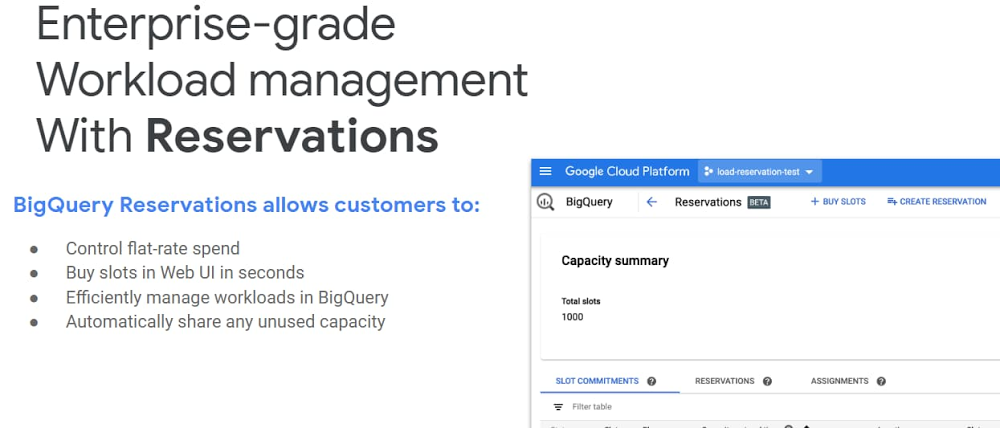
BigQuery, Google Cloud’s petabyte-scale data warehouse, lets you ingest and analyze data quickly and with high availability, so you can find new insights, trends, and predictions to efficiently run your business. Our engineering team is continually making improvements to BigQuery so you can get even more out of it. Recently added BigQuery features include new materialized views, column-level security, and BigQuery ML additions.Read on to learn more about these new capabilities and how they can help you speed up queries, add access controls, and focus on innovation.Accelerate performance and improve cost savings with BigQuery materialized viewsWe’re happy to announce that BigQuery materialized views are now available in beta. BigQuery materialized views are precomputed views that periodically cache the results of a query in a BigQuery table for increased performance and efficiency. A materialized view is a database object that contains the results of a query. For example, it may be a subset of the rows and/or columns of a table or join result, or may be a summary using an aggregate function. So when a query is re-run and a materialized view exists, the query doesn’t need to rescan all the tables again, but can quickly report the answer from the materialized view. This significantly improves performance and cuts down cost because the amount of data scanned is much smaller.BigQuery materialized views are easy to set up and work with in real time. Here’s an overview of the benefits: Zero maintenance: The system automatically synchronizes data refreshes with data changes in base tables. All incremental data changes from the base tables are automatically added to the materialized views—no user inputs required.  Always fresh: Materialized views are always consistent with the base table (including BigQuery streaming tables). Materialized views unite their data with the delta changes in the base table and return any new data in real time.Self-tuning: If a query or part of a query against the source table can instead be resolved by querying the materialized views, BigQuery will rewrite (reroute) the query to use the materialized view for better performance and efficiency.Customers such as Viant have seen tremendous benefits. “We have been using BigQuery Materialized Views in production for more than a year now,” says Adrian Witas, SVP and chief architect at Viant. “Not only does it come with great cost reduction, but it also hugely improves performance. Query latency is critical in our case where reporting data is directly consumed by the UI, which processes about 8,000 SQL queries per day with each query needing to complete in under a second. This has allowed us to successfully migrate our Vertica Reporting cluster to BigQuery.”Learn more about BigQuery materialized views in the documentation.Use BigQuery ML models for online prediction and build recommendation models You can export models from BigQuery ML in TensorFlow SavedModel format, and use those for online prediction in Cloud AI Platform, or your own serving layer. This also enables data scientists to tune the model in Python after it has been created in BigQuery ML, when further tuning is desired. Importing TensorFlow models for batch prediction in BigQuery is already generally available. This ability enables data scientists, data analysts, ML engineers, and data engineers to easily build end-to-end data to model deployment workflows. See the BigQuery ML documentation for more details.In addition, BigQuery ML has added support for training matrix factorization, a new type of model, which is now in beta. Matrix factorization allows users to train recommendation systems on large datasets in BigQuery through SQL. To learn more, see the tutorials forimplicit recommendations (user behavior-based; i.e.,used for product recommendations) andexplicit recommendations (rating-based; i.e., app and movie recommendations). Set access controls on data classes with column-level securitySensitive data is often scattered alongside less sensitive data within the same dataset, and managing the appropriate access to that sensitive data becomes challenging if you only look at table, dataset, or project-level permissions. BigQuery column-level security, now in beta, lets you set access controls on data classes, abstracted by policy tags at column-level granularity. With this new capability, you can tag sensitive columns containing a protected data class (i.e., PII, financial, health) and restrict these columns to privileged groups. Furthermore, you can create policy tag hierarchies, wherein tags in the root nodes aggregate permissions for tags at the leaf nodes. For example, if a “patient health” tag is nested below a general “restricted” tag, anyone who can access restricted data can access patient health data. Read more about BigQuery column-level security or dive into the documentation. Price predictability with BigQuery ReservationsPrice predictability continues to be top of mind for many organizations looking to understand and manage their data warehousing spend. We announced the beta release of BigQuery Reservations to help customers take advantage of BigQuery flat-rate pricing in an easy and flexible way. Advanced enterprise users can use Reservations to facilitate complex workload management scenarios. Reservations is now generally available in all BigQuery regions.Read more about BigQuery flat-rate pricing or dive into the documentation to get started.Command and control with BigQuery scripting and stored proceduresScripting allows data engineers and data analysts to execute a wide range of tasks, from simple ones like running queries in a sequence to complex, multi-step tasks with control flow including IF statements and WHILE loops. Stored procedures allow you to save these scripts within BigQuery and share them so that any user can run them in the future. We’re announcing general availability of scripting and stored procedures in all BigQuery regions. Since the beta release, we have added the following new capabilities:Exception handling: Support for EXCEPTION clauses to handle errors generated during the script executionSystem variable support: Support for key variables such as time zone, current project, and job ID, to display information specific to the user during execution.Validation of the PROCEDURE body during creation: Validation of the commands in the body of the PROCEDURE during creation to detect problems before executionJDBC and ODBC support: Support for standard APIs to enable execution by third-party execution engines that rely on the JDBC and ODBC drivers.Read more about scripting and stored procedures in the BigQuery documentation. In case you missed it:Launched COVID-19 public dataset program, making a hosted repository of public datasets like Johns Hopkins Center for Systems Science and Engineering (JHU CSSE), the Global Health Data from the World Bank, and OpenStreetMap data free to access and query.Federated ORC and Parquet federated queries in Cloud Storage are now generally available.Geospatial data ingest: Launched integration of FME and BigQuery so that users can transform hundreds of different geospatial file types and projections directly into BigQuery tables.To keep up on what’s new with BigQuery, subscribe to our release notes. You can try BigQuery with no charge in our sandbox. And let us know how we can help.
Quelle: Google Cloud Platform

Managing cost and reliability in fully managed applications

In both good times and challenging ones, running an application on a fully managed serverless environment has lots of benefits. If you experience extremely high demand, your application scales automatically, avoiding crashes or downtime. And if you see a contraction of demand, then the application scales down and saves you money. But big changes in customer demand can lead to unexpected system behavior—and bills. In times of uncertainty, you may want to temporarily reduce your overall spend, or simply gain a measure of predictability—all while maintaining an acceptable service level.At Google Cloud, we have severalserverless compute products in our portfolio—App Engine, Cloud Run, and Cloud Functions—all used for different use cases, and each one featuring different ways to help you control costs and plan for traffic spikes. In this blog post, we present a set of simple tasks and checks you can perform to both minimize downtime and mitigate unexpected costs for your serverless applications.Controlling costsWhether you want to reduce your overall serverless bill, or simply want to put safeguards in place to prevent cost overruns, here are some approaches you can use.Set maximum instancesGoogle Cloud serverless infrastructure tries to optimize both the number of instances in your application (fewer instances will cost less) as well as the request latency (more instances can lower latency). All of our serverless offerings allow you to set a maximum number of instances for a given application, service or function. This is a powerful feature, but one that you should use wisely. Setting a ’max-instances’ value low may result in a lower overall bill, but may also increase request latency or request timeouts, since requests which cannot be served by an instance will be queued, and may eventually time out.Conversely, setting a high value or disabling max-instances will result in optimal request latency, but a higher overall cost—especially if there is a spike in traffic.Choosing the right number of maximum instances depends on your traffic and your desired request latency. How you configure this setting varies by product:App EngineApp Engine provides a Cloud Monitoring metric (appengine.googleapis.com/system/instance_count) that you can use to estimate the number of instances your application needs under normal circumstances. You can then change the max instances value for App Engine via the app.yaml file:Learn more about managing instances in App Engine.Cloud RunYou can use the “billable container instance time” metric to estimate how many instances are used to run your application; as an example, if you see “100s/s”, it means around 100 instances were scheduled. You may want to set a buffer of up to 30% to preserve your application’s current performance characteristics (e.g. 130 max instances for 100s/s of traffic).You can change the max instances value for Cloud Run via the command line:Another element of managing Cloud Run costs is how it handles the automatic scaling of instances to handle incoming requests. By default Cloud Run container instances can receive several requests at the same time; you can control the maximum number of those requests that an instance can respond to with the concurrency setting. Cloud Run will automatically determine how many requests to send to a given instance based on the instance’s CPU and memory utilization. You can set a maximum to this value by adjusting the concurrency of your Cloud Run service. If you are using a lower value than the default (80), we recommend you try to increase the concurrency setting prior to changing max instances, as simply increasing concurrency can reduce the number of instances required.Learn more about Cloud Run’s instance automatic scaling.Cloud FunctionsCloud Functions provides a Cloud Monitoring metric (cloudfunctions.googleapis.com/function/active_instances) that you can use to estimate the number of instances your function needs under normal circumstances.You can change the max instances value for Cloud Functions via the command line:Learn more about managing instances in Cloud Functions.Set budget alertsWith or without changes to your application to reduce its footprint, budget alerts can provide an important early-warning signal of unexpected increases in your bill. Setting a budget alert is a straightforward process, and you can configure them to alert you via email or via Cloud Pub/Sub. That, in turn, can trigger a Cloud Function, so you can handle the alert programmatically.Use labelsLabels allow you to assign a simple text value to a particular resource that you can then use to filter charges on your bill. For example, you may have an application that consists of several Cloud Run services and a Cloud Function. By applying a consistent label to these resources, you can see the overall impact of this multi-service application on your bill. This will help identify areas of your Google Cloud usage that contribute the most to your bill and allow you to take targeted action on them. For more, see How to set labels in Cloud RunHow to set labels in Cloud FunctionsSet instance class sizingAll of our serverless compute products allow some amount of choice when it comes to how much memory or CPU is available to your application. Provisioning larger values for these resources typically results in a higher price. However, in some cases choosing more powerful instances can actually reduce your overall bill.For workloads that consume a lot of CPU, a large allocation of CPU (or more specifically, a greater number of CPU cycles per second) can result in shorter execution times and therefore result in fewer instances of your application being created. While there isn’t a one-size-fits-all recommendation for instance class sizing, in general applications that use a lot of CPU benefit from being granted a larger allocation of CPU.  Conversely, you may also be over-provisioned on CPU that your application is not fully utilizing, which may suggest that a smaller instance (at lower cost) would be able to serve the traffic to your application. Let’s take a look at how to size instances across the various Google Cloud serverless platforms.  App Engine standard environmentAt this time App Engine standard environment doesn’t provide a per-instance metric for CPU utilization. However, you can track an application’s overall CPU usage across all instances using the appengine.googleapis.com/system/cpu/usage metric. An application that is largely CPU-bound may benefit from larger instance classes, which would result in an overall reduction in CPU usage across an application due to requiring fewer instances and fewer instance creation events.App Engine flexible environmentApp Engine flexible environment provides a CPU Utilization metric (appengine.googleapis.com/flex/instance/cpu/utilization) that allows you to track the per-instance CPU utilization of your application.Cloud RunCloud Run provides a CPU Utilization distribution metric (run.googleapis.com/container/cpu/utilizations) that shows a percentile distribution of CPU utilization across all instances of a Cloud Run service. Cloud FunctionsAt this time, Cloud Functions does not provide a metric to report CPU utilization, and the best way to determine the optimal instance class is via experimentation. You can monitor the impact of an increase in allocated CPU by monitoring the execution time of your functions (cloudfunctions.googleapis.com/function/execution_times). CPU-bound functions typically report shorter execution times if they are granted larger CPU resources.Regardless of whether you may need larger, or smaller instances, we recommend using traffic management to help find the optimal configuration. First, create a new revision (or version in the case of App Engine) of your service or application with the changes to your configuration. That done, monitor the afore-mentioned metrics to see if there is an improvement.Learn more about traffic management in App EngineLearn more about traffic management in Cloud RunPreparing to scaleIf you’re experiencing higher than anticipated demand for your service, there are a few things you should check to ensure your application is well-prepared to handle significant increases in traffic.Check max instancesAs a corollary to the cost management advice above, if you’re more concerned about application performance and reliability than cost control, then you should double-check that any max instances setting you have in place is appropriate.Learn more about managing instances in App EngineLearn more about managing instances in Cloud RunLearn more about managing instances in Cloud FunctionsCheck quotasResource quotas are set up to make sure you don’t consume more resources than you forecast and avoid facing a higher than expected bill.  But if your application is getting more traffic than was forecast, you may need to increase your resource quotas to avoid going down when your customers need you the most. You can change some quotas directly via the Google Cloud Console, while you need to change others via support ticket. You can check your current usage against the quotas for your service via the Quotas page in the Cloud Console.Learn more about quotas in App EngineLearn more about quotas in Cloud RunLearn more about quotas in Cloud FunctionsPutting it all togetherIf what you want is an application that scales automatically with demand, building on a serverless platform is a great place to start. But there are lots of actions you can take to make sure it scales efficiently, without sacrificing performance or incurring in unintended costs. To learn more about how to use serverless compute products for your next application, explore our other serverless offerings.
Quelle: Google Cloud Platform

Optimize Dataproc costs using VM machine type

Dataproc is a fast, easy-to-use, fully managed cloud service for running managed open source, such as Apache Spark, Apache Presto, and Apache Hadoop clusters, in a simpler, more cost-efficient way. We hear that enterprises are migrating their big data workloads to the cloud to gain cost advantages with per-second pricing, idle cluster deletion, autoscaling, and more. However, compute, storage, and network costs can add to your overall workload processing costs. Picking the right cloud virtual machine (VM) for compute is a critical piece of the puzzle to make sure you’re using your budget wisely. Moving these big data clusters to the cloud can bring many cost-efficient benefits. But the choices you make when deploying these clusters on Google Cloud can also add to the savings. As part of the configuration process of Dataproc clusters, you can choose from available Google Cloud VMs. A workload and its execution times are some factors to consider when selecting VM types. Here’s a quick overview of the VMs you can choose from in Google Cloud:General-purpose machine types (N1) offer the best price-performance ratio for a variety of workloads. If you are not sure which machine type is best for your workload, using a general-purpose machine type is a good place to start.General-purpose efficient machine types (E2) are ideal for small-to-medium workloads that require at most 16 vCPUs, but do not require local SSDs or GPUs. E2 machine types do not offer sustained-use discounts; however, they do provide consistently low on-demand and committed-use pricing.Memory-optimized machine types (M2) are ideal for tasks that require intensive use of memory with higher memory-to-vCPU ratios, such as in-memory databases and in-memory analytics, like SAP HANA and business warehousing (BW) workloads, genomics analysis, SQL analysis services, and so on.Compute-optimized machine types (C2) are ideal for compute-intensive workloads, such as machine learning algorithms, and offer the highest performance per core on Compute Engine.For the right Dataproc workloads, E2 VMs have emerged as a way to continue to bend the cost curve down. E2 VMs have similar processing characteristics and are up to 31% cheaper compared to equivalent N1 VMs, offering the lowest total cost of ownership of any VM in Google Cloud, with reliable and sustained performance along with flexible configurations. Sustained use discounts do not apply to E2 VMs. Also, E2 VMs do not support local SSDs, sole-tenant nodes, nested virtualization, and processor type selection. Here, this table summarizes the various Dataproc-supported VM types.The following table summarizes the costs of various standard-4 configurations available at the time of publishing this article. Check out up-to-date VM pricing information. The e2-standard-4 is about 30% less expensive than the n1-standard-4 configuration.E2 VMs reduce the compute costs of a Dataproc cluster, thereby reducing the overall TCO. Committed use discounts add to the realized savings. Dataproc TCO savings from using E2 VMs will depend on your workload and cluster usage patterns. Along with VM choice, there are some other ways to make sure you’re keeping your big data costs down.Tips to optimize cluster costsThere are some commonly used techniques and features you can use to manage cluster operations costs, including:VM pricingCommitted use discounts: Predictable workloads can benefit from pricing discounts from committed use. Compute spendAutoscaling: You can configure Dataproc clusters to scale up and down based on utilization demand. Job-scoped clusters: A Dataproc cluster can be started in 90 seconds and workflow/job specific clusters can be started for non-SLA critical workloads, thereby minimizing costs to only when the cluster is running. Preemptible VMs: Non-SLA critical workloads can be run on Preemptible VMs, further increasing the cost savings.Compute timeData reorganization: Understanding query access patterns and optimizing the data store for the access pattern will result in faster query times and reduced compute costs. Aggregates vs. raw data: Intermediate aggregates for frequently accessed data also reduce the amount of data scanned and improve query performance and compute costs. How to select E2 VMs for Dataproc clustersUpdate the master-machine-type and worker-machine-type to the desired E2 VM machine name at cluster creation time to change your Dataproc cluster configuration. Use any of the Dataproc management interfaces: gcloud command, REST API, Google Console and language-specific APIs (go, Java, Node.js, and Python) to select the E2 VM machine type.   Your mileage will vary, but customers using E2 VMs can expect savings as long as the VM limitations are acceptable. We highly recommend verifying the workload on the Dataproc cluster with E2 VMs to better understand the performance and cost characteristics prior to making a change in production. We are always looking for ways to deliver the highest cost performance for our customers and continue to add features for you to customize and optimize your Dataproc clusters. Check out our Dataproc page to learn more about what’s new with Dataproc.
Quelle: Google Cloud Platform

Viva Las Vegas, with our latest Google Cloud Platform region

If you’re running in the cloud, more regions means being able to build reliable, fast applications that can serve your local customers. Today, we’re launching our newest Google Cloud Platform region in Las Vegas, bringing a fourth region to the western United States, the seventh nationally, and our global total to 23.Now open to Google Cloud customers, the Las Vegas region provides you with the speed and availability you need to innovate faster and build high-performing applications that cater to the needs of nearby end users. Additionally, the region gives you added capacity and the flexibility to distribute your workloads across the western U.S., including our existing cloud regions in Los Angeles, Salt Lake City and Oregon.New capacity for local usersAristocrat offers users a range of digital products from casual social gaming to casino games. Speed to market, and the ability to predict and scale infrastructure over the life of a game, are key requirements for their business. Aristocrat uses Google Cloud to deliver gaming experiences to millions of users everyday. “Cloud technologies enable two important outcomes for us,” said James Alvarez, CIO of Aristocrat. “First the ability to securely, consistently and immediately enable and disable game development platforms; and second, our ability to expand and contract our infrastructure based on demand. Both of these capabilities allow us to flex our technology to fully support the demands of our customers and our business. The Las Vegas region gives us the opportunity to more directly engage Google Cloud services and take advantage of an entry point into the network.” We’ve heard from many of you that the availability of your workloads and business continuity  are increasingly top priorities. Let’s use the new region in Las Vegas to explain a bit more about how regions, and the choice of where to run your applications, may impact your reliability.  Zones, regions and multi-regionsLike all regions across Google Cloud’s fleet, Las Vegas offers immediate access to three zones. Each zone is composed of separate software, power, cooling, network, and security infrastructure, and includes a large pool of compute and storage resources—think of it as the fundamental building block of your Google Cloud infrastructure. Perhaps the simplest analogy for a zone is a single data center. But like a single data center, there are limits to how much reliability a single zone can offer. If you need to architect fault-tolerant and highly available applications, you’ll want to use multiple zones and for even greater resiliency, use multiple regions. Google Cloud offers regional services that automatically distribute data, processing, and user traffic across multiple zones in the same region and multi-regional services that automatically replicate data and processing across multiple regions.  Like all regions, the zones in Las Vegas are connected by low latency high-bandwidth networking and our private backbone provides a secure connection through our global network between Las Vegas and the other 22 GCP regions globally. Getting startedIf you’re new to Google Cloud, check out some of our resources to get started. You can also integrate your on-premises workloads with our new region using Cloud Interconnect or explore multi-cloud options with Anthos. You’ll have access to our standard set of products in Las Vegas including Compute Engine, Cloud Storage, Google Kubernetes Engine, Bigtable, Spanner and BigQuery.Visit our cloud locations page for a complete list of services available in the Las Vegas region.We are excited to welcome you to our new cloud region in Las Vegas, and eagerly await to see what you build with our platform. Stay tuned for more region announcements and launches. For more information, contact sales to get started with Google Cloud today.
Quelle: Google Cloud Platform

Explore Anthos with a sample deployment

Last week, we announced important updates to Anthos, our multi-cloud application management platform. Many of you reached out to find out how you could try Anthos, out today so we’re sharing the Anthos Sample Deployment on Google Cloud, a simple way to explore the platform and its components.Available from the Google Cloud Marketplace, you can now launch a test environment with multiple clusters and various Anthos components. It also includes a sample microservices application that runs in a multi-cluster Kubernetes environment, so you can explore all of Anthos’ advanced capabilities.Launch Anthos Sample Deployment from the Google Cloud MarketplaceThe Anthos Sample Deployment launches in a new Google Cloud project under your account, and includes a tutorial that features the new Anthos UI. With this sample deployment, you can learn about the core Anthos components, including:Certified Kubernetes that provides production-grade orchestration of your containerized applicationsConfiguration management tools that use a modern GitOps approach to keep your production environment synchronized with your desired state, as stored under version controlA service mesh to manage, and secure, internal service-to-service network communications A set of integrated dashboard tools, including service level objective (SLO) monitoring and alerting, that provide rich insight into application performanceThe sample deployment is currently available on Google Cloud but the full Anthos offering will let you build and manage your modern application workloads running wherever your enterprise needs them—in Google Cloud, in other clouds, on-premises, and in various hybrid combinations!Now is the ideal time to explore Anthos on Google Cloud, as it’s free of charge for up to 100 vCPUs per month through June 30, 2020 for non-production use. You are only responsible for your own infrastructure costs, such as Compute Engine, Cloud Logging, and Cloud Monitoring. We invite you to watch the following short video and then head over to the tutorial. Launch a sample deployment today and explore Anthos for yourself.
Quelle: Google Cloud Platform

Improving your security posture with centralized secrets management

Adopting centralized secrets management is an important step in improving your organization’s security posture. Centralized solutions provide unified auditing, access controls, and policy management, but many organizations struggle to install, configure, and drive internal adoption of these solutions due to lack of integrations, lack of experience, or organizational resistance.One of the biggest advantages of a centralized secrets management solution is mitigating secret sprawl. Without a centralized solution, secrets–like API keys, certificates, and database passwords–often end up committed to a source repository, saved on a corporate wiki page, or even written on a piece of paper. When secrets are sprawled like this, you lose the ability to easily audit and control access to their values, allowing an attacker to move undetected throughout a system, as has happened in several recent data breaches.Secret Manager is a generally available (GA) centralized secrets management solution hosted on Google Cloud. With Secret Manager, you don’t have to install custom software or manage any systems, and you can easily store credentials and other sensitive data, manage permissions using Cloud IAM, and audit access using Cloud Audit Logs. And since Secret Manager is a fully-managed service, running it doesn’t create extra operational overhead.Adopting a centralized secrets management solution is not without challenges, however. Many customers operate in heterogeneous environments and platforms, meaning secrets need to be accessed from varying software stacks, programming languages, operating systems, and third-party services. For example, what if a CI/CD system needs an API token, or an automation tool needs to store a TLS certificate. Without integrations between these systems, developers will most likely copy-and-paste their secrets into third-party systems, circumventing the overall value of centralization. A good secrets management solution, then, needs to provide extensibility and interoperability with first- and third-party systems.While Secret Manager already integrates with Google Cloud products like Cloud IAM and VPC Service Controls, we recognize many of our customers use tools and technologies outside of our cloud ecosystem. This post looks at some popular third-party tools and services, and shows you how Secret Manager can help create, manage, and access secrets in those systems.HashiCorp TerraformHashiCorp’s Terraform is a popular third-party tool for provisioning and managing Infrastructure as Code. You can create, manage, and access secrets from within their existing infrastructure templates.Suppose your infrastructure setup includes generating a TLS certificate. You can generate that certificate using Terraform and then store the corresponding private key in Secret Manager:If you already have a Secret Manager secret, you can access it from Terraform:In addition to creating and accessing secrets, you can also enable, disable, and destroy secret versions, as well as manage Cloud IAM permissions. For more information, check out the Terraform Google Secret Manager documentation.GitHub ActionsGitHub Actions is a popular CI/CD solution integrated into GitHub. You can access Secret Manager secrets from your GitHub Action build steps and export those secrets for use in subsequent build steps.While you could store secrets directly on GitHub, over time this will lead to secret sprawl and reduced auditability. Decentralized secrets management increases the challenge of auditing and controlling access. For this reason, we developed a GitHub Action so you can use Secret Manager as your centralized secrets management solution.Suppose your GitHub Action needs to publish a container image to a private registry, which requires an API token. You would create and store this API token in Secret Manager and then configure your GitHub Action to pull this value from Secret Manager as-needed.This ensures that each execution of your GitHub Action generates an audit entry, and you can revoke access to the secret at any time using Cloud IAM.Spring BootThe Spring Cloud GCP project allows Spring Boot developers to adopt and integrate with Google Cloud services in their microservices. Since Spring Cloud GCP 1.2.3, you can access Secret Manager secrets as Spring configuration values. This provides a convenient and familiar abstraction for Java developers and improves portability across various environments like development, staging, and production.With Spring Cloud GCP, you can access one or more properties in your application.properties file:Alternatively, you can map secrets directly inline, without needing to store them in an intermediate property value:That’s it! The Spring Cloud GCP project handles all the heavy lifting. You can see the complete sample on GitHub.BerglasBerglas is a predecessor to Secret Manager, but it’s now fully interoperable with Secret Manager. That means you can create, manage, and access Secret Manager secrets using the familiar Berglas APIs. Whereas previously you would use the berglas://prefix to specify a secret, you can now use the sm:// prefix to refer to a Secret Manager secret.As an added bonus, existing Berglas users can migrate to Secret Manager using the berglas migrate command.Integrations aheadAdopting a tool like Secret Manager improves your security posture with centralized auditing and access controls, so you can easily manage, audit, and access secrets like API keys and credentials. With these new integrations, you can now accomplish these tasks from your favorite tools, frameworks, and services—all with minimal changes to your existing workflows.At Google Cloud, we aim to make security as easy as possible. We look forward to sharing more first- and third-party integrations, better encryption controls, and expanded management functionality with you in the future.Finally, we would love your feedback! Please connect with us via any of the Secret Manager forums and ask questions on our Stackoverflow tag.
Quelle: Google Cloud Platform

Security, simplified: Making Shielded VM the default for Compute Engine

Last April we announced the general availability of Shielded VM—virtual machine instances that are hardened with a set of easily configurable security features to ensure that when your VM boots, it’s running a verified bootloader and kernel. To make it accessible to everyone, we offered Shielded VM at no additional charge.To continue improving the safety and security of our ecosystem, today we’re making Unified Extensible Firmware Interface (UEFI) and Shielded VM the default for everyone using Google Compute Engine—at no additional charge. This provides defense-in-depth hardening features to all supported VM instances, including protection from:Malicious guest system firmware, UEFI extensions, and driversPersistent boot and kernel compromise in the guest OSVM-based secret exfiltration and replay“Using Shielded VM to run our secure services on Google Cloud Platform has improved our security posture, while being quick and simple to implement,” said Michael Capicotto, Cloud Security Architect at Two Sigma. “Making this the default for Compute Engine is a great next step toward improving security for all.”What’s newSince Shielded VM became generally available, we’ve continued to add support for common use cases based on your feedback and feature suggestions. Adoption across Google Cloud: In addition to making Shielded VM the default across Google Compute Engine, several VM-based Google Cloud services, including Cloud SQL, Google Kubernetes Engine, Kaggle, and Managed Service for Microsoft Active Directory, are now using Shielded VM as their underlying infrastructure.Migration support: Starting with version 4.5, Migrate for Compute Engine (formerly Velostrata) includes support for migration of UEFI-based VMs from on-prem to Shielded VM in Google Compute Engine.Security Command Center integration: Security Health Analytics findings now allow you to identify VM instances with Shielded VM support that don’t have secure boot enabled, so you can enable it if possible.The power to chooseIn addition to the new features we’ve added, Shielded VMs now offer more flexibility around the operating system images you can use and how you get them. Support across multiple operating systems: For an extensive list of operating systems that support Shielded VM features, as well as which projects these can be found in, please see Google Compute Engine images.Marketplace for an open ecosystem: Shielded VM images are also available in the GCP Marketplace. These are brought to you in collaboration with Deep Learning VM, as well as our third-party partners at Center for Internet Security (CIS) and Server General. “Our goal is to help our customers to secure their data and achieve regulatory compliance with ease,” said Raj Sharma, CEO at Server General. “Moving our MySQL and PostgreSQL images to Shielded VM has allowed us to provide verifiable security by extending the trust model from the platform to the application server layer, and ultimately to data that is stored in a database or a file server.”Custom Shielded-ready images: You can also use your own keys to sign binaries and create custom images for your application or workload. These can be imported to Compute Engine at no additional charge.Get started with a simplified UIIt’s now even easier to get started with Shielded VM via the Cloud Console, gcloud, or API. Let’s look at how to create a Shielded VM from the console. First, visit the “VM instances” option from the left navigation bar in the Compute Engine console. Then select “New VM instance” from the menu.Then, simply pick a boot disk that supports Shielded VM features. In this example, we’re creating a VM instance using the Debian operating system.Once you’ve selected a boot disk, you can adjust Shielded VM’s configuration options—Secure Boot, vTPM, and integrity monitoring—under the “Security” tab. On a Shielded VM instance, the vTPM and integrity monitoring options are enabled by default, but Secure Boot is not. This is because some customers use unsigned drivers or other similar features that are incompatible with Secure Boot. If you don’t need these features, we strongly encourage you to enable Secure Boot.At this time we want to be especially mindful of the many challenges organizations are facing. By making Shielded VM the default for Google Compute Engine, we hope to help simplify your workflows and provide the peace of mind that your VMs and VM-based services are protected from persistent rootkits and bootkits. To learn more, please check out the Shielded VM documentation.
Quelle: Google Cloud Platform