FilmMagic for HBO
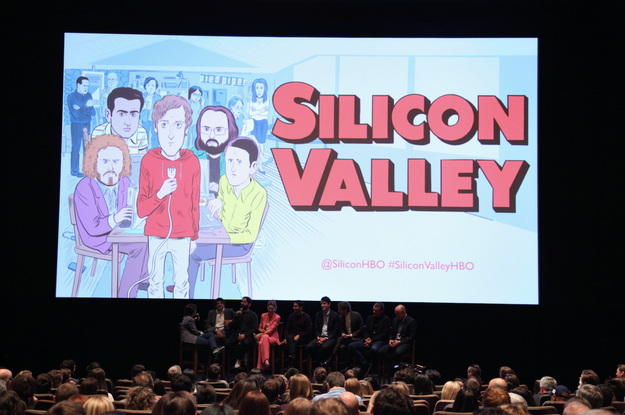
On Tuesday night, HBO hosted the premiere party for the fourth season of Silicon Valley at the Letterman Digital Arts Center in San Francisco, a campus-like collection of buildings that houses a few George Lucas-related film and special effects companies, as well as a Yoda fountain and life-size replicas of Darth Vader and Boba Fett. A lot of the guests used the latter as selfie backdrops.
After the screening, the audience full of CEOs, venture capitalists, Twitter-famous engineers, and tech bloggers watched Recode’s Kara Swisher grill the cast and crew. The question she returned to again and again was the same one the cast and creators got pelted with in the press junket beforehand: With the tech world in the crosshairs, how political is Season 4 gonna get?
“Everyone thinks [tech executives are] coastal elites, that some of the reasons for the election were because these people are stealing jobs, becoming wealthy, and leaving behind everyone,” Swisher said. “How do you reflect that in this season?”
Executive producer Alec Berg had a ready answer. “The tricky thing with the show is that we write [it] months before we shoot it, and we shoot it months before it airs, so it’s hard to be topical,” he explained onstage. The inspiration that writers draw from has to stay relevant, “so we can’t really chase trends.”
“You’ll see our United episode in a year and a half,” said Kumail Nanjiani, the actor who plays the perpetual striver Dinesh Chugtai, cutting in.
Later, Swisher tried asking the question a different way: “Do you want the show to get more political or is it just 'let&039;s make fun of the idiots of Silicon Valley&039; kind of thing?”
This time, actor Zach Woods responded. “It’s a tricky thing. [The writers] make fun of the let’s-make-the-world-a-better-place people all the time,” he said, but “then if you get a show that’s too shrill or sanctimonious then you become the person you’re parodying.”
The fourth season may not wade into the internal meltdown currently underway at Uber’s headquarters, but the first episode does kick off with a fake Uber driver. Pied Piper, the data compression startup at the center of the show, has pivoted away from its prized algorithm in favor of PiperChat, a more practical video-messaging app. The company is racking up users, but it can’t afford the server costs, so Richard Hendricks, the spiny, graceless genius behind the code, masquerades as an Uber driver. The plan is to temporarily kidnap a venture capitalist and entice him into investing while he’s sitting captive in the backseat.
The investor quickly realizes that he’s being chauffeured around by the most toxic founder on the peninsula. Please, Richard begs him, we really need the cash. “Really? Is it hard to become a billionaire? Welcome to the Valley, assholes,” the VC replies, demanding to be let out — that is, once Richard can figure out the child locks. A few seconds later, the irate investor pops back in to hand Richard his business card: Look, if PiperChat can actually get to a million users, give him a call. “Then everyone in town will be trying to kidnap you,” the VC says, making it clear that the right numbers can absolve all kinds of sins.
The scene is pretty restrained for a series that leans so heavily on sitcom-style punchlines, but the message still comes through: In Silicon Valley, the FOMO flows both ways. The Uber scenario also sneaks in a subtle point about what constitutes desperation in an industry where three commas in your bank balance is a real possibility. Richard is driving an Uber so he can try to pick up some spare millions for his startup, not because he needs to make ends meet.
Richard&039;s discomfort hard-selling the app sets up the tension of the fourth season. Until this point, the biggest threats to our hapless band of beta males has come from the world outside Erlich Bachman’s living room. Now they’re in danger of sinking under the weight of their own ambition, obliviousness, and poor interpersonal skills.
The decision to satirize personalities instead of ripping the plot from TechCrunch headlines has paid off. Four years in, Silicon Valley is playing to its strong suit and gliding past limitations that critics have latched onto in the past. From the get-go, the show has been more interested in pleasing Reddit with its obsessive technical accuracy than in sending a progressive message. The creators didn’t just do their homework, they waved it all around to make sure you could see the A+ at the top of the page. Year after year after year they were told that the tech industry’s backward-ass attitude toward gender and race is just begging for a comedic takedown, but they choose to go the academic route instead.
Now that its makers have proven themselves, however, there&039;s a buoyancy in the air. Season 4 looks ready to take its learnings — as Gavin Belson (the demented egomaniac running Goog…er, Hooli…played with panache by Matt Ross) might say — for a spin. Like Girls, Silicon Valley seems to be serving a keener sense of pathos now that the pressure is off. The inward turn helps, the dick jokes do not. but because the shifting fortunes and jockeying egos are rendered so breezily, it&039;s easy to forget that the show barely glances outside its bubble.
Perhaps that avoidance is deliberate. In the first episode, Belson is being asked about a Hooli factory in Malaysia but can only think about how another executive forced his private jet to stop in Jackson Hole first, even though Mountain View was closer. It’s a succinct way to show viewers how your world-changing sausage gets made: CEOs may be too consumed with petty concerns to pay much mind to just how far their power can reach.
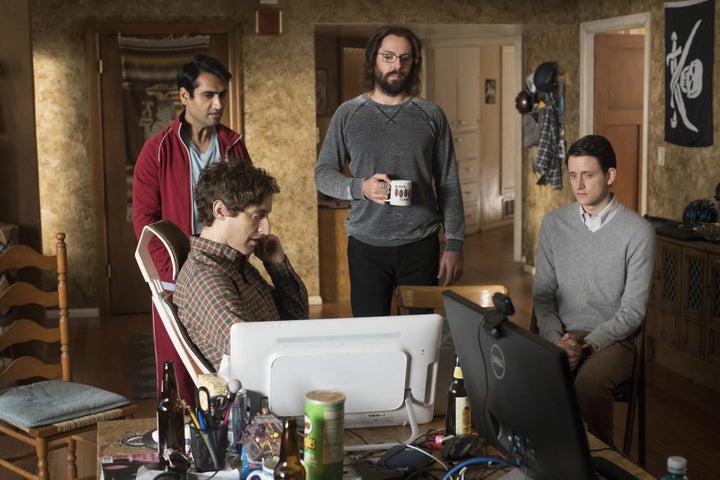
All told, though, both episodes were a nice reminder that Silicon Valley is responsible for bringing so much of the vocabulary and imagery of this subculture to the mainstream — if audiences wanted to picture Google’s campus before 2014, they had to rely on flights of fancy like The Circle. Or take the return of iconic jackass-like investor Russ Hanneman, he of three comma fame, who shows up with the doors of his orange McLaren raised at full mast. Of course, the show has always been more “funny chortle” than “funny haha.” As one engineer told BuzzFeed News after, when she’s watching home alone she doesn’t laugh.
The season premiere even had a couple echoes back to seasons past. Instead of “Big Head” Bighetti failing upward until he reaches the Hooli roof to “rest and vest,” we see another exec in an elevator that sinks down to the sub-level where he meets the ponytailed server dweller last seen in Season 3.
In Trumpian times, the low-stakes antics are a welcome breather, especially when they involve characters the audience has grown to love and pity. This season Nanjiani’s character, Dinesh, steps into more of a leadership role, complete with a costume change: from casual coder to douchebag pitchman with a one-button blazer, a mess of product in his hair, and a smarmy grin.
“Who were you trying to be?” asked Swisher. “I met about 15 people like that recently.”
During the Q&A, co-creator Mike Judge promised that there would be some female characters this season, including an actor who plays an influential role. She appears for “more than one episode, more than one line — she has a whole arc,” Judge said. A few seats over, Amanda Crew, who plays Monica, the young female investor, was unmissable wearing a Pepto-Bismol–pink suit in a row of seven men. Although Crew joins the cast for press junkets, no one wants to point out that her character doesn’t have as many lines, isn’t as fully developed, and isn’t as integral to the plot. How many viewers know Monica&039;s last name?
She only gets a couple lines in the first two episodes, but they include one of the most poignant. Richard comes to her for advice about dropping PiperChat for something even more ambitious. “Richard, I know people who have spent their entire careers chasing after an app with this kind of growth rate and never hit it,” she says. The scene quickly moves on to a sight gag about Monica being demoted to an office with a view of the urinal, but passing lines like that gesture at how many Richards there are driving around Palo Alto, hoping that millions might fall in their lap.
Quelle: <a href=""Silicon Valley" Finished Its Homework And Now It Gets To Have Some Fun“>BuzzFeed