This Vibrator Maker Was Secretly Tracking Its Customers' Sexual Activity

We-Vibe

Yes, even your vibrator might be spying on you.

A sex toy company has agreed to pay $3.75 million for secretly collecting customers&; data while they were using its vibrators.

Under the agreement, We-Vibe will set aside about $3 million for people who downloaded and used an app that accompanied the vibrator and about $750,000 to customers who just bought its “smart vibrator” before Sept. 26, 2016. Those who controlled the toy with the We-Connect app will get up to $10,000 each, while those who just it will get up to $199.

However, people will probably receive much less due to fees, administration costs, and the number of claims submitted.

The amount of the actual payment to Class members will depend on the number of claims submitted and the total amount available in the respective settlement funds after applicable notice and administration costs, the incentive award, and attorney fees have been paid..

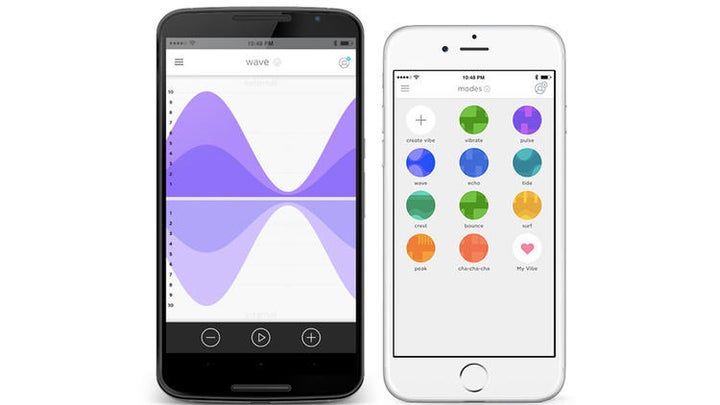
The high-end vibrators are designed for couples, enabling partners to text and video chat on the app, as well as adjust and control the toy through Bluetooth. But what they didn&039;t know was that the Canadian company was tracking how they used their devices, including intimate details like the time and date, the vibration intensity, temperature, and pattern, court documents show.

We-Vibe&039;s app, We-Connect

We-Vibe

The company, which has denied wrongdoing and liability, said it will destroy most of the information it collected.

A woman from Chicago, identified as N.P., sued Standard Innovation Corp., which owns We-Vibe, company back in September. She bought a Rave vibrator for $130 last May and frequently used the app, but said she was never notified We-Vibe was monitoring her. Another woman joined the complaint last month. They both claimed that the “highly offensive” secret data collection caused embarrassment and anxiety.

The women also say We-Vibe violated the Federal Wire Tap Act, privacy law, and made money at their expense.

“(N.P.) would never have purchased a We-Vibe had she known that in order to use its full functionality, (Standard Innovation) would monitor, collect and transmit her usage information through We-Connect,” the claim states.

About 300,000 people purchased We-Vibe devices covered by the settlement, and about 100,000 downloaded and used the app, according to court documents.

We-Vibe said in a statement to BuzzFeed News that it collected “certain analytical information to help us improve our products and the quality” of its app and that users could opt-out of this.

The company has now agreed to clarify and be more transparent about its privacy notices and data collecting practices.

Going forward, customers no longer have to register, create an account, or share their personal information. They can also opt out of sharing anonymous app usage data, the company said, noting that they now have a “new plain language privacy notices” that outlines “how we collect and use data for the app to function and improve We-Vibe products.”

Quelle: <a href="This Vibrator Maker Was Secretly Tracking Its Customers&039; Sexual Activity“>BuzzFeed

Shady Practices Lead To Departures And Firings At Facebook’s Toronto Office

Ernesto Benavides / AFP / Getty Images

Nearly 10 employees at Facebook’s Toronto office have resigned or been fired after engaging in sketchy practices inside the office’s sales organization, BuzzFeed News has learned.

The untoward behavior that led to the departures was a practice where sales employees would take credit for advertiser accounts that they did not set up or support in any way. The revenue associated with these accounts counted toward these sales peoples’ quotas, and they “earned” commission despite not doing any work. More importantly, some within the Toronto office also knew of ads that violated Facebook’s advertising policies, but did not immediately flag them. So Facebook took action.

Facebook declined to comment.

The activity in the Toronto office had no relation to the ad metrics inflation scandal Facebook has been embroiled in since late last year. But it’s sure to raise some eyebrows among advertisers already having trust issues with a platform that overestimated average video viewing times and other metrics used to determine success. One advertising agency CEO, for instance, immediately referenced the the metrics scandal when told of the Toronto turbulence.

Quelle: <a href="Shady Practices Lead To Departures And Firings At Facebook’s Toronto Office“>BuzzFeed

ASP.NET on OpenShift: Getting started in ASP.NET

In parts 1 &; 2 of this tutorial, I’ll be going over getting started quickly by using templates in Visual Studio Community 2015. This means that it’ll be for Windows in this part. However, I’ll go more in-depth with doing everything without templates in Visual Studio Code in a following tutorial, which will be applicable to Linux or Mac as well as Windows. If you’re not using Windows, you can still follow along in parts 1 &038; 2 to get a general idea of how to create a REST endpoint in .NET Core.
Quelle: OpenShift

8 Ways to be serverless and event-driven at InterConnect 2017

Serverless, based on the Apache OpenWhisk open source project, IBM Buemix OpenWhisk is a programming platform as a service with packaged access to 160+ cognitive and other cloud services.  OpenWhisk scalably executes code in runtime containers in response to configurable events, through direct invocation, and without the need to manage infrastructure.
Besides making cost-effective at scale, OpenWhisk equally facilitates end to end mobile and Internet of Things (IoT) application development.
Check-out these key sessions and labs.
Architecture and technical direction
Join OpenWhisk Lead Architect Michael Behrendt for an overview and current update.
Serverless, event-driven architectures and Bluemix OpenWhisk: Overview and IBM’s technical strategy
OpenWhisk Lead Developer Carlos Santana discusses the intersection of three key technologies:
Shaping the future of serverless APIs and microservices in IBM Bluemix
Featured client stories
International retail bank Santander uses IBM Bluemix OpenWhisk to optimize the repetitive daily task of receiving and processing check deposits. See the code behind an application that automatically processes each image added to an object storage service, invoking an external system to handle the transaction.
Serverless architectures in banking: OpenWhisk on IBM Bluemix at Santander
In creating an end to end mobile application DevOps pipeline with a single source repository, Wakefern Food Corporation uses OpenWhisk to broker JSON data between the mobile client and cloud services.
How to build homogeneously from one source repository to mobile and microservices targets
SiteSpirit, a Netherlands-based software developer, moved their data-intensive MediaSpirit tool onto OpenWhisk, and adding cloud data services on Bluemix to help customers implement advanced, flexibly-programmable, cloud-based data analytics that optimize infrastructure utilization through auto-scaling.
MediaSpirit: A Bluemix and OpenWhisk love story
Labs
Get familiar with basic OpenWhisk programming structures: events, triggers/rules, and actions.
Working with IBM OpenWhisk in Bluemix
Use OpenWhisk programming structures to create a basic bot:
Serverless bots: Create efficient inexpensive event-driven bots with Node.js & OpenWhisk
Go a step further to use OpenWhisk and Watson to build an intelligent chatbot:
Build your first Cognitive Chat Bot using OpenWhisk
A version of this article originally appeared on the IBM Bluemix blog.
The post 8 Ways to be serverless and event-driven at InterConnect 2017 appeared first on Cloud computing news.
Quelle: Thoughts on Cloud

Using templates to customize restored VMs from Azure Backup

Last week, we covered how you can configure backup on Azure VMs using Azure Quickstart templates. In this blog post, we will cover how you can customize the VM that will be created as part of restore operation from Azure backup to match your restore requirements.

Azure Backup provides three ways to restore from VM backup – Create a new VM from VM backup, Restore disks from VM backup and use them to create a VM or instant file recovery from VM backup. While a creating a VM from VM backup creates a restored VM, it will not let you customize the configuration from what is present during backup. If you want a test restore or spin a new VM with a different configuration, you can use restore disks and attach those disks to a different VM configuration using PowerShell. Today, we are happy to announce a feature which provides a customizable template to be deployed along with restore disks option which lets you customize the configuration for restore VM.

Customizing restored VM:

You can use restore disks option to customize parameters which are not possible with create a new VM option as part of restore process. Create VM option will generate unique identifiers and use them for some resource names to guarantee a restored success. If you want to customize or add new parameters as part of restore process, you can restore disks and use the template generated as part of restoring disks to customize the restored VM as per your requirements. This will also enable you to create VM with your choice of configuration from restored disks more seamlessly or help you to restore a VM to different network settings to test restore periodically at your environment.

Once you trigger restore job using Restore disks option, Azure Backup will copy data from its vault to storage account selected. Once this job is completed, you can go to corresponding restore job to find the template generated. This will be stored under parameter Template Blob Uri. Using the path mentioned, go to specified storage account and container, to download the template.  Once downloaded, you can use it in Azure template deployment to trigger a new VM creation. By default, template will have few parameters like Vnet Name, Public IP name, OS Disk name, Data Disk name prefix, NIC name prefix and Availability set option(only available if your original VM is part of availability set). If you want to specify a different configurations parameters, edit the template and submit the template for deployment.

Template will be provided for all non-encrypted standard and premium non-managed disk VMs and we will add support for encrypted and Managed Disks VMs in coming release. Please let us know your feedback at azurevmrestore@service.microsoft.com.

Related links and additional content

Want more details? Check out Azure Backup documentation and Azure Template walkthrough
Browse through Azure Quickstart templates for sample templates
Learn more about Azure Backup
Need help? Reach out to Azure Backup forum for support
Tell us how we can improve Azure Backup by contributing new ideas and voting up existing ones.
Follow us on Twitter @AzureBackup for the latest news and updates

Quelle: Azure

ASP.NET Core containers run great on GCP

By Chris Sells, Product Manager

With the recent release of ASP.NET Core, the .NET community has a cross-platform, open-source option that allows you to run Docker containers on Google App Engine and manage containerized ASP.NET Core apps with Kubernetes. In addition, we announced beta support for ASP.NET Core on App Engine flexible environment last week at Google Cloud Next. In this post, you’ll learn more about that as well as about support for Container Engine and how we integrate this support into Visual Studio and into Stackdriver!

ASP.NET Core on App Engine Flexible Environment
Support for ASP.NET Core on App Engine means that you can publish your ASP.NET Core app to App Engine (running on Linux inside a Docker container). To do so, you’ll need an app.yaml  that looks like this:

runtime: aspnetcore
env: flex

Use the “runtime” setting of “aspnetcore” to get a Google-maintained and supported ASP.NET Core base Docker image. The new ASP.NET Core runtime also provides Stackdriver Logging for any messages that are routed to standard error or standard output. You can use this runtime to deploy your ASP.NET Core apps to App Engine or to Google Container Engine.

Assuming you have your app.yaml file at the root of your project, you can publish to App Engine flexible environment with the following commands:

dotnet restore
dotnet publish -c Release
copy app.yaml .binReleasenetcoreapp1.0publishapp.yaml
gcloud beta app deploy .binReleasenetcoreapp1.0publishapp.yaml
gcloud app browse

In fact, you don’t even need that last command to publish that app — it just shows it once it’s been published.

ASP.NET Core on Container Engine
To publish this same app to Container Engine, you need a Kubernetes cluster and the corresponding credentials cached on your local machine:

gcloud container clusters create cluster-1
gcloud container clusters get-credentials cluster-1

To deploy your ASP.NET Core app to your cluster, you must first package it in a Docker container. You can do that with Google Cloud Container Builder, a service that builds container images in the cloud without having to have Docker installed. Instead, create a new file in the root of your project called cloudbuild.yaml with the following content:

steps:
– name: ‘gcr.io/gcp-runtimes/aspnetcorebuild-1.0:latest’
– name: gcr.io/cloud-builders/docker:latest
args: [ ‘build’, ‘-t’, ‘gcr.io/&ltprojectid&gt/app:0.0.1′, ‘–no-cache’, ‘–pull’, ‘.’ ]
images:
[‘gcr.io/&ltprojectid&gt/app:0.0.1′]

This file takes advantage of the same ASP.NET Core runtime that we used for App Engine. Replace each with the project ID where you want to run your app. To build the Docker image for your published ASP.NET Core app, run the following commands:

dotnet restore
dotnet publish -c Release
gcloud container builds submit –config=cloudbuild.yaml
.binreleasenetcoreapp1.0publish

Once this is finished, you’ll have an image called gcr.io/<projectid>/app:latest that you can deploy to Container Engine with the following commands:

kubectl run –image=gcr.io//app:latest –replicas=2
–port=8080

kubectl expose deployment –port=80 –target-port=8080
–type=LoadBalancer

kubectl get services

Replace <MYSERVICE> with the desired name for your service and these two commands will deploy the image to Container Engine, ensure that there are two running replicas of your service and expose an internet-facing service that load-balances requests between replicas. The final command provides the external IP address of your newly deployed ASP.NET Core service so that you can see it in action.

GCP ASP.NET Core runtime in Visual Studio

Being able to deploy from the command line is great for automated CI/CD processes. For more interactive usage, we’ve also built full support for deploying to both App Engine and Container Engine from Visual Studio via the Cloud Tools for Visual Studio extension. Once it’s installed, simply right-click on your ASP.NET Core project in the Solution Explorer, choose Publish to Google Cloud and choose where to run your code:

If you deploy to App Engine, you can choose App Engine-specific options without an app.yaml file:

Likewise, if you choose Container Engine, you receive Kubernetes-specific options that also don’t require any configuration files:

The same underlying commands are executed regardless of whether you deploy from the command line or from within Visual Studio (not counting differences between App Engine and Container Engine, of course). Choose the option that works best for you.

For more details about deploying from Visual Studio to App Engine and to Container Engine, check out the documentation. And if you’d like some help choosing between App Engine and Container Engine, the computing and hosting services section of the GCP overview provides some good guidance.

App Engine in Google Cloud Explorer

If you deploy to App Engine, the App Engine node in Cloud Explorer provides additional information about running services and versions inside Visual Studio.

The Google App Engine node lists all of the services running in your project. You can drill down into each service and see all of the versions deployed for that service, their traffic allocation and their serving status. You can perform most common operations directly from Visual Studio by right-clicking on the service, or version, including managing the service in the Cloud Console, browsing to the service or splitting traffic between versions of the service.

For more information about App Engine support for ASP.NET Core, I recommend the App Engine documentation for .NET.

Client Libraries for ASP.NET Core

There are more than 100 Google APIs available for .NET in NuGet, which means that it’s easy to get to them from the command line or from Visual Studio:

These same libraries work for both ASP.NET and ASP.NET Core, so feel free to use them from your container-based apps on GCP.

Stackdriver support for ASP.NET Core
Some of the most important libraries for you to use in your app are going to be those associated with what happens to your app once it’s running in production. As I already mentioned, simply using the ASP.NET Core runtime for GCP with your App Engine or Container Engine apps automatically routes the standard and error output to Stackdriver Logging. However, for more structured log statements, you can also use the Stackdriver logging API for ASP.NET Core directly:

using Google.Cloud.Diagnostics.AspNetCore;

public void Configure(ILoggerFactory loggerFactory) {
loggerFactory.AddGoogle(“<projectid>”);
}

public void LogMessage(ILoggerFactory loggerFactory) {
var logger = loggerFactory.CreateLogger(“[My Logger Name]”);
logger.LogInformation(“This is a log message.”);
}

To see your log entries, go to the Stackdriver Logging page. If you want to track unhandled exceptions from your ASP.NET Core app so that they show up in Stackdriver Error Reporting, you can do that too:

public void Configure(IApplicationBuilder app) {
string projectId = “”;
string serviceName = “”;
string version = “”;
app.UseGoogleExceptionLogging(projectId, serviceName, version);
}

To see unhandled exceptions, go to Stackdriver Error Reporting. Finally, if you want to trace the performance of incoming HTTP requests to ASP.NET Core, you can set that up like so:

public void ConfigureServices(IServiceCollection services) {
services.AddGoogleTrace(“”);
}

public void Configure(IApplicationBuilder app) {
app.UseGoogleTrace();
}

To see how your app performs, go to the Stackdriver Trace page for detailed reports. For example, this report shows a timeline of how a frontend interacted with a backend and how the backend interacted with Datastore:

Stackdriver integration into ASP.NET Core lets you use Logging, Error Reporting and Trace to monitor how well your app is doing in production quickly and easily. For more details, check out the documentation for Google.Cloud.Diagnostics.AspNetCore.

Where are we?
As containers become more central to app packaging and deployment, the GCP ASP.NET Core runtime lets you bring your ASP.NET skills, processes and assets to GCP. You get a Google-supported and maintained runtime and unstructured logging out of the box, as well as easy integration into Stackdriver Logging, Error Reporting and Trace. Further, you get all of the Google APIs in NuGet that support ASP.NET Core apps. And finally, you can choose between automated deployment processes from the command line, or interactive deployment and resource management from inside of Visual Studio.

Combine that with Google’s deep expertise in containers exposed via App Engine flexible environment and Google Container Engine (our hosted Kubernetes offering), and you get a great place to run your ASP.NET Core apps and services.

Quelle: Google Cloud Platform
Planet scale aggregates with Azure DocumentDB

We’re excited to announce that we have expanded the SQL grammar in DocumentDB to support aggregate functions with the last service update. Support for aggregates is the most requested feature on the user voice site, so we are thrilled to roll this out everyone that&;s voted for it.

Azure DocumentDB is a fully managed NoSQL database service built for fast and predictable performance, high availability, elastic scaling, global distribution, and ease of development. DocumentDB provides rich and familiar SQL query capabilities with consistent low latencies on JSON data. These unique benefits make DocumentDB a great fit for web, mobile, gaming, IoT, and many other applications that need seamless scale and global replication.

DocumentDB is truly schema-free. By virtue of its commitment to the JSON data model directly within the database engine, it provides automatic indexing of JSON documents without requiring explicit schema or creation of secondary indexes. DocumentDB supports querying JSON documents using SQL. DocumentDB query is rooted in JavaScript&039;s type system, expression evaluation, and function invocation. This, in turn, provides a natural programming model for relational projections, hierarchical navigation across JSON documents, self joins, spatial queries, and invocation of user defined functions (UDFs) written entirely in JavaScript, among other features. We have now expanded the SQL grammar to include aggregations in addition to these capabilities.

Aggregates for planet scale applications

Whether you’re building a mobile game that needs to calculate statistics based on completed games, designing an IoT platform that triggers actions based on the number of occurrences of a certain event, or building a simple website or paginated API, you need to perform aggregate queries against your operational database. With DocumentDB you can now perform aggregate queries against data of any scale with low latency and predictable performance.

Aggregate support has been rolled out to all DocumentDB production datacenters. You can start running aggregate queries against your existing DocumentDB accounts or provision new DocumentDB accounts via the SDKs, REST API, or the Azure Portal. You must however download the latest version of the SDKs in order to perform cross-partition aggregate queries or use LINQ aggregate operators in .NET.

Aggregates with SQL

DocumentDB supports the SQL aggregate functions COUNT, MIN, MAX, SUM, and AVG. These operators work just like in relational databases, and return the computed value over the documents that match the query. For example, the following query retrieves the number of readings from the device xbox-1001 from DocumentDB:

SELECT VALUE COUNT(1)
FROM telemetry T
WHERE T.deviceId = "xbox-1001"

(If you’re wondering about the VALUE keyword – all queries return JSON fragments back. By using VALUE, you can get the scalar value of count e.g., 100, instead of the JSON document {"$1": 100})

We extended aggregate support in a seamless way to work with the existing query grammar and capabilities. For example, the following query returns the average temperature reading among devices within a specific polygon boundary representing a site location (combines aggregation with geospatial proximity searches):

SELECT VALUE AVG(T.temperature?? 0)
FROM telemetry T
WHERE ST_WITHIN(T.location, {"type": "polygon": … })

As an elastically scalable NoSQL database, DocumentDB supports storing and querying data of any storage or throughput. Regardless of the size or number of partitions in your collection, you can submit a simple SQL query and DocumentDB handles the routing of the query among data partitions, runs it in parallel against the local indexes within each matched partition, and merges intermediate results to return the final aggregate values. You can perform low latency aggregate queries using DocumentDB.

In the .NET SDK, this can be performed via the CreateDocumentQuery<T> method as shown below:

client.CreateDocumentQuery<int>(
"/dbs/devicedb/colls/telemetry",
"SELECT VALUE COUNT(1) FROM telemetry T WHERE T.deviceId = &039;xbox-1001&039;",
new FeedOptions { MaxDegreeOfParallelism = -1 });

For a complete example, you can take a look at our query samples in Github. 

Aggregates with LINQ

With the .NET SDK 1.13.0, you can query for aggregates using LINQ in addition to SQL. The latest SDK supports the operators Count, Sum, Min, Max, Average and their asynchronous equivalents CountAsync, SumAsync, MinAsync, MaxAsync, AverageAsync. For example, the same query shown previously can be written as the following LINQ query:

client.CreateDocumentQuery<DeviceReading>("/dbs/devicedb/colls/telemetry",
new FeedOptions { MaxDegreeOfParallelism = -1 })
.Where(r => r.DeviceId == "xbox-1001")
.CountAsync();

Learn more about DocumentDB’s LINQ support, including how asynchronous pagination is performed during aggregate queries.

Aggregates using the Azure Portal

You can also start running aggregate queries using the Azure Portal right away.

Next Steps

In this blog post, we looked at support for aggregate functions and query in Azure DocumentDB. To get started running queries, create a new DocumentDB account from the Azure Portal.

Stay up-to-date on the latest DocumentDB news and features by following us on Twitter @DocumentDB or reach out to us on the developer forums on Stack Overflow.
Quelle: Azure

An Analyst Roundup on Red Hat and CloudForms

Over the past year, several analysts looked at Red Hat and its Cloud management Platform (CMP) solution, Red Hat CloudForms, to provide their point of view. The reviews were overwhelmingly positive, finding that Red Hat as a company was positioned for success and recognizing Red Hat CloudForms as a leading product that delivered substantial savings in both cost and efficiency. In this post, we provide a brief round-up of the various analysts’ reports.
Gartner Vendor Ratings
Gartner gave Red Hat an overall “Positive” rating in their 2016 Vendor Rating Report. This was the second year that Red Hat achieved a positive rating and it was based on Gartner’s assessment of Red Hat’s strategy, products and services, technology, marketing, and overall financial viability. Gartner found that Red Hat is well positioned as the most successful open-source software vendor, which should give IT buyers confidence in dealing with Red Hat.
Forrester Wave
Forrester named Red Hat as a leader in two reports looking at private cloud software suites and hybrid cloud management solutions. In “The Forrester Wave™: Private Cloud Software Suites, Q1 2016,” Forrester evaluated Red Hat’s Cloud Infrastructure product, including Red Hat CloudForms and Red Hat OpenStack© Platform. Red Hat was cited as leading the evaluation of software suites with a powerful portal and top governance capabilities. The report evaluated cloud software providers along 40 criteria, with Red Hat receiving top marks life-cycle automation, administrative portal usability and experience, permissions, compliance tracking, and capacity monitoring; all attributes tied closely to the functionality provided by Red Hat CloudForms.
In “The Forrester Wave™: Hybrid Cloud Management Solutions, Q1 2016,” vendors were assessed based on their current offerings, market presence, and strategy along 32 different criteria. Red Hat CloudForms was placed as a leader in this report as well, citing it as being among the “top choices for developer and DevOps teams concerned mainly with building applications that run across multiple clouds, with a strong preference for public cloud platforms.”
These reports demonstrate the industry leading capabilities provided by Red Hat CloudForms, and when combined with a private cloud or public cloud infrastructure, provides the flexibility and control required for digital transformation projects.
Forrester Total Economic Impact
Red Hat commissioned Forrester Consulting to conduct a Total Economic Impact (TEI) study for Red Hat CloudForms. The study examined one company’s IT operations in detail, both prior to and after deploying Red Hat CloudForms. Based on the results, Forrester computed that Red Hat CloudForms delivered almost 80% improvement in efficiency by unifying their service management functions. Forrester also found that the company realized a 97% Return on Investment and a 6.8 month payback period. While limited to only one company’s results, the Forrester TEI study provides a sample of the type of results that organizations can experience with Red Hat CloudForms and it lays out a blueprint for organizations to compute their own TEI results.
IDC Business Value
Red Hat also commissioned IDC to study the business impact of Red Hat CloudForms. In their report, IDC found that the time required to process IT service requests dropped by 89% and the staff time required to fulfill those requests dropped by 92%. This meant that development groups could deliver almost twice as many applications to market (93% more on average), resulting in an average $3.85 million per year in additional revenue. The bottom line on the study showed that organizations could see a ROI of 436% and a payback period of 8 months.
Conclusion
This round-up of analyst publications covering Red Hat and Red Hat CloudForms demonstrates the company’s strong position in providing strong open source solutions such as Red Hat CloudForms in the industry. These reports show that Red Hat CloudForms can provide greater efficiency, more flexible agile infrastructure and even potential top-line revenue growth. The quick payback period and dramatic ROI figures show that Red Hat CloudForms is a smart investment for any IT organization looking to move forward with digital transformation.
Quelle: CloudForms

Notice for developers using Azure AD B2C tenants configured for Google sign-ins

On April 20th 2017, Google will start blocking OAuth requests from embedded browsers, called "web-views". If you are using Google as an identity provider in Azure Active Directory B2C, you might need to make changes to your applications to avoid downtime. For more information about Google&;s plans, see Google&039;s blog post.

Applications not impacted

We do not expect any impact for applications that:

Only use local accounts or do not have Google as an social identity provider
Web applications / Web APIs
Desktop (Windows) applications

Applications impacted

Applications impacted are those that have configured Google as an social identity provider in Azure AD B2C and support Android or iOS using:

Xamarin and MSAL Preview

Given it&039;s preview status, MSAL should not be in use in production, but in case you did, contact Azure Support and we&039;ll help you out.

Any library that uses embedded web-views such as AndroidAuthClient/OIDCAndroidLib (Android), NXOAuth2Client (iOS) and ADAL Experimental (iOS & Android) or codes against the protocol using embedded web-views directly, WebView (Android) and UIWebView (iOS). Android and iOS B2C samples posted before today used some of these libraries.

Our updated Android and iOS samples have instructions and working code with AppAuth, an open source library that uses the system web-views.

Azure AD B2C support for System Web-Views

Traditionally, applications using embedded web-views send an OAuth request to an identity provider with a redirect URN such as urn:ietf:wg:oauth:2.0:oob. Once the user signed in with the identity provider and the identity provider attempted to redirect the user back to the URN, the application, having full control of the web-view, would intercept the response and grab the authorization code.

Conversely, applications using system web-views do not have control over the web-view and thus can&039;t intercept the OAuth response, they need a way for the system web-view when to return control back to the application. To support system web-views, Azure AD B2C has added support for custom redirect URIs for native clients (e.g. com.onmicrosoft.fabrikamb2c.exampleapp://oauthredirect) which developers can set up in their application configurations to ensure that the system web-view sends the response back to the application. Also, to ensure that only the application that generated the OAuth request can redeem the authentication code, Azure AD B2C added support for Proof Key for Code Exchange (PKCE).

If you run into any issues please contact Azure Support or if you have coding questions, don&039;t hesitate to post on StackOverflow using the azure-ad-b2c tag.
Quelle: Azure