Tracking: Zoom übermittelt heimlich Daten an Facebook
Die Videokonferenz-Software Zoom hat etliche Datenschutzprobleme. (Videotelefonie, VoIP)
Quelle: Golem

Die Videokonferenz-Software Zoom hat etliche Datenschutzprobleme. (Videotelefonie, VoIP)
Quelle: Golem

Die Beschäftigten der Telekom sorgten gerade während der Coronakrise dafür, dass alle in Kontakt bleiben könnten, erklärt Verdi. (Telekom)
Quelle: Golem

Apple wollte Entwicklern bis 30. April 2020 das Software-Development-Kit von iOS 13 aufzwingen. Nun dürfen die Apps noch länger ohne auskommen. (SDK, Apple)
Quelle: Golem

Verworfene Drehbücher, unzufriedene Paramount-Chefs und ein zögerlicher Spock: Dass der erste Star-Trek-Film vor 40 Jahren schließlich doch in die Kinos kam, grenzt an ein Wunder. Dass er schön aussieht, noch mehr. Von Peter Osteried (Star Trek, Digitalkino)
Quelle: Golem

Einige Macbook Air mit Retina-Display sind mit einer fehlerhaften Antireflexbeschichtung ausgestattet, die mit der Zeit fleckig wird. Ein Reparaturprogramm gibt es noch nicht. (Macbook Air, Apple)
Quelle: Golem

Um das Ansteckungsrisiko bei Eingabe der PIN zu minimieren, setzt Mastercard das Limit für Kreditkartenzahlungen ohne Geheimnummer auf 50 Euro hoch. (Kreditkarte, Security)
Quelle: Golem

Disney+ bietet auf den meisten Fire-TV-Modellen nur Stereoklang. Von Ingo Pakalski (Disney+, Amazon)
Quelle: Golem

Ob TSMC, größte Halbleiter-Auftragsfertiger der Welt, dass akzeptiert, ist fraglich. (Huawei, Prozessor)
Quelle: Golem
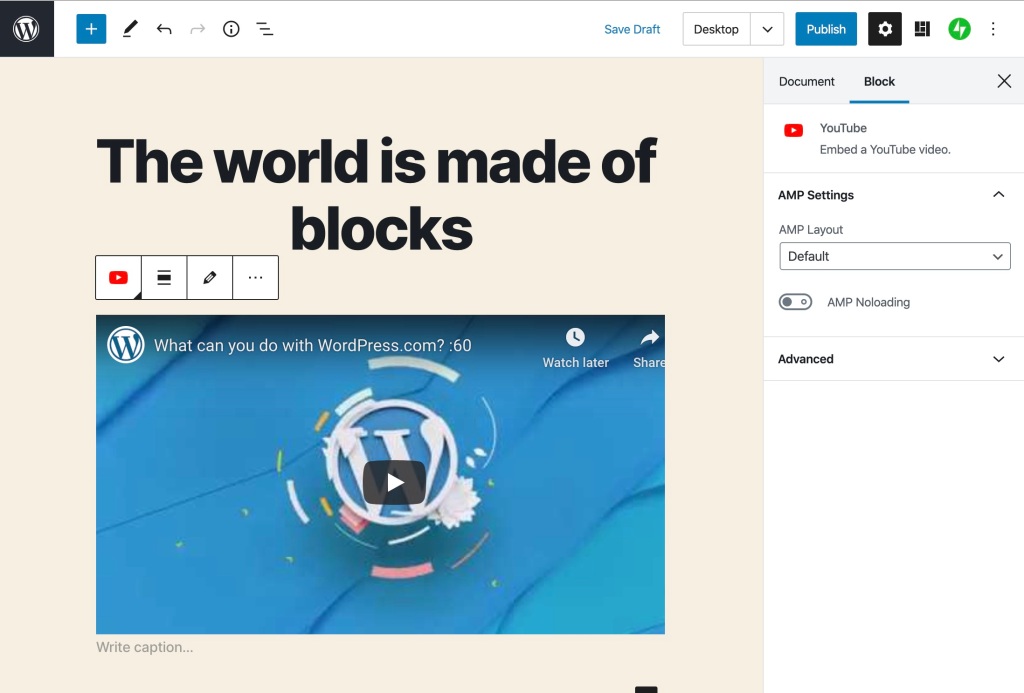
In the last few years, the teams working on the block editor have learned a lot about how people build sites now and how they want to build sites in the future.
The latest version represents the culmination of these discoveries, and the next stage in the editor’s evolution.
With better visuals and more advanced features, it’ll keep designers, developers, writers, and editors productive and happy, and — tension-building drumroll — it’s in your editor right now!
What’s new
With a comprehensive visual refresh, a plethora of new features, and dozens of bug fixes, the new block editor comes with a lot to unpack.
What follows is just a small (but delectable) sample of the many ways we’ve upgraded your editing experience. (You can get the full list of goodies in the release notes.)
We hope you enjoy.
A revamped editor UI
The first thing you’ll notice is the slick UI. Buttons, icons, text, and dropdowns are all sporting a contrast boost, with bolder colors and more whitespace between buttons, text labels, and menu items.
The new block editor’s UI
As you navigate through the editor’s menus, individual items are clearly highlighted, allowing you to quickly identify what you’ve selected.
Active menu items have distinct highlights
The block toolbars are now simpler, displaying the most commonly-used features. For example, paragraph blocks show only bold, italic, and link formatting buttons. You’ll find all the extra options in the dropdown menu.
The block toolbar options are simpler and uncluttered
What’s more, instead of listing blocks within a fixed-height container, the block inserter now spans the height of the window. You’ll now see more blocks and block categories at once with less scrolling.
The block inserter spans the full height of your screen
Introducing block patterns
With the block editor as your canvas you can design almost any layout you can imagine – but building intricate page structures should never get in the way of your creative process.
Here’s where the blocks really shine: along with individual blocks, the editor now includes block patterns, a library of predefined and reusable block layouts, that you use on any page or post.
To check out the list of available patterns, click on the block pattern icon (on the top right) to reveal a collection of pre-built layouts:
Block patterns are groups of individual blocks combined to create elegant layouts
Pick the pattern you want to use, and it will appear in your editor ready for you to customize with your own content.
Right now, you’ll find a few introductory patterns – Two Columns of Text, Two Buttons, Cover, and Two Images Side by Side – but we’ll be adding more and more patterns as they’re available. When the block patterns API opens up to third-party authors, you’ll also be able to develop and share your own.
(Have an idea for a great pattern? The block editor developer community is actively seeking ideas. The more ideas they receive, the better your editor will be!)
Colors, colors everywhere
When it comes to words and columns, websites aren’t newspapers: things don’t have to be black and white.
Use the new Text Color selector tool to change the color of sentences, and even individual words and letters. Highlight the text you’d like to change, then click on the arrow dropdown and select “Text Color.”
Select “Text Color” from the options
Pick the color of your word or character
To change the background colors of your columns, select the column and head to the sidebar, to Color settings.
Columns get background colours too!
The road ahead is paved with blocks
There’s still a long way to go, and the editor’s community of contributors hasn’t given its collective keyboards a moment’s rest. Work on polishing UI elements like the sidebar and dropdowns continues along with advancements to block patterns and other exciting features.
Are there ways we could improve the site editing experience even more? Please let us know! We’re always keen to hear how we can make the web a better place for everyone.
Quelle: RedHat Stack

If you use Office 365, you have likely seen the Microsoft PowerPoint Designer appear to offer helpful ideas when you insert a picture into a PowerPoint slide. You may also have found it under the Home tab in the ribbon. In either case, Designer provides users with redesigned slides to maximize their engagement and visual appeal. These designs include different ways to represent your text as diagrams, layouts to make your images pop, and now it can even surface relevant icons and images to bring your slides to the next level. Ultimately, it saves users time while enhancing their slides to create stunning, memorable, and effective presentations.
Designer uses artificial intelligence (AI) capabilities in Office 365 to enable users to be more productive and unlock greater value from PowerPoint. It applies AI technologies and machine learning based techniques to suggest high-quality professional slide designs. Content on slides such as images, text, and tables are analyzed by Designer and formatted based on professionally designed templates for enhanced effectiveness and visual appeal.
The data science team, working to grow and improve Designer, is comprised of five data scientists with diverse backgrounds in applied machine learning and software engineering. They strive to continue pushing barriers in the AI space, delivering tools that make everyone’s presentation designs more impactful and effortless. They’ve shared some of the efforts behind PowerPoint Designer, just so we can get a peek under the hood of this powerful capability.
PowerPoint Designer capabilities
Designer has been processing user requests in the production environment for several years and uses machine learning models for problems such as image categorization, content recommendation, text analysis, slide structure analysis, suggestion ranking, and more. Since its launch, Designer users have kept 1.7 billion Designer slides in their presentations. This means the team needs a platform to run their models at a large scale. Plus, the Designer team is regularly retraining models in production and driving model experimentation to provide optimized content recommendations.
Recently, the data analysis and machine learning team within PowerPoint started leveraging Azure Machine Learning and its robust MLOps capabilities to build models faster and at scale, replacing local development. Moving toward content suggestions, like background images, videos, and more, requires a highly performant platform, further necessitating the shift towards Azure Machine Learning.
The team uses Azure Machine Learning and its MLOps capabilities to create automated pipelines that can be iterated on, without disrupting the user experience. The pipeline starts at the Azure Data Lake, where the data is stored. From there, the team gathers data and preprocesses it—merging data from different sources and transforming raw data into a format that models can understand. Utilizing the Azure Machine Learning distributed training, they retrain their current models weekly or monthly. Distributed training allows the team to train models in parallel across multiple virtual machines (VMs) and GPUs (graphic processing units). This saves the team considerable time to ensure the model training doesn’t disrupt the user experience for the data science team, so they can focus on other objectives like experimentation.
The team does experimentation in parallel as well—trying variants, or hyperparameters, and comparing results. The final model is then put back into Azure Data Lake and downloaded to Azure Machine Learning.
The following diagram shows the conceptualized, high-level architecture of data being used from local caches in Azure Data Lake to develop machine learning models on the Azure Machine Learning. These models are then integrated into the micro-service architecture of the Designer backend service that presents PowerPoint users with intelligent slide suggestions.
Benefits of Azure Machine Learning for the PowerPoint team
The PowerPoint team decided to move its workloads over to the Azure Machine Learning based on the following capabilities:
Supports Python notebooks which can be accessed on any machine through the browser.
Natively supports running the latest TensorFlow and PyTorch-based algorithms and pre-trained models.
Experimentation is very easy to set up with minimal ramp-up time It allows execution locally or on the cloud seamlessly thereby presenting developers with a hybrid environment.
Azure Machine Learning is one of Microsoft’s key AI investments.
Follow the Azure blog to be the first to know when features leveraging new models that recommend more types of content, such as image classification and content recommendations, are released.
Azure Machine Learning | Azure Data Lake | Azure Machine Learning pipelines
Learn more
Learn more about Azure Machine Learning.
Get started with a free trial of Azure Machine Learning.
Quelle: Azure






