Gigabit: Fördermilliarden für Digitalisierung und FTTH hängen fest
Die Fördermilliarden für die IT in Schulen und Glasfaser kommen nur langsam an. Die Behörden haben Engpässe. (Schulen, Glasfaser)
Quelle: Golem

Die Fördermilliarden für die IT in Schulen und Glasfaser kommen nur langsam an. Die Behörden haben Engpässe. (Schulen, Glasfaser)
Quelle: Golem

Interessierte Nutzer können das Linux-Phone durch eine Abstimmung über Lieblingsapps zur Umsetzung unterstützen. (librem5, Linux)
Quelle: Golem

Jetbrains veröffentlicht die Roadmap und gibt dabei einen Ausblick auf die geplanten Änderungen. (Kotlin, Java)
Quelle: Golem

Die Meinungen darüber, ob es Roaming in den 4G-Netzen geben muss, gehen weit auseinander. 1&1 Drillisch bleibt hier energisch, ohne ein 5G-Netz zu haben. (Drillisch Online, Telefónica)
Quelle: Golem
As your website grows, it becomes challenging for visitors to find exactly what they need. Being prolific and publishing lots of posts and pages is a net positive for engaging and growing your audience, but it also means visitors may be more likely to find content that isn’t relevant to their interests.
This is where Jetpack Search comes into the picture: It turns your website into a place where visitors can search, refine their results, and find the specific content and products that interest them.
Built by the same team that created WordPress.com, Jetpack Search is a powerful search solution backed by Elasticsearch (an open source search platform), Jetpack Stats, and our globally distributed data centers — the very same ones that keep your WordPress.com website up, running, and secure day in and day out. Jetpack Search uses multiple technologies to build a modern search experience that improves website engagement. You can now add Jetpack Search to your WordPress.com site with just a few clicks.
What makes Jetpack Search better than regular search?
A modern search experience combines great result rankings with a fast and intuitive user interface. Most WordPress themes can’t do this yet, because the default WordPress search function offers only basic options to show the most relevant content to viewers.
Jetpack Search combines modern ranking algorithms with your traffic stats so that the best results will float to the top and engage your visitors. Our search algorithms work well with numerous languages and provide custom handling for 29 of the most widely used languages in the world. A large percentage of searches contain typos or spelling errors, but Jetpack Search instantly corrects the search query when there are no matches — so if a potential customer is looking for, say, collectables, they will still see the most popular collectibles you offer on your online store. Any changes you make to your site will be reflected in your search results within a few minutes.
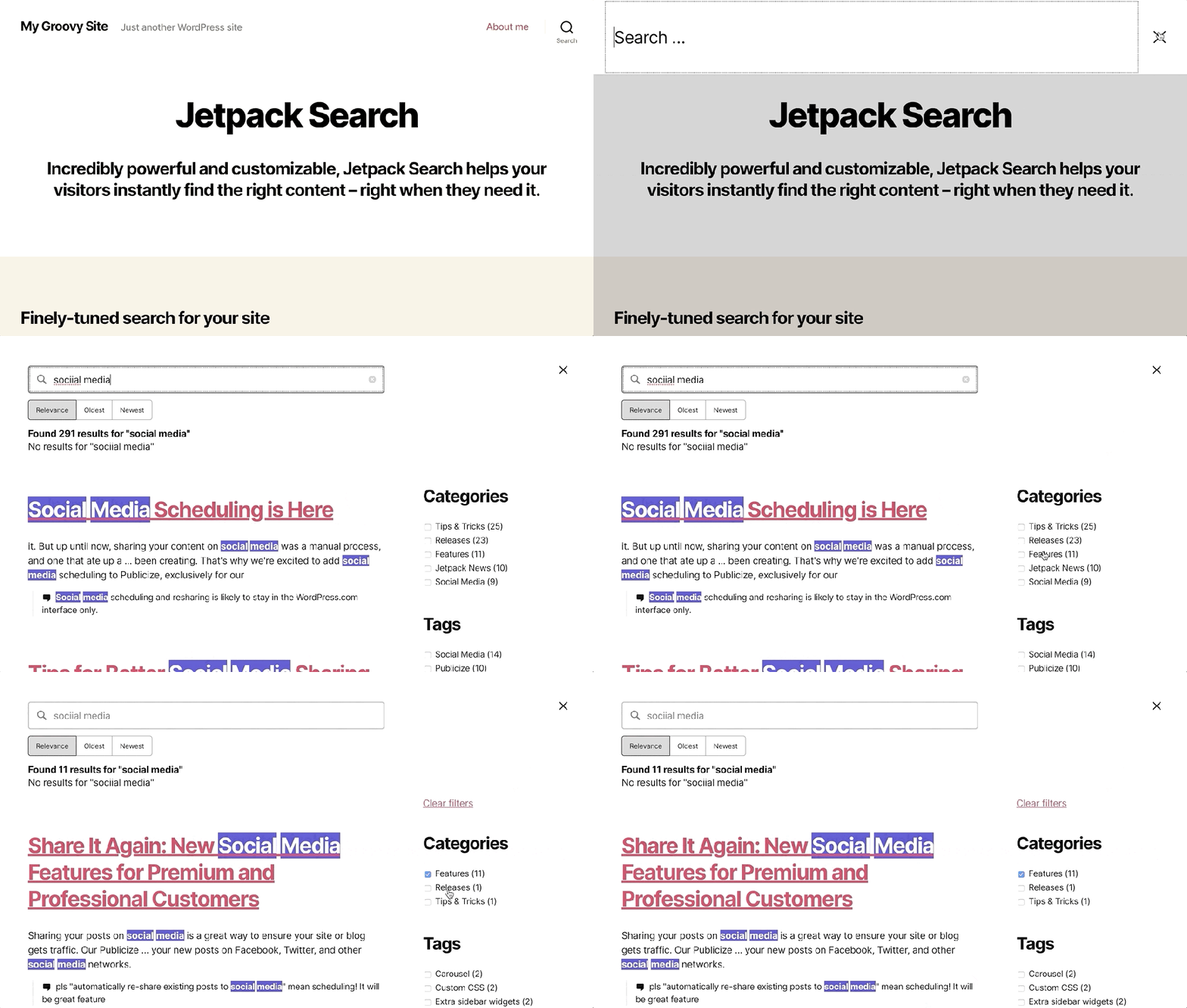
Great algorithms are not enough, though. Jetpack Search displays results instantly, as your readers type into the search box. It does its magic equally well on both mobile devices and desktop computers, and in any theme — even those without widget areas. As the user refines their search terms or filters the results, Jetpack Search continues to update the results instantly. The user’s search terms will be highlighted in the results, which they will be able to narrow down further with displayed filters.
Instant search, spelling correction, and filtering on TwentyTwenty theme.
All of these benefits come together to provide a compelling and beautiful user experience that will encourage people to stay on your site longer.
Get Started with Jetpack Search
We wanted to make Jetpack Search accessible for website owners of all stripes, from those who publish a personal blog to owners of thriving online stores. So we’re offering this new add-on at a price that takes into account how many searchable items — posts, pages, products, and custom post types — your site contains.
Record LimitPrice Per Month100$51,000$1010,000$25100,000$601,000,000$200Over one million$200 per million
All purchases are fully refundable for 30 days. Even better, when you add Jetpack Search to your site with an annual subscription, you get two months free — so you only pay for 10 months every year. When your purchase renews after a year, the price will automatically adjust based on the number of items in your search index.
We think you’ll love Jetpack Search — but more importantly, your site visitors will love it too.
Follow the link below to purchase your Jetpack Search subscription. Once you buy it, Jetpack Search will automatically be enabled for your site. You can then customize the colors, filtering, and other details if you’d like — though the out-of-the-box settings work great, too.
Get Jetpack Search
Read about how we made Jetpack Search
Quelle: RedHat Stack
In yesterday’s blog about improvements to the end-to-end Docker developer experience, I was thrilled to share how we are integrating security into image development, and to announce the launch of vulnerability scanning for images pushed to the Hub. This release is one step in our collaboration with our partner Snyk where we are integrating their security testing technology into the Docker platform. Today, I want to expand on our announcements and show you how to get started with image scanning with Snyk.
In this blog I will show you why scanning Hub images is important, how to configure the Hub pages to trigger Snyk vulnerability scans, and how to run your scans and understand the results. I will also provide suggestions incorporating vulnerability scanning into your development workflows so that you include regular security checkpoints along each step of your application deployment.
Software vulnerability scanners have been around for a while to detect vulnerabilities that hackers use for software exploitation. Traditionally security teams ran scanners after developers thought that their work was done, frequently sending code back to developers to fix known vulnerabilities. In today’s “shift-left” paradigm, scanning is applied earlier during the development and CI cycles but most organizations have to build their own automation to connect the scan functions to the CI instruments. Yesterday’s release changes this equation and provides built in automated scanning as an integral step within the CI cycle.
Now you decide which repos to configure for vulnerability scanning to trigger a scan every time you push an image into that repo, and when the scan is completed you can view the scan results in your Hub account. Vulnerability data is organized in the Hub in several different layers: vulnerability severity summary, list of all vulnerabilities, and detailed information about a specific security flaw. The scanning function is available for Pro and Team users, creating a simple method of validation for each image update.
How It Works
Step 1 – Enable Repo Scanning Functions
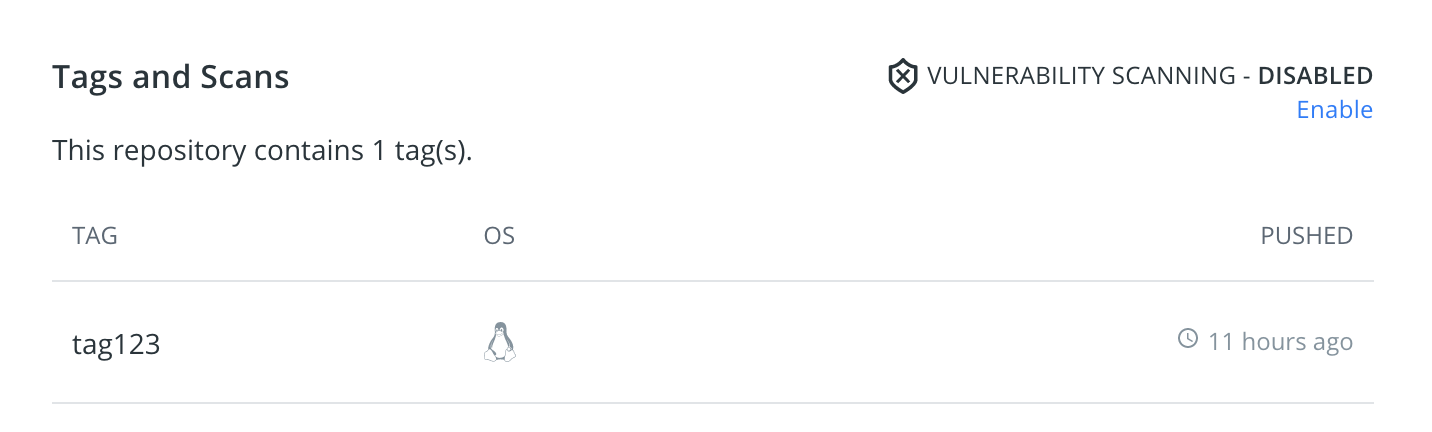
Enabling repo scanning is a simple, single-click process, but the default setting is for disabled scanning so make sure you turn it on.
Scanning is separately configurable for each repo so you can decide how you want to start incorporating scanning into your team collaboration cycles and application build steps. You can adopt these processes on a smaller scale and over time expand them to the rest of your organization. Conversely, if you decide that the repo that you have been scanning is no longer an active part of your development, you can use the same single-click option to disable scanning.
Step 2 – Run your scans
Once you enable scanning, each time that you push a tagged image into that repo you will automatically trigger a scan.
Step 3 – View the Results
After vulnerability scanning is completed, you can go to the repo page in the Hub to view the scan results. General Tab of the Hub Repo page includes results summary for all the repo image scans which will show the number of high, medium and low vulnerabilities identified during each scan.
Clicking on the Vulnerabilities section of a specific tag brings you to the Vulnerability Tab for that tag, which shows the total number of vulnerabilities identified during the scan. Vulnerabilities Tab includes the scan severities summary and shows you the full list of scan vulnerabilities.
The vulnerability list is organized so that you will see the most critical vulnerabilities first. The higher severity issues are prioritized above the lower ones, and the same severity vulnerabilities are organized in the descending order for the Common Vulnerability Scoring System (CVSS) . CVSS scores are a published standard for assigning numerical value to the severity of software vulnerabilities. Vulnerability list also includes Common Vulnerabilities and Exposures (CVEs), which are identification numbers for publicly known cybersecurity vulnerabilities as well as name and version of a package containing this vulnerability. If available, the ‘Fixed In’ column includes a higher version of the same package that has the vulnerability resolved. This is a very important part that gives you clear guidance on how to rebuild your image without the vulnerability.
Next to the ‘Fixed In’ column is a pop-up link to a page on the Snyk website, presenting detailed information about that specific vulnerability.
The little arrow located next to the Severity rating indicates that this vulnerability has dependencies. Clicking on this arrow expands the vulnerability box and displays these dependencies:
Learn More and Try It For Yourself
Hub scanning is already available. Please check the Docker Doc section link below for more information on how to get started and give us feedback:
https://docs.docker.com/docker-hub/vulnerability-scanning/
To learn more from experts about getting the most from Docker Hub vulnerability scanning, please plan on joining Docker’s Peter McKee and Snyk’s Jim Armstrong for a joint webinar on Wednesday, Oct 15. Register now!
The post Improve the Security of Hub Container Images with Automatic Vulnerability Scans appeared first on Docker Blog.
Quelle: https://blog.docker.com/feed/

1&1 Drillisch und Telefónica streiten um Preiserhöhungen in einer Schiedsklage. (Telefónica, Mobilfunk)
Quelle: Golem

Das gilt auch für alle, die ein kostenpflichtiges Jahresabo von Apple TV+ abgeschlossen haben. (Apple TV+, Apple)
Quelle: Golem

Die Aurora R10 und R11 erhalten eine wesentlich kürzere Grafikkarte, die in die kompakten Gehäuse passt. Auch das Lüfterdesign ist anders. (Alienware, Grafikhardware)
Quelle: Golem

In ersten 4K-Benchmarks kann die RDNA2-Grafikkarte laut AMD bereits überzeugen. (AMD Navi, Grafikhardware)
Quelle: Golem






