Amazon RDS for Oracle is now available with R7i memory-optimized instances offering up to 64:1 memory-to-vCPU ratio

Amazon Relational Database Service (RDS) for Oracle is now available with R7i memory-optimized preconfigured instances that offer additional memory and storage I/O per vCPU. Powered by custom 4th Gen Intel Xeon Scalable processors with AWS Nitro System and DDR5 memory for high performance, these instances provide up to 64:1 memory-to-vCPU ratio. Many Oracle database workloads require high memory, but can safely reduce the number of vCPUs without impacting application performance. By running such Oracle database workloads on R7i pre-configured instances, customers can lower their Oracle database licensing and support costs while meeting high performance application requirements. Memory optimized R7i pre-configured instances are available for Amazon RDS for Oracle with Bring Your Own License (BYOL) license model supporting both Oracle Database Enterprise Edition and Oracle Database Standard Edition 2. To learn more about Amazon RDS for Oracle R7i memory-optimized preconfigured instances, read RDS for Oracle User Guide and visit Amazon RDS for Oracle Pricing for available instance configurations, pricing details, and region availability.
Quelle: aws.amazon.com

AWS Service Reference Information now supports SDK Operation to Action mapping

AWS is expanding service reference information to include which operations are supported by AWS services and which IAM permissions are needed to call a given operation. This will help you answer questions such as “I want to call a specific AWS service operation, which IAM permissions do I need?” You can automate the retrieval of service reference information, eliminating manual effort and ensuring your policies align with the latest service updates. You can also incorporate this service reference information directly into your policy management tools and processes for a seamless integration. This feature is offered at no additional cost. To get started, refer to the documentation on programmatic service reference information.
Quelle: aws.amazon.com

EC2 Auto Scaling announces warm pool support for Auto Scaling groups that have mixed instances policies

Starting today, you can add warm pools to Auto Scaling groups (ASGs) that have mixed instances policies. With warm pools, customers can improve the elasticity of their applications by creating a pool of pre-initialized EC2 instances that are ready to quickly serve application traffic. By combining warm pools with instance type flexibility, an ASG can rapidly scale out to its maximum size at any time, deploying applications across multiple instance types to enhance availability. Warm pools are particularly beneficial for applications with lengthy initialization processes, such as writing large amounts of data to disk, running complex custom scripts, or other time-consuming setup procedures that can take several minutes or longer to serve traffic. With this new release, the warm pool feature now works seamlessly with ASGs configured for multiple On-Demand instance types, whether specified through manual instance type lists or attribute-based instance type selection. The combination of instance type flexibility and warm pools provides a powerful solution that helps customers scale out efficiently while maximizing availability. The warm pool feature is available through the AWS Management Console, the AWS SDKs, and the AWS Command Line Interface (CLI). It is available in all public AWS Regions and AWS GovCloud (US) Regions. To learn more about warm pools, visit this AWS documentation.
Quelle: aws.amazon.com

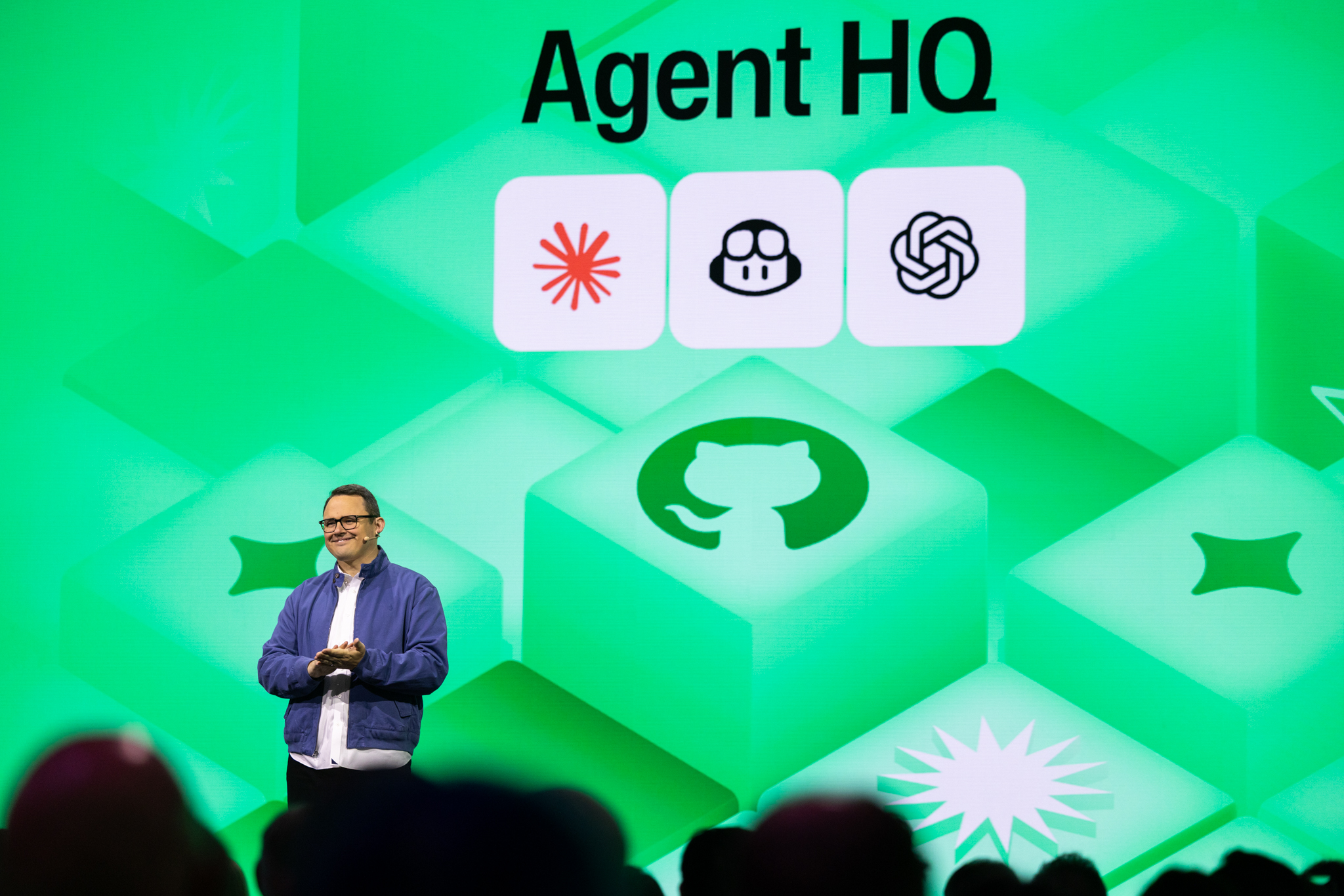
GitHub Universe 2025: Where developer innovation took center stage

At GitHub Universe 2025, the theme was clear: the ability to see, steer, and build across agents will bring the greatest impact and GitHub is the platform that’s transforming and empowering how developers and agents work together. As we heard from Kyle Daigle, Chief Operating Officer, GitHub, on stage this week, it is “the new era of collaboration.” Agents have become an integral part of software development already, taking on manual, repetitive coding tasks so developers can focus on complex problem-solving and creative, higher impact work. Developers have been at the forefront of AI from the beginning. They are showing us how agents can break down traditional roles, redefine processes, and introduce a scaling effect so we can build AI-powered solutions as quickly as we can dream them up.

GitHub is supporting every developer, on every language, and running locally or in any cloud, as they set an example for every other business function on the role of AI. This year’s GitHub Universe event was a celebration of code and community, and a showcase of developer tools, developer control, and developer choice. Our friends at GitHub announced key innovations to build agentic apps with enterprise-grade security, scalability, and trust. Now with Agent HQ—the open ecosystem that unites every agent on a single platform—there is one mission control to assign, govern, and track multiple agents in one place. Microsoft is helping turn this vision into velocity, delivering the infrastructure and products developers need to build what’s next. The rise of agents is a transformation we first introduced at Microsoft Build, and it’s accelerating fast. By harnessing the full power of the Azure portfolio, agentic AI becomes more than a productivity boost. It’s a strategic advantage.

Record-breaking growth and momentum

GitHub’s Octoverse 2025 report, released this week, offers an annual snapshot of global software development trends, highlighted record-breaking growth, and momentum across the developer ecosystem:

Find the full Octoverse 2025 summary here

180M+ developers work and build on GitHub.

Nearly 80% of developers new to GitHub use Copilot in their first week.

630M total projects on GitHub, +121M in 2025, the biggest year yet.

1.12B contributions to public and open source repositories, +13% year-over-year.

4.3M+ AI-related repositories, nearby double since 2023.

TypeScript and Python are the two most used languages in 2025, signaling a shift driven by AI preferences.

These numbers reflect a global movement—developers embracing AI, open source, and cloud-native tools to build faster and smarter. At Microsoft, we are customer zero when it comes to leveraging AI every day across various business processes and workflows. Nearly all of Microsoft’s engineers use GitHub Copilot as part of their development processes. Agents will make us not only more efficient and faster but fundamentally reinvent how we work.

This transformation isn’t just enterprise-led. As AI and agentic workflows are redefining how software gets built, it was clear while in San Francisco this week, startups are at the forefront.

I work with startups all over the world building cutting-edge data and AI solutions, and I see every day how GitHub Copilot makes it possible for startups to run leaner, make the most of their dev resources and ship faster. It makes a huge difference in terms of their quality of output and time to market. GitHub Copilot is now the standard that’s powering the next generation of AI solutions.
Heena Purohit, Global Director, Data and AI, Microsoft for Startups

This next era is about giving developers even more autonomy, intelligence, and infrastructure to help organizations unlock new value. When developers thrive, the business thrives.

Empowering every organization with AI tools built for what’s next

Microsoft Azure offers a full-stack platform that brings together AI-powered developer tools, agents, and enterprise-grade security from cloud to edge. It’s a human-centered approach to software delivery, designed to help every organization move faster, build smarter, and innovate with confidence. Agents are changing the game by assisting developers (and each other) across the entire lifecycle. Agents can tackle bug fixes, documentation to code reviews, and deploy to Azure, so developers can focus on what they do best: create.

You can now build and deploy AI agents end-to-end in Visual Studio Code with help from GitHub Copilot. AI Toolkit for VS Code lets developers explore models and build agents where they code—with evaluation and tracing in one place. Now, with prompt-first agent development powered by GitHub Copilot and built on the Microsoft Agent Framework, developers can create, refine, and launch production-ready agents faster and more intuitively than ever—all from within their favorite editor.

Azure MCP Server is now generally available, giving your agents the power of cloud and redefining how developers interact with Azure. Built on Model Context Protocol (MCP), it can create a secure, standards-based bridge between Azure services—like AKS, ACA, App Service, Cosmos DB, SQL, AI Foundry, and Fabric—and AI-powered tools such as GitHub Copilot. Imagine managing cloud resources, generating infrastructure-as-code, and troubleshooting deployments—all through natural language, right from your favorite IDE or MCP-compatible client, and all aligned with Azure best practices. Azure MCP Server accelerates innovation, eliminates context switching, and delivers enterprise-grade security and scalability. It’s not just a tool—it’s the future of intelligent cloud development.

Modern app development is in a new era—where developers are moving from writing code to orchestrating autonomous systems that understand and act on intent. On the main stage this week, Amanda Silver, Corporate Vice President and Head of Product for Apps and Agents at Microsoft, showcased how Microsoft and GitHub Copilot work together to empower spec-driven development, code generation with Azure context, prompt first agent creation, workflow orchestration, and operational excellence. Together, redefining how human creativity becomes production-ready innovation.

Becoming frontier starts here

At Microsoft, we’re proud to be part of this journey—providing the infrastructure and integration that make agentic development real for enterprises around the world.

GitHub Universe 2025 wasn’t just a showcase, it was a signal. AI is now the default expectation in software development, and agentic workflows are becoming the new standard. And with GitHub and Azure working together, we uniquely deliver the tools, platforms, and vision to help every developer thrive.

We’re building that future alongside GitHub, our customers, our startups and partner ecosystem, and the global developer community. Because when the right tools are in the hands of developers, transformation isn’t a question of if—it’s a matter of how fast. When developers lead, innovation follows.

Build in cloud with Azure
Microsoft Azure can help you get started with AI-powered developer tools, agents, and enterprise-grade security.

Start your AI journey

The post GitHub Universe 2025: Where developer innovation took center stage appeared first on Microsoft Azure Blog.
Quelle: Azure

Resiliency in the cloud—empowered by shared responsibility and Azure Essentials

Empowering organizations to shape the future of cloud with resilient, always-on solutions.

Overview

In today’s digital-first era, downtime is not an option—businesses must be resilient to thrive.

Imagine it’s 2:00 AM and an outage occurs. Whether your team responds with panic or calm depends on how well you’ve prepared. Fast recovery isn’t luck—it’s the result of intentional planning for resiliency by design.

Reliability means your cloud service works as expected, delivering consistent uptime and performance. Resiliency is your ability to quickly recover when things go wrong—like outages or disasters.

Reliability is the promise; building resiliency is how we keep that promise. Leading organizations build resiliency into their cloud solutions from the start, using zone-redundant architectures as a baseline and expanding to multi-region deployments for their most critical workloads.

Microsoft’s Azure Essentials is designed to make these practices accessible and actionable for every organization.

What is Azure Essentials?

Shared responsibility

Reliability and resiliency in the cloud are achieved through a partnership between Microsoft and our customers. The shared responsibility model clarifies accountability by role:

AreaMicrosoft(Platform reliability)Customer/Partner(Solution resiliency)Global platform availabilityDelivers global infrastructure and uptimeN/AFoundational SLAsGuarantees service levelsN/ASolution architecture and SLOsN/ADesign and maintain solution-level objectivesConfiguration, deployments, and operationsN/AImplement and manage deployments and operationsBackup and disaster recoveryProvides secure backup capabilitiesDevelop and test recovery plansValidationOffers platform validation toolsTest solution’s ability to withstand failuresGovernance and complianceSets shared guardrailsEnforce policies and compliance within environment

Note: N/A indicates that the responsibility does not apply to that party.

Real stories, real impact:

Publix Employees Federal Credit Union leveraged Azure’s disaster recovery capabilities to minimize downtime during severe weather. The University of Miami adopted availability zones and robust recovery strategies to ensure continuity for students and faculty. These stories show how platform reliability and customer resiliency combine for real-world results.

How Microsoft helps: Azure Essentials as the anchor

At the heart of Microsoft’s approach is Azure Essentials—the unified methodology that brings together all the tools, guidance, and best practices our customers need. Azure Essentials enables organizations to build resilient, reliable, and secure cloud solutions at every stage of their journey.

Azure Essentials brings together:

Foundational blueprints: Azure Well-Architected Framework and Cloud Adoption Framework guidance to establish secure, cost-effective environments from day one.

Actionable assessments: Optimization tools and gap analyses for continuous improvement.

Integrated tools: Validation with Azure Chaos Studio, monitoring with Azure Monitor, security with Microsoft Defender for Cloud, and automation with Azure DevOps.

Resilient design patterns: Support for migration, modernization, AI innovation, and unified data platforms with zone-redundant architectures and disaster recovery solutions.

Continuous improvement: Ongoing validation, monitoring, and remediation to maintain a strong resiliency posture.

Azure Essentials in action: Practical stages

Start resilient: Apply zone-redundant patterns, align security and governance, and embed resiliency early using Azure Blueprints and reference architectures.

Get resilient: Address gaps in existing deployments through assessments and targeted remediation plans and recommend high-availability strategies such as multi-region deployments.

Stay resilient: Implement continuous validation and improvement cycles, using telemetry, policy, and partner services to enforce resiliency posture.

With Azure Essentials, you’re not just preparing for the future—you’re helping to shape it, setting a new standard for resilient, always-on cloud innovation.

Resiliency across Azure solutions

Azure Essentials empowers organizations to build resiliency into every Azure solution—whether you’re migrating workloads, innovating with AI, or unifying your data platform. Here’s how each solution area supports resilient cloud operations, with direct links to practical guidance:

Migration and modernization: Architect for zone-redundancy, implement backup and disaster recovery, and validate resiliency after migration. Learn more.

This resource provides actionable strategies for designing cloud solutions that minimize downtime and ensure business continuity through redundancy and robust architecture.

AI apps and agents: Deploy models across multiple zones or regions, build resilient APIs and data pipelines, and continuously monitor and retrain models. Learn more.

This link offers practical guidance on building and deploying AI-powered applications that are resilient, scalable, and secure, with real-world examples and best practices.

Unified data platform: Design for durability and rapid recovery with geo-redundancy, regular backups, and automated recovery processes. Learn more.

This article explains how to architect data platforms for resilience, covering strategies for backup, recovery, and high availability using Microsoft Fabric.

Organizations can architect for fault tolerance, eliminate single points of failure, back up and test recovery regularly, and enforce governance at scale. Tools like Azure Advisor, Azure Monitor, and Azure DevOps help automate and monitor operations, while Azure Chaos Studio enables validation and testing.

Where to find more information

Ready to get your organization’s cloud environment resilient? Start with these resources:

Explore: Backup and disaster recovery.

Use: Reliability guides by service.

Access technical methodology: Azure Essentials.

Start your project with experts and investments: Azure Accelerate.

Register for: Microsoft Ignite sessions on resiliency best practices.

Take the next step to make resiliency and reliability your default by leveraging Azure Essentials and the rest of these resources today.

Get started with Azure Accelerate
Fuel transformation with experts and investments across the cloud and AI journey.

What is Azure Accelerate?

The post Resiliency in the cloud—empowered by shared responsibility and Azure Essentials appeared first on Microsoft Azure Blog.
Quelle: Azure