Next-Gen: Sony verschiebt die Präsentation von PS5-Games
Die Vorstellung der Spiele für die Playstation 5 am 4. Juni 2020 ist abgesagt worden. Die Präsentation soll später stattfinden. (Playstation 5, Sony)
Quelle: Golem

Die Vorstellung der Spiele für die Playstation 5 am 4. Juni 2020 ist abgesagt worden. Die Präsentation soll später stattfinden. (Playstation 5, Sony)
Quelle: Golem

SPD und Grüne haben sich in Hamburg auf den Einstieg in den Microsoft-Ausstieg geeinigt. Die Stadt soll digital sourverän werden. (Open Source, Microsoft)
Quelle: Golem

An app should be intuitive to use, so you can do what you need to do while you’re in a hurry or on the go. The newest versions of the Android and iOS mobile apps are reorganized based on how you actually use them. Publishing and finding what you need have never been faster, so you can spend less time hunting and tapping — and more time creating and engaging.
How did we decide on these changes? We analyzed our apps for pain points and hard-to-do tasks. We looked at the data and talked to people about which features are most important to them. We interviewed WordPress users and showed them prototypes. All these changes come from you — thanks!
Fewer tabs for faster focus
We’ve simplified the app into three main sections focused on the key things you do every day: managing your site, finding and reading great content, and keeping up to date with notifications.
Your account, where it should be
People expect to find account information and settings in the upper-right corner, so that’s where it is now: get to your profile and account by heading to the My Site screen and tapping on your photo. It’s where you expect it to be when you need it, and out of the way when you don’t.
Start drafting, right now
There’s one button to tap to create new posts or pages. It’s big. It’s pink. It’s got a plus sign on it. It’s always there on the My Site screen, waiting. Tap it and type away!
The links you use the most, right at the top
There are a lot of things you can do with your site, but there are some things you do more often than others — check stats, edit posts, upload photos. We made links to those actions big, and we put them at the top of the My Site screen, right under a more prominent site name and logo.
Content discovery, your way
You’ll now see great content from the sites you follow as soon as you open the Reader. Use the top tabs to switch between different streams of content, or narrow things down with the filter bar if you’re only interested in specific sites or tags.
To see the improvements, make sure you’ve updated your app. The WordPress mobile apps are free and available for both Android and iOS devices. If you have any questions or feedback, reach out to us directly from the app — in My Site, tap your profile image → Help & Support → Contact Us.
Many of you are increasingly building your sites and reading other sites on mobile devices, so we’re constantly looking for ways to make our apps easier to use. Look out for upcoming changes that streamline site management and further refine the reading experience!
Quelle: RedHat Stack
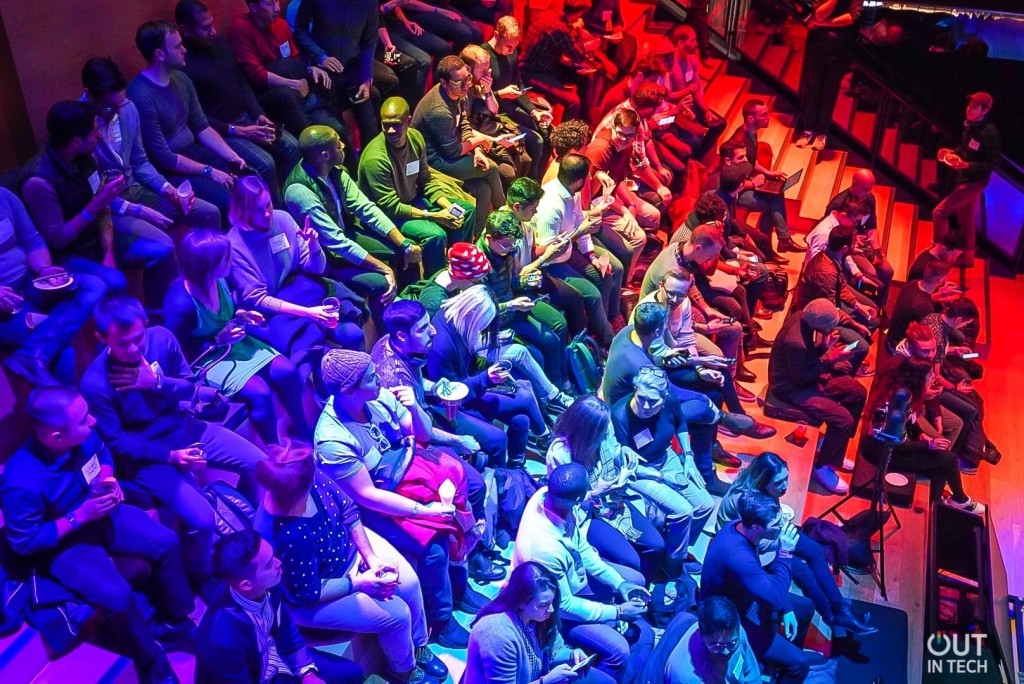
Happy Pride Month! Last year, I shared resources and highlighted organizations doing awesome work in the LGBTQ+ community. This year, I’m excited to tell you more about Out in Tech, an organization that Automattic has partnered with for the past four years. I’m proud to say that this year, the Queeromattic Employee Resource Group — an employee-led collective for LGBTQ+ initiatives at Automattic — is co-sponsoring this partnership for the first time.
“We’re a global nonprofit community of 40,000 members working toward a world in which LGBTQ+ people are empowered, well-represented in the tech industry, and have full agency, from intern to CEO,” says Gary Goldman, the Senior Program Director of Out in Tech. As the Queeromattic Lead, I’ve been fortunate to benefit from the wonderful and empowering community Out in Tech has created through their Qorporate Roundtables, vibrant Slack community, and virtual hangouts in light of COVID-19. It brings me great joy to share more about Out In Tech with you all in this recent interview with Gary.
Q. Tell us a bit about yourself! How do you identify? How did you get started with Out in Tech?
I identify as a cisgender gay man. Before Out in Tech, I worked as a United Nations consultant for five years in data management. During that time, I was a volunteer for Out in Tech as head of the New York chapter. It has been a dream come true to transition to being a staff member and work for my actual favorite organization out there.
Q. Can you share any exciting things Out in Tech has planned for Pride?
The unsung heroes of the LGBTQ+ community are the activists working on the ground in the 70+ countries where being queer is illegal (and sometimes even punishable by death).
On June 20, we’ll be building WordPress.com websites for 10 incredible organizations in these countries; they’re planning on using these sites to advocate for policy change, grow their community, and fundraise.We’re also hosting a virtual Pride series the second week of June for those working in customer experience (June 10) as well as a day of workshops for folks currently navigating the job market (June 13). To learn more, visit outintech.com.
Q. Is there one person you’ve helped over the years (or a project you’ve worked on) that stands out in your memory?
I’ve noticed that a lot of people in the LGBTQ+ tech community have been eager to leverage their skills to make the world a better place.
Derrick Reyes was an early recipient of the Out in Tech Coding Scholarship. Since graduating, they’ve been leveraging their new skills to create an incredible company called Queerly Health, which helps you find and book LGBTQ+ friendly health and wellness practitioners. It was a real full-circle moment to welcome them as a panelist at an Out in Tech event back in January.
Q. Has partnering with Automattic helped your work?
This partnership has made all the difference in Out in Tech’s work, and that’s not an understatement. When I was a United Nations consultant, I traveled to dozens of countries where being LGBTQ+ is outlawed, and where activists needed a digital platform to amplify their voices.
WordPress turned that vision into a reality.
Since 2017, the Out in Tech Digital Corps has built over 100 WordPress.com websites for activists in 50+ countries.
Automattic provides these activists with hosting, themes, and domains free of charge. We also have Automatticians support us technically during the Digital Corps build days — a special shout-out to Mindy Postoff, who has been to over 10 build days!Simply put, Out in Tech is powered by Automattic, and we’re incredibly grateful to Marlene Ho, Megan Marcel, and Matt Mullenweg for making it all happen.
Q. In this time when organizations have pivoted to digital events, can you tell us about your virtual events and other ways to participate in your community?
Out in Tech’s mission is to create opportunities for our members to advance their careers, grow their networks, and leverage tech for social change. During COVID-19, we’re still doing just that — but digitally.
Every week, members have an opportunity to hear from dozens of companies that are actively hiring and to network with each other during Queer and Trans People of Color (QTPOC) socials and even RuPaul’s Drag Race viewing parties. We also have virtual events featuring prominent LGBTQ+ tech leaders, such as Arlan Hamilton, the founder of Backstage Capital, and Jeff Titterton, the chief marketing officer of Zendesk.
When it comes to leveraging tech for social change, 100 volunteers built websites for organizations in Senegal, Uganda, Nigeria, and Zimbabwe (among others), and we’re doing it again in June. This spring, our mentorship program connected 83 LGBTQ+ youth to tech mentors for eight weeks. They’re graduating at the end of this month, and we hope some of you reading this will hire them as interns!
Q. What do you look for when partnering with organizations and LGBTQ+ activists around the world?
Out in Tech accepts applications from LGBTQ+ groups on every continent on a rolling basis. When our Digital Corps leadership team reviews applications, they assess four main criteria:
Does the LGBTQ+ organization have a good reason for needing a website? This can range from needing to crowdsource input from the community to applying for grants. Do they already have a website and just need a revamp? We only select organizations who either do not have an existing web presence, or whose website is very challenging to navigate. Has the organization been around for more than one year? We want to ensure that the groups we support are established and are going to stick around for the long haul after we build their shiny new website. Does the organization have at least a few volunteers to keep the website active and up to date once we deliver a user guide to them? We regularly track and monitor which sites are active and how they’re being used. This helps us to continuously improve our efforts to unite the global LGBTQ+ community.
Community is so important, especially in these times, and I’m doubly thankful for people like Gary who have helped the LGBTQ+ community remain strong. What organizations are you celebrating this month? How are you creating community from afar? Share in the comments below!
At WordPress.com, we strive to be a platform that democratizes publishing so that anyone can share their stories regardless of income, gender, politics, language, or where they live in the world. This month is a great reminder for why we work hard to expand the open web.
Quelle: RedHat Stack

As enterprises continue to evolve in their digital transformation journey, there is a need for augmenting Azure Maps content with project-specific and private business knowledge of places. Today we're launching Azure Maps Creator in preview to extend location intelligence to indoor spaces.
Enterprises are taking advantage of Azure Maps capabilities to optimize business operations and transform their business strategy using location and map services. With IoT-powered systems delivering new and more accurate data than ever before, defining new patterns for taking advantage of location data findings is essential. Creator includes a new set of capabilities that allow an enterprise to securely create and use indoor maps that dynamically change as new events in spaces occur. The data is not used to improve Azure Maps, customers own and are in full control of the created map content, including defining how to secure access using Azure Maps authentication and authorization options. You can develop solutions for the general public or for selected authenticated users for virtually any indoor space such as offices, stores, factories, and hospitals for facility management, occupant and guest experiences, productivity tools, and more.
Azure Maps provides SDKs to easily build web and mobile applications with location and map services. Creator is fully integrated with existing Azure Maps capabilities. Using the same skill sets and developer tools, solutions can combine indoor maps and analytics with outdoor Azure Maps services for roads, traffic, mobility, weather, and more.
Create indoor maps
You can take advantage of existing data for creating and maintaining indoor maps. During construction or remodeling phases, architecture and engineering work includes floorplan drawings created with computer-aided drawing (CAD) tools. Creator offers a conversion service that enables developers to upload these CAD-based floorplans and convert them into map data which can be further enriched with other details. For example, you can create logical spaces representing areas covered by cameras or with Wi-Fi signal, and add equipment locations to help find printers and fire extinguishers. You can create maps with multiple buildings, like corporate campuses and hospitals, put the buildings in relation to each other using the geographic context, and easily add useful functions such as routing from one building to another.
We envision an ecosystem of partners offering specialized services or complementary technology making it easier to gather and process useful indoor map data. One of the partners that is an early adopter of the Creator capability is Archidata. Archidata has 25 years of experience in developing tools and processes for upgrading architectural documents to allow its real estate clients to evolve at the same pace as technology easily and inexpensively. Archidata has developed the capability to convert customers’ architectural plans to meet Azure Maps Drawing package requirements from any document format, including AutoCAD drawings, PDF, scanned paper plans, or Revit models.
Indoor maps in action
Indoor maps can be used in a multitude of scenarios taking advantage of map visualization, IoT, and location analytics. The Azure Maps SDK is enriched with a dedicated Indoor module so that applications delivering indoor experiences can be easily extended with the numerous rich capabilities the SDK offers.
Indoor map visualization brings an intuitive way to make decisions. It can be used to locate stores and gates in airports, alerts in factory production lines, book meeting rooms, show space utilization trends, and conditions. Indoor map visualization is delivered by the Azure Maps Render service and utilizes optimized vector tilesets. Each space and element of the map comes with a style to more rapidly deliver compelling maps. If you need applications that reflect map styles defined by live data, for example, if you are making use of Azure Digital Twins to track temperature or people count for different areas provided by IoT devices, you can use the Feature State service to visualize the latest measurements and deliver dynamic map styling in your applications.
Using Web Feature Service (WFS), you can also use your indoor map data to perform spatial queries and find, for example, rooms and equipment based on a given area of interest or other criteria such as the place name. The information retrieved can be used to visualize places of interest on maps but also for analytics and integration with other systems. For example, you can access and use the spatial data of your indoor map in other functions such as the Azure Maps Geofence API. In addition to all great functional value the WFS provides, this service adheres to the Open Geospatial Consortium API standard for Features which makes your solution highly interoperable with other commercial and open sourced geospatial products.
With the ability to view indoor spaces, it's natural to want to view objects on the map as they move around in real-time. The challenge has been that most devices are not location-aware inside a building, as GPS signals are obscured. To solve this, the next Windows release will feature a new Wi-Fi-based indoor location solution built into the geolocation API. When deployed, IT departments can use it to find lost laptops, or employees can get live navigation through a building indoor map. Azure Maps abstracts away from the method to let you choose the positioning technology suitable for your projects. While Windows is working together with enterprise Wi-Fi partners to build indoor positioning into the OS, you could also build cross-platform, mixed reality solutions with Azure Spatial Anchors accessible across HoloLens, iOS, and Android devices. Applications tracking indoor positions can take advantage of Azure Maps and bring additional insights to mixed reality applications (for example, room properties and devices in close proximity) as well as trigger automated processes built using Azure Maps Spatial service and others. Azure Maps also helps extend user experiences beyond indoor by making use of the same IoT events and underlying services to deliver spatial analytics.
SIRL (Sirl.io), an innovative indoor GPS and analytics platform, locates and communicates with mobile devices used by visitors and staff at accuracy down to 12 inches (30 cm) using precise indoor object mapping provided by Azure Maps Creator. SIRL is currently working with Fairway Market in the New York metropolitan area to add wayfinding and location-triggered recommendations to Fairway’s Mobile Checkout App. In addition, SIRL is helping Fairway’s category managers with merchandising insights and optimization via a cloud-based analytics dashboard.
Willow is a technology company that creates Digital Twins of real assets, either buildings or infrastructure. Willow's Digital Twin combines siloed data sets, including geospatial data, asset data, maintenance data, and occupant data into a virtual replica of the built form, which is then overlaid with live information. This is an emerging technology field in the built world as the physical and digital realms merge. Willow will leverage Azure Maps to provide users with an accurate, floor map of their assets as well as leverage Azure Maps for their Geographic Information System.
"By integrating Azure Maps into Willow, we can provide contextual insights to owners and operators" said Dale Brett, Co-Founder and Chief Product Officer at Willow. "Azure Maps is helping us bring spatial context to IoT. That means we can drive more efficient maintenance practices, improve tenant safety and wayfinding, and provide asset owners with transparency across multiple sites."
Audax Labs is currently working with the Azure Maps team to develop solutions for the Retail Industry around parking garages. They have built a prototype for streamlining the parking process using the Creator capability. Customers can find and reserve a spot in the parking lot for calculated for their estimated time of arrival.
Next steps
Start learning more and easily develop modern solutions with Azure Maps today.
Learn more about Azure Maps Creator.
Create your first indoor map.
Creating Intelligent Spaces.
Quelle: Azure

In der aktuellen Verkaufsveranstaltung konnten in Star Citizen große Schiffe für mehrere hundert Euro gekauft werden. (Star Citizen, Games)
Quelle: Golem

Der Udoo Bolt Gear hat zudem Platz für drei Laufwerke und zwei RAM-Module. Und er ist zu Arduino kompatibel. (AMD Zen, Computer)
Quelle: Golem

Mit vier Toyota Mirai erweitert die Berliner Feuerwehr ihren Fuhrpark. Die Berliner Polizei fährt schon länger mit Wasserstoff. (Brennstoffzelle, Technologie)
Quelle: Golem

Das Modern 14 gibt es bereits mit Intel-CPU. Die AMD-Version soll allerdings maximal 64 GByte RAM unterstützen. (MSI, AMD)
Quelle: Golem

Der vorletzte Blockbuster für Playstation 4: Mitte Juni 2020 erscheint The Last of Us 2. Golem.de konnte einen langen Abschnitt anspielen. Von Peter Steinlechner (The Last of Us 2, Sony)
Quelle: Golem






