Announcing vLLM v0.12.0, Ministral 3 and DeepSeek-V3.2 for Docker Model Runner

At Docker, we are committed to making the AI development experience as seamless as possible. Today, we are thrilled to announce two major updates that bring state-of-the-art performance and frontier-class models directly to your fingertips: the immediate availability of Mistral AI’s Ministral 3 and DeepSeek-V3.2, alongside the release of vLLM v0.12.0 on Docker Model Runner.

Whether you are building high-throughput serving pipelines or experimenting with edge-optimized agents on your laptop, today’s updates are designed to accelerate your workflow.

Meet Ministral 3: Frontier Intelligence, Edge Optimized

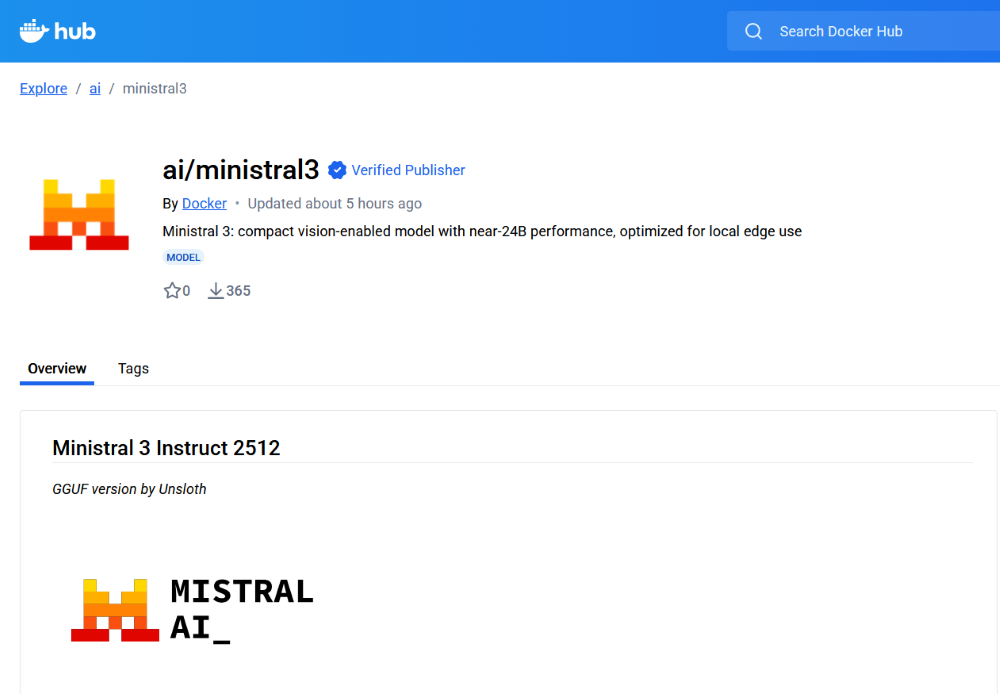
While vLLM powers your production infrastructure, we know that development needs speed and efficiency right now. That’s why we are proud to add Mistral AI’s newest marvel, Ministral 3, to the Docker Model Runner library on Docker Hub.

Ministral 3 is Mistral AI’s premier edge model. It packs frontier-level reasoning and capabilities into a dense, efficient architecture designed specifically for local inference. It is perfect for:

Local RAG applications: Chat with your docs without data leaving your machine.

Agentic Workflows: Fast reasoning steps for complex function-calling agents.

Low-latency prototyping: Test ideas instantly without waiting for API calls.

DeepSeek-V3.2: The Open Reasoning Powerhouse

We are equally excited to introduce support for DeepSeek-V3.2. Known for pushing the boundaries of what open-weights models can achieve, the DeepSeek-V3 series has quickly become a favorite for developers requiring high-level reasoning and coding proficiency.

DeepSeek-V3.2 brings Mixture-of-Experts (MoE) architecture efficiency to your local environment, delivering performance that rivals top-tier closed models. It is the ideal choice for:

Complex Code Generation: Build and debug software with a model specialized in programming tasks.

Advanced Reasoning: Tackle complex logic puzzles, math problems, and multi-step instructions.

Data Analysis: Process and interpret structured data with high precision.

Run Them with One Command

With Docker Model Runner, you don’t need to worry about complex environment setups, python dependencies, or weight downloads. We’ve packaged both models so you can get started immediately.

To run Ministral 3:

docker model run ai/ministral3

To run DeepSeek-V3.2:

docker model run ai/deepseek-v3.2-vllm

These commands automatically pull the model, set up the runtime, and drop you into an interactive chat session. You can also point your applications to them using our OpenAI-compatible local endpoint, making them drop-in replacements for your cloud API calls during development.

vLLM v0.12.0: Faster, Leaner, and Ready for What’s Next

We are excited to highlight the release of vLLM v0.12.0. vLLM has quickly become the gold standard for high-throughput and memory-efficient LLM serving, and this latest version raises the bar again.

Version 0.12.0 brings critical enhancements to the engine, including:

Expanded Model Support: Day-0 support for the latest architecture innovations, ensuring you can run the newest open-weights models (like DeepSeek V3.2 and Ministral 3) the moment they drop.

Optimized Kernels: Significant latency reductions for inference on NVIDIA GPUs, making your containerized AI applications snappier than ever.

Enhanced PagedAttention: Further optimizations to memory management, allowing you to batch more requests and utilize your hardware to its full potential.

Why This Matters

The combination of Ministral 3, DeepSeek-V3.2, and vLLM v0.12.0 represents the maturity of the open AI ecosystem.

You now have access to a serving engine that maximizes data center performance, alongside a choice of models to fit your specific needs—whether you prioritize the edge-optimized speed of Ministral 3 or the deep reasoning power of DeepSeek-V3.2. All of this is easily accessible via Docker Model Runner.

How You Can Get Involved

The strength of Docker Model Runner lies in its community, and there’s always room to grow. We need your help to make this project the best it can be. To get involved, you can:

Star the repository: Show your support and help us gain visibility by starring the Docker Model Runner repo.

Contribute your ideas: Have an idea for a new feature or a bug fix? Create an issue to discuss it. Or fork the repository, make your changes, and submit a pull request. We’re excited to see what ideas you have!

Spread the word: Tell your friends, colleagues, and anyone else who might be interested in running AI models with Docker.

We’re incredibly excited about this new chapter for Docker Model Runner, and we can’t wait to see what we can build together. Let’s get to work!
Quelle: https://blog.docker.com/feed/

Docker, JetBrains, and Zed: Building a Common Language for Agents and IDEs

As agents become capable enough to write and refactor code, they should work natively inside the environments developers work in: editors. 

That’s why JetBrains and Zed are co-developing ACP, the Agent Client Protocol. ACP gives agents and editors a shared language, so any agent can read context, take actions, and respond intelligently without bespoke wiring for every tool.

Why it matters

Every protocol that’s reshaped development (LSP for language tools, MCP for AI context) works the same way: define the standard once, unlock the ecosystem. ACP does this for the editor itself. Write an agent that speaks ACP, and it works in JetBrains, Zed, or anywhere else that adopts the protocol. 

Docker’s contribution

Docker’s cagent, an open-source multi-agent runtime, already supports ACP, alongside Claude Code, Codex CLI, and Gemini CLI. Agents built with cagent can run in any ACP-compatible IDE, like JetBrains, immediately.

We’ve also shipped Dynamic MCPs, letting agents discover and compose tools at runtime, surfaced directly in the editor where developers work.

What’s next

ACP is early, but the direction is clear. As agents embed deeper into workflows, the winners will be tools that interoperate. Open standards let everyone build on shared foundations instead of custom glue.

Docker will continue investing in ACP and standards that make development faster, more open, and more secure. When code, context, and automation converge, shared protocols ensure we move forward together.
Quelle: https://blog.docker.com/feed/

SES Mail Manager is now available in 10 additional AWS Regions, 27 total

Amazon SES announces that the SES Mail Manager product is now available in 10 additional commercial AWS Regions. This expands coverage from the current 17 commercial AWS Regions where Mail Manager is launched, meaning that Mail Manager is now offered in all commercial Regions where SES offers its core Outbound service. SES Mail Manager allows customers to configure email routing and delivery mechanisms for their domains, and to have a single view of email governance, risk, and compliance solutions for all email workloads. Organizations commonly deploy Mail Manager to replace legacy hosted mail relays or simplify integration with third-party mailbox providers and email security solutions. Mail Manager also supports onward delivery to WorkMail mailboxes, built-in archiving with search and export capabilities, and integration with third-party security add-ons directly within the console. The 10 new Mail Manager Regions include Middle East (Bahrain), Asia Pacific (Jakarta), Africa (Cape Town), Middle East (UAE), Asia Pacific (Hyderabad), Asia Pacific (Malaysia), Europe (Milan), Israel (Tel Aviv), Canada West (Calgary), and Europe (Zurich). The full list of Mail Manager Region availability is here. To learn more, see the Amazon SES Mail Manager product page and the SES Mail Manager documentation. You can start using Mail Manager in these new Regions through the Amazon SES console.
Quelle: aws.amazon.com

Amazon Connect launches WhatsApp channel for Outbound Campaigns

Amazon Connect Outbound Campaigns now supports WhatsApp, expanding on the WhatsApp Business messaging capabilities that already allow customers to contact your agents. You can now engage customers through proactive, automated campaigns on their preferred messaging platform, delivering timely communications such as appointment reminders, payment notifications, order updates, and product recommendations directly through WhatsApp. Setting up WhatsApp campaigns uses the same familiar Amazon Connect interface, where you can define your target audience, choose personalized message templates, schedule delivery times, and apply compliance guardrails, just as you do for SMS, voice, and email campaigns. Previously, Outbound Campaigns supported SMS, email, and voice channels, while WhatsApp was available only for customers to initiate conversations with your agents. With WhatsApp support in Outbound Campaigns, you can now proactively reach customers through an additional messaging platform while maintaining a unified campaign management experience. You can personalize WhatsApp messages using real-time customer data, track delivery and engagement metrics, and manage communication frequency and timing to ensure compliance. This expansion provides greater flexibility to connect with customers on their preferred platforms while streamlining your omnichannel outreach strategy. This feature is available in all AWS Regions where Amazon Connect Outbound Campaigns is supported. To learn more, visit the Amazon Connect Outbound Campaigns documentation.
Quelle: aws.amazon.com

AWS Elastic Beanstalk now supports Node.js 24 on Amazon Linux 2023

AWS Elastic Beanstalk now enables customers to build and deploy Node.js 24 applications on Amazon Linux 2023 (AL2023) platform. This latest platform support allows developers to leverage the newest features and improvements in Node.js while taking advantage of the enhanced security and performance of AL2023.
AWS Elastic Beanstalk is a service that provides the ability to deploy and manage applications in AWS without worrying about the infrastructure that runs those applications. Node.js 24 on AL2023 delivers updates to the V8 JavaScript engine, npm 11, and security and performance improvements. Developers can create Elastic Beanstalk environments running Node.js 24 on AL2023 through the Elastic Beanstalk Console, CLI, or API.
This platform is available in all commercial AWS Regions where Elastic Beanstalk is available, including the AWS GovCloud (US) Regions. For a complete list of regions and service offerings, see AWS Regions.
To learn more about Node.js 24 on Amazon Linux 2023, see the AWS Elastic Beanstalk Developer guide. For additional information, visit the AWS Elastic Beanstalk product page.
Quelle: aws.amazon.com

Amazon SES adds VPC support for API endpoints

Today, Amazon Simple Email Service (SES) added support for accessing SES API endpoints through Virtual Private Cloud (VPC) endpoints. Customers use VPC endpoints to enable access to SES APIs for sending emails and managing their SES resource configuration. This release helps customers increase security in their VPCs. Previously, customers who ran their workloads in a VPC could access SES APIs by configuring an internet gateway resource in their VPC. This enabled traffic from the VPC to flow into the internet, and reach SES public API endpoints. Now, customers can use the VPC endpoints to access SES APIs without the need for an internet gateway, reducing the chances for activity in the VPC to be exposed to the internet.. SES supports VPC for SES API endpoints in all AWS Regions where SES is available. For more information, see the documentation for information about setting up VPC endpoints with Amazon SES.
Quelle: aws.amazon.com

Amazon SageMaker now supports self-service migration of Notebook instances to latest platform versions

Amazon SageMaker Notebook instance now supports self-service migration, allowing you to update your notebook instance platform identifier through the UpdateNotebookInstance API. This enables you to seamlessly transition from unsupported platform identifiers (notebook-al1-v1, notebook-al2-v1, notebook-al2-v2) to supported versions (notebook-al2-v3, notebook-al2023-v1). With the new PlatformIdentifier parameter in the UpdateNotebookInstance API, you can update to newer versions of the Notebook instance platform while preserving your existing data and configurations. The platform identifier determines which Operating System and JupyterLab version combination your notebook instance runs. This self-service capability simplifies the migration process and helps you keep your notebook instances current. This feature is supported through AWS CLI (version 2.31.27 or newer) and SDK, and is available in all AWS Regions where Amazon SageMaker Notebook instances are supported. To learn more, see Update a Notebook Instance in the Amazon SageMaker Developer Guide.
Quelle: aws.amazon.com






