Simplifying declarative deployments in Azure

Azure provides customers a simple and intuitive way to declaratively provision and manage infrastructure through Azure Resource Manager (ARM) templates. You can describe your entire Azure environment using template language, and then use your favorite CI/CD or scripting tool to stand up this environment in minutes. The ARM template language takes the form of JSON and is a direct representation of the resource schema. Which means you can create any Azure resource using an ARM Template from day one and configure any setting on the resources. Using ARM templates, you can describe the resources needed to make up the environment in a declarative, parameterized fashion. Because the ARM templates are declarative, you need only specify what you want, and Azure Resource Manager will figure out the rest.

Over the last couple of months, we have renewed our focus in ARM template deployments with a focus on addressing some of the key challenges shared by our customers. Today, we’re sharing some of the investments we’ve made to address some of these challenges.

Simplified authoring experience with Visual Studio Code

Our newest users have shared that their first time authoring and editing an ARM template from scratch can be intimidating. We have simplified the getting started experience by enabling you to create the resources you need in the Azure Portal and exporting an ARM template that you can reuse. We also have a template Quickstart gallery of over 800 sample templates to provision resources. But now we have taken things a step further for you.

With the new Azure Resource Manager (ARM) Tools in Visual Studio Code, we've added support for snippets (pre-created resource definitions), IntelliSense, colorization, ARM template outline, and comments. With comments support in ARM templates, you can deploy any template with comments using CLI, PowerShell, and Azure portal, and it will just work. Here is a short video on the new ARM template authoring experience in VS Code.

What-if: Pre-deployment impact analysis

Our customers often need to assess the impact of deployment to an environment before submitting any changes to the deployed resources. With new what-if features in Azure, customers can do pre-deployment assessments to determine what resources will be created, updated, or deleted, including any resource property changes. The what-if command does a real-time check of the current state of the environment and eliminates the need to manage any state. Get started with what-if here. While what-if is in preview, please let us know about issues and feature requests in our GitHub repo.

Deployment scripts: completing the ‘last mile’ scenarios

There are often scenarios where customers need to run custom script code in an ARM template deployment to complete their environment setup. These scripts that previously required a step outside of a template deployment can now be executed inside of a template deployment using the deploymentScript resource. The new deploymentScript resource will execute any PowerShell or bash script as part of your template deployment. This script can be included as part of your ARM template or referenced from an external source. Deployment scripts now give you the ability to complete your end-to-end environment setup in a single ARM template. Learn more about deployment scripts with this documentation. If there are certain Azure resource actions not exposed in our APIs that you would like to see surfaced natively in our control plane, please file your request here.

Management group and subscription provisioning at scale

As an organization expands its use of Azure, there are often conversations about the need to create a management group (MG) hierarchy (grouping construct) and Azure Subscriptions to ensure separation of environments, applications, billing, or security. Customers need a consistent and declarative way to provision management group and subscriptions to save time and resources. With the new tenant and MG deployment APIs, we now support the provisioning of MGs and subscriptions using ARM templates. This enables you to automate the setup of your entire estate and the associated infrastructure resources in a single ARM template. Read more about this and get sample templates here. Additionally, we now support tagging of subscriptions, removed the 800 deployments per resource group limit, increased the limit of the number of resource groups per deployment to 800, and increased the number of subscriptions per Enterprise Agreement (EA) account to 2000 enabling you to provision and manage at scale.

Continued focus on quality and reliability

Quality and reliability are at the forefront of everything we do at Microsoft. This is an area where we have continued our focus, starting with improving the quality of our schemas and having schema coverage for all resources. The benefits of this are seen in the improved authoring experience and template export capabilities. We are diligently working to improve our error messages and enhance the quality of our pre-flight validation to catch issues before you deploy. We have also invested heavily in improving our documentation by publishing all the API versions to template references and added template snippets to resource documentation.

To help with testing your ARM Template code we open sourced the ARM Template Toolkit which we use internally at Microsoft to ensure our ARM Templates follow best practices. Lastly, we recognize speed matters and we have made significant improvements to reduce our deployment times for large-scale deployments by roughly 75 percent.

The future of Infrastructure as Code with Azure Resource Manager templates

We have just begun our journey on enhancing ARM template deployments and the teams are consciously working hard to address current gaps and innovating for the future. You can hear about some of our future investments which we shared at the recent Microsoft Build 2020 conference.

We would love your continued feedback on ARM deployments. If you are interested in deeper conversations with the engineering team, please join our Deployments and Governance Yammer group.
Quelle: Azure

Rapid recovery planning for IT service providers

Azure Lighthouse is launching the “Azure Lighthouse Vision Series,” a new initiative to help partners with the business challenges of today and provide them the resources and knowledge needed to create a thriving Azure practice.

We are starting the series with a webinar aimed at helping our IT service partners prepare for and manage a new global economic climate. This webinar will be hosted by industry experts from Service Leadership Inc., advisors to service provider owners, and executives worldwide. It will cover offerings and execution strategies for solutions and services to optimize profit, growth, and stock value. Service Leadership publishes the Service Leadership Index® of solution provider performance, the industry's broadest and deepest operational and financial benchmark service.

The impact of a recession on service providers

As we continue through unchartered economic territory, service providers must prepare for possible recovery scenarios. Service Leadership has developed an exclusive (and no-cost) guide for service provider owners and executives called the Rapid Recovery™ Planning Guide, based on historical financial benchmarks of solution providers in recessions, and likely recovery scenarios.

The guide unlocks the best practices used by those service providers who did best in past recessions, as evidenced by their financial performance from the 2008 recession to the present day. As noted in the guide, through their Service Leadership Index® Annual Solution Provider Industry Profitability Report™, Service Leadership determined that:

In the 2001 and 2008 recessions, value-added reseller (VAR) and reseller revenue declined an average 45 percent within two quarters.
In the 2008 recession, mid-size and enterprise managed services providers (MSPs) experienced a 30 percent drop in revenue within the first three quarters.
Private cloud providers saw the smallest average dip, only 10 percent, in past recessions.
Project services firms experienced the most significant decline, having dropped into negative adjusted EBITDA back in 2008.

The upcoming webinar will explore methods used by the top performing service providers to plan and execute successfully in the current economy.

Tackling the challenges of today and tomorrow

Service providers have an essential role to play in our economic recovery. As we shift to a remote working culture, companies across the globe are ramping up efforts to reduce cost, ensure continuity in all lines of business, and manage new security challenges with a borderless office.

The chart below shows how three Service Provider Predominant Business Models™ have performed since the end of the last recession.
 
During the webinar, Service Leadership will provide estimated financial projections using multiple economic scenarios through 2028. These predictions, coupled with service provider best practices for managing an economic downturn, will be at the heart of our presentation.

Navigating success with Azure

Our Principal PM Manager for Azure Lighthouse, Archana Balakrishnan, will join Service Leadership to illustrate how Microsoft Azure Management tools can give service providers the tools needed to scale, automate, and optimize managed services on Azure.

Join us to learn how you can build and scale your Azure practice utilizing one native Azure solution to centrally manage your customer environments, monitor cost and performance, ensure compliance and proper governance, and optimize using the latest capabilities of Azure Lighthouse and Azure Arc.

Event details

Azure Lighthouse Vision Series: Rapid Recovery Planning for IT Service Providers

In this session, industry expert Paul Dippell, CEO of Service Leadership Inc., and Principal PM Manager for Azure Lighthouse, Archana Balakrishnan will cover these topics:

Likely upcoming macro-economic scenarios.
Likely service provider revenue and profit paths through recovery.
Suggested actions for service providers to maximize revenue, profit, and safety.
Azure Management tools for building and scaling services on Azure.
Closing advice for partners.

Paul and Archana will be available for a live Q&A with attendees during this session.

The webinar will be held on Monday, June 29, 2020 from 11:00 AM – 12:00 PM PT. To register for this free event, please visit, Azure Lighthouse Vision Series: Rapid Recovery Planning for IT Service Providers.
Quelle: Azure

DockerCon 2020: The Microsoft Sessions

This is the second post of our series of blog articles focusing on the key developer content that we are curating from DockerCon LIVE 2020. Increasingly, we are seeing more and more developers targeting Microsoft architectures and Azure for their containerized application deployments. Microsoft has always had a rich set of developer tools including VS Code and GitHub that work with Docker tools. 

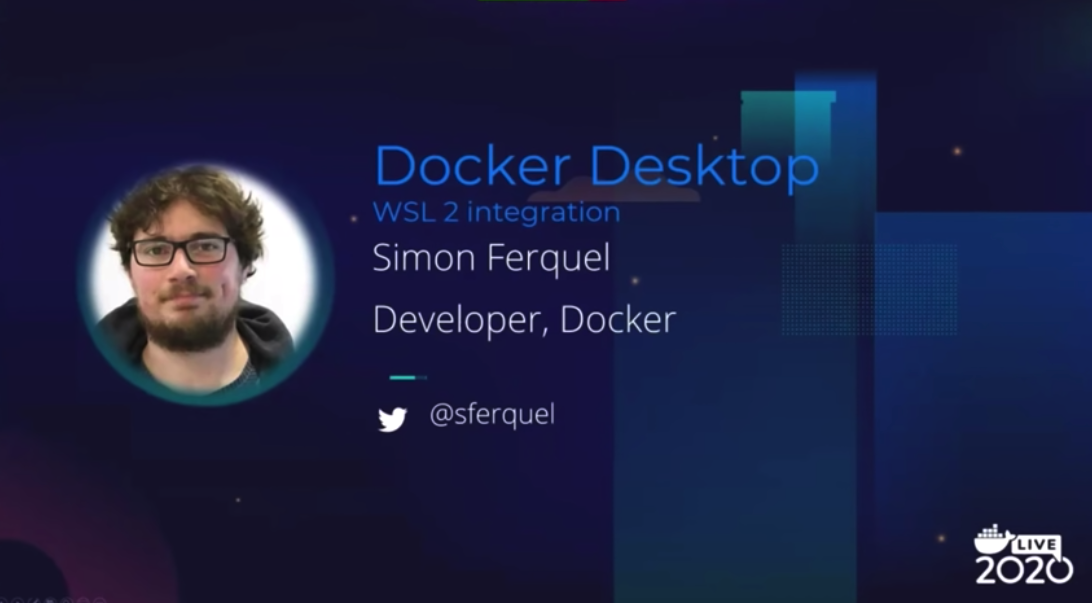
One of the biggest developments for developers using Windows 10 is the release of WSL 2 (Windows Subsystem for Linux). Instead of using a translation layer to convert Linux kernel calls into Windows calls, WSL 2 now offers its own isolated Linux kernel running on a thin version of the Hyper-V hypervisor. Check out Simon Ferquel’s session on WSL 2 as well as Paul Yuknewicz’s session on apps running in Azure. Be sure to check out these valuable sessions on using Docker with Microsoft tools and technologies.

Docker Desktop + WSL 2 Integration Deep Dive

Simon Ferquel – Docker

Simon’s session provides a deep dive on how Docker Desktop on Windows works with WSL 2 to provide a better developer experience. This presentation will give you a better understanding of how Docker Desktop and WSL 2 architectures fit together and the challenges we faced with the integration.

Become a Docker Power User with Microsoft Visual Studio Code

Brian Christner – 56K.Cloud

Docker Captain, Brian Christner, does an excellent job on showing you how to unlock the full potential of using Microsoft Visual Studio Code (VS Code) and Docker Desktop to turn you into a Docker Power User. He covers and expands on utilizing the VS Code Docker plugin to take your project and Docker skills to the next level. This session has some very good demos including learning how to bootstrap new projects, quickly write Dockerfiles utilizing templates, build, run, and interact with containers all from VS Code.

From Fortran on the Desktop to Kubernetes in the Cloud: A Windows Migration Story

Elton Stoneman – Sixeyed Consulting

Elton is a Docker Captain and a Microsoft Azure MVP. Moving legacy Windows apps to the cloud is a very hot topic amongst IT shops that are looking to some obvious approaches to modernization. Elton walks through the processes and practicalities of taking an older Windows app, making it run in containers with Kubernetes, and then building a simple API wrapper to host the whole stack as a cloud-based SaaS product. 

Deep Dive: Developing Containerized Apps for Azure

Paul Yuknewicz – Microsoft

Join Paul from the MS product team for a closer look into building modern cloud applications using VS Code, Docker Desktop, WSL2 and more. In this demo-rich session, Paul talks about how containers make modern applications better, the stages of moving to the cloud, and covers developer tools needed including sneak peaks of future Microsoft tools that enhance developer productivity. 

If you are ready to get started with Docker, we offer free plans for individual developers and teams just starting out. Get started with Docker today.

The post DockerCon 2020: The Microsoft Sessions appeared first on Docker Blog.
Quelle: https://blog.docker.com/feed/

Submit your first OpenStack patch in three steps

If you are new to the OpenStack Community and want to start the contribution, this document can help you in a quick way. OpenStack does not use github pull request instead it uses Gerrit for code collaboration tool. Also, there is some accounts setup required for using the Gerrit system. This guide will quickly help you to… Read more »
Quelle: openstack.org






