How Cohere is accelerating language model training with Google Cloud TPUs

Over the past few years, advances in training large language models (LLMs) have moved natural language processing (NLP) from a bleeding-edge technology that few companies could access, to a powerful component of many common applications. From chatbots to content moderation to categorization, a general rule for NLP is that the larger the model, the greater the accuracy it’s able to achieve in understanding and generating language.But in the quest to create larger and more powerful language models, scale has become a major challenge. Once a model becomes too large to fit on a single device, it requires distributed training strategies, which in turn require extensive compute resources with vast memory capacity and fast interconnects. You also need specialized algorithms to optimize the hardware and time resources.Cohere engineers are working on solutions to this scaling challenge that have already yielded results. Cohere provides developers a platform for working with powerful LLMs without the infrastructure or deep ML expertise that such projects typically require. In a new technical paper, Scalable Training of Language Models using JAX pjit and TPUv4, engineers at Cohere demonstrate how their new FAX framework deployed on Google Cloud’s recently announced Cloud TPU v4 Pods addresses the challenges of scaling LLMs to hundreds of billions of parameters. Specifically, the report reveals breakthroughs in training efficiency that Cohere was able to achieve through tensor and data parallelism. This framework aims to accelerate the research, development, and production of large language models with two significant improvements: scalability and rapid prototyping. Cohere will be able to improve its models by training larger ones more quickly, delivering better models to its customers faster. The framework also supports rapid prototyping of models that address specific objectives — for example, creating a generative model that powers customer-service chatbot — by experimenting and testing new ideas. The ability to switch back and forth among model types and optimize for different objectives will ultimately allow Cohere to offer models optimized for particular use cases. The FAX framework relies heavily on the partitioned just-in-time compilation (pjit) feature of JAX, which abstracts the relationship between device and workload. This allows Cohere engineers to optimize efficiency, and performance by aligning devices and processes in the ideal configuration for the task at hand. Pjit works by compiling an arbitrary function into a single program (an XLA computation), that runs on multiple devices — even those residing on different hosts.Cohere’s new solution also takes advantage of Google Cloud’s new TPU v4 Pods to perform tensor parallelism. which is more efficient than the earlier pipeline parallelism implementation. As the name suggests, the pipeline parallel approach uses accelerators in a linear fashion to scale a workload, like a single long assembly line. Accelerators must process each micro-batch of data before passing it along to the next one, and then run the backward pass in reverse order. Tensor parallelism eliminates the accelerator idle time of pipeline parallelism, also known as the pipeline bubble. Tensor parallelism involves partitioning large tensors (mathematical arrays that define the relationship among multiple objects such as the words in a paragraph) across accelerators to perform computations at the same time on multiple devices. If pipeline parallelism is an ever-lengthening assembly line, tensor parallelism is a series of parallel assembly lines — one making the engine, the other the body, etc. — that simultaneously come together to form a complete car in a fraction of the time.These computations are then collated, a process made practical thanks to Google Cloud TPU v4 VMs, which more than double the computational power of their v3 predecessors. The superior performance of v4 chips has enabled Cohere to iterate on ideas and validate them 1.7X faster in computation than before.At Cohere, we build cutting-edge natural language processing (NLP) services, including APIs for language generation, classification, and search. These tools are built on top of a set of language models that Cohere trains from scratch on Cloud TPUs using JAX. We saw a 70% improvement in training time for our largest model when moving from Cloud TPU v3 Pods to Cloud TPU v4 Pods, allowing faster iterations for our researchers and higher quality results for our customers. The exceptionally low carbon footprint of Cloud TPU v4 Pods was another key factor for us. Aidan Gomez CEO and co-founder, CohereWhy Google Cloud for LLM training?As part of a multiyear technology partnership, Cohere leverages Google Cloud’s advanced AI and ML infrastructure to power its platform. Cohere develops and deploys its products on Cloud TPUs, Google Cloud’s custom-designed machine learning chips that are optimized for large-scale ML. Cohere’s recently announced their new model improvements and scalability by training an LLM using FAX on Google Cloud TPUs, and this model has demonstrated that transitioning from TPU v3 to TPU v4 has so far enabled them to achieve a total speedup of 1.7x . In addition to a significant performance boost, TPUs provide an excellent user experience with the new TPU VM architecture. Importantly, Google Cloud ensures that Cohere’s state-of-the-art ML training is achieved with the highest standards of sustainability,  powered by 90% carbon-free energy in the world’s largest publicly available ML hub.By adopting Cloud TPUs, Cohere is making LLM training faster, more economical, and more agile. This helps them provide larger and more accurate LLMs to developers, and put NLP technology in the hands of developers and businesses of all sizes.To learn more about these LLM training advances, you can read the full paper, Scalable Training of Language Models using JAX pjit and TPUv4. To learn more about Cohere’s best practices and AI principles, you can check this article co-authored with Open AI and AI 21 Labs.Related ArticleGoogle Cloud unveils world’s largest publicly available ML hub with Cloud TPU v4, 90% carbon-free energyGoogle Cloud unveils world’s largest publicly available machine learning cluster with up to 9 exaflops of computing power.Read Article
Quelle: Google Cloud Platform

70 apps in 2 years: How Renault tackled database migration

Editor’s note: Renault, the French automaker, embarked on a wholesale migration of its information systems—moving 70 applications to Google Cloud. Here’s how they migrated from Oracle databases to Cloud SQL for PostgreSQL.The Renault Group, known for its iconic French cars has grown to include four complementary brands, and sold nearly 3 million vehicles in 2020. Following our company-wide strategic plan, “Renaulution,” we’ve shifted our focus over the past year from a car company integrating tech, to a tech company integrating cars that will develop software for our business. For the information systems group, that meant modernizing our entire portfolio and migrating 70 in-house applications (our quality and customer information systems) to Google Cloud. It was an ambitious project, but it’s paid off. In two years we migrated our Quality and Customer Satisfaction information systems applications, optimized our code, and cut costs thanks to managed database services. Compared to our on-premises infrastructure, using Google Cloud services and open-source technologies comes to roughly one dollar per user per year, which is significantly cheaper. An ambitious journey to Google CloudWe began our cloud journey in 2016 with digital projects integrating a new way of working and new technologies. These new technologies included those for agility at scale, data capabilities and CI/CD toolchain. Google Cloud stood out as the clear choice for its data capabilities. Not only are we using BigQuery and Dataflow to improve scaling and costs, but we are also now using fully managed database services like Cloud SQL for PostgreSQL. Data is a key asset for a modern car maker because it connects the car maker to the user, allows car makers to better understand usage and better informs what decisions we should make about our products and services. After we migrated our data lake to Google Cloud, it was a natural next step to move our front-end applications to Google Cloud so they would be easier to maintain and we could benefit from faster response times. This project was no small undertaking. For those 70 in-house applications (e.g. vehicle quality evaluation, statistical process control in plants, product issue management, survey analysis) for our information systems landscape, we had a range of technologies—including Oracle, MySQL, Java, IBM MQ, and CFT—with some applications created 20 years ago. Champions spearhead each migrationBefore we started the migration, we did a global analysis of the landscape to understand each application and its complexity. Then we planned a progressive approach, focusing on the smallest applications first such as those with a limited number of screens or with simple SQL queries, and saving the largest for last. Initially we used some automatic tools for the migration, but we learned very quickly nothing can replace the development team’s institutional knowledge. They served as our migration champions.The apps go marching one by oneWhen we migrated our first few Oracle databases to Cloud SQL for PostgreSQL we tracked our learnings in an internal wiki to share common SQL patterns, which helped us speed up the process. For some applications, we simplified the architecture and took the opportunity to analyze and optimize SQL queries during the rework. We also used monitoring tools like Dynatrace and JavaMelody to ensure we improved the user experience.The approach we developed was very successful—where database migration was initially seen as insurmountable, the entire migration project was completed in two years.With on-premises applications it was hard for our developers to separate code performance from infrastructure limitations. So as part of our migration to Google Cloud, we optimized our applications with monitoring services. With these insights our team has more control over resources, which has reduced our maintenance and operations activity and resulted in faster, more stable applications. Plus, migrating to Cloud SQL has made it much easier for us to change our infrastructure as needed, add more power when necessary or even reduce our infrastructure size. A new regime on Cloud SQLNow that we’re running on Cloud SQL, we’ve improved performance even on large databases with many connected users. Thanks to built-in tools in the Google Cloud environment, we can now easily understand performance issues and quickly solve them. For example, we were able to reduce the duration of a heavy batch processing by a factor of three from nine to three hours. And we don’t have to wait for the installation of a new server, so our team can move faster. Beyond speed, we’ve also been able to cut costs. We optimized our code based on insights from monitoring tools, which not only enabled a more responsive application for the user, but it also reduced our costs because we’re not overprovisioned.   Learn more about the Renault Group and try out Cloud SQL today.Related ArticleHow Kitabisa re-structured its fundraising platform to drive “kindness at scale” on Google CloudThe Indonesian fundraising platform overhauled its platform by moving to containers, a microservices architecture and Cloud SQL and Proxy…Read Article
Quelle: Google Cloud Platform

Cloud Composer at Deutsche Bank: workload automation for financial services

Running time-based, scheduled workflows to implement business processes is regular practice at many financial services companies. This is true for Deutsche Bank, where the execution of workflows is fundamental for many applications across its various business divisions, including the Private Bank, Investment and Corporate Bank as well as internal functions like Risk, Finance and Treasury. These workflows often execute scripts on relational databases, run application code in various languages (for example Java), and move data between different storage systems. The bank also uses big data technologies to gain insights from large amounts of data, where Extract, Transform and Load (ETL) workflows running on Hive, Impala and Spark play a key role.Historically, Deutsche Bank used both third-party workflow orchestration products and open-source tools to orchestrate these workflows. But using multiple tools increases complexity and introduces operational overhead for managing underlying infrastructure and workflow tools themselves.Cloud Composer, on the other hand, is a fully managed offering that allows customers to orchestrate all these workflows with a single product. Deutsche Bank recently began introducing Cloud Composer into its application landscape, and continues to use it in more and more parts of the business.“Cloud Composer is our strategic workload automation (WLA) tool. It enables us to further drive an engineering culture and represents an intentional move away from the operations-heavy focus that is commonplace in traditional banks with traditional technology solutions. The result is engineering for all production scenarios up front, which reduces risk for our platforms that can suffer from reactionary manual interventions in their flows. Cloud Composer is built on open-source Apache Airflow, which brings with it the promise of portability for a hybrid multi-cloud future, a consistent engineering experience for both on-prem and cloud-based applications, and a reduced cost basis. We have enjoyed a great relationship with the Google team that has resulted in the successful migration of many of our scheduled applications onto Google Cloud using Cloud Composer in production.” -Richard Manthorpe, Director Workload Automation, Deutsche BankWhy use Cloud Composer in financial servicesFinancial services companies want to focus on implementing their business processes, not on managing infrastructure and orchestration tools. In addition to consolidating multiple workflow orchestration technologies into one and thus reducing complexity, there are a number of other reasons companies choose Cloud Composer as a strategic workflow orchestration product.First of all, Cloud Composer is significantly more cost-effective than traditional workflow management and orchestration solutions. As a managed service, Google takes care of all environment configuration and maintenance activities. Cloud Composer version 2  introduces autoscaling, which allows for an optimized resource utilization and improved cost control, since customers only pay for the resources used by their workflows. And because Cloud Composer is based on open source Apache Airflow, there are no license fees; customers only pay for the environment that it runs on, adjusting the usage to current business needs.Highly regulated industries like financial services must comply with domain-specific security and governance tools and policies. For example, Customer-Managed Encryption Keys ensure that data won’t be accessed without the organization’s consent, while Virtual Private Network Service Controls mitigate the risk of data exfiltration. Cloud Composer supports these and many other security and governance controls out-of-the box, making it easy for customers in regulated industries to use the service without having to implement these policies on their own. The ability to orchestrate both native Google Cloud as well as on-prem workflows is another reason that Deutsche Bank chose Cloud Composer. Cloud Composer uses Airflow Operators (connectors for interacting with outside systems) to integrate with Google Cloud services like BigQuery, Dataproc, Dataflow, Cloud Functions and others, as well as hybrid and multi-cloud workflows. Airflow Operators also integrate with Oracle databases, on-prem VMs, sFTP file servers and many others, provided by Airflow’s strong open-source community.And while Cloud Composer lets customers consolidate multiple workflow orchestration tools into one, there are some use cases where it’s just not the right fit. For example, if customers have just a single job that executes once a day on a fixed schedule, Cloud Scheduler, Google Cloud’s managed service for Cron jobs, might be a better fit. Cloud Composer in turn excels for more advanced workflow orchestration scenarios. Finally, technologies based on open source technologies also provide a simple exit strategy from cloud — an important regulatory requirement for financial services companies. With Cloud Composer, customers can simply move their Airflow workflows from Cloud Composer to a self-managed Airflow cluster. Because Cloud Composer is fully compatible with Apache Airflow, the workflow definitions stay exactly the same if they are moved to a different Airflow cluster. Cloud Composer applied Having looked at why Deutsche Bank chose Cloud Composer, let’s dive into how the bank is actually using it today. Apache Airflow is well-suited for ETL and data engineering workflows thanks to the rich set of data Operators (connectors) it provides. So Deutsche Bank, where a large-scale data lake is already in place on-prem, leverages Cloud Composer for its modern Cloud Data Platform, whose main aim is to work as an exchange for well-governed data, and enable a “data mesh” pattern. At Deutsche Bank, Cloud Composer orchestrates the ingestion of data to the Cloud Data Platform, which is primarily based on BigQuery. The ingestion happens in an event-driven manner, i.e., Cloud Composer does not simply run load jobs based on a time-schedule; instead it  reacts to events when new data such as Cloud Storage objects arrives from upstream sources. It does so using so-called Airflow Sensors, which continuously watch for new data. Besides loading data into BigQuery, Composer also schedules ETL workflows, which transform data to derive insights  for business reporting. Due to the rich set of Airflow Operators, Cloud Composer can also orchestrate workflows that are part of standard, multi-tier business applications running non-data-engineering workflows. One of the use cases includes a swap reporting platform that provides information about various asset classes, including commodities, credits, equities, rates and Forex. In this application, Cloud Composer orchestrates various services implementing the business logic of the application and deployed on Cloud Run — again, using out-of-the-box Airflow Operators.These use cases are already running in production and delivering value to Deutsche Bank. Here is how their Cloud Data Platform team sees the adoption of Cloud Composer: “Using Cloud Composer allows our Data Platform team to focus on creating Data Engineering and ETL workflows instead of on managing the underlying infrastructure. Since Cloud Composer runs Apache Airflow, we can leverage out of the box connectors to systems like BigQuery, Dataflow, Dataproc and others, making it well-embedded into the entire Google Cloud ecosystem.”—Balaji Maragalla, Director Big Data Platforms, Deutsche BankWant to learn more about how to use Cloud Composer to orchestrate your own workloads? Check out this Quickstart guide or Cloud Composer documentation today.
Quelle: Google Cloud Platform

July 2022 Newsletter

The latest and greatest content for developers.

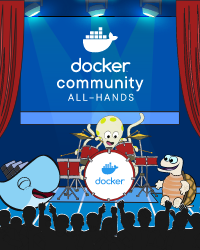
Community All-Hands: September 1st
Join us at our Community All-Hands on September 1st! This virtual event is an opportunity for the community to come together with Docker staff to learn, share, and collaborate. Interested in speaking? Submit your proposal.

Register Now

News you can use and monthly highlights:
How to optimize production Docker images running Node.js with Yarn – Are the images that you’re picking up to build Node.js apps getting bloated? Here’s a quick way to improve the production lifecycle by efficiently optimizing your Docker images.
How to Containerize a Golang App With Docker for Development and Production – Need to pack your Golang project into a Docker container locally and then deploy it to production? Here’s a detailed guide for you.
NextJS in Docker – Are you planning to containerize your Next.js project? Here’s a quick tip to conquer the Next.js environmental variable problem and get the right Dockerfile working for you.
SQLcl Docker Desktop Extension – Here’s a Docker Extension that allows you to run a simple SQL command line tool to flawlessly connect to your Oracle XE 21c or any other RDBMS instance.
Nest.js — Reducing Docker container size – Dockerizing Nest.js can be done in a snap. However, many important concerns like image bloat, missing image tags, and poor build performance aren’t addressed. Here’s a survival guide for you.
How to run docker compose files in Rider – Jetbrains Rider is a fast and powerful cross-platform .NET ID. The latest release provides Docker support using the Docker plugin. Learn more about its usage.

Dear Moby with Kat and Shy
Ever wish there was an advice column just for developers? Introducing Dear Moby with Kat and Shy — the web series with content sourced by and for you, our Docker community. Join them for fun facts, tips of the week, and chats about all things app development.

Watch Dear Moby

The latest tips and tricks from the community:

How to Build and Deploy a URL Shortener Using TypeScript and Nest.js
9 Tips for Containerizing Your .NET Application
How I created my Homepage (for free) using Docker, Hugo, and Firebase
Caching Gems with Docker Multi-Stage build
Understand how to monitor Docker Metrics with Docker Stats

Tips for Using BusyBox
Our BusyBox image has been downloaded over one billion times — making it one of our most popular images! Learn more about this powerhouse featherweight (less than 2.71 MB in size), and explore use cases and best practices.

Learn More

Educational content created by the experts at Docker:

Getting Started with Visual Studio Code and IntelliJ IDEA Docker Plugins
How to Train and Deploy a Linear Regression Model Using PyTorch
Top Tips and Use Cases for Managing Your Volumes
How to Rapidly Build Multi-Architecture Images with Buildx
Why Containers and WebAssembly Work Well Together
Resources to Use Javascript, Python, Java, and Go with Docker
Quickly Spin Up New Development Projects with Awesome Compose

Docker Captain: Thorsten Hans
For this month’s Docker Captain shoutout, we’re excited to welcome Thorsten Hans, a Cloudnative Consultant at Thinktecture with a love for sweet Alabama BBQ sauce. As far back as 2015, Thorsten has had deep appreciation for Docker’s intuitive design and tried-and-true efficiency.

Meet the Captain

See what the Docker team has been up to:

Docker Hub v1 API Deprecation
New Extensions, Improved logs, and more in Docker Desktop 4.10
Key Insights from Stack Overflow’s 2022 Developer Survey
New SCIM Capabilities for Docker Business

DockerCon 2022 On-Demand
With over 50 sessions for developers by developers, watch the latest developer news, trends, and announcements from DockerCon 2022. From the keynote to product demos to technical breakout sessions, hacks, and tips & tricks, there’s something for everyone.

Watch On-Demand

Subscribe to our newsletter to get the latest news, blogs, tips, how-to guides, best practices, and more from Docker experts sent directly to your inbox once a month.

Quelle: https://blog.docker.com/feed/

Amazon QuickSight fügt Lesezeichen in Dashboards hinzu

Amazon QuickSight unterstützt jetzt Lesezeichen in Dashboards. Mit Lesezeichen können QuickSight-Leser angepasste Dashboardeinstellungen in einer Liste von Lesezeichen speichern, um mit nur einem Klick leicht auf bestimmte Dashboardansichten zugreifen zu können, ohne jedes Mal manuell mehrere Filter- und Parameteränderungen vornehmen zu müssen. In Kombination mit der Funktion „Diese Ansicht teilen“ von QuickSight können Leser jetzt auch ihre als Lesezeichen gespeicherten Ansicht mit anderen Lesern teilen, was die Zusammenarbeit und Besprechung erleichtert. Lesezeichen stehen für alle Benutzer der QuickSight-Konsolenoberfläche zur Verfügung. Weitere Informationen finden Sie hier.
Quelle: aws.amazon.com

Vierteljährliche Updates für Amazon Corretto, Juli 2022

Am 19. Juli 2022 kündigte Amazon vierteljährliche Sicherheits- und kritische Updates für Amazon Corretto Long-Term Supported (LTS)-Versionen von OpenJDK an. Corretto 18.0.2, 17.0.4, 11.0.16, 8u342 stehen jetzt zum Download verfügbar. Amazon Corretto ist eine kostenfreie, plattformübergreifende, produktionsbereite Multiplattform-Distribution von OpenJDK.
Quelle: aws.amazon.com

AWS Backup Audit Manager fügt Unterstützung für Amazon FSx für NetApp ONTAP hinzu

AWS Backup Audit Manager ermöglicht Ihnen jetzt die Prüfung von und Berichterstattung über die Compliance Ihrer Richtlinien zum Datenschutz für Amazon FSx für NetApp ONTAP. Mit AWS Backup Audit Manager können Sie jetzt die Datenschutzaktivitäten Ihrer Ressourcen von Amazon FSx für NetApp ONTAP kontinuierlich auswerten. Außerdem können Sie Prüfberichte erstellen, mit denen Sie die Compliance mit bewährten Methoden oder gesetzlichen Vorschriften nachweisen können.
Quelle: aws.amazon.com





