Publish Blog Posts to Your Telegram Channel Automatically With JetpackWP Bot

With the JetpackWP Bot for Telegram, you can now automatically share blog posts from any Jetpack-powered WordPress site (including any site hosted at WordPress.com) directly to a Telegram channel. This free tool saves time sharing content to Telegram, where readers can subscribe to read your posts just as easily as they would via email or social media.

How to Create a Telegram Channel and Set Up JetpackWP Bot 

Content publishers can create a Telegram channel, invite JetpackWP Bot, and set it to follow their blog. The bot will then update the channel with new posts as they’re published in real time. Start by opening the app and clicking the pen icon in the lower right corner of the left-hand panel:

Add members that you would like to participate in your channel. Then, give your channel an image, name, and description:

Now, add JetpackWP Bot as an admin to the channel. Click the channel name at the top, then click the pen icon in the upper right corner:

Next, scroll down to Administrators, click the person icon in the bottom right corner, and search “jetpackwp”:

Review what the bot can do as an admin, then click the checkmark icon in the bottom right corner:

Once the bot has admin access to the channel, it’s time to follow your blog (or any other Jetpack-powered blog that you’d like to follow in your channel). To do this, type /follow and the URL of your desired blog:

Now, the bot will automatically share new blog posts with the channel. If you’d like to curate content from other Jetpack-powered blogs, you can do that too by using the /follow command. If you’d like to see a list of all followed blogs, unfollow blogs, or reset the bot, there are additional commands you can use:

/unfollow [URL]: Stops notifications for the blog specified in the URL./reset: Unfollows all followed blogs./following: Shows a list of all followed blogs.

For additional information about how to use JetpackWP Bot, visit our support page.

How to Add a Telegram Social Icon So Readers Can Subscribe

Once your Telegram channel is set up and JetpackWP Bot is active, add a social icon for Telegram so your readers can subscribe. Here are two different methods you can follow.

1. Add a Telegram Icon to Your Header or Footer With a Widget

From your WordPress website’s dashboard, click Appearance > Widgets, then select Social Icons:

Search for “telegram” to find the correct icon:

Visit your Telegram channel and click the channel name at the top. Find your channel URL and copy it:

Return to your WordPress website dashboard, open your Social Icon widget block, and paste the URL for your Telegram channel:

2. Add a Telegram Icon to a Page or Post Using the Social Icons Block

Alternatively, you can use the Social Icons block to place a subscription icon anywhere on your site. Follow the same steps from the previous section to snag the URL for your channel. Then from your dashboard, choose the page or post where you’d like to place your icon, and choose the Social Icons block: 

Use the search bar to find the Telegram icon and add your channel URL: 

That’s two methods that will make it easy for your readers to subscribe to your Telegram channel. Share the news with your audience and watch your channel grow.How Can Telegram Help Publishers Reach Your Audience?

Telegram is a fast-growing instant-messaging service with more than 700 million users worldwide, and is one of the top-five most downloaded apps in the world. That’s a massive potential audience that uses the app to stay in touch with friends and follow their interests.Messaging apps are also less noisy than social media platforms and other content distribution channels. This means it’s easier for readers to focus on your content with fewer distractions.

Start Sharing Content With JetpackWordPressBot Now 

With JetpackWP Bot, it’s easier than ever to take advantage of this popular service to engage your audience, build your community, and increase your traffic. Get started now.
Quelle: RedHat Stack
Purchase Yoast SEO Premium Directly on WordPress.com

We hear every day from you — our customers — that helping people discover your WordPress.com site on search engines is a top priority.

That’s why we’re excited to announce that Yoast SEO Premium is now available for purchase on WordPress.com! 

Not only is it easier than ever to purchase this powerful plugin on WordPress.com, but you can choose a payment cadence that’s best for you — we offer both monthly and annual pricing (though you’ll save money over the long-term with the annual plan). 

Yoast SEO is already the most popular SEO plugin for WordPress, with over 13 million active installs. While Yoast SEO is awesome, Premium is the real deal, for these reasons:

Yoast SEO Premium is a time-saver — In the free version, you still need to do much of the work yourself. Yoast SEO Premium comes with tools like the redirect manager and internal linking suggestions that can save you a lot of time.Makes doing site maintenance easier — Have you ever forgotten to redirect a page you deleted? No more! Yoast SEO Premium automatically does this for you. And if you’re unsure about which page to update next, the stale content finder and SEO workouts help you work on the most important things first.Helpful tools to build a great site structure — Links within your website are important for SEO. The Yoast SEO Premium plugin comes with several tools to help you improve, like the internal linking blocks, orphaned content finder, and internal linking suggestions.Advanced language analysis that makes writing more natural — Premium’s innovative language analysis supports over 20 languages! It not only looks at the exact match of the focus keyphrase you enter, but also at all the grammatical forms, synonyms, and related keyphrases of that word.Optimize your posts before sharing them on social media — Premium lets you preview how your post will look when shared on social media platforms like Twitter or Facebook.24/7 access to Yoast’s world-class support team — Available in English and Spanish.Free access to all Yoast SEO academy courses — Learn all about Yoast SEO, SEO copywriting, keyword research, structured data, and many other topics related to SEO.

How to Purchase Yoast SEO Premium Without Leaving Your Site

Purchasing this plugin right from your WordPress.com dashboard is simple.

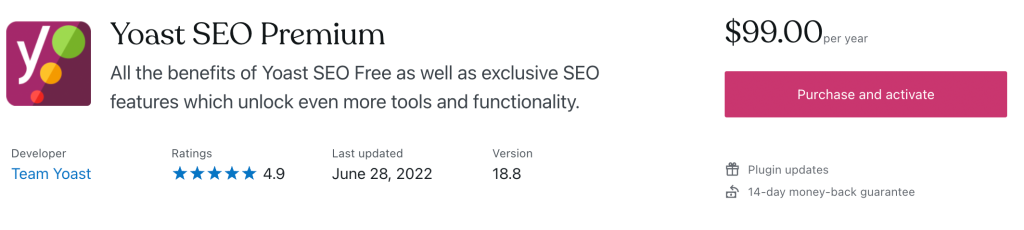
On the plugins page, search for “Yoast”; click on the product card for Yoast SEO Premium, and you’ll be directed to this detailed product listing page. When you’re ready, click the “Purchase” button in the top right of the product listing page. Your purchase won’t be final until you confirm your payment method and details on the following page. The plugin will be installed automatically.

Purchase Yoast SEO Premium

Currently, plugins are only available on certain WordPress.com plans. In the near future, we plan to expand the option to more plans. Read more about what the future holds.
Quelle: RedHat Stack

Share WordPress.com Blog Posts to Telegram With WordPressDotCom Bot

Ever wished you could share new blog posts to a Telegram channel automatically?If so, then great news! Starting today, you can follow any WordPress.com blog within Telegram by using WordPressDotCom Bot. Now, you can easily get real-time updates from your favorite bloggers in specific channels, group chats, or DMs, right in the app. All with just a few clicks.

Sharing WordPress.com Blog Posts Made Easy

Whether you want to follow your favorite blogs or share your own posts, the WordPress.com Bot has you covered.Start a new channel and invite readers to follow you there. Or automate sharing with an existing channel and add value for your friends and followers. Here are some ideas for inspiration:

Keep up-to-date with writers you don’t want to miss.Share the latest shots from your family photo blog with friends and loved ones.Spark conversation about your hobbies and interests in a private channel.

How to Use the WordPress.com Bot for Telegram

There are two ways to set up WordPressDotCom Bot: 

Visit https://t.me/WordPressDotComBot and click on Send Message. Or invite the bot to a channel or group by adding a new member and searching for WordPress.com

From there, here are a handful of commands you can use:

/follow [url] -This will follow the blog specified in the url/unfollow  [url] -This will unfollow the blog specified in the url. No more notifications of new posts will be sent./following – This will show a list of all blogs followed./reset – This stops following all blogs via the Telegram bot.

Best of all, WordPress.com Bot shows off your post thumbnails. Take a look at this preview example:

Try WordPress.com Bot for Telegram Today

WordPress.com Bot is free to use. Try it now.  
Quelle: RedHat Stack

Access your Professional Email inbox directly from WordPress.com

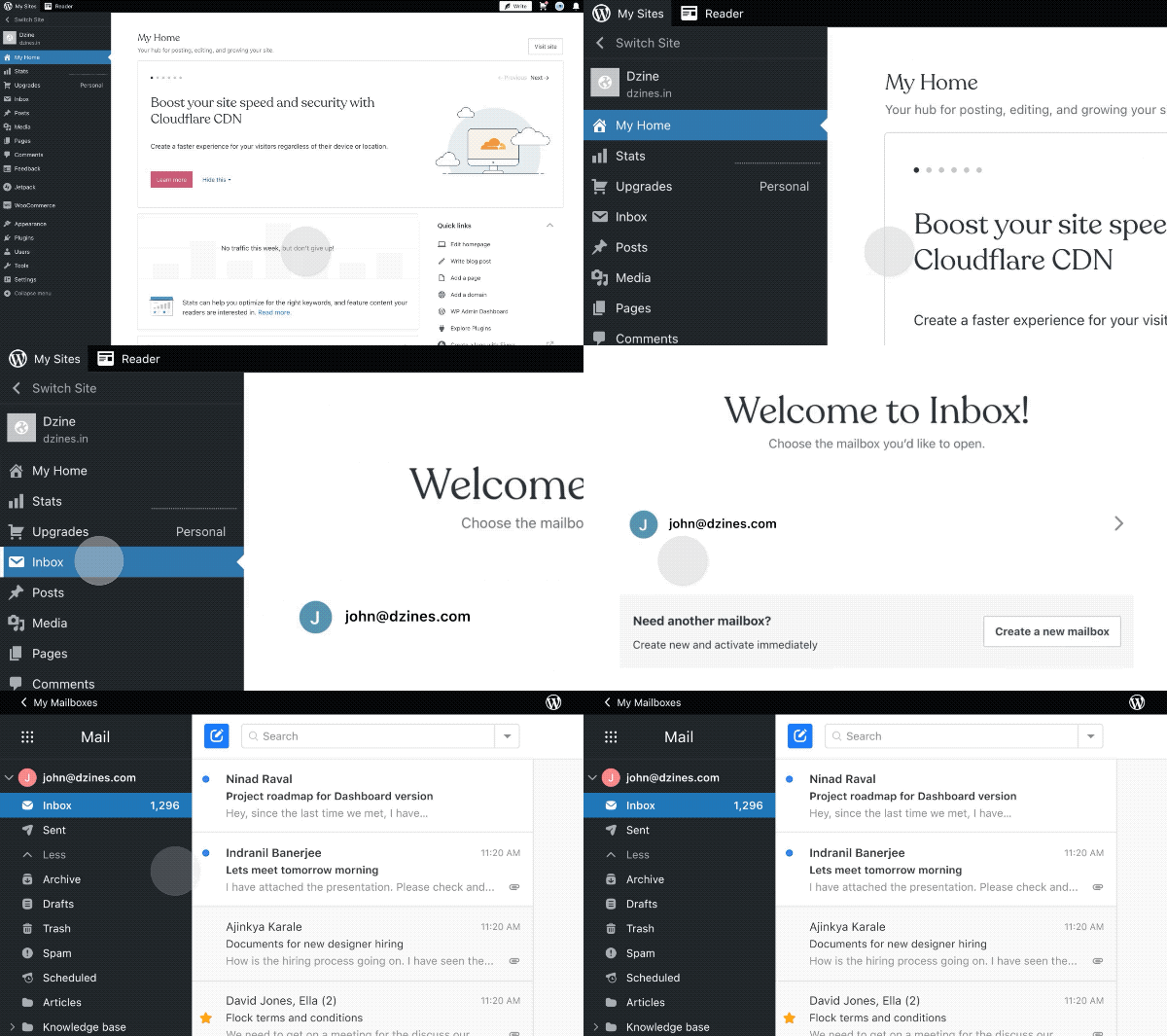
Every day we’re connected to a million apps, and we browse through multiple browser tabs just to complete a single action item. We have busy schedules that would benefit from streamlined processes, simple tools, and powerful workflows. With that in mind, our team asked for feedback, and that inspired us to put together a new solution—your Professional Email inbox baked right into your WordPress.com site.

You can now manage your inbox and website from the same place, eliminating the need for multiple sets of credentials and URLs. Once you’re securely logged in, we’ll save you the clicks and multiple tabs that managing your work used to take, allowing you to operate directly from your website dashboard.

A few time-saving hacks to get the most from your embedded inbox:

Easily connect with your audience or community from your site while checking your site followers.

Post a blog post, head directly to your inbox, and share it with your customers. 

Create a new product to sell and share the news directly from your site dashboard.

Ready to try it out?

Start here

Quelle: RedHat Stack

Access your Professional Email inbox directly from WordPress.com

Every day we’re connected to a million apps, and we browse through multiple browser tabs just to complete a single action item. We have busy schedules that would benefit from streamlined processes, simple tools, and powerful workflows. With that in mind, our team asked for feedback, and that inspired us to put together a new solution—your Professional Email inbox baked right into your WordPress.com site.

You can now manage your inbox and website from the same place, eliminating the need for multiple sets of credentials and URLs. Once you’re securely logged in, we’ll save you the clicks and multiple tabs that managing your work used to take, allowing you to operate directly from your website dashboard.

A few time-saving hacks to get the most from your embedded inbox:

Easily connect with your audience or community from your site while checking your site followers.

Post a blog post, head directly to your inbox, and share it with your customers. 

Create a new product to sell and share the news directly from your site dashboard.

Ready to try it out?

Start here

Quelle: RedHat Stack

Take Bookings, Set Up Subscriptions, and Automate Your Store With New Premium Plugins

Plugins are the building blocks and the rocket fuel for your WordPress.com website. They can help make your site faster and easier to manage but also bring essential elements to your fingertips. From email opt-ins and contact forms, to SEO, site speed optimization, calendars, and booking options — the list is nearly endless.

If you can imagine it, there’s a high likelihood that there’s a plugin to help you accomplish whatever your endeavor on your WP.com website.

And because of the vast community of WordPress developers, there are always new plugins being added to our marketplace. To better help you select the plugins for your business or passion, we are listing three of our hand-picked, most popular premium plugins below, in addition to several others, recently added to our marketplace.

WooCommerce Bookings

This invaluable plugin allows customers to book appointments, make reservations, or rent equipment. Both you and your customers can save valuable time since there’s no need for phone calls, emails, or other forms of communication to handle bookings. Prospects simply fill out the information themselves.

The benefits of WooCommerce Bookings are hard to overstate. For example, you can: 

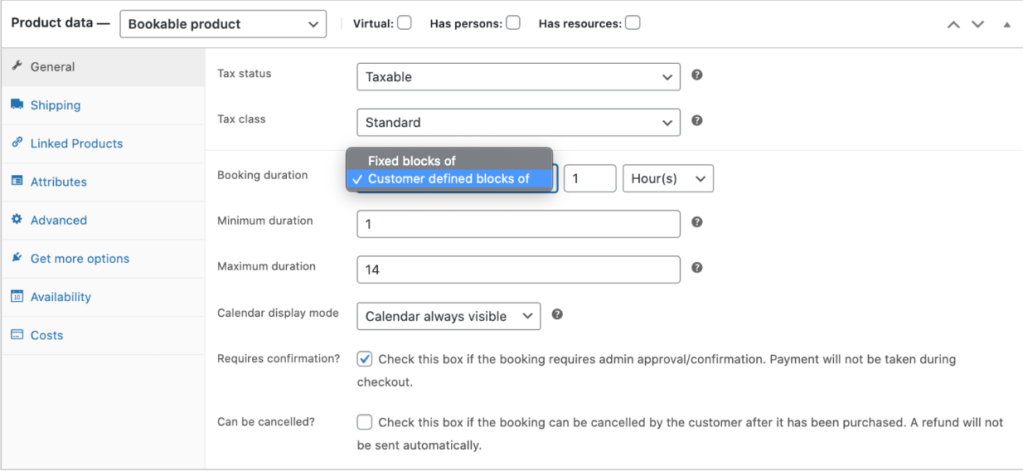
Define set options, like fixed time slots for a class, appointment, or guided tourLet customers choose the times that work best by giving them the flexibility to book whatever range they need, like checking into a hotelSet certain time periods as off limits and un-bookable, providing yourself a buffer between bookings

Perhaps best of all, the plugin integrates seamlessly with your Google calendar. Use the calendar view to see how your day or month is shaping up. Update existing bookings or availability, or filter to view specific services or resources. And if you have customers who insist on calling in to make bookings the old-fashioned way, you can add them manually from the calendar while you’re on the phone.

Whether you’re running a small bed and breakfast, a fishing guide service, or anything in between, WooCommerce Bookings can give you back valuable time, ensuring your customers have a friction-free booking process, which allows you to focus your energies elsewhere. 

View the live demo here.Purchase WooCommerce Bookings

WooCommerce Subscriptions

With WooCommerce Subscriptions, customers can subscribe to your products or services and then pay for them at the frequency of their choosing — weekly, monthly, or even annually. This level of freedom can be a boon to the bottom line, as it easily sets your business up to enjoy the fruits of recurring revenue. 

Better yet, WooCommerce Subscriptions not only allows you to create and manage products with recurring payments, but you can also introduce a variety of subscriptions for physical or virtual products and services, too. For example, you can offer weekly service subscriptions, create product-of-the-month clubs, or even yearly software billing packages. 

Additional features include:

Multiple billing schedules available to suit your store’s needsIntegrates with more than 25 payment gateways for automatic recurring paymentsAccessible through any WooCommerce payment gateway, allowing for manual renewal payments along with automatic email invoices and receiptsPrevents lost revenue by supporting automatic rebilling on failed subscription payments

Additionally, this plugin offers built-in renewal notifications and automatic emails, which makes you and your customers aware of subscription payments being processed. Your customers can also manage their own subscriptions using the Subscriber’s View page. The page also allows subscribers to suspend or cancel a subscription, change the shipping address or payment method for future renewals, and upgrade or downgrade. 

WooCommerce Subscriptions really do put your customers first, giving them the control they want and will appreciate while allowing you to automate a process and experience that saves time and strengthens your relationship with customers. 

Learn more and purchase WooCommerce Subscriptions 

AutomateWoo

High on every business owner’s list of goals is the ability to grow the company and earn more revenue. Well, AutomateWoo makes that task much simpler. This powerful, feature-rich plugin delivers a plethora of automated workflows to help you grow your business.  

​With​ ​AutomateWoo, you can create workflows using various triggers, rules, and actions, and then schedule them to run automatically.

​For example, you can set up abandoned cart emails, which have been shown to increase the chance of recovering the sale by 63%.

One of the key features small business owners are sure to enjoy is the ability to design and send emails using a pre-installed template created for WooCommerce emails in the WordPress editor. 

This easy-to-appreciate feature makes it a breeze to send targeted, multi-step campaigns that include incentives for customers. AutomateWoo gives you complete control over campaigns. For example, you can schedule different emails to be sent at intervals or after specific customer interactions; you can also offer incentives using the personalized coupon system.

Also, you can track all emails via a detailed log of every email sent and conversion recorded. Furthermore, with AutomateWoo’s intelligent tracking, you can capture guest emails during checkout.  

This premium plugin comes packed with a host of other features as well, including, but not limited to:

Follow-up emails: Automatically email customers who buy specific products and ask for a review or suggest other products they might likeSMS notifications: Send text messages to customers or admins for any of AutomateWoo’s wide range of triggersWishlist marketing: Send timed wishlist reminder emails and notify when a wished-for product goes on sale; integrates with WooCommerce Wishlists or YITH WishlistsPersonalized coupons: Generate dynamic customized coupons for customers to raise purchase rates

AutomateWoo will make an indispensable asset for any business looking to create better synergies between their brand’s products or services and the overall experience customers have with them. 

Learn more and purchase AutomateWoo

Additional Business-Boosting Plugins

In addition to WooCommerce Bookings, WooCommerce Subscriptions, and AutomateWoo, our marketplace has also launched a number of additional premium plugins, including:

WooCommerce Points and Rewards: Allows you to reward your customers for purchases and other actions with points that can be redeemed for discountsWooCommerce One Page Checkout: Gives you the ability to create special pages for customers to select products, checkout, and pay, all in one placeWooCommerce Deposits: Customers can place a deposit or use a payment plan for products. Min/Max Quantities: Make it possible to define minimum/maximum thresholds and multiple/group amounts per product (including variations) to restrict the quantities of items that can be purchased. Product Vendors: Enables multiple vendors to sell via your site, and in return take a commission on the sales.  USPS Shipping Method: Provides shipping rates from the USPS API, with the ability to accurately cover both domestic and international parcels.

Get the Most Out of Your Website 

Keep an eye on the plugin marketplace, as we’re continuing to offer premium plugins that help you best serve your site visitors and customers. At WordPress.com, we’re committed to helping you achieve your goals. 

To get the most out of your WordPress.com website, upgrade to WordPress Pro, which puts the power of these plugins at your fingertips. Currently, only WordPress Pro plans or legacy Business + eComm customers can purchase plugins.
Quelle: RedHat Stack

Take Bookings, Set Up Subscriptions, and Automate Your Store With New Premium Plugins

Plugins are the building blocks and the rocket fuel for your WordPress.com website. They can help make your site faster and easier to manage but also bring essential elements to your fingertips. From email opt-ins and contact forms, to SEO, site speed optimization, calendars, and booking options — the list is nearly endless.

If you can imagine it, there’s a high likelihood that there’s a plugin to help you accomplish whatever your endeavor on your WP.com website.

And because of the vast community of WordPress developers, there are always new plugins being added to our marketplace. To better help you select the plugins for your business or passion, we are listing three of our hand-picked, most popular premium plugins below, in addition to several others, recently added to our marketplace.

WooCommerce Bookings

This invaluable plugin allows customers to book appointments, make reservations, or rent equipment. Both you and your customers can save valuable time since there’s no need for phone calls, emails, or other forms of communication to handle bookings. Prospects simply fill out the information themselves.

The benefits of WooCommerce Bookings are hard to overstate. For example, you can: 

Define set options, like fixed time slots for a class, appointment, or guided tourLet customers choose the times that work best by giving them the flexibility to book whatever range they need, like checking into a hotelSet certain time periods as off limits and un-bookable, providing yourself a buffer between bookings

Perhaps best of all, the plugin integrates seamlessly with your Google calendar. Use the calendar view to see how your day or month is shaping up. Update existing bookings or availability, or filter to view specific services or resources. And if you have customers who insist on calling in to make bookings the old-fashioned way, you can add them manually from the calendar while you’re on the phone.

Whether you’re running a small bed and breakfast, a fishing guide service, or anything in between, WooCommerce Bookings can give you back valuable time, ensuring your customers have a friction-free booking process, which allows you to focus your energies elsewhere. 

View the live demo here.Purchase WooCommerce Bookings

WooCommerce Subscriptions

With WooCommerce Subscriptions, customers can subscribe to your products or services and then pay for them at the frequency of their choosing — weekly, monthly, or even annually. This level of freedom can be a boon to the bottom line, as it easily sets your business up to enjoy the fruits of recurring revenue. 

Better yet, WooCommerce Subscriptions not only allows you to create and manage products with recurring payments, but you can also introduce a variety of subscriptions for physical or virtual products and services, too. For example, you can offer weekly service subscriptions, create product-of-the-month clubs, or even yearly software billing packages. 

Additional features include:

Multiple billing schedules available to suit your store’s needsIntegrates with more than 25 payment gateways for automatic recurring paymentsAccessible through any WooCommerce payment gateway, allowing for manual renewal payments along with automatic email invoices and receiptsPrevents lost revenue by supporting automatic rebilling on failed subscription payments

Additionally, this plugin offers built-in renewal notifications and automatic emails, which makes you and your customers aware of subscription payments being processed. Your customers can also manage their own subscriptions using the Subscriber’s View page. The page also allows subscribers to suspend or cancel a subscription, change the shipping address or payment method for future renewals, and upgrade or downgrade. 

WooCommerce Subscriptions really do put your customers first, giving them the control they want and will appreciate while allowing you to automate a process and experience that saves time and strengthens your relationship with customers. 

Learn more and purchase WooCommerce Subscriptions 

AutomateWoo

High on every business owner’s list of goals is the ability to grow the company and earn more revenue. Well, AutomateWoo makes that task much simpler. This powerful, feature-rich plugin delivers a plethora of automated workflows to help you grow your business.  

​With​ ​AutomateWoo, you can create workflows using various triggers, rules, and actions, and then schedule them to run automatically.

​For example, you can set up abandoned cart emails, which have been shown to increase the chance of recovering the sale by 63%.

One of the key features small business owners are sure to enjoy is the ability to design and send emails using a pre-installed template created for WooCommerce emails in the WordPress editor. 

This easy-to-appreciate feature makes it a breeze to send targeted, multi-step campaigns that include incentives for customers. AutomateWoo gives you complete control over campaigns. For example, you can schedule different emails to be sent at intervals or after specific customer interactions; you can also offer incentives using the personalized coupon system.

Also, you can track all emails via a detailed log of every email sent and conversion recorded. Furthermore, with AutomateWoo’s intelligent tracking, you can capture guest emails during checkout.  

This premium plugin comes packed with a host of other features as well, including, but not limited to:

Follow-up emails: Automatically email customers who buy specific products and ask for a review or suggest other products they might likeSMS notifications: Send text messages to customers or admins for any of AutomateWoo’s wide range of triggersWishlist marketing: Send timed wishlist reminder emails and notify when a wished-for product goes on sale; integrates with WooCommerce Wishlists or YITH WishlistsPersonalized coupons: Generate dynamic customized coupons for customers to raise purchase rates

AutomateWoo will make an indispensable asset for any business looking to create better synergies between their brand’s products or services and the overall experience customers have with them. 

Learn more and purchase AutomateWoo

Additional Business-Boosting Plugins

In addition to WooCommerce Bookings, WooCommerce Subscriptions, and AutomateWoo, our marketplace has also launched a number of additional premium plugins, including:

WooCommerce Points and Rewards: Allows you to reward your customers for purchases and other actions with points that can be redeemed for discountsWooCommerce One Page Checkout: Gives you the ability to create special pages for customers to select products, checkout, and pay, all in one placeWooCommerce Deposits: Customers can place a deposit or use a payment plan for products. Min/Max Quantities: Make it possible to define minimum/maximum thresholds and multiple/group amounts per product (including variations) to restrict the quantities of items that can be purchased. Product Vendors: Enables multiple vendors to sell via your site, and in return take a commission on the sales.  USPS Shipping Method: Provides shipping rates from the USPS API, with the ability to accurately cover both domestic and international parcels.

Get the Most Out of Your Website 

Keep an eye on the plugin marketplace, as we’re continuing to offer premium plugins that help you best serve your site visitors and customers. At WordPress.com, we’re committed to helping you achieve your goals. 

To get the most out of your WordPress.com website, upgrade to WordPress Pro, which puts the power of these plugins at your fingertips. Currently, only WordPress Pro plans or legacy Business + eComm customers can purchase plugins.
Quelle: RedHat Stack

Introducing WordPress Starter: Make Your Mark

Every site starts with an idea. WordPress Starter is a new, beautifully pared-back plan designed to put that idea center stage. For just $5/month.

Like the WordPress Pro plan (more on that below), WordPress Starter brings you the fastest WordPress managed hosting on the planet. Unlimited site traffic. And a revolutionary price.

Make Your Mark

From building your audience with a blog. To sharing your business, design, expertise, or experiences with the world. If you’re looking to make your work visible, and make it visual, the Starter plan has you covered.

Let’s take a look at the details.

Put Your Stamp on It – with a Custom Domain

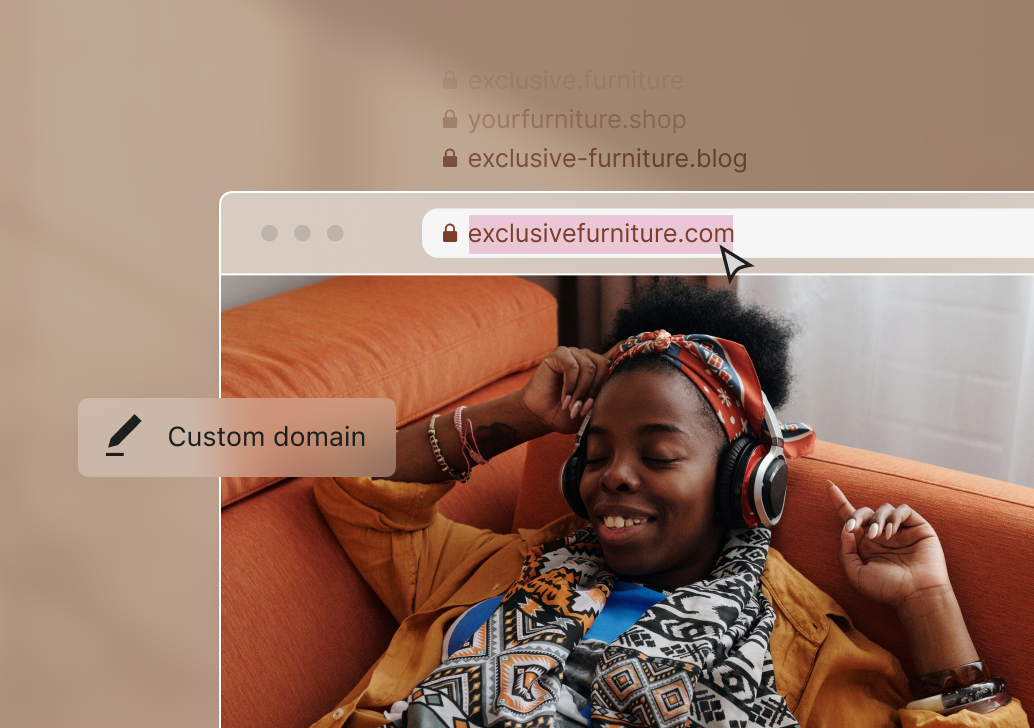
WordPress Starter unlocks custom domains – the ability to make your site’s address on the web your own.

So instead of your web address looking like this:

My-site.wordpress.com

You can put your stamp on it, and make it look like this:

My-site.com

It’s the artist’s signature that separates a Picasso from a print. 

If you want to own a piece of the web, a custom domain makes a powerful statement. And your first year of domain registration is on us.

Make It Visual. Make It Visible.

Photos and images can really set your site apart. Making it visual goes a long way to making it visible.

Starter gives you a big boost in storage – a roomy 6GB for all your photos and images. So you’ll never need to think twice about adding visual flavor to every post. And every page.

From Visible to Profitable – with Simple Payments

As your site and audience grows, WordPress Starter has everything you need to start taking payments from your site visitors.

Simple payments – included with Starter – bring you three ways to do exactly that:

The Donations Form block gives you a simple way to accept tips and donationsThe Premium Content block opens up the option to sell one-off, monthly, or yearly premium contentThe Payment Button block gives you a fast way to take payments and set up subscriptions with Stripe

Track Your Success – with Google Analytics

Finally, Starter opens up an integration with Google Analytics. If you’re ready to dive a little deeper than the default WordPress.com stats, connecting your site to GA opens the door to a world of information. 

Who’s visiting your site, who’s coming back for more, and which content is really resonating with them is the tip of the iceberg.

WordPress Starter vs. WordPress Pro

So what’s the difference between WordPress Starter and the recently announced WordPress Pro plan?

WordPress Starter

WordPress Starter unlocks custom domains and the space to make your site beautifully visual and visible. It does that with a big boost in storage for your images – from 1GB on the free plan to 6GB on Starter. It also includes simple payments to get you started selling content, donations, and subscriptions. And with its Google Analytics integration, you’ll always be able to dig deep on what’s resonating with your audience, so you can double down on your success. 

And with Starter, you’ll never have to worry about site traffic. Because traffic is unlimited.

Starter is a solid place to land if you want a great looking, blazing fast blog or website with simple payments baked in, but don’t want or need to dig deeper into design customization, interactivity, or integrations.

Starter costs just $5/month. 

WordPress Pro

WordPress Pro unlocks access to over 50,000 plugins and themes – an infinite, open library of ways to customize the features, interactivity, integration and design of your home on the web. Whatever your ambitions.

Pair that with:

Everything included with Starter50GB of storage for images, audio, and videosA full range of ecommerce and payment tools (with even lower processing fees of just 2.9% +30¢), including the full power of WooCommerce out of the boxAdvanced SEO, design, and social media toolsBeautiful premium themesGoogle Analytics integrationAutomated one-click backupsSFTP and database accessA free custom domain for your first yearUnlimited user adminsThe ability to earn ad revenue from your sitePremium expert support by email and live chat And a lot more than we could comfortably fit into this paragraph. 

Which gives you the raw power to build and grow any site, store, and audience you can think of. Whether you’re starting out, or you’re a seasoned WordPress publisher.

Pro is $15/month, billed annually.

Spoiler: There’s Another Reason We Called It Starter

We called the new plan WordPress Starter because it gives you an affordable way to get a beautiful site started and shipped. But that’s not the only reason.

Coming soon, we’ll be introducing a range of add-ons that pair with Starter to give you an extra boost. It’s an a la carte way to add just what you need to Starter. And nothing you don’t. 

Stay tuned for more updates on that. In the meantime, we’d love to hear what’s important to you in the comments.

Questions? We’ve Got Answers

Compare every feature for the Starter and Pro plansWordPress Starter (support documentation)WordPress Pro (support documentation)
Quelle: RedHat Stack

Cloud Native 5 Minutes at a Time: What is Kubernetes?

One of the biggest challenges for implementing cloud native technologies is learning the fundamentals—especially when you need to fit your learning into a busy schedule. In this series, we’ll break down core cloud native concepts, challenges, and best practices into short, manageable exercises and explainers, so you can learn five minutes at a time. These … Continued
Quelle: Mirantis