MCP Horror Stories: The Supply Chain Attack

This is Part 2 of our MCP Horror Stories series, an in-depth look at real-world security incidents exposing the vulnerabilities in AI infrastructure, and how the Docker MCP Toolkit delivers enterprise-grade protection.

The Model Context Protocol (MCP) promised to be the “USB-C for AI applications” – a universal standard enabling AI agents like ChatGPT, Claude, and GitHub Copilot to safely connect to any tool or service. From reading emails and updating databases to managing Kubernetes clusters and sending Slack messages, MCP creates a standardized bridge between AI applications and the real world.

But as we discovered in Part 1 of this series, that promise has become a security nightmare. For Part 2, we’re covering a critical OAuth vulnerability in mcp-remote that led to credential compromise and remote code execution across AI development environments.

Today’s Horror Story: The Supply Chain Attack That Compromised 437,000 Environments

In this issue, we dive deep into CVE-2025-6514 – a critical vulnerability that turned mcp-remote, a trusted OAuth proxy used by nearly half a million developers, into a remote code execution nightmare. This supply chain attack represents the first documented case of full system compromise achieved through the MCP infrastructure, affecting AI development environments at organizations using Cloudflare, Hugging Face, Auth0, and countless others.

You’ll learn:

How a simple OAuth configuration became a system-wide security breach

The specific attack techniques that bypass traditional security controls

Why containerized MCP servers prevent entire classes of these attacks

Practical steps to secure your AI development environment today

Why This Series Matters

Each “Horror Story” in this series examines a real-world security incident that transforms laboratory findings into production disasters. These aren’t hypothetical attacks – they’re documented cases where the MCP security issues and vulnerabilities we identified in Part 1 have been successfully exploited against actual organizations and developers.

Our goal is to show the human impact behind the statistics, demonstrate how these attacks unfold in practice, and provide concrete guidance on protecting your AI development infrastructure through Docker’s security-first approach to MCP deployment.

The story begins with something every developer has done: configuring their AI client to connect to a new tool…

Caption: comic depicting OAuth vulnerability in mcp-remote horror story ~ a remote code execution nightmare

The Problem

In July 2025, JFrog Security Research discovered CVE-2025-6514. CVE-2025-6514 is a critical vulnerability in mcp-remote that affects how AI tools like Claude Desktop, VS Code, and Cursor connect to external services. With a devastating CVSS score of 9.6 out of 10, this vulnerability represents the first documented case of full remote code execution achieved against an MCP client in a real-world scenario.

The Scale of the Problem

The impact is staggering. The mcp-remote package has been downloaded more than 437,000 times, making this vulnerability a supply chain attack affecting hundreds of thousands of AI development environments. mcp-remote has been featured in integration guides from major platforms, including Cloudflare, Hugging Face, and Auth0, demonstrating its widespread enterprise adoption.

How the Attack Works

Here’s what happened: mcp-remote, a widely-used OAuth proxy for AI applications, trusts server-provided OAuth endpoints without validation. An attacker crafted a malicious authorization URL that gets executed directly by your system’s shell. When you configure your AI client to use a new tool, you’re essentially trusting that tool’s server to behave properly. CVE-2025-6514 shows what happens when that trust is misplaced.

To understand how CVE-2025-6514 became possible, we need to examine the Model Context Protocol’s architecture and identify the specific design decisions that created this attack vector. MCP consists of several interconnected components, each representing a potential point of failure in the security model.

MCP Client represents AI applications like Claude Desktop, VS Code, or Cursor that receive user prompts and coordinate API calls. In CVE-2025-6514, the client becomes an unwitting enabler, faithfully executing what it believes are legitimate OAuth flows without validating endpoint security.

mcp-remote (Third-Party OAuth Proxy) serves as the critical vulnerability point—a community-built bridge that emerged to address OAuth limitations while the MCP specification continues evolving its authentication support. This proxy handles OAuth discovery, processes server-provided metadata, and integrates with system URL handlers. However, this third-party solution’s blind trust in server-provided OAuth endpoints creates the direct pathway from malicious JSON to system compromise.

Caption: diagram showing the authentication workflow and attack surface

Communication Protocol carries JSON-RPC messages between clients and servers, including the malicious OAuth metadata that triggers CVE-2025-6514. The protocol lacks built-in validation mechanisms to detect command injection attempts in OAuth endpoints.

System Integration connects mcp-remote to operating system services through URL handlers and shell execution. When mcp-remote processes malicious OAuth endpoints, it passes them directly to system handlers—PowerShell on Windows, shell commands on Unix—enabling arbitrary code execution.

The vulnerability happens in step 4. mcp-remote receives OAuth metadata from the server and passes authorization endpoints directly to the system without validation.

Technical Breakdown: The Attack

Here’s how a developer’s machine and data get compromised:

1. Legitimate Setup

When users want to configure their LLM host, such as Claude Desktop, to connect to a remote MCP server, they follow standard procedures by editing Claude’s configuration file to add an mcp-remote command with only the remote MCP server’s URL:

{
"mcpServers": {
"remote-mcp-server-example": {
"command": "npx",
"args": [
"mcp-remote",
"http://remote.server.example.com/mcp"
]
}
}
}

2. OAuth Discovery Request

When the developer restarts Claude Desktop, mcp-remote makes a request to http://remote.server.example.com/.well-known/oauth-authorization-server to get OAuth metadata.

3. Malicious Response

Instead of legitimate OAuth config, the compromised server returns:

{
"authorization_endpoint": "a:$(cmd.exe /c whoami > c:temppwned.txt)",
"registration_endpoint": "https://remote.server.example.com/register",
"code_challenge_methods_supported": ["S256"]
}

Note: The a: protocol prefix exploits the fact that non-existing URI schemes don’t get URL-encoded, allowing the $() PowerShell subexpression to execute. This specific technique was discovered by JFrog Security Research as the most reliable way to achieve full command execution.

4. Code Execution

mcp-remote processes this like any OAuth endpoint and attempts to open it in a browser:

// Vulnerable code pattern in mcp-remote (from auth.ts)
const authUrl = oauthConfig.authorization_endpoint;
// No validation of URL format or protocol
await open(authUrl.toString()); // Uses 'open' npm package

The open() function on Windows executes:

powershell -NoProfile -NonInteractive -ExecutionPolicy Bypass -EncodedCommand '…'

Which decodes and runs:

Start "a:$(cmd.exe /c whoami > c:temppwned.txt)"

The a: protocol triggers Windows’ protocol handler, and the $() PowerShell subexpression operator executes the embedded cmd.exe command with your user privileges.

The Impact

Within seconds, the attacker now has:

Your development machine compromised

Ability to execute arbitrary commands

Access to environment variables and credentials

Potential access to your company’s internal repositories

How Docker MCP Toolkit Eliminates This Attack Vector

The current MCP ecosystem forces developers into a dangerous trade-off between convenience and security. Every time you run npx -y @untrusted/mcp-server or uvx some-mcp-tool, you’re executing arbitrary code directly on your host system with full access to:

Your entire file system

All network connections

Environment variables and secrets

System resources

This is exactly how CVE-2025-6514 achieves system compromise—through trusted execution paths that become attack vectors. When mcp-remote processes malicious OAuth endpoints, it passes them directly to your system’s shell, enabling arbitrary code execution with your user privileges.

Docker’s Security-First Architecture

Docker MCP Catalog and Toolkit represent a fundamental shift toward making security the path of least resistance. Rather than patching individual vulnerabilities, Docker built an entirely new distribution and execution model that eliminates entire classes of attacks by design. The explosive adoption of Docker’s MCP Catalog – surpassing 5 million pulls in just a few weeks – demonstrates that developers are hungry for a secure way to run MCP servers. 

Docker MCP Catalog and Toolkit fundamentally solves CVE-2025-6514 by eliminating the vulnerable architecture entirely. Unlike npm packages that can be hijacked or compromised, Docker MCP Catalog and Toolkit include:

Cryptographic verification ensuring images haven’t been tampered with

Transparent build processes for Docker-built servers

Continuous security scanning for known vulnerabilities

Immutable distribution through Docker Hub’s secure infrastructure

Eliminating Vulnerable Proxy Patterns

1. Native OAuth Integration

Instead of relying on mcp-remote, Docker Desktop handles OAuth directly:

# No vulnerable mcp-remote needed
docker mcp oauth ls
github | not authorized
gdrive | not authorized

# Secure OAuth through Docker Desktop
docker mcp oauth authorize github
# Opens browser securely via Docker's OAuth flow

docker mcp oauth ls
github | authorized
gdrive | not authorized

2. No More mcp-remote Proxy

Instead of using vulnerable proxy tools, Docker provides containerized MCP servers:

# Traditional vulnerable approach:
{
"mcpServers": {
"remote-server": {
"command": "npx",
"args": ["mcp-remote", "http://remote.server.example.com/mcp"]
}
}
}

# Docker MCP Toolkit approach:
docker mcp server enable github-official
docker mcp server enable grafana

No proxy = No proxy vulnerabilities.

3. Container Isolation with Security Controls

While containerization doesn’t prevent CVE-2025-6514 (since that vulnerability occurs in the host-based proxy), Docker MCP provides defense-in-depth through container isolation for other attack vectors:

# Maximum security configuration
docker mcp gateway run
–verify-signatures
–block-network
–block-secrets
–cpus 1
–memory 1Gb

This protects against tool-based attacks, command injection in MCP servers, and other container-breakout attempts.

4. Secure Secret Management

Instead of environment variables, Docker MCP uses Docker Desktop’s secure secret store:

# Secure secret management
docker mcp secret set GITHUB_TOKEN=ghp_your_token
docker mcp secret ls
# Secrets are never exposed as environment variables

5. Network Security Controls

Prevent unauthorized outbound connections:

# Zero-trust networking
docker mcp gateway run –block-network
# Only allows pre-approved destinations like api.github.com:443

6. Real-Time Threat Protection

Active monitoring and prevention:

# Block secret exfiltration
docker mcp gateway run –block-secrets
# Scans tool responses for leaked credentials

# Resource limits prevent crypto miners
docker mcp gateway run –cpus 1 –memory 512Mb

7. Attack Prevention in Practice

The same attack that works against traditional MCP fails against Docker:

# Traditional MCP (vulnerable to CVE-2025-6514)
npx mcp-remote http://malicious-server.com/mcp
# → OAuth endpoint executed on host → PowerShell RCE → System compromised

# Docker MCP (attack contained)
docker mcp server enable untrusted-server
# → Runs in container → L7 proxy controls network → Secrets protected → Host safe

8. Practical Security Improvements

Here’s what you get with Docker MCP Toolkit:

Security Aspect

Traditional MCP

Docker MCP Toolkit

Execution Model

Direct host execution via npx/mcp-remote

Containerized isolation

OAuth Handling

Vulnerable proxy with shell execution

No proxy needed, secure gateway

Secret Management

Environment variables

Docker Desktop secure store

Network Access

Unrestricted host networking

L7 proxy with allowlisted destinations

Resource Controls

None

CPU/memory limits, container isolation

Monitoring

No visibility

Comprehensive logging with –log-calls

Best Practices for Secure MCP Deployment

Start with Docker-built servers – Choose the gold standard when available

Migrate from mcp-remote – Use containerized MCP servers instead

Enable security controls – Use –block-network and –block-secrets

Verify images – Use –verify-signatures for supply chain security

Set resource limits – Prevent resource exhaustion attacks

Monitor tool calls – Enable logging with –log-calls for audit trails

Regular security updates – Keep Docker MCP Toolkit updated

Take Action: Secure Your AI Development Today

The path to secure MCP development starts with a single step. Here’s how you can join the movement away from vulnerable MCP practices:

Browse the Docker MCP Catalog to find containerized, verified MCP servers that replace risky npm packages with enterprise-grade security.

Install Docker Desktop and run MCP servers safely in isolated containers with help with Docker MCP Toolkit. Compatible with all major AI clients including Claude Desktop, Cursor, VS Code, and more—without the security risks.

Have an MCP server? Help build the secure ecosystem by submitting it to the Docker catalog. Choose Docker-built for maximum security or community-built for container isolation benefits.

Conclusion

CVE-2025-6514 demonstrates why the current MCP ecosystem needs fundamental security improvements. By containerizing MCP servers and eliminating vulnerable proxy patterns, Docker MCP Toolkit doesn’t just patch this specific vulnerability—it prevents entire classes of host-based attacks.

Coming up in our series: MCP Horror Stories issue 3 will explore how GitHub’s official MCP integration became a vector for private repository data theft through prompt injection attacks.

Learn more

Explore the MCP Catalog: Visit the MCP Catalog to discover MCP servers that solve your specific needs securely.

Use and test hundreds of MCP Servers: Download Docker Desktop to download and use any MCP server in our catalog with your favorite clients: Gordon, Claude, Cursor, VSCode, etc

Submit your server: Join the movement toward secure AI tool distribution. Check our submission guidelines for more.

Follow our progress: Star our repository and watch for updates on the MCP Gateway release and remote server capabilities.

Read issue #1 of this MCP Horror Stories series

Quelle: https://blog.docker.com/feed/

The Next Evolution of Docker Hardened Images: Customizable, FedRAMP Ready, AI Migration Agent, and Deeper Integrations

We launched Docker Hardened Images (DHI) in May, and in just two and a half months, adoption has accelerated rapidly across industries. From nimble startups to global enterprises, organizations are turning to DHI to achieve near-zero CVEs, shrink their attack surface, and harden their software supply chain, all without slowing down developers.

In a short time, DHI has become the trusted foundation for production workloads: minimal, signed, continuously patched, and built from the ground up to deliver security at scale. Platform and security teams alike are moving faster and more securely than ever before.

That momentum is why we’re doubling down. We’re expanding Docker Hardened Images with powerful new capabilities: a broader image catalog, flexible customization options, AI migration agent, FedRAMP-ready variants, and tighter integrations with the tools teams already use every day. Many of these enhancements will be in action at Black Hat 2025.

Secure Images for End-to-End Workloads

One of the most consistent things we hear from customers, especially those in security-conscious environments, is that they’re not just running a few basic containers. They’re deploying full-stack systems that span everything from message queues like RabbitMQ and Redis, to web servers like Tomcat and NGINX, databases and storage tools such as PostgreSQL and Prometheus, and developer tools like Azure Functions and Grafana. They also rely on networking components like Envoy, monitoring and observability stacks like Grafana, Loki, and Netdata, and even ML and AI infrastructure like Kubeflow. 

To support these real-world workloads, the Docker Hardened Images (DHI) catalog now includes trusted, production-ready images across all these categories. Every image is SLSA-compliant, signed, and continuously maintained, giving security teams confidence that they’re using secure, verifiable containers without slowing down developers or complicating compliance.

And now, getting started with DHI is even easier. Docker’s AI assistant can automatically analyze your existing containers and recommend or apply equivalent hardened images, streamlining your move from community or internal images. Watch it in action below.

DHI Customization: Flexibility without the risk

Another piece of feedback we’ve heard from customers is how much they appreciate the flexibility of DHI. DHI meets teams where they are, allowing them to customize based on their unique needs rather than forcing them to adapt to rigid constraints. The ability to tailor images while still relying on a hardened, security-first foundation has been a clear win. And now, we’ve taken that experience even further.

With our new self-serve UI, customizing DHI is faster and simpler than ever. You can inject internal certificates, install trusted packages, tweak runtime settings, and define user policies, all without forking base images or wrangling complex workarounds.

Need to configure runtimes, install essential tools like curl, git, or debugging utilities? Want to add custom CA certificates for internal trust chains, set environment variables, or define custom users and groups? With DHI, you can do it all in just a few clicks.

Best of all, your custom images stay secure automatically. Customizations are packaged as OCI artifacts: secure, versioned layers that cleanly separate your logic from the base image. Docker handles the final image build, signs it while maintaining a SLSA Build Level 3 standard, and ensures the image is always up to date.

When the base image receives a security patch or your own artifacts are updated, Docker automatically rebuilds your customized images in the background. No manual work. No surprise drift. Just continuous compliance and protection by default. Customers can create as many customizations as they need for each repository, without any additional cost. 

This is a huge win for platform and security teams. There’s no need to fork base images, write custom CI rebuild scripts, or maintain parallel image pipelines just to meet security or policy requirements. You get the flexibility you need without the operational overhead.

FedRAMP-Ready: Built for compliance from the start

If you’re chasing FedRAMP authorization, meeting strict security standards like FIPS and STIG isn’t optional, it’s mission-critical. But hardening container images manually? That’s wasted time, human error, and endless maintenance.

Docker Hardened Images now ship with FedRAMP-ready variants, engineered to align out of the box with U.S. federal security requirements. These images are FIPS-enabled for strong, validated cryptographic enforcement, STIG-ready with secure defaults baked in, and delivered with signed SBOMs and attestations for full auditability.

All of this is built and maintained by Docker so your team doesn’t have to be in the business of compliance engineering. Just plug these images into your pipeline and go. Under the hood, Docker’s FIPS-enabled images leverage validated cryptographic modules such as OpenSSL, Bouncy Castle, and Go. Each image includes signed attestations linked to NIST certifications and test results, ensuring transparency and traceability across the software supply chain.

Every STIG-ready image is scanned via OpenSCAP during secure builds and comes with signed results, including compliance scores and full scan outputs (HTML and XCCDF). Each result is clearly mapped to NIST 800-53 controls, making it easier for security teams and auditors to assess and track compliance. As you customize these images, Docker helps you track compliance over time, making it easier for security teams and auditors alike.

Learn how Docker is simplifying FedRAMP readiness in this deep-dive blog post

Docker + Wiz: Smarter Vulnerability Management

Docker Hardened Images integrate seamlessly into your existing developer and security workflows, working out of the box with popular tools like GitLab, Sonatype, CloudSmith, Docker Hub, Docker Desktop, GitHub Actions, Jenkins, and more.

Now, we’re taking it a step further: Docker Hardened Images integrate with Wiz, empowering security teams with deeper, context-rich visibility into real risk based on what’s running in production, what’s exposed to the internet, and what interacts with sensitive data.

“Docker’s Hardened Images offer an exceptionally secure foundation with significantly smaller surface areas and near-zero CVEs”, said Oron Noah, VP of Product, Extensibility & Partnerships at Wiz. “The integration between Docker and Wiz empowers DevSecOps teams to operationalize these trusted foundations with complete visibility into container image technologies and precise vulnerability reporting. Rich OpenVEX documents and OSV advisories provided by Docker add context to vulnerabilities reported in Wiz, enabling teams to prioritize the vulnerabilities that matter and remediate faster without slowing down innovation. This integration gives platform and security teams both a secure foundation and a platform to monitor and manage the full container security lifecycle from code to runtime.”

Putting DHI to the Test: Independent Security Assessment

To validate the security posture of Docker Hardened Images, we partnered with Security Research Labs (SRLabs), a leading cybersecurity firm, to conduct an independent assessment. Their review included threat modeling, architectural analysis, and grey-box testing using publicly available artifacts, simulating realistic attack scenarios.

The results reaffirmed our approach. SRLabs verified that all sampled Docker Hardened Images are cryptographically signed, rootless by default, and ship with both SBOM and VEX metadata, a critical combination for modern software supply chain security. 

Importantly, no root escapes or high-severity breakouts were found during the assessment period. SRLabs also validated Docker’s claim of removing common shells and package managers, significantly reducing the attack surface up to 95% smaller than standard images. 7-day patch SLA and build-to-sign pipeline were identified as a strength compared to typical community images. The review also acknowledged areas for improvement such as key revocation and build determinism which are already being actively addressed.

Read more about the SRLabs report here. 

The Future of Hardened Containers Starts Here

Docker Hardened Images are becoming the trusted foundation for building and running secure apps at scale. With a broad catalog, easy customization, FedRAMP-ready variants, and integrations like Wiz, DHI meets teams where they are. Best of all, customization, FIPS, and STIGs are included at no extra cost, simplifying compliance without compromise.

If you’re attending Black Hat 2025, we’d love to connect. Please come visit Docker at Booth #5315 to explore how we’re redefining software supply chain security. And don’t miss our session, “Achieving End-to-End Software Supply Chain Security”, happening on Wednesday, August 6 from 12:05 to 1:30 PM in Lagoon CD, Level 2. We’ll be diving deep into real-world strategies for implementing hardened, traceable, and continuously compliant software delivery pipelines.
Quelle: https://blog.docker.com/feed/
Accelerating FedRAMP Compliance with Docker Hardened Images

Federal Risk and Authorization Management Program (FedRAMP) compliance costs typically range from $450,000 to over $2 million and take 12 to 18 months to achieve, time your competitors are using to capture government contracts. While you’re spending months configuring FIPS cryptography, hardening security baselines, and navigating 400+ security controls, your competitors are already shipping to federal agencies. Companies that want to sell cloud products and services to the US government must meet the rigorous requirements of FedRAMP, which mandates they implement the expansive security controls described in NIST Special Publication 800-53. As more companies go through this process, they’re looking for ways to accelerate the process (faster time-to-market) and reduce the cost of maintaining FedRAMP compliance.

Shift from months of manual compliance work to automated, auditable security. In May, we announced Docker Hardened Images (DHI) – a curated catalog of minimalist images, kept continuously up to date by Docker to ensure near-zero known CVEs. Today, we are announcing support for FIPS 140-compliant and STIG hardened images – two FedRAMP hurdles that companies have found particularly challenging. Below, we will dive into these new features in more detail and give an overview of all the ways DHI addresses pain points associated with FedRAMP.

FIPS-enabled Docker Hardened Images

FIPS Validated Cryptography Made Simple

FIPS 140 is a US government standard that defines security and testing requirements for cryptographic modules that protect sensitive information. FedRAMP requires that companies use cryptographic modules that have been validated by the NIST Cryptographic Module Validation Program (CMVP). 

Although swapping out a cryptographic library for a FIPS-validated one in a base image might seem simple, it can become increasingly difficult as some software must be specifically configured or built from source to use the FIPS-validated module, and even the selection of cryptographic algorithms may need to change. And it’s not just a one-time effort. As you update your software over time, you must be able to prove that your image is still compliant and you haven’t accidentally introduced non-validated cryptographic software.

FIPS-compliant Docker images do all the hard work for you. They are pre-configured to use FIPS-validated software and tested during our secure build process to confirm correct function. But you don’t have to take our word for it. Every FIPS-compliant image comes with signed attestations that list the FIPS-validated software in use, complete with links to its CMVP certification and the test results proving it. We support all major open source cryptographic modules, including OpenSSL, Bouncy Castle, and Go.

{
"certification": "CMVP #4985",
"certificationUrl": "https://csrc.nist.gov/projects/cryptographic-module-validation-program/certificate/4985",
"name": "OpenSSL FIPS Provider",
"package": "pkg:dhi/openssl-provider-fips@3.1.2",
"standard": "FIPS 140-3",
"status": "active",
"sunsetDate": "2030-03-10",
"version": "3.1.2"
}

STIG Hardened Images without the Headache

Security Technical Implementation Guides (STIGs) are the FedRAMP preferred baselines for secure configuration. STIGs are application-specific versions of the more general Security Requirements Guides (SRGs) and are designed to be run programmatically using Security Content Automation Protocol (SCAP) compatible software. Both STIGs and SRGs are published by the US Defense Information Systems Agency (DISA).

Currently, there are no government-published, container-specific STIGs or SRGs. However, per Department of Defence guidance, if there is no related STIG, the most relevant SRG can be used to determine compliance. For containers, that is the General Purpose Operating System (GPOS) SRG. Docker has created a custom STIG that checks for all the container-relevant content from the GPOS SRG. We’re also aligned with industry efforts to create government-published, container-specific STIGs, which we can leverage in the future.

STIG-hardened Docker images are scanned during our secure build process using OpenSCAP and our custom container STIG, and we deliver the results as signed attestations. The STIG compliance score (% of checks passing) is easily visible inside the attestation and from the Docker Hub UI, making it simple to gauge compliance. Not only do we run this scan when we build the initial image, but also anytime we rebuild it using DHI’s new customization features so that you can easily see if you’ve added customizations that would affect your compliance.

STIG-Hardened Docker Images Scoring

In addition to the scan score, we also provide the full HTML and Extensible Configuration Checklist Description Format (XCCDF) output of OpenSCAP so that you can inspect the results yourself. 

The HTML output is convenient for taking a quick look, while XCCDF is great for loading into the SCAP-compliant tool of your (or your auditor’s) choice for rich visualization. For example, Heimdall will helpfully map the checks to the underlying NIST 800-53 controls for you. For those wanting to manually map our checks back to the GPOS SRG, we’ve used consistent numbering of check IDs between the two for easy cross-referencing.

{
"name": "Docker Hardened Image – Debian 12 GPOS STIG Profile",
"output": [
{
"content": "…",
"format": "html",
"mediaType": "text/html"
},
{
"content": "…",
"format": "xccdf",
"mediaType": "application/xml"
}
],
"profile": "xccdf_dhi-debian_profile_.check",
"publisher": "Docker, Inc.",
"result": "passed",
"status": "active",
"summary": {
"defaultScore": 100,
"failedChecks": 0,
"maxDefaultScore": 100,
"notApplicableChecks": 107,
"passedChecks": 91,
"totalChecks": 198
},
"tool": "openscap",
"type": "Vendor published STIG-ready content, SRG aligned",
"version": "0.1"
}

Continuous Compliance at Scale 

Vulnerability Reduction

Docker Hardened Images start with a dramatically reduced attack surface, up to 95% smaller by package count, to limit exposure from the outset, and are kept continuously up to date to ensure near-zero known CVEs. Images are also scanned for viruses and secrets with corresponding attestations that can serve as evidence during audits.

Vulnerability Detection & Remediation

FedRAMP requires that companies monitor and scan for vulnerabilities and remediate them within a defined timeframe (30/90/180 days for high/moderate/low risk). Docker continually monitors various CVE sources to detect applicable vulnerabilities in our hardened images. CVE counts are reported in the Docker Hub UI and as attestations and Docker Scout can be configured to notify you of new vulnerabilities affecting previously pulled images. DHI has a remediation SLA of 7 days for critical/high vulnerabilities and 30 days for medium/low ones (from availability of an upstream fix), ensuring that you can comfortably meet the FedRAMP remediation timelines.

Docker also provides Vulnerability Exploitability eXchange (VEX) attestations that identify vulnerabilities that do not apply to the image (and explains why) so that scanners that support the VEX standard can automatically filter these results, allowing you to look past the noise and focus on exploitability.

Integrity and Supply Chain Transparency

Doctor Hardened Images are built using an SLSA Build Level 3 secure build pipeline that ensures verifiability and prevents tampering during and after the build. Build provenance is provided via signed attestations, and Software Bills of Materials (SBOMs) are generated in multiple popular formats to help satisfy FedRAMP’s asset management and software inventory reporting requirements.

Audit Evidence

You’ve heard attestations mentioned multiple times in this post. There’s a good reason for that. Evidence is everything when demonstrating compliance with FedRAMP or other regulatory frameworks. DHI attestations serve as secure evidence of all aspects of DHI security, from provenance to asset management to vulnerability and other security scanning to FIPS compliance. Attestations follow the in-toto attestation standard, a project of the Cloud Native Computing Foundation (CNCF), ensuring compatibility across a wide range of software vendors.

Government Grade Security for Every Environment

While there are definitely parts of the FedRAMP process specific to the federal government, the NIST 800-53 controls on which it is based are intended to be common-sense security best practices. So whether or not your company is currently subject to FedRAMP, aligning your security practices with the underlying controls makes good sense. We see this with initiatives like GovRAMP that define FedRAMP-aligned security controls for companies selling to state and local governments. 

Ready to accelerate your FedRAMP journey?

Docker Hardened Images are designed both to help you ship software with confidence and to make FedRAMP compliance easier and less costly. Let Developers stay focused on building while giving Compliance teams and Auditors the evidence they need.

We’re here to help. Get in touch with us and let’s harden your software supply chain, together.

Quelle: https://blog.docker.com/feed/
Everyone’s a Snowflake: Designing Hardened Image Processes for the Real World

Hardened container images and distroless software are the new hotness as startups and incumbents alike pile into the fast-growing market. In theory, hardened images provide not only a smaller attack surface but operational simplicity. In practice, there remains a fundamental – and often painful – tension between the promised security perfection of hardened images and the reality of building software atop those images and running them in production. This causes real challenges for platform engineering teams trying to hit the Golden Mean between usability and security.

Why? Everyone’s a snowflake. 

No two software stacks, CI/CD pipeline set ups and security profiles are exactly the same. In software, small differences can cause big headaches. When a developer can no longer access their preferred debugging tools, or cannot add the services they are used to pairing in a container, that causes friction and frustration. Naturally, devs who must ship figure out workarounds or other methods to achieve desired functionality. This snowflake reality can have a snowball affect of driving modifications underground, moving them outside of the hardened image process, or causing backlogs at hardened image vendors who designed their products for rigid security, not reality. In the worst case, they simplify ditch distroless and stymie adoption.

The counterintuitive truth? Rigid container solutions can have the opposite effect, making organizations less secure. This is why the process of designing and applying hardened images is most effective when developer and DevOps needs are taken into account and flexibility is baked into the process. At the same time, too much choice is chaos and chaos generates excessive risk. This is a delicate balance and the ultimate challenge for platform ops today.

The Snowflake Problem: Why Every Environment is Unique

The Snowflake Challenge in container security is pervasive. Walk into any engineering team and you’ll find them standardized not only on an OS distro and changes to that distro will likely cause unforeseen disruptions. They’ve got applications that need to connect to internal services with self-signed certificates, but hardened images often lack the CA bundles or the ability to easily add custom ones. They need to debug production issues with standard system tools, but hardened images leave them out. They’re running containers with multiple processes because splitting legacy applications into separate containers would break existing functionality and require months of rewriting. And they rely on package managers to install operational tools that security teams never planned for.

Distribution, tool and package loyalty isn’t just preference. It’s years of institutional knowledge baked into deployment scripts, monitoring configurations, and troubleshooting runbooks. Teams that have mastered a specific toolchain don’t want to retrain their entire organization just to get security benefits they can’t immediately see. Platform teams know this and will bias towards hardened image solutions that do not layer on cognitive load.

The reality is this. Real-world deployment patterns rarely match the security team’s slideshow. Multi-service containers are everywhere because deadlines matter more than architectural purity. These environments work, they’re tested, and they’re supporting actual users. Asking teams to rebuild their entire stack for theoretical security improvements feels like asking them to fix something that isn’t obviously broken. And they will find a way not to. So platform’s job is to find a hardened image solution that recognizes these types of realities and adjusts for them rather than forces behavioral change.

Familiarity as a Security Strategy

The most secure system in the world is worthless if your development teams route around it or ignore it. Flexibility and recognition that at least giving teams what they are used to having can make security nearly invisible and quite palatable.

In this light, multi-distro options from a hardened image vendor  isn’t a luxury feature. It’s an adoption requirement and critical way to mitigate the Snowflake Challenge. A hardened image solution that supports multiple major distros removes the biggest barrier to getting started – the fear of having to adopt an unfamiliar operating system. Once they recognize that their operating system in the hardened images will be familiar, platform teams can confidently begin hardening their existing stacks without worrying about retraining their entire engineering organization on a new base distribution or rewriting their deployment tooling.

Self-service customization turns potential friction into adoption drivers. When developers can add their required CA certificates easily and through self-service instead of filing support tickets, they actually use the tool. When they can merge their existing images with hardened bases through automated workflows, the migration path becomes clear. The goal isn’t to eliminate necessary customization but to make it just another simple step that is no big deal. No big deal modifications leads to smooth adoption paths and developer satisfaction.

The adoption math is straightforward. DDifficulty correlates inversely with security coverage. A perfectly hardened image that only 20% of teams can use provides less overall organizational security than a reasonably hardened image that 80% of teams adopt. Meeting developers where they are beats forcing architectural changes every time.

Migration Friction and Community Trust

The gap between current state and hardened images can feel daunting to many teams. Their existing Dockerfiles might be single-stage builds with years of accumulated dependencies. Their CI/CD pipelines assume certain tools will be available. Their developers assume packages they are comfortable with will be supported.

Modern tooling for hardened images can bridge this gap through progressive assistance. AI-powered converters can help translate existing Dockerfiles into multi-stage builds compatible with hardened bases. Converting legacy applications to hardened images through guided automation removes much of the technical friction. The tools handle the mechanical aspects of separating build dependencies from runtime dependencies while preserving application functionality. Teams can retain their existing development flows with less disruption and toil. Security adoption will be greater, while down-sizing the attack surface.

Hardened image adoption can depend on trust as much as technical merit. Organizations trust hardened image providers who demonstrate knowledge of the open source projects they’re securing. Docker has maintained close relationships with each open source project of the more than 70 official images listed on Docker Hub, That signals long-term commitment beyond just security theater. The reality is, the best hardened image design processes are dialogues that include project stakeholders and benefit from project insights and experience.The upshot? Platform teams need to talk to their developer and DevOps customers to understand what software is critical and to talk to their hardened image provider to understand their ties and active interactions with the upstream communities. A successful hardened image rollout must navigates these realities and acknowledge all the invested parties. 

The Happy Medium: Secure Defaults, Controlled Flexibility, Community Cred

Effective container security resembles building with Lego blocks rather than erecting security monoliths. The beloved Lego kits not only have a base-level design but are also easy to modify while maintaining structural integrity. Monoliths make appear more solid and substantial but modifying them is challenging and their strong opinionated view of the world is destined to cramp someone’s style.

Auditable customization paths maintain security posture while accommodating reality. When developers can add packages through controlled processes that log changes and validate security implications, both security and productivity goals get met. The secret lies in making the secure path the easy path rather than trying to eliminate all alternatives. At the foundational level, this requires solutions that integrate with existing practices rather than replacing them wholesale. 

Success metrics need to include coverage and adoption alongside traditional hardening measurements. A hardened image strategy that achieves 95% team adoption with 80% attack surface reduction delivers better organizational security than one that achieves 99% hardening but only gets used by 30% of applications. Platform teams that understand this math are far more likely to succeed in hardened image adoption and embrace.

Beyond the Binary: A New Security Paradigm

The bottom line? Really good security deployed everywhere beats perfect security deployed sporadically because security is a system property, not a component property. The weakest link determines overall posture. An organization with consistent, reasonable security practices across all applications faces lower aggregate risk than one with perfect security on some applications and no security on others.

The path forward involves designing hardened image processes that acknowledge developer reality and involves community in order to improve security outcomes. That comes through broad adoption and minimal disruption.. This means creating migration paths that feel achievable rather than overwhelming, providing automation to smooth the path, and delivering self-service options rather than more Jira-ticket Bingo. Every organization may be a snowflake, but that doesn’t make security impossible. It just means hardened image solutions need to be as adaptable as the environments they’re protecting.

Quelle: https://blog.docker.com/feed/
Hard Questions: What You Should Really Be Asking Your Hardened Image Provider Before You Press the Buy Button

When evaluating hardened image providers, don’t just look for buzzwords like “zero-CVE” or “minimal.” True security in a dynamic environment demands a nuanced understanding of their process, their commitment, and their flexibility. For platform, DevOps, and SecOps teams, these are the critical questions that reveal whether a provider offers genuine security that enhances your workflow, or one that will ultimately create more problems than it solves.

1. Update and Patch Management: The Reality of “Continuously Secure”

How quickly can you update the images in response to newly disclosed critical and high-severity CVEs? What are your Service Level Agreements (SLAs) for this?

Why it matters: This directly impacts your exposure window. A slow patching process, regardless of how “hardened” the image initially is, leaves you vulnerable.

What does your rebuild process look like (not just emergency patches)?

Why it matters: Each release of software you go through costs money, toil and introduces risk. So if you receive a nightly update and deploy every day for no reason then your increasing cost and risk. Instead, you want an intelligent approach to rebuilds. Your vendor should catalog all packages, monitor for CVES and fixes, and only when necessary. The rebuild should utilize an intelligent, event-driven systematic approach.

What is your process for notifying us of updates and changes? How can we consume these updates (e.g., through an API, a registry feed, direct notifications)?

Why it matters: You need an efficient way to integrate updates into your automated pipelines, not manual checks. 

2. The Modification Process: Unpacking “Flexibility”

This section dives deep into how the provider handles the “snowflake” reality. It’s not enough to say “we’re flexible”; you need to understand the mechanics and implications.

What is the precise technical process for us to modify your hardened images (e.g., through a Dockerfile, a proprietary tool, specific build arguments)? Describe the steps involved.

Why it matters: Understand the actual workflow. Is it standard and open, or does it require learning a new, potentially restrictive ecosystem? Does it support multi-stage builds effectively for final image reduction?

How do you ensure that our modifications don’t inadvertently compromise the underlying hardening? What automated checks or gates are in place to validate these changes?

Why it matters: The value of the base image is lost if adding one package nullifies its security. Look for integrated security scanning, policy enforcement, and best practice checks (e.g., non-root user enforcement, no hardcoded secrets) after your modifications.

What mechanisms do you provide to verify that our specific modifications work as intended and haven’t introduced functional regressions? (e.g., integration with our testing frameworks, pre-configured health checks)?

Why it matters: Security should not break functionality. How does the provider’s ecosystem facilitate confidence in modified images before deployment? Are there test suites or validation tools available?

What is your typical turnaround time for a custom modification request or for applying a patch to a custom-modified image (if you handle the modifications)?

Why it matters: If you’re relying on the vendor to perform modifications, their speed directly impacts your agility. Slow turnaround can negate the benefits of automation.

For large organizations requiring many unique modifications across a diverse application portfolio, how do you manage and scale the modification process?

Why it matters: Is their system built for enterprise complexity? How do they handle versioning, conflict resolution, and consistent application of patches across potentially hundreds or thousands of modified images? Do they offer centralized management or just point solutions?

Do your modifications allow for easy SBOM generation and vulnerability scanning of the final modified image, including our additions?

Why it matters: Full transparency is crucial for your compliance and incident response. The SBOM should reflect everything in the image.

3. Supply Chain Security and Transparency: Trust, But Verify

What is the full provenance of your images? Can you provide verifiable Software Bill of Materials (SBOMs) that include all dependencies, including transitive ones?

Why it matters: You need to know exactly what’s inside the image and where it came from, from source to binary, at every layer.

What standards do you adhere to for supply chain security (e.g., SLSA, reproducible builds)? How can you demonstrate this?

Why it matters: Beyond just CVEs, how secure is the process by which the image is built and delivered?

How do you handle third-party components and open-source licenses within your images?

Why it matters: Compliance isn’t just about security; it’s about legal adherence.

What is your process for handling non-exploitable vulnerabilities and using VEX to clarify what vulnerabilities are reachable? Do you provide this information transparently?

Why it matters: You don’t want to chase every reported CVE if it’s not actually exploitable in the image’s context.

4. Support, Integration, and Ecosystem Compatibility: Beyond the Image Itself

How do your hardened images integrate with popular DevOps tools and CI/CD platforms (e.g., Kubernetes, Jenkins, GitLab CI, Argo CD)?

Why it matters: A secure image that doesn’t fit your existing toolchain creates friction and resistance.

What level of support do you provide for issues related to the hardened image itself versus issues related to our application running on it?

Why it matters: Clear lines of responsibility for troubleshooting can save significant time during incidents.

Do you offer dedicated support channels or expertise for security teams?

Why it matters: Security teams have specific needs and often require direct access to security experts.

What is your pricing model? Does it scale effectively with our usage and organizational growth, considering potential customization costs?

Why it matters: Understand the total cost of ownership beyond the sticker price, factoring in the complexity of managing many modified images.

By asking these hard questions, platform, DevOps, and SecOps teams can move beyond marketing claims and evaluate hardened image providers based on the real-world demands of secure, agile software delivery.

Quelle: https://blog.docker.com/feed/
How Docker MCP Toolkit Works with VS Code Copilot Agent Mode

In the rapidly evolving landscape of software development, integrating modern AI tools is essential to boosting productivity and enhancing the developer experience. One such advancement is the integration of Docker’s Model Context Protocol (MCP) Toolkit with Visual Studio Code’s GitHub Copilot Agent Mode.

This powerful combination transforms how developers interact with containerized applications, enabling autonomous coding workflows that seamlessly manage Docker environments with enhanced security, improved discoverability, and increased automation.As a Docker Captain, I’ve worked extensively with containerized development workflows. In this article, we’ll guide you through setting up and using the Docker MCP Toolkit with Copilot Agent Mode in VS Code, providing practical steps and examples.

What Is the Docker MCP Toolkit?

The Docker MCP Toolkit enables hosting and managing MCP servers—modular tool endpoints that run inside Docker containers. These servers expose APIs for specific development tasks, such as retrieving GitHub issue data or automating continuous integration (CI) workflows.

These tools are designed with the following goals:

Security: Run in isolated containers with strict access controls.

Reusability: Modular components can be reused across multiple projects.

Discoverability: Automatically discoverable by tools like GitHub Copilot.

Each MCP server adheres to a standard request-response specification, ensuring predictable and safe interactions with AI agents.

Prerequisites

Make sure you have the following before you begin:

Docker Desktop v4.43 (latest recommended)

Visual Studio Code

GitHub Copilot extension for VS Code

GitHub Copilot with Chat and Agent Mode enabled

GitHub Personal Access Token (optional, for GitHub-related tools)

Step-by-Step Integration Guide

1. Enable the MCP Toolkit in Docker Desktop

MCP Toolkit is now integrated with Docker Desktop. Open Docker Desktop and find it by navigating to the MCP Toolkit tab.

Figure 1: MCP Toolkit is now integrated with Docker Desktop  

2. Start an MCP Server

You can launch an MCP server either from Docker Desktop’s UI or using the CLI. One common choice is the GitHub Official MCP server, which exposes tools for interacting with GitHub repositories. We will open Docker Desktop and start it from the user interface. 

Open Docker Desktop > MCP Toolkit.

Select GitHub Official from the list.

Configure it with your GitHub token and start the server.

Figure 2: Docker Desktop showing the configuration of the GitHub Official MCP server

3. Start the MCP Gateway

Open Docker Desktop > MCP Toolkit (BETA).

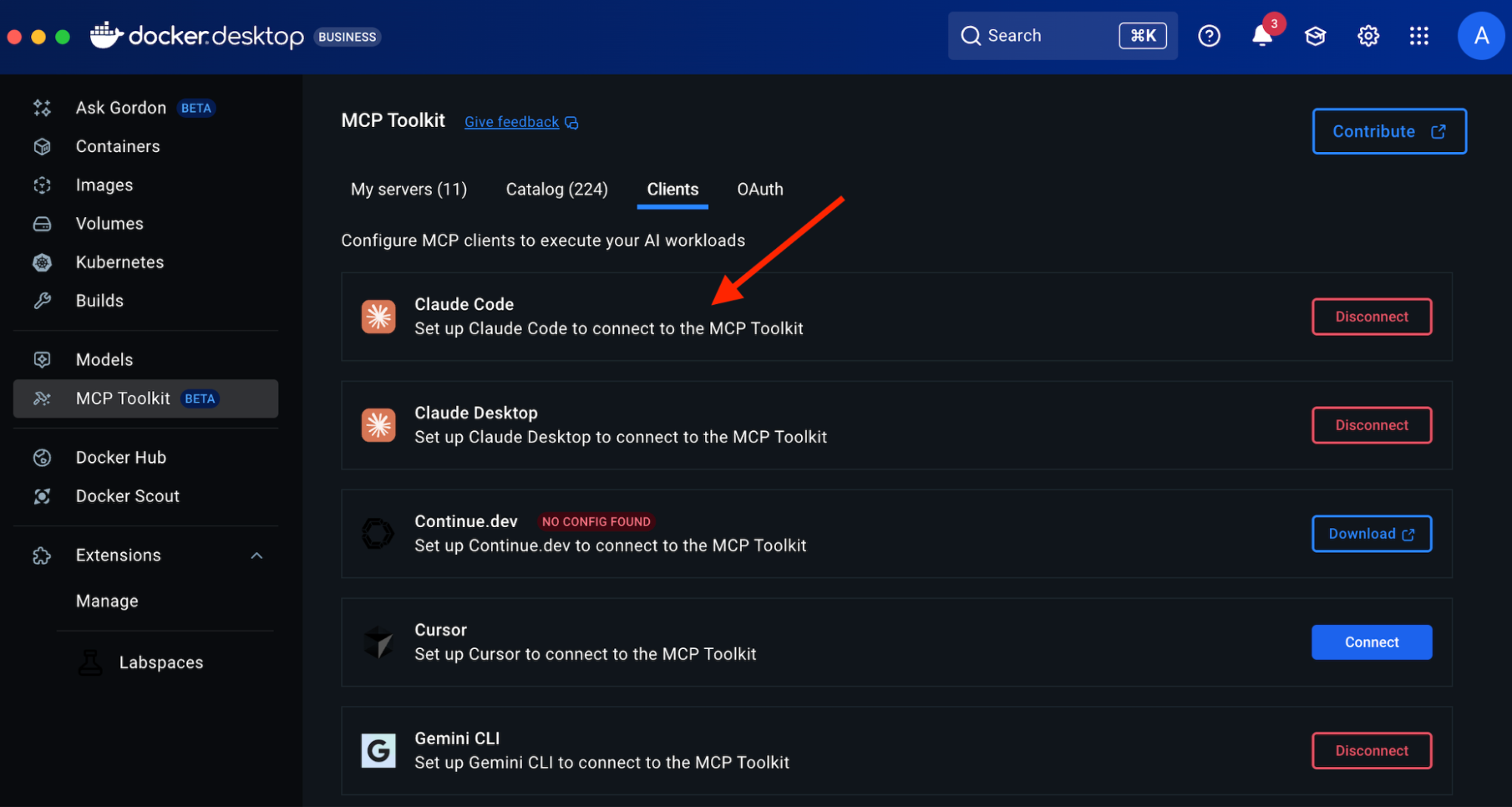
Within the MCP Toolkit, locate the Clients tab.

Scroll to Other MCP Clients and copy the suggested command:

docker mcp gateway run

Figure 4: Docker Desktop showing how to enable MCP Gateway

This command initializes the gateway and makes your MCP server tools discoverable to clients like VS Code.

4. Connect MCP to Visual Studio Code

In VS Code, open the Command Palette and press Ctrl + Shift + P (or Cmd + Shift + P on macOS)

Select “Add MCP Server” and paste the gateway command.

Figure 5: VS Code command displaying how to add an MCP Server

Paste the previously copied docker mcp gateway run command when prompted.

Figure 6: VS Code displaying the Docker MCP gateway run command

This establishes a connection between your VS Code Copilot Agent Mode and the Docker MCP Toolkit (running through Docker Desktop). Once applied to your workspace, Copilot will register approximately 30 MCP tools, all running in containers.

5. Configure and Use Copilot Agent Mode

To configure Copilot Agent Mode, we have two options available:

Option 1: Enable via Copilot Chat Panel (GUI)

Ensure GitHub Copilot is installed and signed in.

Open the Copilot Chat panel, either through Copilot Labs or GitHub Copilot Chat.

Enable Agent Mode:

Use the dropdown or toggle in the chat panel to activate Agent Mode.

This mode allows Copilot to access external tools like those provided by the MCP Toolkit and intelligently reason over them.

Figure 7: GitHub Copilot activating Agent mode

Option 2: Enable via mcp CLI Commands (Manual Setup)

You can also configure Agent Mode by running mcp CLI commands directly in a terminal. This is useful for scripting, headless environments, or if you prefer a command-line setup.

Run the following command to start the gateway manually:

docker mcp gateway run

This procedure will facilitate the exposure of the gateway, thereby allowing Copilot in Visual Studio Code to establish a connection.

In Visual Studio Code, access the mcp.json configuration file to add the running gateway or confirm it is set to use the same endpoint. Restart Visual Studio Code or refresh the Copilot Agent connection to apply the changes.

6. Explore and Test

Try prompts like:

– “List open issues in this GitHub repo”

– “Trigger the CI pipeline for the latest commit”

Copilot routes these tasks to the correct containerized tool and returns results automatically.

Conclusion

Integrating the Docker MCP Toolkit with Copilot Agent Mode in Visual Studio Code offers developers a scalable, modular, and secure method for automating development tasks using containerized AI tools. This workflow represents a significant advancement in creating intelligent, context-aware development environments that simplify repetitive tasks and enhance efficiency.

Learn more

Review the official Docker MCP Toolkit Documentation

Review the capabilities and setup for GitHub Copilot in VS Code

Quelle: https://blog.docker.com/feed/
MCP Horror Stories: The Security Issues Threatening AI Infrastructure

This is issue 1 of a new series – MCP Horror Stories – where we will examine critical security issues and vulnerabilities in the Model Context Protocol (MCP) ecosystem and how Docker MCP Toolkit provides enterprise-grade protection against these threats.

What is MCP?

The Model Context Protocol (MCP) is a standardized interface that enables AI agents to interact with external tools, databases, and services. Launched by Anthropic in November 2024, MCP has achieved remarkable adoption, with thousands of MCP server repositories emerging on GitHub. Major technology giants, including Microsoft, OpenAI, Google, and Amazon, have officially integrated MCP support into their platforms, with development tools companies like Block, Replit, Sourcegraph, and Zed also adopting the protocol. 

Think of MCP as the plumbing that allows ChatGPT, Claude, or any AI agent to read your emails, update databases, manage files, or interact with APIs. Instead of building custom integrations for every tool, developers can use one protocol to connect everything. 

How does MCP work?

MCP creates a standardized bridge between AI applications and external services through a client-server architecture. 

The Model Context Protocol (MCP) creates a standardized bridge between AI applications and external services through a client-server architecture. 

When a user submits a prompt to their AI assistant (like Claude Desktop, VS Code, or Cursor), the MCP client actually sends the tool descriptions to the LLM, which does analysis and determines which, if any, tools should be called. The MCP host executes these decisions by routing calls to the appropriate MCP servers – whether that’s querying a database for customer information or calling remote APIs for real-time data. Each MCP server acts as a standardized gateway to its respective data source, translating between the universal MCP protocol and the specific APIs or database formats underneath. 

Caption: Model Context Protocol client-server architecture enabling standardized AI integration across databases, APIs, and local functions

The overall MCP architecture enables powerful AI workflows where a single conversation can seamlessly integrate multiple services – for example, an AI agent could analyze data from a database, create a GitHub repository with the results, send a Slack notification to the team, and deploy the solution to Kubernetes, all through standardized MCP interactions. However, this connectivity also introduces significant security risks, as malicious MCP servers could potentially compromise AI clients, steal credentials, or manipulate AI agents into performing unauthorized actions.

The Model Context Protocol (MCP) was supposed to be the “USB-C for AI applications” – a universal standard that would let AI agents safely connect to any tool or service. Instead, it’s become a security nightmare that’s putting organizations at risk of data breaches, system compromises, and supply chain attacks.

The promise is compelling: Write once, connect everywhere. The reality is terrifying: A protocol designed for convenience, not security.

Caption: comic depicting MCP convenience and potential security risk

MCP Security Issues by the Numbers

The scale of security issues with MCP isn’t speculation – it’s backed by a comprehensive analysis of thousands of MCP servers revealing systematic flaws across six critical attack vectors:

OAuth Discovery Vulnerabilities

Command Injection and Code Execution

Unrestricted Network Access

File System Exposure

Tool Poisoning Attacks

Secret Exposure and Credential Theft

1. OAuth Discovery Vulnerabilities

What it is: Malicious servers can inject arbitrary commands through OAuth authorisation endpoints, turning legitimate authentication flows into remote code execution vectors.

The numbers: Security researchers analyzing the MCP ecosystem found that OAuth-related vulnerability represent the most severe attack class, with command injection flaws affecting 43% of analyzed servers. The mcp-remote package alone has been downloaded over 558,846 times, making OAuth vulnerabilities a supply chain attack affecting hundreds of thousands of developer environments.

The horror story: CVE-2025-6514 demonstrates exactly how devastating this vulnerability class can be – turning a trusted OAuth proxy into a remote code execution nightmare that compromises nearly half a million developer environments.

Strategy for mitigation: Watch out for MCP servers that use third-party OAuth tools like mcp-remote, have non-https endpoints, or need complex shell commands. Instead, pick servers with built-in OAuth support and never run OAuth proxies that execute shell commands.

2. Command Injection and Code Execution

What it is: MCP servers can execute arbitrary system commands on host machines through inadequate input validation and unsafe command construction.

The numbers: Backslash Security’s analysis of thousands of publicly available MCP servers uncovered “dozens of instances” where servers allow arbitrary command execution. Independent assessments confirm 43% of servers suffer from command injection flaws – the exact vulnerability enabling remote code execution.

The horror story: These laboratory findings translate directly to real-world exploitation, as demonstrated in our upcoming coverage of container breakout attacks targeting AI development environments.

Strategy for mitigation: Avoid MCP servers that don’t validate user input, build shell commands from user data, or use eval() and exec() functions. Always read the server code before installing and running MCP servers in containers.

3. Unrestricted Network Access

What it is: MCP servers with unrestricted internet connectivity can exfiltrate sensitive data, download malicious payloads, or communicate with command-and-control infrastructure.

The numbers: Academic research published on arXiv found that 33% of analyzed MCP servers allow unrestricted URL fetches, creating direct pathways for data theft and external communication. This represents hundreds of thousands of potentially compromised AI integrations with uncontrolled network access.

The horror story: The Network Exfiltration Campaign shows how this seemingly innocent capability becomes a highway for stealing corporate data and intellectual property.

Strategy for mitigation: Skip MCP servers that don’t explain their network needs or want broad internet access without reason. Use MCP tools with network allow-lists and monitor what connections your servers make.

4. File System Exposure

What it is: Inadequate path validation allows MCP servers to access files outside their intended directories, potentially exposing sensitive documents, credentials, and system configurations.

The numbers: The same arXiv security study found that 22% of servers exhibit file leakage vulnerabilities that allow access to files outside intended directories. Combined with the 66% of servers showing poor MCP security practices, this creates a massive attack surface for data theft.

The horror story: The GitHub MCP Data Heist analysis reveals how these file access vulnerabilities enable unauthorized access to private repositories and sensitive development assets.

Strategy for mitigation: Avoid MCP servers that want access beyond their work folder. Don’t use tools that skip file path checks or lack protection against directory attacks. Stay away from servers running with too many privileges. Stay secure by using containerized MCP servers with limited file access. Set up monitoring for file access.

5. Tool Poisoning Attack

What it is: Malicious MCP servers can manipulate AI agents by providing false tool descriptions or poisoned responses that trick AI systems into performing unauthorized actions.

The numbers: Academic research identified 5.5% of servers exhibiting MCP-specific tool poisoning attacks, representing a new class of AI-targeted vulnerabilities not seen in traditional software security.

The horror story:  The Tenable Website Attack demonstrates how tool poisoning, combined with localhost exploitation, turns users’ own development tools against them.

Strategy for mitigation: Carefully review the MCP server documentation and tool descriptions before installation. Monitor AI agent behavior for unexpected actions. Use MCP implementations with comprehensive logging to detect suspicious tool responses.

6. Secret Exposure and Credential Theft

What it is: MCP deployments often expose API keys, passwords, and sensitive credentials through environment variables, process lists, and inadequate secret management.

The numbers: Traditional MCP deployments systematically leak credentials, with plaintext secrets visible in process lists and logs across thousands of installations. The comprehensive security analysis found 66% of servers exhibiting code smells, indicating poor MCP security practices, compounding this credential exposure problem.

The horror story: The Secret Harvesting Operation reveals how attackers systematically collect API keys and credentials from compromised MCP environments, enabling widespread account takeovers.

Strategy for mitigation: Avoid MCP servers that need credentials as environment variables. Don’t use tools that log or show sensitive info. Stay away from servers without secure credential storage. Be careful if docs mention storing credentials as plain text. Protect your credentials by using secure secret management systems.

How Docker MCP Tools Address MCP Security Issues

While identifying vulnerabilities is important, the real solution lies in choosing secure-by-design MCP implementations. Docker MCP Catalog, Toolkit and Gateway represent a fundamental shift toward making security the default path for MCP development.

Security-first Architecture

MCP Gateway serves as the secure communication layer between AI clients and MCP servers. Acting as an intelligent proxy, the MCP Gateway intercepts all tool calls, applies security policies, and provides comprehensive monitoring. This centralized security enforcement point enables features like network filtering, secret scanning, resource limits, and real-time threat detection without requiring changes to individual MCP servers.

Secure Distribution through Docker MCP Catalog provides cryptographically signed, immutable images that eliminate supply chain attacks targeting package managers like npm.

Container Isolation ensures every MCP server runs in an isolated container, preventing host system compromise even if the server is malicious. Unlike npm-based MCP servers that execute directly on your machine, Docker MCP servers can’t access your filesystem or network without explicit permission.

Network Controls with built-in allowlisting ensure MCP servers only communicate with approved destinations, preventing data exfiltration and unauthorized communication.

Secret Management via Docker Desktop’s secure secret store replaces vulnerable environment variable patterns, keeping credentials encrypted and never exposed to MCP servers directly.

Systematic Vulnerability Elimination

Docker MCP Toolkit systematically eliminates each vulnerability class through architectural design.

OAuth Vulnerabilities -> Native OAuth Integration

OAuth vulnerabilities disappear entirely through native OAuth handling in Docker Desktop, eliminating vulnerable proxy patterns without requiring additional tools. 

# No vulnerable mcp-remote needed
docker mcp oauth ls
github | not authorized
gdrive | not authorized

# Secure OAuth through Docker Desktop
docker mcp oauth authorize github
# Opens browser securely via Docker's OAuth flow

docker mcp oauth ls
github | authorized
gdrive | not authorized

Command Injection -> Container Isolation

Command injection attacks are contained within container boundaries through isolation, preventing any host system access even when servers are compromised. 

# Every MCP server runs with security controls
docker mcp gateway run
# Containers launched with: –security-opt no-new-privileges –cpus 1 –memory 2Gb

Network Attacks -> Zero-Trust Networking

Network attacks are blocked through zero-trust networking with –block-network flags and real-time monitoring that detects suspicious patterns. 

# Maximum security configuration
docker mcp gateway run
–verify-signatures
–block-network
–cpus 1
–memory 1Gb

Tool Poisoning -> Comprehensive Logging

Tool poisoning becomes visible through complete interaction logging with –log-calls, enabling automatic blocking of suspicious responses. 

# Enable comprehensive tool monitoring
docker mcp gateway run –log-calls –verbose
# Logs all tool calls, responses, and detects suspicious patterns

Secret Exposure -> Secure Secret Management

Secret exposure is eliminated through secure secret management combined with active scanning via –block-secrets that prevents credential leakage.

# Secure secret storage
docker mcp secret set GITHUB_TOKEN=ghp_your_token
docker mcp secret ls
# Secrets never exposed as environment variables

# Block secret exfiltration
docker mcp gateway run –block-secrets
# Scans tool responses for leaked credentials

Enterprise-grade Protection

For production environments, Docker MCP Gateway provides a maximum security configuration that combines all protection mechanisms:

# Production hardened setup
docker mcp gateway run
–verify-signatures # Cryptographic image verification
–block-network # Zero-trust networking
–block-secrets # Secret scanning protection
–cpus 1 # Resource limits
–memory 1Gb # Memory constraints
–log-calls # Comprehensive logging
–verbose # Full audit trail

This configuration provides:

Supply Chain Security: –verify-signatures ensures only cryptographically verified images run

Network Isolation: –block-network creates L7 proxies allowing only approved destinations

Secret Protection: –block-secrets scans all tool responses for credential leakage

Resource Controls: CPU and memory limits prevent resource exhaustion attacks

Full Observability: Complete logging and monitoring of all tool interactions

Security Aspect

Traditional MCP

Docker MCP Toolkit

Execution Model

Direct host execution via npx/mcp-remote

Containerized isolation

OAuth Handling

Vulnerable proxy with shell execution

Native OAuth in Docker Desktop

Secret Management

Environment variables

Docker Desktop secure store

Network Access

Unrestricted host networking

L7 proxy with allowlisted destinations

Resource Controls

None

CPU/memory limits, container isolation

Supply Chain

npm packages (can be hijacked)

Cryptographically signed Docker images

Monitoring

No visibility

Comprehensive logging with –log-calls

Threat Detection

None

Real-time secret scanning, anomaly detection

The result is a security-first MCP ecosystem where developers can safely explore AI integrations without compromising their development environments. Organizations can deploy AI tools confidently, knowing that enterprise-grade security is the default, not an afterthought.

Stay tuned for upcoming issues in this series:

1. OAuth Discovery Vulnerabilities → JFrog Supply Chain Attack

Malicious authorization endpoints enable remote code execution

Affects 437,000+ downloads of mcp-remote through CVE-2025-6514

2. Prompt Injection Attacks → GitHub MCP Data Heist

AI agents manipulated into accessing unauthorized repositories

Official GitHub MCP Server (14,000+ stars) weaponized against private repos

3. Drive-by Localhost Exploitation → Tenable Website Attack

Malicious websites compromise local development environments

MCP Inspector (38,000+ weekly downloads) becomes attack vector

4. Tool Poisoning + Container Escape → AI Agent Container Breakout

Containerized MCP environments breached through combined attacks

Isolation failures in AI development environments

5. Unrestricted Network Access → Network Exfiltration Campaign

33% of MCP tools allow unrestricted URL fetches

Creates pathways for data theft and external communication

6. Exposed Environment Variables → Secret Harvesting Operation

Plaintext credentials visible in process lists and logs

Traditional MCP deployments leak API keys and passwords

In the next issue of this series, we will dive deep into CVE-2025-6514 – the supply chain attack that turned a trusted OAuth proxy into a remote code execution nightmare, compromising nearly half a million developer environments. 

Learn more

Explore the MCP Catalog: Visit the MCP Catalog to discover MCP servers that solve your specific needs securely.

Use and test hundreds of MCP Servers: Download Docker Desktop to download and use any MCP server in our catalog with your favorite clients: Gordon, Claude, Cursor, VSCode, etc

Submit your server: Join the movement toward secure AI tool distribution. Check our submission guidelines for more.

Follow our progress: Star our repository and watch for updates on the MCP Gateway release and remote server capabilities.

Quelle: https://blog.docker.com/feed/
GenAI vs. Agentic AI: What Developers Need to Know

Generative AI (GenAI) and the models behind it have already reshaped how developers write code and build applications. But a new class of artificial intelligence is emerging: agentic AI. Unlike GenAI, which focuses on content generation, agentic systems can plan, reason, and take actions across multiple steps, enabling a new approach to building intelligent, goal-driven agents.

In this post, we’ll explore the key differences between GenAI and agentic AI. More specifically, we’ll cover how each is built, their challenges and trade-offs, and where Docker fits into the developer workflow. You’ll also find example use cases and starter projects to help you get hands-on with building your own GenAI apps or agents.

What is GenAI?

GenAI is a subset of machine learning, is powered by large language models to create new content, from writing text and code to creating images and music based on prompts or input. At their core, generative AI models are prediction engines. Trained on vast data, these models learn to guess what comes next in a sequence. This could be the next word in a sentence, the next pixel in an image, or the next line of code. Some even call GenAI autocomplete on steroids. Common examples include ChatGPT, Claude, and GitHub Copilot.

Use cases for GenAI

Top use cases of GenAI are coding, image and video production, writing, education, chatbot, summarization, workflow automation, and across consumer and enterprise applications (1). To build an AI application with generative models, developers typically start by looking at the use cases, then choosing a model based on their goals and performance needs. The model can then be accessed via remote APIs (for hosted models like GPT-4 or Claude) or run locally (with Docker Model Runner or Ollama). This distinction shapes how developers build with GenAI: locally hosted models offer privacy and control, while cloud-hosted ones often provide flexibility, state-of-the-art models, and larger compute resources. 

Developers provide user input/prompts or fine-tune the model to shape its behavior, then integrate it into their app’s logic using familiar tools and frameworks. Whether building a chatbot, virtual assistant, or content generator, the core workflow involves sending input to the model, processing its output, and using that output to drive user-facing features.

Figure 1: A simple architecture diagram of how GenAI works

Despite their sophistication, GenAI systems remain fundamentally passive and require human input. They respond to static prompts without understanding broader goals or retaining memory of past interactions (unless explicitly designed to simulate it). They don’t know why they’re generating something, only how, by recognizing patterns in the training data.

GenAI application examples

Millions of developers use Docker to build cloud-native apps. Now, you can use similar commands and familiar workflows to explore generative AI tools. Docker’s Model Runner enables developers to run local models with zero hassle. Testcontainers help to quickly spin up integration testing to evaluate your app by providing lightweight containers for your services and dependencies. 

Here are a few examples to help you get started.

1. Getting started with running models locally

A simple chatbot web application built in Go, Python, and Node.js that connects to a local LLM service to provide AI-powered responses.

2. How to Make an AI Chatbot from Scratch using Docker Model Runner

Learn how to make an AI chatbot from scratch and run it locally with Docker Model Runner.

3. Build a GenAI App With Java Using Spring AI and Docker Model Runner

Build a GenAI app with RAG in Java using Spring AI, Docker Model Runner, and Testcontainers. 

4. Building an Easy Private AI Assistant with Goose and Docker Model Runner

Learn how to build your own AI assistant that’s private, scriptable, and capable of powering real developer workflows.

5. AI-Powered Testing: Using Docker Model Runner with Microcks for Dynamic Mock APIs

Learn how to create AI-enhanced mock APIs for testing with Docker Model Runner and Microcks. Generate dynamic, realistic test data locally for faster dev cycles.

What is agentic AI?

There’s no single industry-standard definition for agentic AI. You’ll see terms like AI agents, agentic systems, or agentic applications used interchangeably. For simplicity, we’ll just call them AI agents.

AI agents are AI systems designed to take initiative, make decisions, and carry out complex tasks to achieve a goal. Unlike traditional GenAI models that respond only to individual human prompts, agents can plan, reason, and take actions across multiple steps. This makes agents especially useful for open-ended or loosely defined tasks. Popular examples include OpenAI’s ChatGPT agent and Cursor’s agent mode that completes programming tasks end-to-end.  

Use cases for agentic AI

Organizations that have successfully deployed AI agents are using them across a range of high-impact areas, including customer service and support, internal operations, sales and marketing, security and fraud detection, and specialized industry workflows (2). But despite the potential, adoption is still in its early stages from a business context. A recent Capgemini report found that only 14% of companies have moved beyond experimentation to implementing agentic AI.

How agentic AI works

While implementations vary, most AI agents consist of three main components: models, tools, and an orchestration layer. 

Models: Interprets high-level goals, reasons, and breaks them into executable steps.

Tools: External functions or systems the agent can call. The Model Context Protocol (MCP) is emerging as the de facto standard for connecting agents to external tools, data, and services. 

The orchestration layer: This is the coordination logic that ties everything together. Frameworks like LangChain, CrewAI, and ADK manage tool selection, memory, planning, and state and control flow. 

Figure 2: A high-level architecture diagram of how a multi-agent system works.

To build agents, developers typically start by breaking a use case into concrete workflows the agent needs to perform and identifying key steps, decision points, and the tools required to get the job done. From there, they choose the appropriate model (or combination of models), integrate the necessary tools, and use an orchestration framework to tie everything together. In more complex systems, especially those involving multiple agents, each agent often functions like a microservice, handling one specific task as part of a larger workflow. 

While the agentic stack introduces some new components, much of the development process will feel familiar to those who’ve built cloud-native applications. There’s the complexity of coordinating loosely coupled components. There’s a broader security surface, especially as agents get access to sensitive tools and data. It’s no wonder some in the community have started calling agents “the new microservices.” They’re modular, flexible, and composable, but they also come with a need for secure architecture, reliable tooling, and consistency from development to production. 

Agentic AI application examples

As agents become more modular and microservice-like, Docker’s tooling has evolved to support developers building and running agentic applications. 

Figure 3: Docker’s AI technology ecosystem, including Compose, Model Runner, MCP Gateway, and more.

For running models locally, especially in use cases where privacy and data sensitivity matter, Docker Model Runner provides an easy way to spin up models. If models are too large for local hardware, Docker Offload allows developers to tap into GPU resources in the cloud while still maintaining a local-first workflow and development control. 

When agents require access to tools, the Docker MCP Toolkit and Gateway make it simple to discover, configure, and run secure MCP servers. Docker Compose remains the go-to solution for millions of developers, now with support for agentic components like models, tools, and frameworks, making it easy to orchestrate everything from development to production.

To help you get started, here are a few example agents built with popular frameworks. You’ll see a mix of single-agent and multi-agent setups, examples using single and multiple models, both local and cloud-hosted, offloaded to cloud GPUs, and demonstrations of how agents use MCP tools to take actions. All of them run with just a single Docker Compose file.

1. Beyond the Chatbot: Event-Driven Agents in Action

This GitHub webhook-driven project uses agents to analyze PRs for training repositories to determine if they can be automatically closed, generate a comment, and then close the PR. 

2. SQL Agent with LangGraph

This project demonstrates an AI agent that uses LangGraph to answer natural language questions by querying a SQL database.

3. Spring AI + DuckDuckGo

This project demonstrates a Spring Boot application using Spring AI and the MCP tools DuckDuckGo to answer natural language questions.

4. Building an autonomous, multi-agent virtual marketing team with CrewAI

This project showcases an autonomous, multi-agent virtual marketing team built with CrewAI. It automates the creation of a high-quality, end-to-end marketing strategy from research to copywriting.

5. GitHub Issue Analyzer built with Agno

This project demonstrates a collaborative multi-agent system built with Agno, where specialized agents, including a coordinator agent and 3 sub-agents, work together to analyze GitHub repositories. 

6. A2A Multi-Agent Fact Checker

This project demonstrates a collaborative multi-agent system built with the Agent2Agent SDK (A2A) and OpenAI, where a top-level Auditor agent coordinates the workflow to verify facts.

More agent examples can be found here. 

GenAI vs. agentic AI: Key differences

Attributes

Generative AI (GenAI)

Agentic AI

Definition

AI systems that generate content (text, code, images, etc.) based on prompts

AI systems that plan, reason, and act across multiple steps to achieve a defined goal

Core Behavior

Predicts the next output based on input (e.g., next word, token, or pixel)

Takes initiative, capable of decision making, executes actions, and can operate independently

Examples

ChatGPT, Claude, GitHub Copilot

ChatGPT agent, Cursor agent mode, Manus

Top Use Cases

Code generation, content creation, summarization, education, chatbots, image/video creation

Customer support automation, IT operations, multi-step strategies, security, and fraud detection

Adoption Stage

Widely adopted across consumer and enterprise applications

Early-stage; 14% of companies using at scale

Development Workflow

– Choose model

– Prompt or fine-tune

– Integrate with app logic

– Break use case into steps

– Choose model(s) and tools

– Use a framework to coordinate agent flow

Common Challenges

Model selection and ensuring consistent and reliable behavior

More complex task coordination and expanded security surface

Analogy

Autocomplete on steroids

The new microservices

Final thoughts

Whether you’re building with GenAI or exploring the potential of agents, AI proficiency is becoming a core skill for developers as more organizations double down on their AI initiatives. GenAI offers a fast path to content-driven applications with relatively simple integration and human input. On the other hand, agentic AI can execute multi-step strategies and enables goal-oriented workflows that resemble the complexity and modularity of microservices. 

While agentic AI systems are more powerful, they also introduce new challenges around orchestration, tool integration, and security. Knowing when to use each and how to build effectively using AI solutions, like Docker Model Runner, Offload, MCP Gateway, and Compose, will help streamline development and prepare your production application.

Build your first AI application with Docker

Whether you’re prototyping a private LLM chatbot or building a multi-agent system that acts like a virtual team, now’s the time to experiment. With Docker, you get the flexibility to develop easily, scale securely, and move fast, using the same familiar commands and workflows you already know!

Learn how to build an agentic AI application →

Learn more

Discover secure MCP servers and feature your own on Docker

Pick the right local LLM for tool calling 

Discover other AI solutions from Docker 

Learn how Compose makes building AI agents easier 

Sign up for our Docker Offload beta program and get 300 free GPU minutes to boost your agent. 

References

Chip Huyen, 2025, AI Engineering Building Application with Foundation Models, O’Reilly

Bornet Pascal, 2025, Agentic Artificial Intelligence, Harnessing AI Agents to Reinvent Business, Work and Life, ‎Irreplaceable Publishing  

Quelle: https://blog.docker.com/feed/
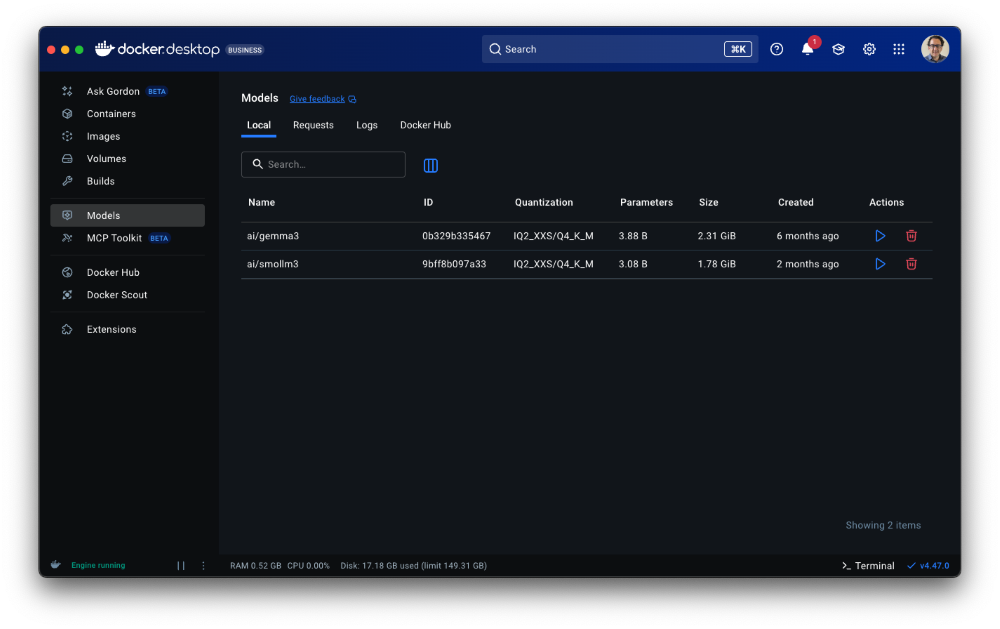
Retiring Docker Content Trust

Docker Content Trust (DCT) was introduced 10 years ago as a way to verify the integrity and publisher of container images using The Update Framework (TUF) and the Notary v1 project. However, the upstream Notary codebase is no longer actively maintained and the ecosystem has since moved toward newer tools for image signing and verification. Accordingly, DCT usage has declined significantly in recent years. Today, fewer than 0.05% of Docker Hub image pulls use DCT and Microsoft recently announced the deprecation of DCT support in Azure Container Registry. As a result, Docker is beginning the process of retiring DCT, beginning with Docker Official Images (DOI).

Docker is committed to improving the trust of the container ecosystem and, in the near future, will be implementing a different image signing solution for DOI that is based on modern, widely-used tools to help customers start and stay secure. Watch this blog for more information.

What This Means for You

If you pull Docker Official Images

Starting on August 8th, 2025, the oldest of DOI DCT signing certificates will begin to expire. You may have already started seeing expiry warnings if you use the docker trust commands with DOI. These certificates, once cached by the Docker client, are not subsequently refreshed, making certificate rotation impractical. If you have set the DOCKER_CONTENT_TRUST environment variable to True (DOCKER_CONTENT_TRUST=1), DOI pulls will start to fail. The workaround is to unset the DOCKER_CONTENT_TRUST environment variable. The use of  docker trust inspect will also start to fail and should no longer be used for DOI.

If you publish images on Docker Hub using DCT 

You should start planning to transition to a different image signing and verification solution (like Sigstore or Notation). Docker will be publishing migration guides soon to help you in that effort. Timelines for the complete deprecation of DCT are being finalized and will be published soon.

We appreciate your understanding as we modernize our security infrastructure and align with current best practices for the container ecosystem. Thank you for being part of the Docker community.

Quelle: https://blog.docker.com/feed/

Accelerate modernization and cloud migration

In our recent report, we describe that many enterprises today face a stark reality: despite years of digital transformation efforts, the majority of enterprise workloads—up to 80%—still run on legacy systems. This lag in modernization not only increases operational costs and security risks but also limits the agility needed to compete in a rapidly evolving market. The pressure is on for technology leaders to accelerate the ongoing modernization of legacy applications and to accelerate cloud adoption, but the path forward is often blocked by technical complexity, risk, and resource constraints.  Full Report: Accelerate Modernization with Docker.Enterprises have long been treating modernization as a business imperative. Research shows that 73% of CIOs identify technological disruption as a major risk, and 82% of CEOs believe companies that fail to transform fundamentally risk obsolescence within a decade. Enterprises that further delay modernization risk falling farther behind more agile competitors who are already leveraging cloud-native platforms, DevSecOps practices, and AI or Agentic applications to drive business growth and innovation.

Enterprises challenges for modernization and cloud migration

Transitioning from legacy systems to modern, cloud-native architectures is rarely straightforward. Enterprises face a range of challenges, including:

Complex legacy dependencies: Deeply entrenched systems with multiple layers and dependencies make migration risky and costly.

Security and compliance risks: Moving to the cloud can increase vulnerabilities by up to 46% if not managed correctly.

Developer inefficiencies: Inconsistent environments and manual processes can delay releases, with 69% of developers losing eight or more hours a week to inefficiencies.

Cloud cost overruns: Inefficient resource allocation and lack of governance often lead to higher-than-expected cloud expenses.

Tool fragmentation: Relying on multiple, disconnected tools for modernization increases risk and slows progress.

These challenges have stalled progress for years, but with the right strategy and tools, enterprises can overcome them and unlock the full benefits of modernization and migration.

How Docker accelerates modernization and cloud migration

Docker products can help enterprises modernize legacy applications and migrate to the cloud efficiently, securely, and incrementally.

Docker brings together Docker Desktop, Docker Hub, Docker Build Cloud, Docker Scout, Testcontainers Cloud, and Administration into a seamless, integrated experience. This solution empowers development teams to:

Containerize legacy applications: Simplify the process of packaging and migrating legacy workloads to the cloud.

Automate CI/CD pipelines: Accelerate build, test, and deployment cycles with automated workflows and cloud-based build acceleration.

Embed security and governance: Integrate real-time vulnerability analysis, policy enforcement, and compliance checks throughout the development lifecycle.

Use trusted secure content: Hardened Images ensures every container starts has a signed, distroless base that cuts the attack surface by up to 95 % and comes with built-in SBOMs for effortless audits.

Standardize environments: Ensure consistency across development, testing, and production, reducing configuration drift and late-stage defects.

Implement incremental, low-risk modernization: Rather than requiring a disruptive, multi-year overhaul, Docker enables enterprises to modernize incrementally. 

Increased agility: By modernizing legacy applications and systems, enterprises achieve faster release cycles, rapid product launches, reduced time to market, and seamless scaling in the cloud.

Do not further delay modernization and cloud migrations. Get started with Docker today

Enterprises don’t need to wait for a massive, “big-bang” project — Docker makes it possible to start small, deliver value quickly, and scale ongoing modernization efforts across the organization. By empowering teams with the right tools and a proven approach, Docker enables enterprises to accelerate ongoing application modernization and cloud migrations —unlocking innovation, reducing costs, and securing their competitive edge for the future.

Ready to accelerate your modernization journey?  Learn more about how Docker can help enterprises with modernization and cloud migration – Full Report: Accelerate Modernization with Docker.  

___________Sources:– IBM 1; Gartner 1, 2, 3 – PWC 1, 2– The Palo Alto Networks State of Cloud-Native Security 2024– State of Developer Experience Report 2024___________Tags: #ApplicationModernization #Modernization #CloudMigration #Docker #DockerBusiness #EnterpriseIT #DevSecOps #CloudNative #DigitalTransformation

Quelle: https://blog.docker.com/feed/





