Simplicity matters: Kubernetes 1.16

Simplicity matters: Kubernetes 1.18.2 on your local machine with kubeadm and Multipass, Rancher k3s, RKE & more ..I was playing with Multipass VMs, Rancher k3s, RKE and Rancher Server on my laptop (MacOS) in the last 2 weeks and did some small implementations to fully automate the deployment of k3s, RKE and Rancher Server on my local machine, mainly for faster and cheeper testing of upgrades of RKE and Rancher and to provide a local real multi-node environment for trainings.This week the latest and greatest Kubernetes 1.16 was out and during this weekend I wanted to see how to get it running on multipass VMs on my laptop with kubeadm.You can find the result here on Github.TLDR: Multi-Node Kubernetes 1.16 with kubeadm on Multipassgit clone https://github.com/arashkaffamanesh/kubeadm-multipass.gitcd kubeadm-multipass./deploy.sh…####################################################################Enjoy :-)Total runtime in minutes was: 09:12####################################################################Update Nov. 2d / 2019Containerd support was added after our meetup today with the awesome Fahed Dorgaa. To deploy the containerd version, run:$ ./deploy-bonsai-containerd.sh…NAME STATUS ROLES AGE VERSIONmaster Ready master 4m46s v1.18.2worker1 Ready node 52s v1.18.2worker2 Ready node 31s v1.18.2####################################################################Enjoy :-)Total runtime in minutes was: 06:22####################################################################k3s, Rancher Kubernetes Engine and Rancher Server on MultipassI don’t like to bother you with a long story and repeat myself, you can learn about the awesomeness of Rancher k3s, Rancher Server and RKE cluster on Multipass VMs on your local machine and enjoy or blame me on Github or give it a star, if it works for you.That’s it, Simplicity matters!Questions?Join us on Kubernauts Slack channel or add a comment here.We’re hiring!We are looking for engineers who love to work in Open Source communities like Kubernetes, Rancher, Docker, etc.If you wish to work on such projects please do visit our job offerings page.Simplicity matters: Kubernetes 1.16 was originally published in Kubernauts on Medium, where people are continuing the conversation by highlighting and responding to this story.
Quelle: blog.kubernauts.io

Querying MinIO with BlazingSQL

blog.blazingdb.com – BlazingSQL is an open-source project, and as such, we gladly receive feature requests on our Github repository all the time. One such request (#242) was to allow registering a Storage Plugin that was…
Quelle: news.kubernauts.io

k3s with k3d and MetalLB (on Mac)

blog.kubernauts.io – In my previous post we could see how to get an external IP for load balancing on a k3s cluster running in multipass VMs and I promised to show you how MetalLB can work with k3d launched k3s clusters …
Quelle: news.kubernauts.io

Octant Simplified

A Quick overview and install in less than 5 minutesDefinition From the Docs :Octant is a tool for developers to understand how applications run on a Kubernetes cluster. It aims to be part of the developer’s toolkit for gaining insight and approaching complexity found in Kubernetes. Octant offers a combination of introspective tooling, cluster navigation, and object management along with a plugin system to further extend its capabilities.Octant is one of the recent projects by VMware that aims to simplify the kubernetes view for developers. Now the developers would be able to see what all is happening in the cluster when they are deploying their workloads.Let us setup Octant on a Katakoda cluster and see what all capabilities it provides out of the box to the Developers.This tutorial is a quick overview of the latest version of the octant recently launched by the team which is v0.10.0.Steps:1: Got to- https://www.katacoda.com/courses/kubernetes/playground2: Download the latest octant release v0.10.0master $ wget https://github.com/vmware-tanzu/octant/releases/download/v0.10.0/octant_0.10.0_Linux-64bit.tar.gzmaster $ lsoctant_0.10.0_Linux-64bit.tar.gz# Run master $ tar -xzvf octant_0.10.0_Linux-64bit.tar.gzoctant_0.10.0_Linux-64bit/README.mdoctant_0.10.0_Linux-64bit/octant# Verifymaster $ cp ./octant_0.10.0_Linux-64bit/octant /usr/bin/master $ octant versionVersion: 0.10.0Git commit: 72e66943d660dc7bdd2c96b27cc141f9c4e8f9d8Built: 2020-01-24T00:56:15ZRun Octant- In order to Run octant you can run the Octant command, by default it runs on localhost:7777and if you need to pass additional arguments (like running on a different port) runmaster $ OCTANT_DISABLE_OPEN_BROWSER=true OCTANT_LISTENER_ADDR=0.0.0.0:8900 octant2020-01-26T10:17:29.135Z INFO module/manager.go:79 registering action {"component": "module-manager", "actionPath": "overview/serviceEditor", "module-name": "overview"}2020-01-26T10:17:29.135Z INFO module/manager.go:79 registering action {"component": "module-manager", "actionPath": "overview/startPortForward", "module-name": "overview"}2020-01-26T10:17:29.136Z INFO module/manager.go:79 registering action {"component": "module-manager", "actionPath": "overview/stopPortForward", "module-name": "overview"}2020-01-26T10:17:29.137Z INFO module/manager.go:79 registering action {"component": "module-manager", "actionPath": "overview/commandExec", "module-name": "overview"}2020-01-26T10:17:29.137Z INFO module/manager.go:79 registering action {"component": "module-manager", "actionPath": "overview/deleteTerminal", "module-name": "overview"}2020-01-26T10:17:29.138Z INFO module/manager.go:79 registering action {"component": "module-manager", "actionPath": "deployment/configuration", "module-name": "overview"}2020-01-26T10:17:29.139Z INFO module/manager.go:79 registering action {"component": "module-manager", "actionPath": "overview/containerEditor", "module-name": "overview"}2020-01-26T10:17:29.140Z INFO module/manager.go:79 registering action {"component": "module-manager", "actionPath": "octant/deleteObject", "module-name": "configuration"}2020-01-26T10:17:29.140Z INFO dash/dash.go:391 Using embedded Octant frontend2020-01-26T10:17:29.143Z INFO dash/dash.go:370 Dashboard is available at http://[::]:8900You can see that Octant has started, now open port 8900 on Katakoda kubernetes playground to see the Octant dashboard.In order to open port from Katakoda click on the + and select View HTTP port 8080 on Host 1 and change the port to 8900octant dashboardAs you can see whole of the cluster is visible with easy to navigate options. you can navigate through the namespaces, see the pods running. Just run a few podskubectl run nginx –image nginxkubectl run -i -t busybox –image=busybox –restart=NeverNow go to the workloads section and you can see the pods. Getting into the pods will give a much deeper look. Let us take a full view at busybox pod and see what all things you can easily see via the octant dashboard.Overall ViewResource viewer and Pod logsYou can see how easy it is to view the logs, connected resources, overall summary, and the YAML file.Another thing you can do with Octant is, have your own plugins and view them in octant for added functionalityThis was a brief overview of Octant and how you can set up on a katakoda cluster in less than 5 minutesOctant Documentation: https://octant.dev/docs/master/Octant other communication channels for help and contribution:Kubernetes Slack in the #octant channelTwitterGoogle groupGitHub issuesSaiyam Pathakhttps://www.linkedin.com/in/saiyam-pathak-97685a64/https://twitter.com/SaiyamPathakOctant Simplified was originally published in Kubernauts on Medium, where people are continuing the conversation by highlighting and responding to this story.
Quelle: blog.kubernauts.io
Thanks God, it’s Rancher!

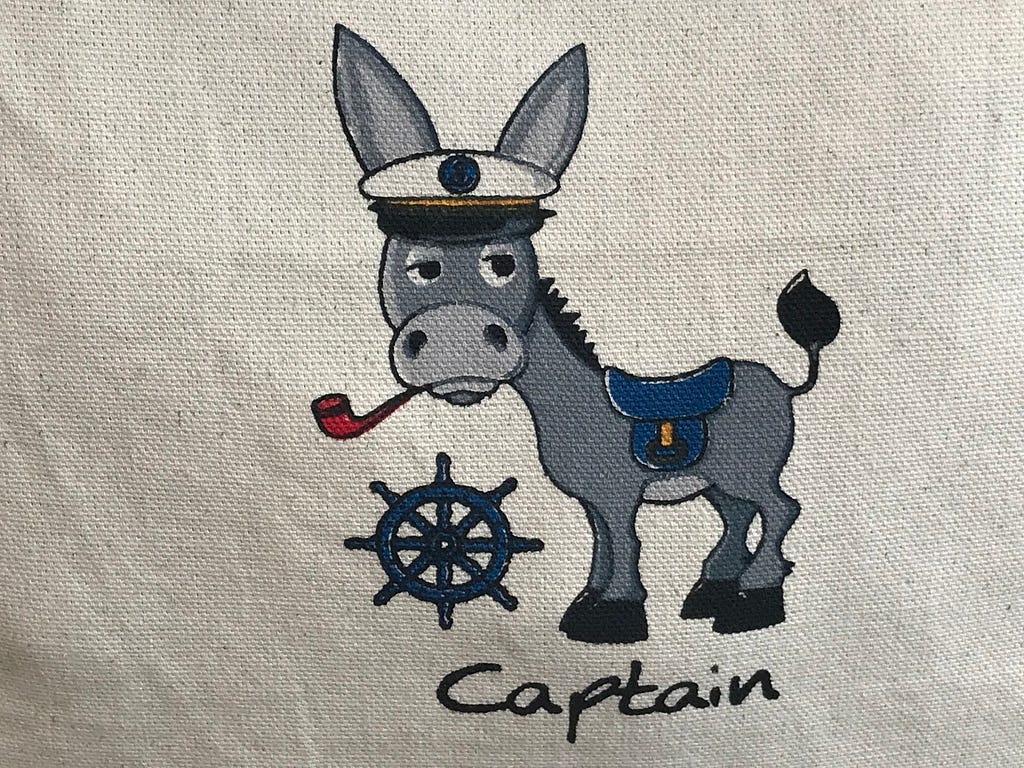
A small talk with the Kommander about Cattle AWS vs. Cattle EKSThe KommanderI met this lovely captain recently on Kos Island and had a small talk with her/him regarding our Kubernetes projects. I spoke to her/him about a dilemma which we’re facing these days. This write up is a very short abstract of our conversation, which I’d like to share with you.In the meanwhile our lovely captain has joined us as “The Kommander” and has the code name TK8.We’re delighted to welcome “The Kommander” as a Kubernaut to the Kubernauts community together with you!The dilemmaI spoke to the Kommander about a dilemma by deciding on how to run and manage multiple Kubernetes clusters using OpenShift, RKE, EKS or Kubeadm (w/ or w/o ClusterAPI support) on AWS for a wide range of applications and services in the e-Mobility field with the following requirements:We should be able to have AWS spot instances with auto-scaling support or other choices like using reserved instances to minimize our costs for our highly scalable apps with high peaks in productionWe should be able to avoid licensing costs for an enterprise grade k8s subscription in the first phaseWe should be able to have a great community support and contribute our work to the communityWe should be able to buy enterprise support at any timeWe should be able to deploy Kubernetes through a declarative approach using Terraform and a single config.yaml manifest the GitOps wayWe should be able to upgrade our clusters easily without downtimeWe should be able to recover our clusters from disaster in regions within few hoursWe need to manage all of our clusters and users through a single interfaceWe should be able to use SAML for SSOWe need to address day 2 operation needsWe should be able to move our workloads to other cloud providers like Google, Azure, DigitalOcean, Hertzner, etc. within few days with the same Kubernetes versionWith these requirements in mind, we had to decide to go either with EKS or Rancher’s RKE and use Rancher Server to manage all of our clusters and users.OpenShiftThe main reason not to be able to go with OpenShift was the fact that OpenShift does not support any hosted Kubernetes provider like EKS and needs high cost licensing in the first phase and has support only for reserved instances and not spot instances on AWS. And OKD, the open source version of OpenShift is not available at this time of writing and one can’t switch from OKD to OCP seamlessly and get enterprise support later. And the fact that OpenShift is not OS agnostic, is something which we don’t like so much. But what we like about OpenShift is the self-hosted capability with Operator Framework support and it’s CRI-O integration.KubeadmUsing Vanilla Kubeadm with ClusterAPI is something which we are looking into for about 9 months now and we love it very much. We were thinking of going with Kubeadm and use Rancher to manage our clusters, but with Kubeadm itself at this time, there is no enterprise support option available and we’re not sure how spot instances and auto-scaling support does work with Kubeadm at this time. What we like very much about Kubeadm is the fact that it has support for all container runtimes, docker, containerd and cri-o and the self-hosted capability is coming soon.EKSEKS is still one of our favourites on the list and we have managed to automate EKS deployments with TK8 Cattle EKS Provisioner and Terraform Provider Rancher2, but unfortunately at this time of writing without auto-scaling and spot instances support, since Rancher API doesn’t provide spot-instances support at this time and we hope to get it soon by one of the next Rancher 2.3.x releases.EKS itself provides spot-instances support and we were thinking about using the eksctl tool to deploy EKS clusters with spot-instances and auto-scaling support and then import our EKS clusters into Rancher and implement IAM and SSO integration and handle upgrades through eksctl. But with that we have to deal with 2 tools, eksctl and Rancher and we are not sure how EKS upgrades will affect our Rancher Server, since Rancher can’t deal with EKS upgrades if we deploy EKS with eksctl. But I think this should not be a no-go issue for us at this time.The main reason why we’d love to go with EKS is the fact that we’ll get a full managed control plane and we have to deal only with managing and patching our worker nodes.The down side of EKS is, that we have to go often with an older version of Kubernetes and if we want to move our workloads to other cloud providers, this might become an issue. And for sure vendor lock-in is something which we are concerned with.RancherUsing Rancher with Terraform Provider Rancher2 and TK8 Cattle AWS Provisioner to deploy RKE clusters with spot instances support with tk8ctl on AWS is something which we are thinking to go with most probably at this time, despite the fact and dilemma that we have to manage our control plane along with the stacked etcd nodes on our own.But with this last option we get a full range of benefits through Rancher and can move our RKE clusters with the same Kubernetes version to any cloud provider and deal with upgrades and our day2 operation needs with a single tool.Other products like RancherOS, Longhorn, Submariner, k3s and k3sos and the great community traction and support on slack gives us the peace of mind to go with Rancher, either with or without EKS!After these explanations I got this nice feedback from the Kommander which I wanted to share with you and thank you for your time reading this post :-)Thanks God, it’s Rancher!Try itIf you’d like to learn about TK8 and how it can help you to build production ready Kubernetes clusters with Terraform Provider Rancher2, please refer to the following links under the related resources.Questions?Feel free to join us on kubernauts slack and ask any questions in #tk8 channel.Related resourcesTK8: The KommanderTK8 Cattle AWS ProvisionerTK8 Cattle EKS ProvisionerA Buyer’s Guide to Enterprise Kubernetes Management PlatformsCreditsMy special thanks goes to my awesome colleague Shantanu Deshpande who worked in his spare time on TK8 Cattle AWS and EKS development and for sure to the brilliant team by Rancher Labs and the whole Rancher Kommunity!We’re hiring!We are looking for engineers who love to work in Open Source communities like Kubernetes, Rancher, Docker, etc.If you wish to work on such projects please do visit our job offerings page.Thanks God, it’s Rancher! was originally published in Kubernauts on Medium, where people are continuing the conversation by highlighting and responding to this story.
Quelle: blog.kubernauts.io






