Docker Model Runner General Availability

We’re excited to share that Docker Model Runner is now generally available (GA)! In April 2025, Docker introduced the first Beta release of Docker Model Runner, making it easy to manage, run, and distribute local AI models (specifically LLMs). Though only a short time has passed since then, the product has evolved rapidly, with continuous enhancements driving the product to a reliable level of maturity and stability.

This blog post takes a look back at the most important and widely appreciated capabilities Docker Model Runner brings to developers, and looks ahead to share what they can expect in the near future.

What is Docker Model Runner?

Docker Model Runner (DMR) is built for developers first, making it easy to pull, run, and distribute large language models (LLMs) directly from Docker Hub (in an OCI-compliant format) or HuggingFace (if models are available in the GGUF format, in which case they will be packaged as OCI Artifacts on-the-fly by the HuggingFace backend).

Tightly integrated with Docker Desktop and Docker Engine, DMR lets you serve models through OpenAI-compatible APIs, package GGUF files as OCI artifacts, and interact with them using either the command line, a graphical interface, or developer-friendly (REST) APIs.

Whether you’re creating generative AI applications, experimenting with machine learning workflows, or embedding AI into your software development lifecycle, Docker Model Runner delivers a consistent, secure, and efficient way to work with AI models locally.

Check the official documentation to learn more about Docker Model Runner and its capabilities.

Why Docker Model Runner?

Docker Model Runner makes it easier for developers to experiment and build AI application, including agentic apps, using the same Docker commands and workflows they already use every day. No need to learn a new tool!

Unlike many new AI tools that introduce complexity or require additional approvals, Docker Model Runner fits cleanly into existing enterprise infrastructure. It runs within your current security and compliance boundaries, so teams don’t have to jump through hoops to adopt it.

Model Runner supports OCI-packaged models, allowing you to store and distribute models through any OCI-compatible registry, including Docker Hub. And for teams using Docker Hub, enterprise features like Registry Access Management (RAM) provide policy-based access controls to help enforce guardrails at scale.

11 Docker Model Runner Features Developers Love Most

Below are the features that stand out the most and have been highly valued by the community.

1. Powered by llama.cpp 

Currently, DMR is built on top of llama.cpp, which we plan to continue supporting. At the same time, DMR is designed with flexibility in mind, and support for additional inference engines (such as MLX or vLLM) is under consideration for future releases.

2. GPU acceleration across macOS and Windows platforms 

Harness the full power of your hardware with GPU support: Apple Silicon on macOS, NVIDIA GPUs on Windows, and even ARM/Qualcomm acceleration — all seamlessly managed through Docker Desktop.

3. Native Linux support 

Run DMR on Linux with Docker CE, making it ideal for automation, CI/CD pipelines, and production workflows.

4. CLI and UI experience 

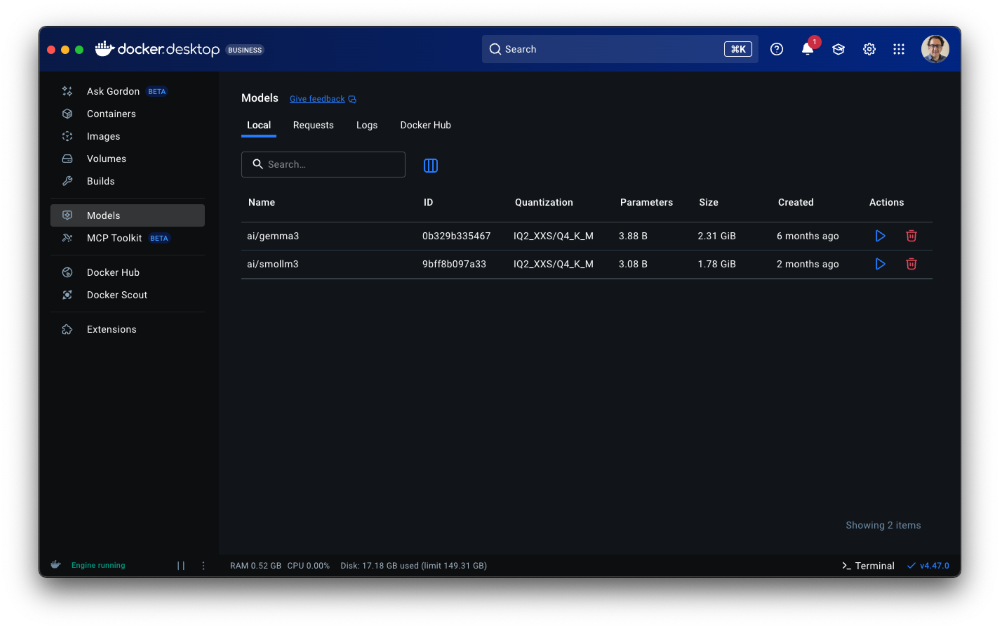
Use DMR from the Docker CLI (on both Docker Desktop and Docker CE) or through Docker Desktop’s UI. The UI provides guided onboarding to help even first-time AI developers start serving models smoothly, with automatic handling of available resources (RAM, GPU, etc.).

Figure 1: Docker Model Runner works both in Docker Desktop and the CLI, letting you run models locally with the same familiar Docker commands and workflows you already know

5. Flexible model distribution 

Pull and push models from Docker Hub in OCI format, or pull directly from HuggingFace repositories hosting models in GGUF format for maximum flexibility in sourcing and sharing models.

6. Open Source and free 

DMR is fully open source and free for everyone, lowering the barrier to entry for developers experimenting with or building on AI.

7. Secure and controlled 

DMR runs in an isolated, controlled environment that doesn’t interfere with the main system or user data (sandboxing). Developers and IT admins can fine-tune security and availability by enabling/disabling DMR or configuring options like host-side TCP support and CORS.

8. Configurable inference settings 

Developers can customize context length and llama.cpp runtime flags to fit their use cases, with more configuration options coming soon.

9. Debugging support 

Built-in request/response tracing and inspect capabilities make it easier to understand token usage and framework/library behaviors, helping developers debug and optimize their applications.

Figure 2: Built-in tracing and inspect tools in Docker Desktop make debugging easier, giving developers clear visibility into token usage and framework behavior

10. Integrated with the Docker ecosystem 

DMR works out of the box with Docker Compose and is fully integrated with other Docker products, such as Docker Offload (cloud offload service) and Testcontainers, extending its reach into both local and distributed workflows.

11. Up-to-date model catalog 

Access a curated catalog of the most popular and powerful AI models on Docker Hub. These models can be pulled for free and used across development, pipelines, staging, or even production environments.

Figure 3: Curated model catalog on Docker Hub, packaged as OCI Artifacts and ready to run

The road ahead

The future is bright for Docker Model Runner, and the recent GA version is only the first milestone. Below are some of the future enhancements that you should expect to be released soon.

Streamlined User Experience 

Our goal is to make DMR simple and intuitive for developers to use and debug. This includes richer response rendering in the chat-like interface within Docker Desktop and the CLI, multimodal support in the UI (already available through the API), integration with MCP tools, and enhanced debugging features, alongside expanded configuration options for greater flexibility. Last but not least, we aim to provide smoother and more seamless integration with third-party tools and solutions across the AI ecosystem.

Enhancements and better ability to execute 

We remain focused on continuously improving DMR’s performance and flexibility for running local models. Upcoming enhancements include support for the most widely used inference libraries and engines, advanced configuration options at the engine and model level, and the ability to deploy Model Runner independently from Docker Engine for production-grade use cases, along with many more improvements on the horizon.

Frictionless Onboarding 

We want first-time AI developers to start building their applications right away, and to do so with the right foundations. To achieve this, we plan to make onboarding into DMR even more seamless. This will include a guided, step-by-step experience to help developers get started quickly, paired with a set of sample applications built on DMR. These samples will highlight real-world use cases and best practices, providing a smooth entry point for experimenting with and adopting DMR in everyday workflows.

Staying on Top of Model Launch 

As we continue to enhance inference capabilities, we remain committed to maintaining a first-class catalog of AI models directly in Docker Hub, the leading registry for OCI artifacts, including models. Our goal is to ensure that new, relevant models are available in Docker Hub and runnable through DMR as soon as they are publicly released.

Conclusion

Docker Model Runner has come a long way in a short time, evolving from its Beta release into a mature and stable inference engine that’s now generally available. At its core, the mission has always been clear: make it simple, consistent, and secure for developers to pull, run, and serve AI models locally,. using familiar Docker CLI commands and tools they already love!

Now is the perfect time to get started. If you haven’t already, install Docker Desktop and try out Docker Model Runner today. Follow the official documentation to explore its capabilities and see for yourself how DMR can accelerate your journey into building AI-powered applications.

Learn more

Read our quickstart guide to Docker Model Runner.

Visit our Model Runner GitHub repo! Docker Model Runner is open-source, and we welcome collaboration and contributions from the community!

Learn how Compose works with Model runner, making building AI apps and agents easier

Learn how to build an AI tutor

Explore how to use both local and remote models in hybrid AI workflows 

Building AI agents made easy with Goose and Docker

Using Model Runner on Hugging Face

Powering AI generated testing with Docker Model Runner

Build a GenAI App With Java Using Spring AI and Docker Model Runner

Tool Calling with Local LLMs: A Practical Evaluation

Behind the scenes: How we designed Docker Model Runner and what’s next

Why Docker Chose OCI Artifacts for AI Model Packaging

What’s new with Docker Model Runner 

Publishing AI models to Docker Hub

How to Build and Run a GenAI ChatBot from Scratch using Docker Model Runner 

Quelle: https://blog.docker.com/feed/

Build and Distribute AI Agents and Workflows with cagent

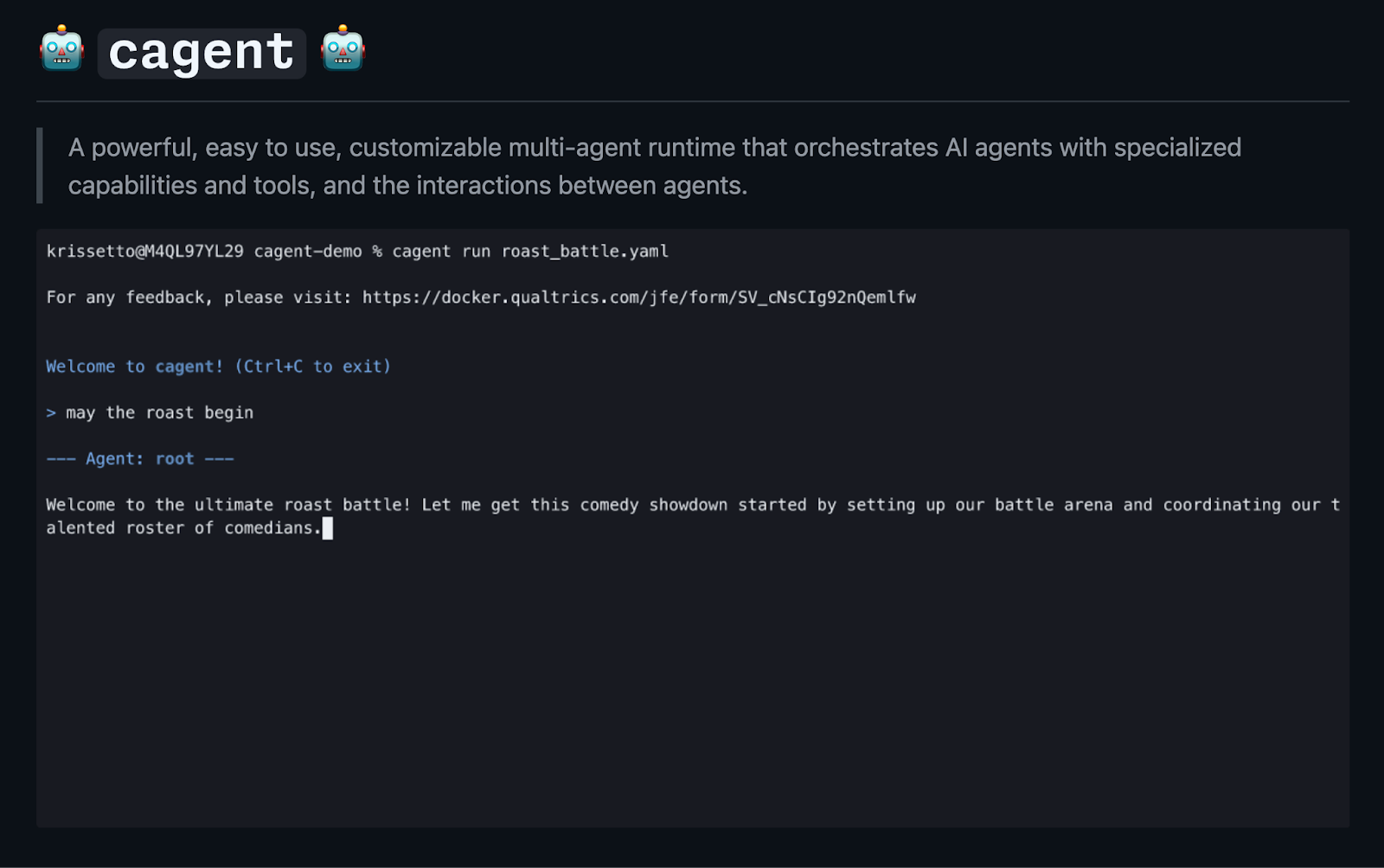
cagent is a new open-source project from Docker that makes it simple to build, run, and share AI agents, without writing a single line of code. Instead of writing code and wrangling Python versions and dependencies when creating AI agents, you define your agent’s behavior, tools, and persona in a single YAML file, making it incredibly straightforward to create and share personalized AI assistants.

Figure 1: cagent is a powerful, easy to use, customizable multi-agent runtime that orchestrates AI agents with specialized capabilities and tools, and the interactions between agents.

cagent can use OCI registries to share and pull agents created by the community, so not only can you elegantly solve the agent creation problem, but also the agent distribution problem. 

Let’s dive into what makes cagent special and explore some real-world use cases.

What is cagent?

At its core, cagent is a command-line utility that runs AI agents defined in cagent.yaml files. The philosophy is simple: declare what you want your agent to do, and cagent handles the rest. 

There are a few features that you’ll probably like for authoring your agents. 

Declarative and Simple: Define models, instructions, and agent behavior in one YAML file. This “single artifact” approach makes agents portable, easy to version, and easy to share.

Flexible Model Support: You’re not tied to a specific provider. You can run remote models or even local ones using Docker Model Runner, ideal for privacy reasons. 

Powerful Tool Integration: cagent includes built-in tools for common tasks (like shell commands or filesystem access) and supports external tools via MCP, enabling agents to connect to virtually any API. 

Multi-Agent Systems: You’re also not limited to a single agent. Cagent allows you to define a team of agents that can collaborate and delegate tasks to one another, with each agent having its own specialized skills and tools. 

Practical use cases for agent

I’ve lived with and used cagent for a few weeks now, and in this article, I want to share two of my practically useful agents that I actually use. 

A GitHub Task Tracker

Let’s start with a practical, developer-centric example. While tracking GitHub issues with AI might not be revolutionary, it’s surprisingly useful and demonstrates cagent’s capabilities in a real-world workflow. 

There’s no shortage of task tracking solutions to integrate with, but one of the most useful for developers is GitHub. We’ll use a repository in GitHub and issues on it as our to-do list. Does it have the best UX? It doesn’t actually matter; we’ll consume and create issues with AI, so the actual underlying UX is irrelevant. 

I have a GitHub repo: github.com/shelajev/todo, which has issues enabled, and we’d like an agent that can, among other things, create issues, list issues, and close issues. 

Figure 2

Here’s the YAML for a GitHub-based to-do list agent. The instructions for the agent were generated with the agent new command, and then I refined the instructions it generated by manually asking Gemini to make them shorter. 

YAML

version: "2"

models:
gpt:
provider: openai
model: gpt-5
max_tokens: 64000

agents:
root:
model: gpt
description: "GitHub Issue Manager – An agent that connects to GitHub to use a repo as a todo-list"
instruction: |
You are a to-do list agent, and your purpose is to help users manage their tasks in their "todo" GitHub repository.

# Primary Responsibilities
– Connect to the user's "todo" GitHub repository and fetch their to-do items, which are GitHub issues.
– Identify and present the to-do items for the current day.
– Provide clear summaries of each to-do item, including its priority and any labels.
– Help the user organize and prioritize their tasks.
– Assist with managing to-do items, for example, by adding comments or marking them as complete.

# Key Behaviors
– Always start by stating the current date to provide context for the day's tasks.
– Focus on open to-do items.
– Use labels such as "urgent," "high priority," etc., to highlight important tasks.
– Summarize to-do items with their title, number, and any relevant labels.
– Proactively suggest which tasks to tackle first based on their labels and context.
– Offer to help with actions like adding notes to or closing tasks.

# User Interaction Flow
When the user asks about their to-do list:
1. List the open items from the "todo" repository.
2. Highlight any urgent or high-priority tasks.
3. Offer to provide more details on a specific task or to help manage the list.

add_date: true
toolsets:
– type: mcp
command: docker
args: [mcp, gateway, run]
tools:
[
"get_me",
"add_issue_comment",
"create_issue",
"get_issue",
"list_issues",
"search_issues",
"update_issue",
]

It’s a good example of a well-crafted prompt that defines the agent’s persona, responsibilities, and behavior, ensuring it acts predictably and helpfully. The best part is editing and running it is fast and frictionless, just save the YAML and run: 

cagent run github-todo.yaml

This development loop works without any IDE setup. I’ve done several iterations in Vim, all from the same terminal window where I was running the agent. 

This agent also uses a streamlined tools configuration. A lot of examples show adding MCP servers from the Docker MCP toolkit like this: 

toolsets:
– type: mcp
ref: docker:github-official

This would run the GitHub MCP server from the MCP catalog, but as a separate “toolkit” from your Docker Desktop’s MCP toolkit setup.

Using the manual command to connect to the MCP toolkit makes it easy to use OAuth login support in Docker Desktop. 

Figure 3

Also, the official GitHub MCP server is awfully verbose. Powerful, but verbose. So, for the issue-related agents, it makes a lot of sense to limit the list of tools exposed to the agent: 

tools:
[
"get_me",
"add_issue_comment",
"create_issue",
"get_issue",
"list_issues",
"search_issues",
"update_issue",
]

That list I made with running: 

docker mcp tools list | grep "issue"

And asking AI to format it as an array. 

This todo-agent is available on Docker Hub, so it’s a simple agent pull command away: 

cagent run docker.io/olegselajev241/github-todo:latest

Just enable the GitHub MCP server in the MCP toolkit first, and well, make sure the repo exists.

The Advocu Captains Agent

At Docker, we use Advocu to track our Docker Captains, ambassadors who create content, speak at conferences, and engage with the community. We use Advocu to track their information details and contributions, such as blog posts, videos, and conference talks about Docker’s technologies.

Manually searching through Advocu is time-consuming. For a long time, I wondered: what if we could build an AI assistant to do it for us? 

My first attempt was to build a custom MCP server for our Advocu instance: https://github.com/shelajev/mcp-advocu

It’s largely “vibe-coded”, but in a nutshell, running

docker run -i -rm -e ADVOCU_CLIENT_SECRET=your-secret-here olegselajev241/mcp-advocu:stdio

will run the MCP server with tools that expose information about Docker Captains, allowing MCP clients to search through their submitted activities. 

Figure 4

However, sharing the actual agent, and especially the configuration required to run it, was a bit awkward. 

cagent solved this for me in a much neater way. Here is the complete cagent.yaml for my Advocu agent:

YAML

#!/usr/bin/env cagent run
version: "2"

agents:
root:
model: anthropic/claude-sonnet-4-0
description: Agent to help with finding information on Docker Captains and their recent contributions to Docker
toolsets:
– type: mcp
command: docker
args:
– run
– -i
– –rm
– –env-file
– ./.env
– olegselajev241/mcp-advocu:stdio
instruction: You have access to Advocu – a platform where Docker Captains log their contributions. You can use tools to query and process that information about captains themselves, and their activities like articles, videos, and conference sessions. You help the user to find relevant information and to connect to the captains by topic expertise, countries, and so on. And to have a hand on the pulse of their contributions, so you can summarize them or answer questions about activities and their content

With this file, we have a powerful, personalized assistant that can query Captain info, summarize their contributions, and find experts by topic. It’s a perfect example of how cagent can automate a specific internal workflow.

Users simply need to create a .env file with the appropriate secret. Even for less technical team members, I can give a shell one-liner to get them set up quickly. 

Now, everyone at Docker can ask questions about Docker captains without pinging the person running the program (hi, Eva!) or digging through giant spreadsheets. 

Figure 5

I’m also excited about the upcoming cagent 1Password integration, which will simplify the setup even more.  

All in all, agents are really just a combination of:

A system prompt

An integration with a model (ideally, the most efficient one that gets the job done)

And the right tools via MCP

With cagent, it’s incredibly easy to manage all three in a clean, Docker – native way. 

Get Started Today!

cagent empowers you to build your own fleet of AI assistants, tailored to your exact needs.

It’s a tool designed for developers who want to leverage the power of AI without getting bogged down in complexity.

You can get started right now by heading over to the cagent GitHub repository. Download the latest release and start building your first agent in minutes. 

Give the repository a star, try it out, and let us know what amazing agents you build!

Quelle: https://blog.docker.com/feed/

Docker and CNCF: Partnering to Power the Future of Open Source

At Docker, open source is not just something we support; it’s a core part of our culture. It’s part of our DNA. From foundational projects like Docker Compose (35.5k stars, 5.4k forks) and Moby (69.8k stars, 18.8k forks) to our continued code contributions, we remain committed to strengthening the open-source ecosystem.

Today, we are announcing a new milestone in that journey: an official partnership between Docker and the Cloud Native Computing Foundation (CNCF). This partnership brings more than just resources for open-source projects. It also reflects the CNCF’s recognition of Docker as the leading distribution platform for containerized software and as a trusted partner in modern software supply chain security.

“Docker’s mission has always been to empower developers, and we know that trust is earned through consistency, openness, and listening. This partnership with CNCF reflects a broader commitment to the open source community by helping maintainers grow their projects, reach more developers through Docker Hub, and deliver value to their communities faster with improved tools, automation, and support.”

Michael Donovan
VP Products, Docker

Why this Partnership Matters

This partnership reflects CNCF’s support of Docker as an industry leader and a strategic partner, trusted to deliver the scale, visibility, and security that today’s cloud-native ecosystem demands.

Docker Hub is the most widely used container registry in the world, serving over 22 billion image downloads per month and hosting more than 14 million images. For CNCF projects, using Docker is a natural choice, offering a trusted, reliable distribution platform with unmatched reach and adoption across the developer community.

“Docker was a founding member of CNCF, and we’ve maintained a long-term open collaboration over the past decade. This partnership marks a step forward for CNCF projects and we’re glad to work together to further secure the open source supply chain.”

Chris Aniszczyk
CTO, CNCF

For Docker, this partnership is a reinforcement of our commitment to the open source community.  We are also excited by the opportunity to deepen collaboration with the maintainers and developers building the future of cloud-native software. For maintainers, it’s an opportunity to gain access to premium infrastructure and support tailored to the needs of open-source projects.

Maintainers: Unlock Full Access to DSOS Benefits

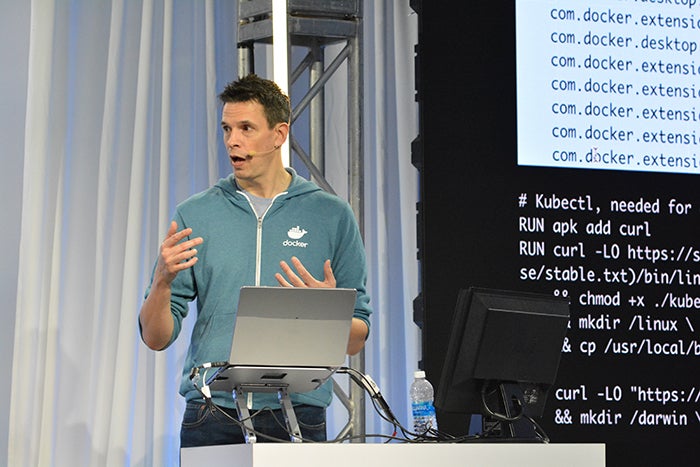
Figure: Docker Captain James Spurin providing a talk on Docker.

During the following days, all CNCF projects will have direct access to a dedicated bundle of Docker services through the Docker Sponsored Open Source (DSOS) program. Some of the key benefits of the program are:

Unlimited image pulls

Sponsored OSS status for increased trust and discoverability

Access to Docker usage metrics and engagement insights

Streamlined support through Docker’s open-source channels

These benefits help you scale your project, grow your community, and ensure reliable access for your users.

“Docker Desktop has long been a key part of my Cloud Native workflows, and extending the Docker Sponsored Open Source Program to CNCF projects will be a game-changer for maintainers and contributors alike.”

James Spurin
Docker Captain & CNCF Ambassador

What the Partnership Offers CNCF Projects

Docker: Official CNCF Project Services Provider

As part of this collaboration, Docker will be listed as an official service provider on the CNCF Project Services page. This showcasing enhances the discoverability of Docker’s tools and services for CNCF maintainers, reinforcing Docker’s role as a trusted infrastructure partner. For projects, it means easier access to vetted, high-impact resources already recognized and recommended by the CNCF community.

Security with Docker Scout

CNCF projects now have unlimited access to Docker Scout, our image analysis and policy evaluation tool. Scout is a critical security layer aligned with modern supply chain practices, helping projects detect vulnerabilities, enforce policies, and maintain healthy, secure containers.

Automated Builds

CNCF projects can streamline their development pipelines with Docker autobuilds, enabling automated image creation directly from source code.

OSS Status

All participating projects receive a Sponsored OSS badge on Docker Hub, increasing trust and visibility among users.

Unlimited Image Pulls

DSOS members benefit from unrestricted public image pulls, ensuring reliable access for users and reducing friction for project adoption.

Docker Usage Metrics

Access to pull data and adoption metrics provides deeper visibility into community engagement and image usage trends.

Support and Communication Channels

DSOS projects receive priority support through Docker’s open-source outreach channels.

Reinforcing Docker’s Role in the Open-Source Supply Chain

Security and trust are foundational to sustainable open source. Docker’s continued investment in secure tooling, developer experience, and supply chain integrity reflects our long-term commitment to supporting the infrastructure that open-source projects and their users rely on. Through tools like Docker Scout, now available to all CNCF projects, Docker is helping maintainers adopt secure development practices in a way that integrates naturally into their existing workflows.

Also the recent launch of Docker Hardened Images, curated, security-enhanced base images, has drawn intense interest from both the open-source community and enterprise users. 

By continuing to invest in security, reliability, and open collaboration, Docker aims to help the ecosystem move forward with confidence.

Moving Forward

This partnership with CNCF is more than a program expansion. It is a signal that Docker Hub is the preferred distribution platform for the projects that matter most in the cloud-native ecosystem. It enables us to collaborate more deeply with maintainers, deliver better tools, and ensure open-source infrastructure is built on a strong, secure foundation.

If you’re a CNCF maintainer, now is the time to make sure your project is fully supported.

In the following days, your project will feature the DSOS badge on Docker Hub. If not, contact the CNCF Service Desk to get started. In case you don’t want to become part of the DSOS program, you can also use the same method of contact.

We’re proud to support the projects powering the modern internet, and we’re just getting started.

Learn More

Apply to the Docker Sponsored Open-Source Program

Learn about Docker’s Open Source tools

Read the CNCF blog about the partnership

Quelle: https://blog.docker.com/feed/