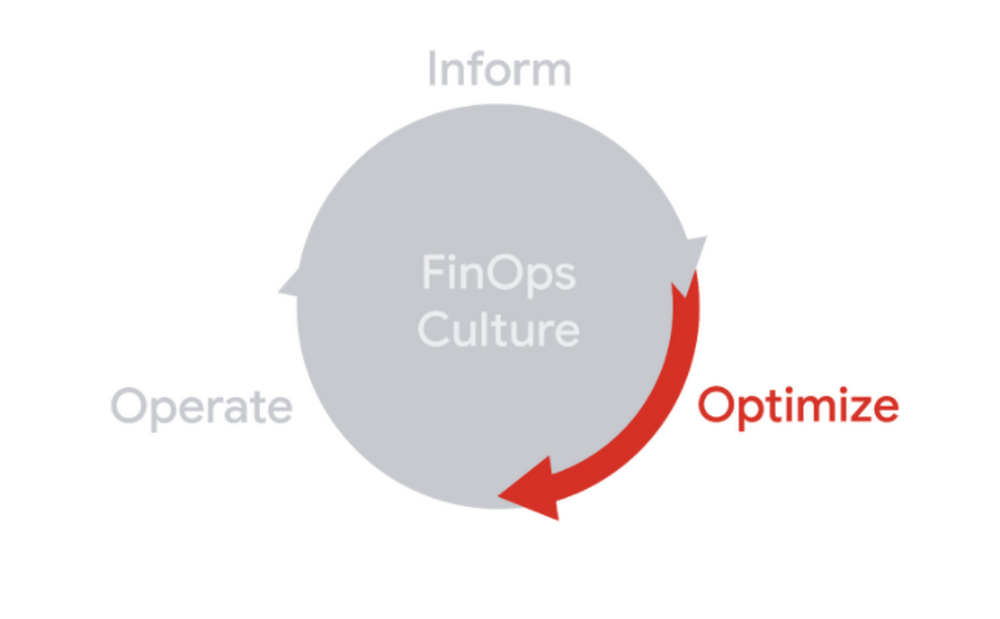
TL;DR – More than just alerts, budgets can also send notifications to Pub/Sub. Once they’re in Pub/Sub, you can hook up all kinds of services to react to them. You can use the information about the budget along with some code to do just about anything.Programmatic budget notifications can help you automate and fits well into the Optimize phase of the FinOps lifecycleSo, we’ve talked about how to set up a budget and how to add more emails to a budget alert. That’s great, but it’s also been limited so far to just getting alerts based on those thresholds. What if you wanted to do something more, like integrate another service or actually take action on a budget alert?Good news: you can use programmatic budget notifications to do exactly that!Bad news: programmatic budget notifications is really hard to say 5 times fast.Let’s look at how to set them up (it’s more than one checkbox this time) and start to look at what we can do with them!Pub/Sub saves the dayBefore you update any budgets, you should first create a Pub/Sub topic. If you’re not familiar with Pub/Sub, check out this page to learn more. In short, it’s a tool that helps you handle messages between publishers and subscribers (hence the name). We’re gonna keep things super simple and just use one topic that can have any number of publishers (things that send it messages) and any number of subscribers (things that can receive messages).In this case, the event publisher will be your budget, and we’ll come back to add the subscribers later. For now, you can find Pub/Sub using the left-nav. Remember from that my last post that you’ll need a project to have Pub/Sub in, but you can always use the one you used previously for the workspace!I guess the logo’s dark blue dots are publishers and the light blue ones are subscribers?Let’s keep things simple, so use that Create Topic button at the top to create a new topic. You can name it something like “budget-notification-topic” if you want to be appropriately verbose. Leave the encryption key option as-is (unless you want this blog post to be even longer) and create the topic. You should see a screen that gives you the full name of the topic and then you’re good to go!The full format is “projects/<project-id>/topics/<topic-name>”Now head back to your budgets and either create a new one or edit an existing one. The checkbox we’re looking for is right under the one we used in the last post and looks like this:Just one checkboxCheck that box and then choose the topic you just made (you may need to select your project first). Then hit save and you’re good to go!What’s in a notification anyway?You’ve set up a publisher (your budget) that will send events to your topic, but what does that actually mean? For starters, the budget is going to send notifications multiple times a day to your topic, and they’ll look something like this:This is just a sample of the message with a subset of propertiesHere’s the full notification format if you want to see more, but we’re mainly going to focus on a few key properties.costAmountis the current cost against that budget, for whatever filters you chose (such as just Compute Engine products, or just your dev projects)budgetAmountis the amount you’ve configured for the budget, and budgetAmountType will be SPECIFIED_AMOUNT or LAST_MONTH_COST depending on how you set the budget upcostIntervalStart is the start of the current time period where costs are being measured, which will be the start of the monthalertThresholdExceeded is the last threshold that has been passed based on the ones you’ve set up. If you want a refresher on thresholds, check out the first postbudgetDisplayNameis the name of the budget, but you can actually get the unique ID of the budget through some extra metadata (that we’ll come back to later)So with these basic properties, we get a lot of information about the budget! On top of that, we’ll get this notification multiple times a day (last time I checked I got it over 40 times scattered throughout a day) so we’ll always get pretty up-to-date information.Note: Even though the notifications come in pretty consistently, cost data can still take some time to be reported from the resource level. The budget information will be up to date with the best information it has, but plan accordingly.Another important note is that this notification doesn’t interfere with your threshold alerts. You can keep all of those the same and you’ll still get your alerts in the same way, plus these notifications will be sent to your Pub/Sub topic.Well that’s fine and dandy, but now we need to actually do something with the notification. So, let’s use the lightweight Cloud Functions to be a subscriber of our topic.Cloud Functions saves the dayUse the left-nav to head to find Cloud Functions and head there.Let’s keep using the same projectJust like Pub/Sub, you’ll need to have a project (and you’ll need to make sure you have billing enabled). You can use the same project for your workspace, Pub/Sub, and Functions related to budgets to help keep things organized.Once again, let’s keep things simple and focus on creating a lightweight function that just receives a message. Here’s a guide on creating a Python function if you want to dive deeper. Create a new function and name it “budget-notification-logger” and choose whatever region you’d like. The key part is to choose the Pub/Sub trigger and then select the topic you created earlier, then hit save.Functions can be triggered by a number of sources, including when a Pub/Sub topic gets a messageOn the second step, we’ll keep the function code super simple just to know we received a notification. I’ll show you the code in Python 3.7 but it should be easy to do in your language of choice. So, choose the Python 3.7 runtime and leave the entry point as hello_pubsub.Note: You may see a notification to enable the Cloud Build API, which is required to deploy certain functions. Follow the path to enable it and then go back to the function when it’s ready.The sample code should be perfect for what we need, which is just some code that receives a message and then print it out. Go ahead and deploy the function as-is!You should be good once that green check appears. This may take a bit so feel free to make some teaPub/Sub + Cloud Functions actually save the dayThe function is ready to go, but now we need to actually make sure it’s working. If you click on the three dots (or context menu if you want to call it that) on the right-side, you can click “View logs” to see the logs for the function, including our print statement.View logs shows you logs about your function and outputThe log viewer should show that you’ve created the function. You can sit here and wait for a budget notification to come in, but it could take a while. In order to make sure everything is working, we can send a test message in Pub/Sub. In a new tab/window, head back to the Pub/Sub page and click on your specific topic. At the top of the screen, click on that Publish Message button.Once again, we’ll keep things simple and just send the sample notification from before to your topic, which you should be able to copy and paste as-is. In this case, we’re publishing a test message to make sure everything is working, but ultimately your budget should start sending regular notifications as well.This is only a test. If this were a real budget notification, you’d see actual dataOnce you click Publish, head back to your tab/window that was showing the logs for your function. You may need to wait a few seconds before the log interface picks it up and you can click the button at the bottom to load newer logs to pick it up. After a bit, you should see something that looks like this:If you want to learn more about logging and related topics, check out the Stack Dr playlist!Success! We can see that our message was sent from Pub/Sub to the function and we simply printed it to the logs. If you check back on the logs page later, you should also see messages from your actual budget with real data come through.With the power of code, there’s a lot more we can do based on our budget. In the next post, we’ll walk through a more useful action by sending our budget to Slack. Meanwhile, here’s the documentation if you want to read more about programmatic budget notifications!Related ArticleProtect your Google Cloud spending with budgetsBudgets are the first and simplest way to get a handle on your cloud spend. In this post, we break down a budget and help you set up aler…Read Article
Quelle: Google Cloud Platform