Here's What Flat Earthers Think About The Eclipse

Here's What Flat Earthers Think About The Eclipse

Zak Tebbal for BuzzFeed News

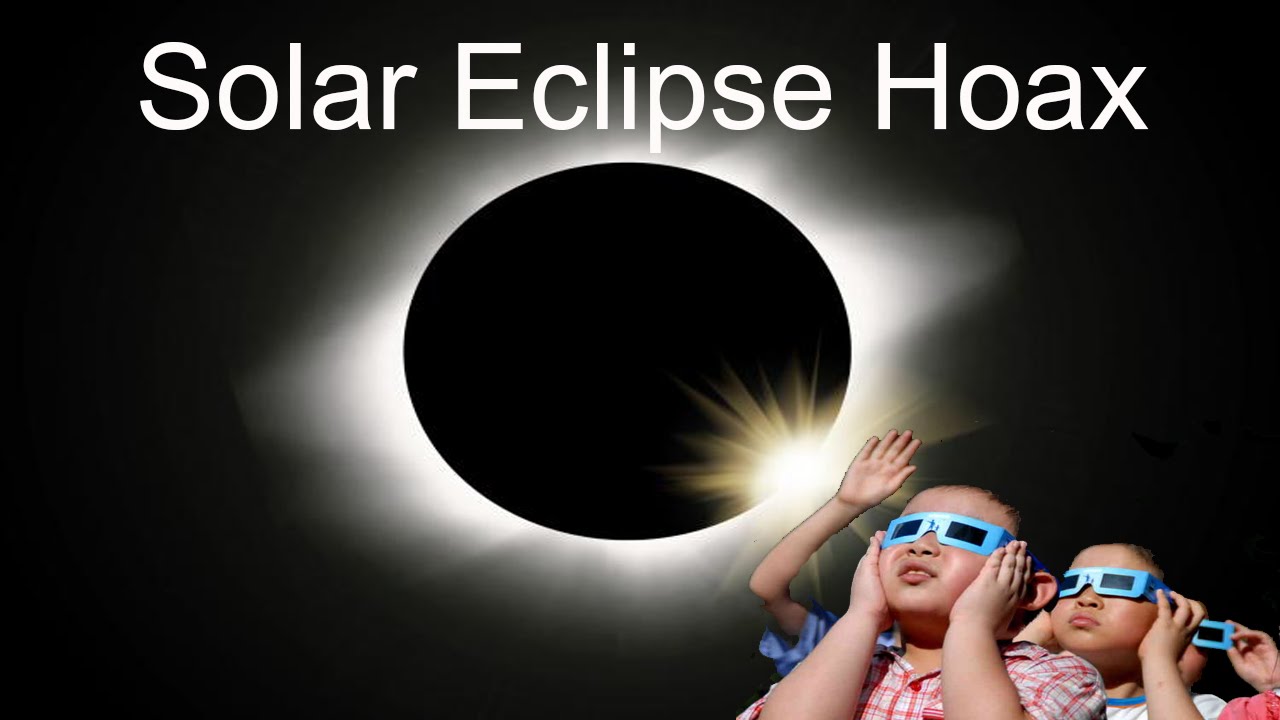
While you might think that an event like the eclipse would easily disprove the Flat Earth theory, that isn't the case at all. A solar eclipse fits well into the plan.

Plenty of people are online discussing the possibility of a Flat Earth. Many are curious about the theory and want to know more, and there's also a sizable amount of trolls who just want to debate or trick Flat Earthers. (There's a reason that the popular Facebook groups have names like “Flat Earth – no trolls”.) Reddit's /r/FlatEarth is mostly full of smart alecks pointing out flaws in the theory, and trolls on Facebook are currently trying to convince Flat Earthers not to use the eclipse glasses and stare right at the sun (don't do this).

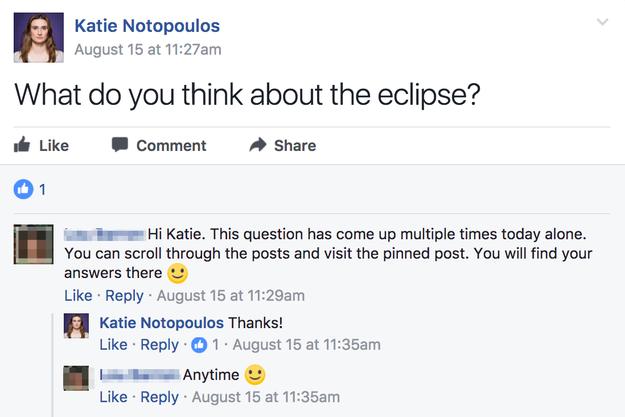
I wanted to know how Flat Earth theory addresses eclipses, so I asked in that Facebook group.

So clearly my question was bad and redundant, so I went looking through the discussion in the group as well as various YouTube videos on the subject.

Here is what I learned about it.

The eclipse is caused by something (probably the same size, maybe not the moon) passing in front of the sun, under a giant dome.

Flat Earth theory suggests that we're living under a giant dome/bubble that covers the entire (flat) Earth. The sun and moon travel and forth across dome ceiling, which is why we have sunset/sunrise. So an eclipse just means that something – maybe the moon, maybe another planet – passes in front of the sun during its regular travels across the dome sky. Same with lunar eclipses.

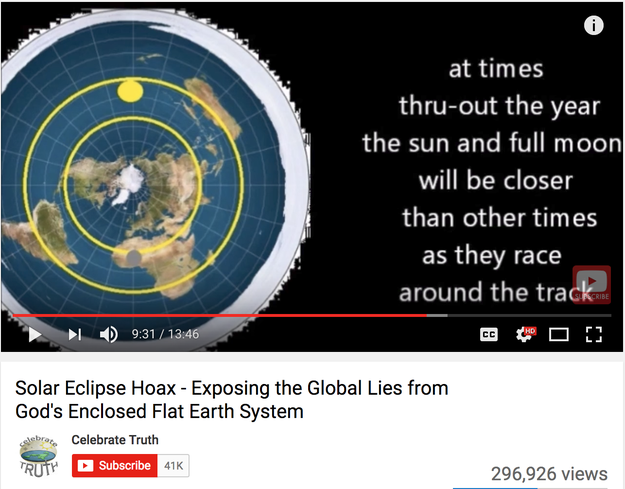
The sun and moon travel around two tracks under the dome. Occasionally, these cross paths.

The sun and moon travel around two tracks under the dome. Occasionally, these cross paths.

youtube.com

To Flat Earthers, the key is pointing out flaws with the traditional globe-centric eclipse models.

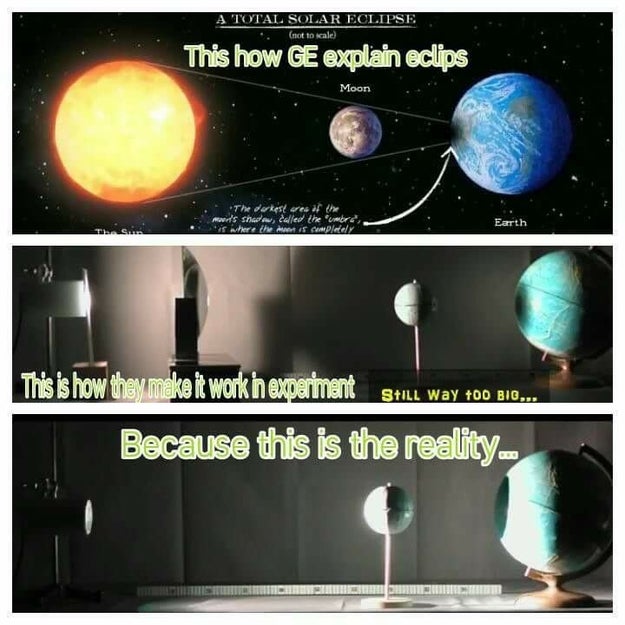
Most of the talk on Facebook and YouTube about the solar eclipse focuses on the various problems with the animations and graphics put out by “globe jockeys” like NASA and other mainstream places, like, well, BuzzFeed.

The whole thing is exposed as a lie by the shadow issue.

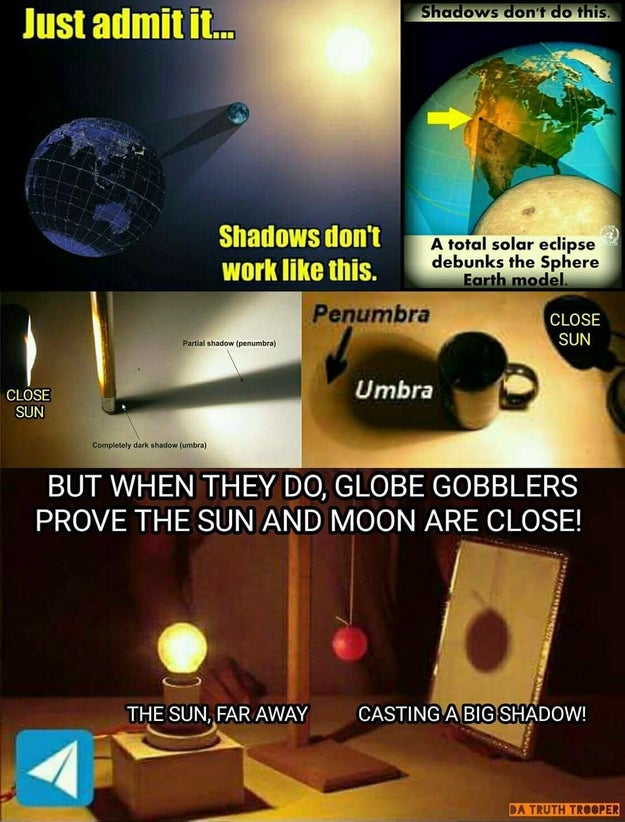
In a traditional globe model, the size of the shadow that gets the full eclipse (otherwise known as the “path of totality”) is small – much smaller than the size of the moon. Flat Earthers point out that this is seriously flawed – if the globe theory was true, then the shadow should be much much bigger.

This shows how the globe model wouldn’t really produce the right kind of shadow:

This shows how the globe model wouldn't really produce the right kind of shadow:

Everyone knows that if you set up a flashlight for a shadow puppet show, the farther away you go, the smaller your shadow gets.

Also, it's pretty fishy that the sun and the moon look the same size to us.

Globe theory says that eclipses “work” because it's a happy coincidence that the sun is about 400 times farther away from the earth than the moon, and the moon is about 400 times narrower than the sun, so from earth they look about the same size. But isn't there a much more simple explanation? Such as… they are two equally sized objects the same distance away?

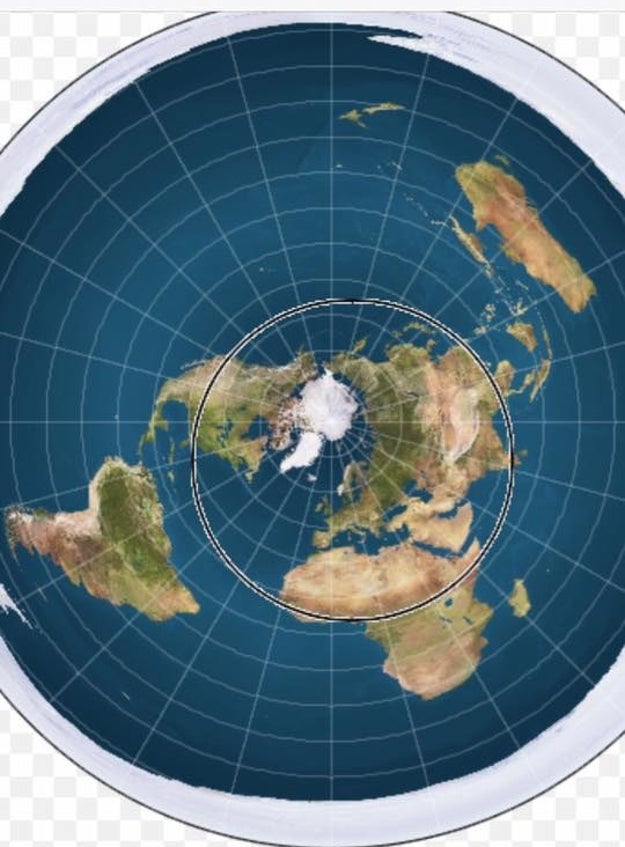
The eclipse path is explained by this simple black circle over the flat earth map.

The eclipse path is explained by this simple black circle over the flat earth map.

Also, the eclipse is caused by a dark planet called Rahu, not the moon.

youtube.com

In the Hindu tradition, Rahu is the head of a sun-eating snake (solar eclipses are caused by Rahu eating the sun, in this mythology). According to the astrology system described in a Sanskrit text called the Vedas (“Vedic astrology”), Rahu is the name of one of the planets that circle the Earth.

This means that what we're seeing in a solar eclipse is not the moon passing in between the sun and Earth, but the planet Rahu pass in front of the sun, blocking out the light. Flat Earthers don't believe a snake is eating the moon; they believe the eclipse is caused by planet named after the snake-eating deity.

Ok, look just throw out everything you know about the moon.

Forget the moon landing, obviously. For the Rahu theory, the moon isn't illuminated from reflection from the Earth or sun, it's a thin screen illuminated from behind by a rotating light source. Some people believe the moon's light source is a laser instead of the sun.

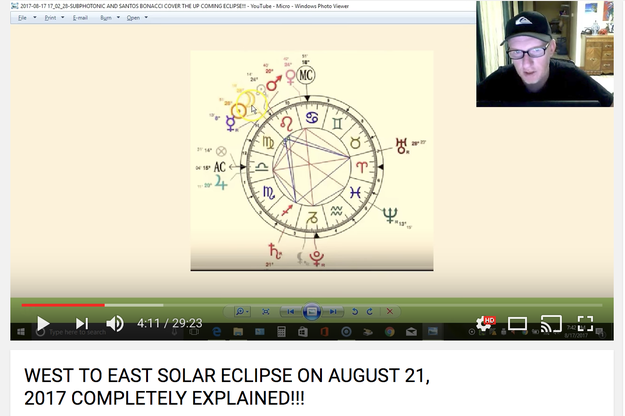
This Vedic astrology chart shows Rahu at 24 degrees, perfectly ready to block out the sun on Aug 21.

This Vedic astrology chart shows Rahu at 24 degrees, perfectly ready to block out the sun on Aug 21.

youtube.com

So there you have it. Feel free to make up your own mind.

See all of BuzzFeed’s eclipse stories here!

See all of BuzzFeed's eclipse stories here!


Quelle: <a href="Here's What Flat Earthers Think About The Eclipse“>BuzzFeed

[Podcast] PodCTL #2 – Who has a Kubernetes problem?

This week we’re publishing two shows: PodCTL #2 – Who has a Kubernetes Problem? PodCTL Basics – What is Kubernetes? The show will always be available on this blog (search: #PodCTL), as well as RSS Feeds, iTunes, Google Play, Stitcher and all your favorite podcast players. The first show is focused on what types of businesses are using Kubernetes in […]
Quelle: OpenShift

Rolling your own private Ruby gem server on Google Cloud Platform

By Arham Ahmed, Software Engineering Intern

Great news, Rubyists! We recently released google-cloud-gemserver gem, making it possible to deploy a private gem server to Google Cloud Platform (GCP) with a single command:

$ google-cloud-gemserver create –use-proj [MY_PROJECT_ID]

This is a big deal for organizations that build libraries with proprietary business logic or that mirror public libraries for internal use. In Ruby, these libraries are called gems, and until recently, there wasn’t a good hosted solution for serving them. For Ruby in particular, many developers found themselves building their own custom solutions or relying on third parties such as Gemfury.

Running a gem server run on GCP has a lot of advantages. Specifically, the above command deploys the gem server to a Google App Engine Flex instance which has 99.95% uptime (Google Container Engine support coming soon). App Engine can also autoscale the number of instances based on CPU utilization to minimize the amount of maintenance for the gem server. Having the gem server on GCP also allows you to use existing cloud infrastructure such as Stackdriver Logging, Cloud Storage, and direct access to the underlying VM running the gem server for fine-grained control. The gem server can store an unlimited amount of public and private gems allowing an unlimited amount of users with the correct permissions to access it. This level of flexibility and customization makes GCP a highly productive environment to deploy apps to and the gem server is no exception.

Using the gem server 

Let’s take a look at how to install and configure a private gem server.
To deploy your own private gem server to GCP:

First install the gem:
$ gem install google-cloud-gemserver

Ensure you have Cloud SDK installed and a GCP project created with billing enabled. Also ensure that you are authenticated with it. For a full list of prerequisites, read this checklist. 
Run the following command in your terminal:
$ google-cloud-gemserver create –use-proj [MY_PROJECT_ID]
where MY_PROJECT_ID is the GCP project ID the gem server will be deployed to. This deploys the gem server to App Engine and creates a default key used to push and fetch gems from the gem server. For brevity, the value of this key will later be referred to as “my-key” and its name will later be referred to as “my-key-name”.

Now, you can access the gem server at http://[MY_PROJECT_ID].appspot.com. Gems can easily be pushed to the gem server with a key that has write access to the gem server. The above command generated a default key, my-key, that can be used. You can push a gem by running:

$ gem push –key my-key-name [PATH_TO_MY_GEM] –host
> http://[MY_PROJECT_ID].appspot.com/private/

Before you can download gems from the gem server, you need to create a key that has read access to the gem server. Conveniently, the “create” command above also generated a default key. Installing gems uses bundler, which needs to be configured such that it associates the gem server with my-key when downloading gems, otherwise the download would fail with a 401 Unauthorized Error. This is also done automatically for my-key when you use the “create” command. Now, make a small modification to your Gemfile:
source “[GEMSERVER_URL]”

source “[GEMSERVER_URL]/private” do
gem “MY_GEM”
end

Then, run “bundle install” and it fetches and installs the gem “MY_GEM” from the gem server!

Conclusion 
That is all it takes to spin up a personal, private gem server on GCP and access gems from it. Under the hood, it uses Google Cloud SQL to manage gem metadata, cached gems, authentication keys, etc., and Cloud Storage to maintain backups of the gems. The google-cloud-gemserver gem is built on top of an existing gem that runs a private gem server locally; it served as a base and was extended to work with GCP infrastructure. It is worth noting that the google-cloud-gemserver gem is open source and actively maintained. We are always looking to improve the gem and encourage contributions!

Quelle: Google Cloud Platform

Perform advanced analytics on Application Insights data using Jupyter Notebook

To help you leverage your telemetry data and better monitor the behavior of your Azure applications, we are happy to provide a Jupyter Notebook template that extends the power of Application Insights. Instead of making ad hoc queries in the Application Insights portal when an issue arises, you can now write a Jupyter Notebook that routinely queries for telemetry data, performs advanced analytics, and sends the derived data back to Application Insights for monitoring and alerting. You can execute the Jupyter Notebook using Azure WebJob either on a schedule or via webhook.

Through this approach, you can manipulate and analyze your telemetry data beyond the constraints of query language or limit. You can take advantage of the existing alerting system to monitor the newly derived data, rather than raw instrumentation data. The derived data can also be correlated with other metrics for root cause analysis, used to train machine learning models, and much more. In this blog post, you will find a step-by-step guide for operationalizing this template to perform advanced analytics on your telemetry data, as well as an example implementation.

Create a Jupyter Notebook

Create a new Notebook or clone the template. While Jupyter supports various programming languages, this blog post focuses on performing advanced analytics in Python 2.7.

Query for telemetry data from Application Insights

To query for telemetry data from an Application Insights resource, the Application ID and an API Key are needed. Both can be found in Application Insights portal, on the API Access blade and under Configure.

!pip install –upgrade applicationinsights-jupyter

from applicationinsights_jupyter import Jupyter

API_URL = "https://api.aimon.applicationinsights.io/"
APP_ID = "REDACTED"
API_KEY = "REDACTED"
QUERY_STRING = "customEvents
| where timestamp >= ago(10m) and timestamp < ago(5m)
| where name == 'NodeProcessStarted'
| summarize pids=makeset(tostring(customDimensions.PID)) by cloud_RoleName, cloud_RoleInstance, bin(timestamp, 1m)"

jupyterObj = Jupyter(APP_ID, API_KEY, API_URL)
jupyterObjData = jupyterObj.getAIData(QUERY_STRING)

Get more information by accessing the API.

Send derived data back to Application Insights

To send data to an Application Insights resource, the Instrumentation Key is needed. It can be found in Application Insights portal, on the Overview blade.

!pip install applicationinsights

from applicationinsights import TelemetryClient

IKEY = "REDACTED"
tc = TelemetryClient(IKEY)

tc.track_metric("crashCount", 1)
tc.flush()

Get more information by accessing the API.

Execute the Notebook using Azure WebJob

To execute the Notebook using Azure WebJob, the Notebook, its dependencies, and the Jupyter server need to be uploaded onto an Azure App Service container.

Prepare the necessary resources

Download the Notebook onto your machine.
Install the Jupyter server using Anaconda.
Execute the Notebook on your machine to install all dependencies, as App Service container does not allow changes to the directories where the modules would otherwise be installed automatically.
Update the path in a dependency to reflect App Service container’s directory. Replace the first script in Anaconda2/Scripts/jupyter-nbconvert-script.py with
#!D:/home/site/wwwroot/App_Data/resources/Anaconda2python.exe
Update the local copy of the Notebook, excluding pip commands.
Create run.cmd file containing the following script
D:homesitewwwrootApp_DataresourcesAnaconda2Scriptsjupyter nbconvert –execute <Your Notebook Name>.ipynb

FTP resources

Obtain deployment credentials and FTP connection information.
FTP the Anaconda2 folder to a new directory in App Service container
D:homesitewwwrootApp_Dataresources

Operationalize the Notebook

Create a new Azure WebJob and upload the Notebook and run.cmd file.

An example implementation

We operationalized this template and have been performing advanced analytics on telemetry data of one of our own services.

Our service runs four Node.js processes on each cloud instance. From root cause analysis, we have noticed cases of Node.js crashes. However, due to limitations of the SDK, we cannot log when the crash occurs. So, we created a Jupyter Notebook to analyze the existing telemetry data to detect Node.js crashes.

A custom event NodeProcessStarted is logged when a new Node.js process starts in a cloud instance. Normally, all four processes start nearly simultaneously when they are recycled every 8-11 hours. So, when we see less than four NodeProcessStarted events occur at a different frequency, we can infer that new process(es) started to replace recently crashed process(es).

In this implemented template, you will see how we query for telemetry data, analyze the data, query for more telemetry data to enrich the analysis, and then send the derived data back to Application Insights.


We hope this template helps you derive actionable insights from telemetry data and better manage your Azure applications.
Quelle: Azure