Twitter Adds Algorithmically Curated Tweets By Topic To Its Explore Tab

Now you can view tweets sorted by topic, without having to follow anyone, right in Twitter's Explore tab.

The social platform released the new feature globally on iOS and Android Tuesday, a Twitter spokesperson confirmed to BuzzFeed News.

Twitter's algorithms will show you these topics based on what they know about your interests. Eventually, the platform will give users more control over what they see, the spokesperson said.

The feature is one Twitter users have long requested. Importantly, it will give new and casual users a way to gain value from the platform without having to build a list of people to follow, a task that can be burdensome to those trying the platform out.

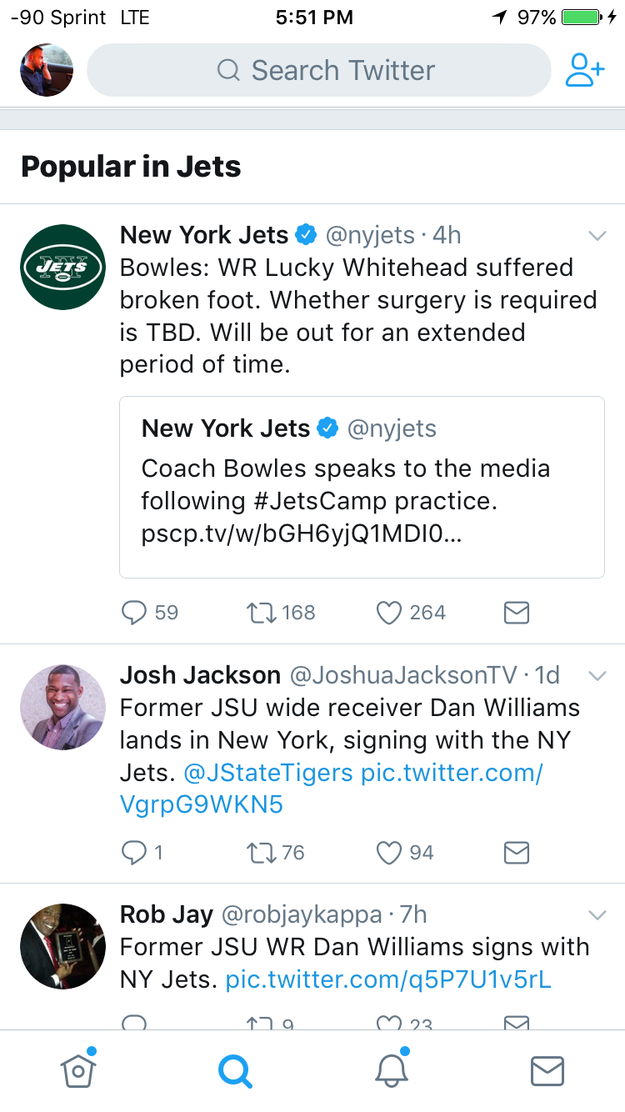
Here's what the new tweets sorted by category look like:

Quelle: <a href="Twitter Adds Algorithmically Curated Tweets By Topic To Its Explore Tab“>BuzzFeed

How Azure Security Center aids in detecting good applications being used maliciously

We’ve written in the past about how Azure Security Center helps detect malicious activity on compromised VMs, including a post detailing a Bitcoin mining attack and one on an outbound DDoS attack. In many cases, attackers use a set of malicious tools to carry out these and other actions on a compromised machine. However, our team of security researchers have identified a new trend where attackers are using good application to carry out malicious actions. This blog will discuss the use of known hacker tools and those tools that are not nefarious in nature, but are being used maliciously, and how Azure Security Center aids in detecting their use.

Hacker tools aid in exploitation

Generally, the first category of tools we see after a brute force attack are the Port and IP address scanning tools. Most of these tools were not written maliciously, but because of their ease of use, an attacker can scan IP ranges and ports to find vulnerable machines that they can target.

One of the more frequent port scanning tool that we come across is KportScan 3.1, which has the ability to scan for open ports as well as local ports. It has a wide range of uses, including working with any port as well as individual addresses and IP ranges.  It is multithreaded (1200 flows), consuming very few resources on compromised machines, and the best part is that the tool is free.  After running a scan, results are stored by default to a file called “results.txt”. In the example below, KportScan is configured to return all IP’s with the ranges specified that have port 3389 open to the internet.

Other scanners that we see dropped on machines after they have been compromised include Masscan, xDedicIPScanner, and D3vSpider.  These tend to be less frequent, but are notable.

Masscan claims to be one of the fastest Internet port scanners out there. It proports to scan the entire internet in under 6 minutes with your own network bandwidth being the only gating factor.  While Linux is its primary platform, it does run on many other operating systems including Windows and Mac OS X.  The below command will scan for open ports on 3389 where the subnet range is 104.208.0.0 to 104.215.255.255, which is 512k worth of addresses.  The results will be stored in a XML file called good.xml.

xDedicIPScanner is another port scanner which is based on Masscan. It has many of the same capabilities as Masscan, but does not require a user to learn Linux as it is GUI based.  Some of its features include, scanning of CIDR blocks, automatic loading of country range`s, small foot print, and ability to scan multiple ports or range of ports. It also has some application dependencies to run, they include Winpcap and Microsoft Visual C++ 2010. It also requires Windows 7 or higher. From our observations, xDedicIPScanner appears to be primarily used maliciously. The below example shows a country range being loaded in the tool for scanning.

Finally, Pastebin D3vSpider is also a scanner we’ve seen often. D3vSpider is not a port scanner, instead it scans Pastebin repositories which are popular for storing and sharing text (including stolen passwords, usernames, and network data). The tool’s output is based on the user’s input search criteria, and provides information including user names and their passwords. The example below shows a scan resulting in 745 user names and passwords for a single month, this can then be exported to a txt file for future use, with other tools. For example, it could be used with NLBrute, which is a known RDP Brute Force tool.


Recently, we have begun to see the use of messaging applications being used to drop other malicious and non- malicious tools. The messaging applications are widely used and not malicious in nature. They tend to be cloud-based messaging services, with support for a broad base of devices including both desktop systems and mobile devices. Users of the product can exchange messages, and files of any type with or without end-to-end-encryption, as well as sync the messages across all the user’s devices.  Some of these messaging services even allow messages to be “self-destructed” after delivery, so they are no longer seen on any device. One of the features of these messaging applications is known as “secret” chat. The users exchange encryption keys and after the exchange, they are verified and can then communicate freely without the possibility of being tracked. These features and many more, have made these messaging services a favored addition to some attackers’ tool boxes. 

Their ability to easily drop files on to other machines appears to be one of the main reason attackers use this program. In fact, we started to see the presences of these tool on comprised machines as early as December of 2016.  At first, we dismissed this as coincidence, but after further investigation we started seeing known hacker tools (NLBrute, Dubrute, and D3vSpider) show up on compromised machines after the installation of these messaging applications.

Since, these tools are capable of synchronizing messages across all the user’s devices, anyone that is part of the conversation can at a later time revisit a message to download a file or a picture.


Another method we have seen used is messaging Channels being created for the primary purpose of broadcasting messages to an unlimited number of subscribers. Channels can be either publicly available or private. Public Channels can be joined by anyone. However, for private Channels you need to be added or receive an invite to participate. Due to the encryption that these applications deploy, we see very little activity other than the machine joining a chat Channel, example of what is seen is below:

While the joining to a Channel is of interest, the files that appear on the machine after this is what is most interesting.  These tools range from Crack tools, RDP brute force tools, and encryption tools which allow attackers to hide their traffic and obscure the source IP addresses of their activity. Below is an example of what we saw on a host directly after connecting to a private Channel. 

What’s next:

We’ve presented some of the more frequently seen tools favored by the attackers, and used on virtual machines in Azure. These tools were, for the most part, created for legitimate usage without malicious intent, however, because of their functionality and ease of use, they are now being used maliciously.

While the presence of any one of these tools may not be reason for alarm, a closer look into other factors will help to determine if they are being used maliciously or not. For example, if we see more than one of them on an Azure virtual machine, the likelihood that the machine is compromised is much greater, and further investigation may be required. Seeing the tool’s usage in the context of other activity on the Azure machine is also very important in determining if these tools are being used maliciously. Ian Hellen’s blog on Azure Security Center Context Alerts describes how much of the tedious security investigation work is automated by Security Center and relevant context is provided about what else was happening on the Azure machine during and immediately before suspicious activity is detected. Tools like KportScan, Masscan, XDedicIPScanner, D3vSpider and malicious messaging services will be detected and alerted on by Azure Security Center Context Alerts.

From the number of incidents investigated, the usage of legitimate tools for malicious purposes appears to be an upward trend. In response, the Azure Security Center’s team of analysts, investigators, and developers are continuing to actively hunt and watch for these types of indicators of compromise (many of which are simply not detected by some AV signatures). We currently detect all of these tools discussed in this blog, and as we find more we are adding them to our Azure Security Center detections.

Recommended remediation and mitigation steps

Microsoft recommends investigating the attack campaign via a review of available log sources, host-based analysis, and if needed, forensic analysis to help build a picture of the compromise. In the case of Azure ‘Infrastructure as a Service’ (IaaS) virtual machines (VMs), several features are present to facilitate the collection of data including the ability to attach data drives to a running machine and disk imaging capabilities.

In cases where the victim machine cannot be confirmed clean, or a root cause of the compromise cannot be identified, Microsoft recommends backing up critical data and migrating to a new virtual machine. It is also recommended that the virtual machines are hardened prior to bringing them on line to prevent compromise or re-infection. However, with the understanding that this sometimes cannot be done immediately, we recommend implementing the following remediation steps:

Review Applications: In cases where there are individual programs that may or may not be used maliciously, it is good practice to review the applications found on the host with the administrators and users. If it is determined that there are applications that may not have been installed by a known user(s), the recommendation would be to take appropriate action, as determined by your administrators.
Review Azure Security Center Recommendations: Review and address any security vulnerabilities identified by Security Center, including OS configurations that do not align with the recommended rules for the most hardened version of the OS (for example, do not allow passwords to be saved), machines with missing security updates or without antimalware protection, exposed endpoints, and more.
Defender Scan: Run a full antimalware scan using Microsoft Antimalware or another solution, which can flag potential malware.
Avoid Use of Cracked Software: Using cracked software introduces unwanted risk of malware and other threats that are associated with pirated software. Microsoft highly recommends not using of cracked software and following legal software policy as recommended by their respective organization.

To learn more about Azure Security Center, see the following:

Azure Security Center detection capabilities
Managing and responding to security alerts in Azure Security Center
Managing security recommendations in Azure Security Center
Security health monitoring in Azure Security Center
Monitoring partner solutions with Azure Security Center
Azure Security Center FAQ

Get the latest Azure security news and information by reading the Azure Security blog.
Quelle: Azure

Managing your resources with Azure Cloud Shell

Back in May this year we announced the public preview of Azure Cloud Shell. If you haven’t tried it out yet, Azure Cloud Shell gives you a new way to manage your resources in the Cloud. It’s a browser-based shell experience, which means it’s accessible from virtually anywhere. It authenticates with your Azure account so you can remotely access your Azure resources and even attaches to your Azure File Storage so you can always have your stored scripts at your fingertips, no matter which machine you use. This allows you to manage on-the-go from any browser or even the Azure Mobile App.

On today’s Microsoft Mechanics, Rick and I demonstrate how within your browser you can use BASH or PowerShell (currently in private preview) to troubleshoot or automate your most common management tasks.

Persisting your files and working from anywhere

In Azure there are thousands of containers with configured Cloud Shell environments waiting for you to connect. These are geo-diversified, so we assign you an instance in a region geographically close to you.


Once the connection is established, Cloud Shell attaches your specified Azure File storage containing all the scripts and PowerShell modules that you have saved there.

Using Cloud Shell you don’t need to worry about different versions of Azure CLI or installing anything on your machine. Microsoft maintains and updates Cloud Shell on your behalf and includes commonly used CLI tools such as kubectl, git, Azure tools, text editors, and more. Cloud Shell also includes language support for several popular programming languages such as Node.js, .NET, and Python.

Launching Cloud Shell from the browser or your phone

You can launch Cloud Shell while logged into the Azure Portal by clicking on the “>_” button in the upper right corner near your name, right between notifications and settings. I know it is calling out to you… We’ve even instrumented many of our tutorials on docs.microsoft.com with Cloud Shell so you try out the commands directly within those articles. And if you’re not near a computer, you can even launch Cloud Shell from the Azure Mobile App on your phone.

Try Cloud Shell today

If you have an Azure subscription, even a trial, you can try Cloud Shell today. The preview for BASH is enabled now and you can register for the PowerShell private preview simply by going to https://aka.ms/PSCloudSignup and answering six simple questions. Once you’re up and running, check out the show for a few samples and tips about what to try and let us know what you think.
Quelle: Azure

Azure Time Series Insights API, Reference Data, Ingress, and Azure Portal Updates

Today we are announcing the release of several updates to Time Series Insights based on customer feedback. Time Series Insights is a fully-managed analytics, storage, and visualization service that makes it simple to explore and analyze billions of IoT events simultaneously. It allows you to visualize and explore time series data streaming into Azure in minutes, all without having to write a single line of code. For more information about the product, pricing, and getting started, please visit the Time Series Insights website. We also offer a free demo environment to experience the product for yourself. 

Smarter environment management with ingress telemetry

We know that administrators want to plan for and manage their Time Series Insights environments with usage and health telemetry in the Azure Portal. To help enable them to do this more effectively, we have added ingress and storage monitoring at the Time Series Insights environment level in the Portal. We are also working on adding metric alerts, so you can be automatically informed of critical information related to the status of your environment. We will continue to add additional environment telemetry to the Azure Portal in the future – be on the lookout for updates in the coming months.

In the Overview page of the portal, you can now see the following stats:

Ingress received messages: Count of messages read from Event hubs and Azure IoT Hubs.

Ingress received bytes:  Count of raw bytes read from an event source(s). Raw count usually includes the property name and values.

Ingress stored bytes: Total size of events stored and available for query.

Ingress stored events: Count of flattened events stored and available for query.

Below is a look at the environment telemetry in the Azure Portal

Make data easier to visualize and analyze with better reference data management

We’ve also heard feedback from our customers that they need an easier way to augment their device telemetry with device metadata, but without lengthy documentation. Today, we are happy to announce that our new Reference Data API documentation now includes detailed samples showing how to configure, upload and update your reference data programmatically. By importing device metadata as reference data, these customers can tag and add dimensions to their data that make it easier to slice and filter. For customers who are not using our API, we are working hard to deliver a solution built into our UX to allow managing reference data visually to accomplish the same scenario described above.  Look for an update to the portal containing this functionality in September.

You can find links to documentation revisions below:

Create a reference data set for your Time Series Insights environment using the Azure Portal

Manage reference data for an Azure Time Series Insights environment by using C#

Add the power of Time Series Insights to your apps

Our customers are building both internal and external applications on top of Time Series Insights for a variety of scenarios. Similarly, Microsoft is also using Time Series Insights internally with innovative services like Microsoft IoT Central and Azure IoT’s Connected Factory PCS. One of the common asks in this area is to be able to use the query API to search relative time spans, like 'now, minus one minute,' avoiding the need to reset the search span with every query execution to ensure you are viewing your most recent data.

With this service update, we are improving search span functionality to allow you to define and run repeatable queries over your most recent data with a single query template. With dynamic search spans, we have added a “utcNow,” function that returns the current UTC time. We have also added “timeSpan” literals to allow you to define a period of time, in addition to a “sub” function that allows you to subtract time from datetime values.

Here’s an example of what a dynamic search span JSON will look like after the update:

{
   "searchSpan": {
     "from": {
       "sub": {
         "left": { "utcNow": {} },
         "right": { "timeSpan": "PT1M"}
       }},
     "to": { "utcNow": {} }
}}

For more information, visit our query syntax documentation page. 

Now supporting more data ingress formats

Finally, we’ve heard from our peers in Azure Stream Analytics that their customers want more flexibility when sending data as a multi-content JSON. The update today includes the ability to ingress multi-content JSON payloads, a useful JSON data format for customers who are optimizing for throughput (common in batching scenarios). For example, the following payload contains five concatenated segments of well-formed JSON:

{ "id":"device1","timestamp":"2016-01-08T01:08:00Z"}
{"id":"device2","timestamp":"2016-01-08T01:09:00Z"}
{ "id":"device1","timestamp":"2016-01-08T01:08:00Z"}
[
    {"id":"device2","timestamp":"2016-01-08T01:09:00Z"},
    { "id":"device3","timestamp":"2016-01-08T01:10:00Z"}
]
{ "id":"device4","timestamp":"2016-01-08T01:11:00Z"}

Now, customers can send any JSON format they want, including single JSON objects, JSON arrays, nested JSON objects/arrays, multiple JSON arrays, multi-content JSON, or any combination thereof. For more details on the JSON objects we support, visit documentation.

We are excited about these new updates, but we are even more excited about what’s to come, so stay up to date on all things Time Series Insights by following us on Twitter. Our peers in the Big Data Group are also working on some interesting things as they build the world’s most powerful platform for data analytics at scale. Learn more about their big data journey on their website. 
Quelle: Azure

Introducing opstools-ansible

Introducing Opstools-ansible

Ansible

Ansible is an agentless, declarative configuration management tool. Ansible can be used to install and configure packages on a wide variety of targets. Targets are defined in the inventory file for Ansible to apply the predefined actions. Actions are defined as playbooks or sometime roles in the form of YAML files. Details of Ansible can be found here.

Opstools-ansible

The project opstools-ansible hosted in Github is to use Ansible to configure an environment that provides the support of opstools, namely centralized logging and analysis, availability monitoring, and performance monitoring.

One prerequisite to run opstools-ansible is that the servers have to be running with CentOS 7 or RHEL 7 (or a compatible distribution).

Inventory file

These servers are to be defined in the inventory file with reference structure to this file that defines 3 high level host groups:

am_hosts
pm_hosts
logging_host

There are lower level host groups but documentation stated that they are not tested.

Configuration File

Once the inventory file is defined, the Ansible configuration files can be used to tailor to individual needs. The READM.rst file for opstools-ansible suggests the following as an example:

fluentd_use_ssl: true

fluentd_shared_key: secret

fluentd_ca_cert:

—–BEGIN CERTIFICATE—–

—–END CERTIFICATE—–

fluentd_private_key:

—–BEGIN RSA PRIVATE KEY—–

—–END RSA PRIVATE KEY—–

If there is no Ansible configuration file to tune the system, the default settings/options are applied.

Playbooks and roles

The playbook specifies what packages are to be installed in for the opstools environment by Ansible. Basically, the packages to be installed are:

ElasticSearch
Fluentd
Kibana
Redis
RabbitMQ
Sensu
Uchiwa
CollectD
Grafana

Besides the above packages, opstools-ansible playbook also applies these additional roles

Firewall – this role manages the firewall rules for the servers.
Prereqs – this role checks and installs all the dependency packages such as python-netaddr or libselinux-python … etc. for the successful installation of opstools.
Repos – this is a collection of roles for configuring additional package repositories.
Chrony – this role installs and configures the NTP client to make sure the time in each server is in sync with each other.

opstools environment

Once these are done, we can simply apply the following command to create the opstools environment:

ansible-playbook playbook.yml -e @config.yml

TripleO Integration

TripleO (OpenStack on OpenStack) has the concept of Undercloud and Overcloud

Undercloud : for deployment, configuration and management of OpenStack nodes.
Overcloud : the actual OpenStack cluster that is consumed by user.

RedHat has an in-depth blog post on TripleO and OpenStack has this document on contributing and installing TripleO

When opstools is installed at the TripleO Undercloud, the OpenStack instances running on the Overcloud can be configured to run the opstools service when it deployed. For example:

openstack overcloud deploy …

-e /usr/share/openstack-tripleo-heat-templates/environments/monitoring-environment.yaml

-e /usr/share/openstack-tripleo-heat-templates/environments/logging-environment.yaml

-e params.yaml

There are only 3 steps to integrate opstools with TripleO with opstools-ansible. Detail of the steps can be found here.

Use opstools-ansible to create the opstools environment at the Undercloud.
Create the params.yaml for TripleO to points to the Sensu and Fluentd agents at the opstools hosts.
Deploy with the “openstack overcloud deploy …” command.

Quelle: RDO

Why your team needs an Azure Stack Operator

Azure Stack is an extension of Azure, bringing the agility and fast-paced innovation of cloud computing to on-premises environments. With the great power of Azure in your own datacenter, comes the responsibility of operating the cloud – Azure Stack.

At the Microsoft 2016 Ignite conference, we announced a set of Modern IT Pro job roles for the cloud era and resources to help organizations to transition to cloud. This year, with a more focused effort in accelerating customer’s readiness for Azure, we’ve published a set of Azure Learning Paths for Azure Administrator, Azure Solution Architect, Node.js Developer on Azure, and .NET Developer on Azure. Associated with each learning path, there is also a set of free online-based self-paced courses to assist you quickly pick up the skills you need to make an impact on the chosen job function.

With the introduction of Azure Stack, we’re adding a new Azure job role – Azure Stack Operator. This is the role who will manage the physical infrastructure of Azure Stack environments. Unlike Azure, where the operators of the cloud environment are Microsoft employees, in Azure Stack, organizations will need to have people with the right skills to run and operate their cloud environment. If you haven’t yet, read the Operating Azure Stack blog post to see what tasks this new role will need to master.

The following four modern IT Pro job roles are most relevant to the success of managing and operating an Azure Stack environment:

Azure Stack Operator: Responsible for operating Azure Stack infrastructure end-to-end – planning, deployment and integration, packaging and offering cloud resources and requested services on the infrastructure.
Azure Solution Architect: Oversees the cloud computing strategy, including adoption plans, multi-cloud and hybrid cloud strategy, application design, and management and monitoring.
Azure Administrator: Responsible for managing the tenant segment of the cloud (whether public, hosted, or hybrid) and providing resources and tools to meet their customers’ requirements.
DevOps: Responsible for operationalizing the development of line-of-business apps leveraging cloud resources, cloud platforms, and DevOps practices – infrastructure as code, continuous integration, continuous development, information management, etc.

In the above graph, the light-brown colored role names (Azure Solution Architect, Azure Administrator, and DevOps) are applicable to both Azure and Azure Stack environments. The role in blue box, Azure Stack Operator, is specially designed for Azure Stack. “Your Customers” encompasses two groups of Azure Stack users: one group is the Azure Admin, who manages subscriptions, plans, offers, etc. in your Azure Stack environment, and the other group is the tenant users of the cloud resources presented by Azure Stack. The tenant users can be DevOps users who either develop or operate the line-of-business applications hosted on an Azure Stack cloud environment. They can also be the tenant users of a service provider or an enterprise, accessing the customer applications hosted on Azure Stack.

As you may have realized, running an instance of a cloud platform requires a set of new skills. To help you speed up the knowledge acquisition process and skill development journey as Azure Stack Operator, we are working to enable multiple learning venues to assist:

We are in the process of developing a 5-day in-classroom training course – “Configuring and Operating a Hybrid Cloud with Microsoft Azure Stack”. This course is currently scheduled to be published in September 2017.
We also plan to release a set of free online courses in the next few months:

Azure Stack Fundamentals
Azure Stack Planning, Deployment and Configuration
Azure Stack Operations

If you want to know more about this exciting new job role, Azure Stack Operator, along with other Azure Stack related roles and their corresponding learning programs, come to Ignite 2017 and attend the theater session “THR2017 – Azure Stack Role Guide and Certifications”.

More information:

At Microsoft Ignite this year in Orlando we will have a series of sessions that will educate you on all aspects of Azure Stack. Be sure to review the planned sessions and register your spot today.

The Azure Stack team is extremely customer focused and we are always looking for new customers to talk too. If you are passionate about Hybrid Cloud and want to talk with team building Azure Stack at Ignite please sign up for our customer meetup.

If you have already registered for Microsoft Ignite but haven’t yet registered for the Azure Stack pre-day, you can add the pre-day to your activity list. And if you are still planning to register for Microsoft Ignite, now is the time to do so, the conference is filling up fast!
Quelle: Azure






