Here Are All The New Things You Can Do With Google Photos
Today, at Google's I/O developer conference, the company announced a number of updates for Google Photos — with shared libraries, suggested sharing, photo books, and an integration with Google Lens being the biggest announcements.

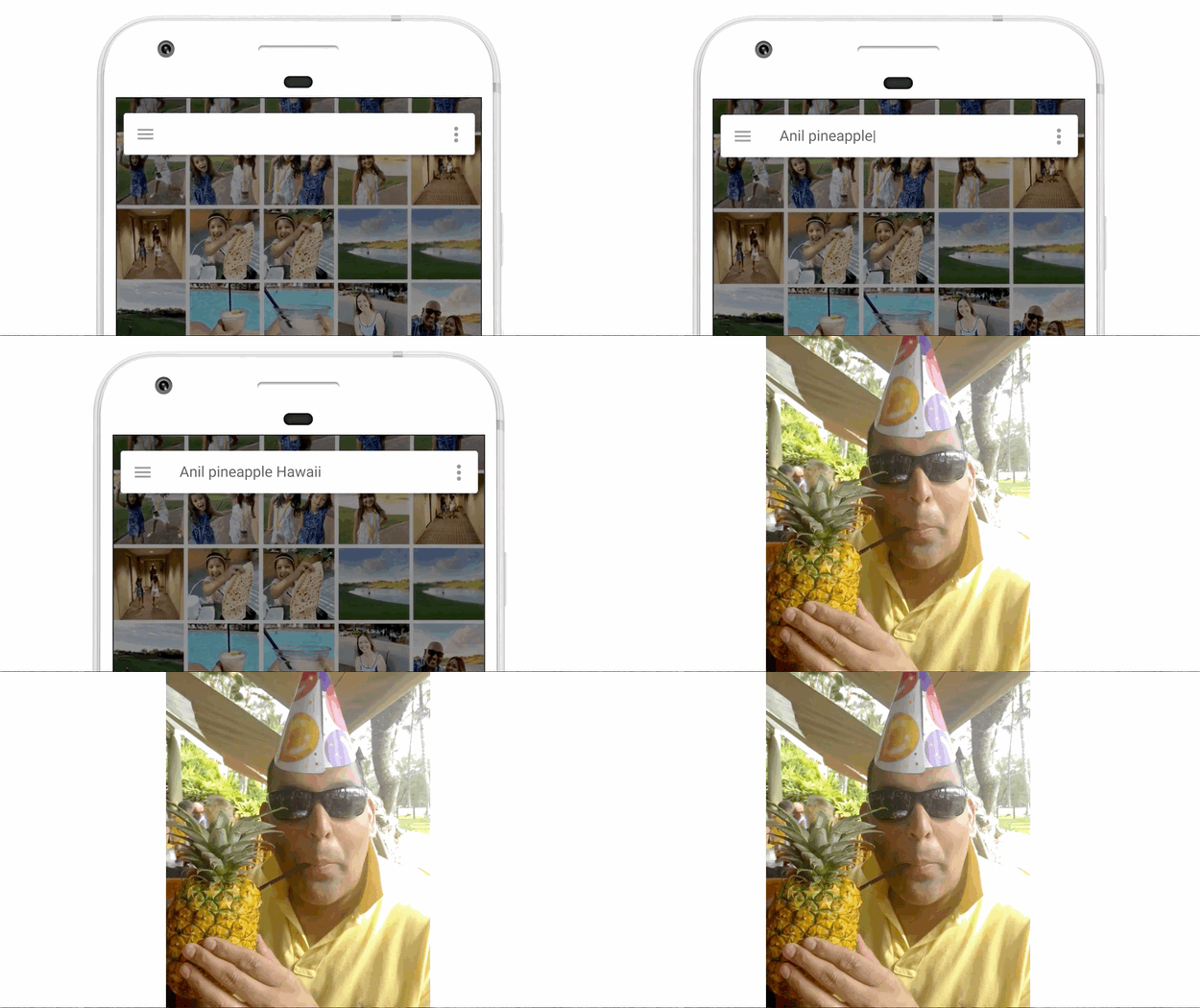
The app — which currently boasts 500 million users just two years after its launch — offers photo storage and management for iOS, Android, and the web, and allows users to upload unlimited images (though the size of the individual photos is capped if you don't have a Pixel) for free. The app also leverages Google's AI technology to recognize faces, images, and places, so that users can search their libraries things like “Mom,” “lakes,” or, as demonstrated by Google VP of photos Anil Sabharwal during the I/O keynote, “Anil pineapple Hawaii.”

Suggested sharing
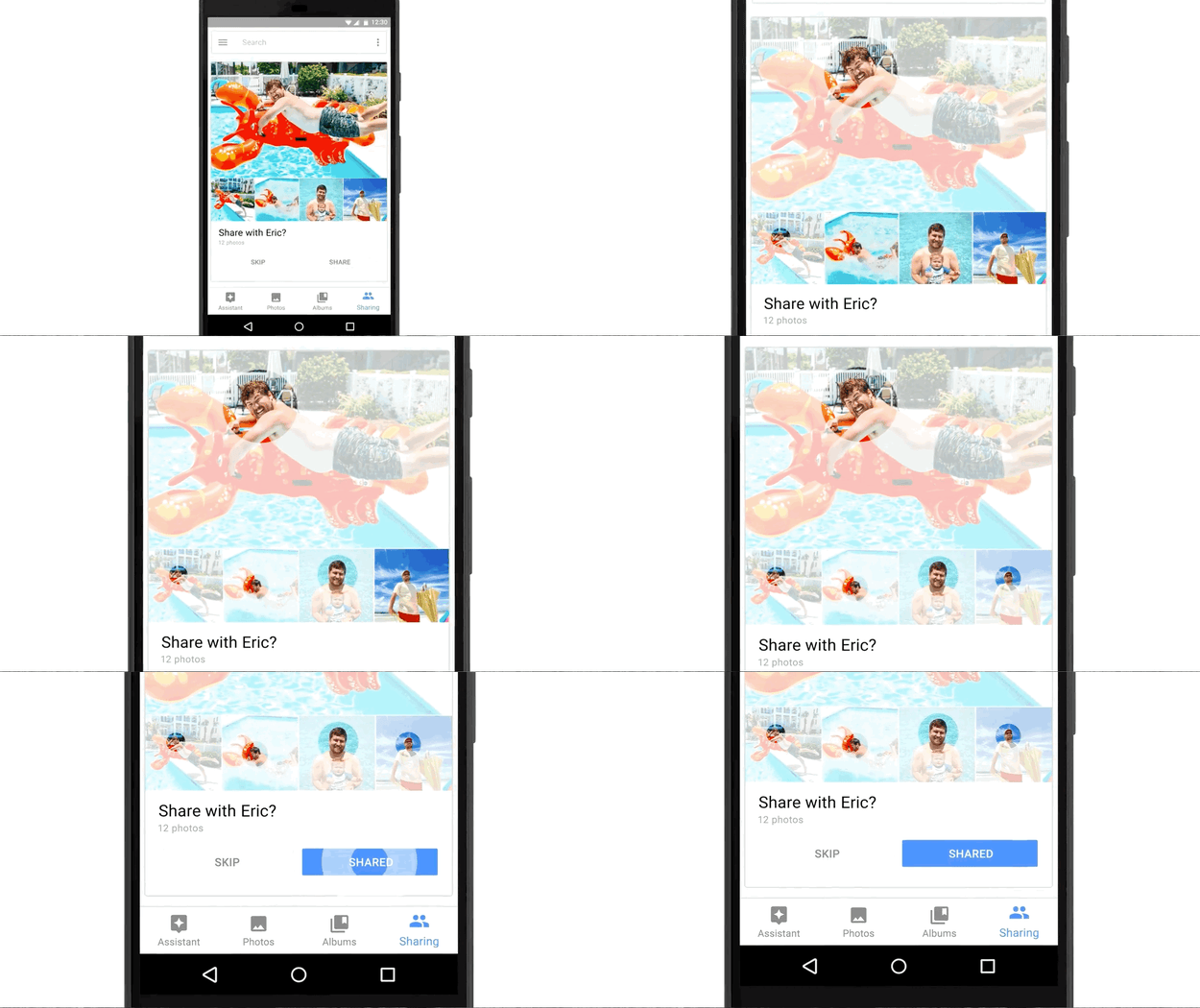
Suggested Sharing will use Google's artificial intelligence to pick your best photos, determine who's in them, and then suggest you share them with those people. After you've shared the photos, the app will identify related photos, whether that's by the location where they were taken or the people in them, for you to continue sharing.
Shared libraries

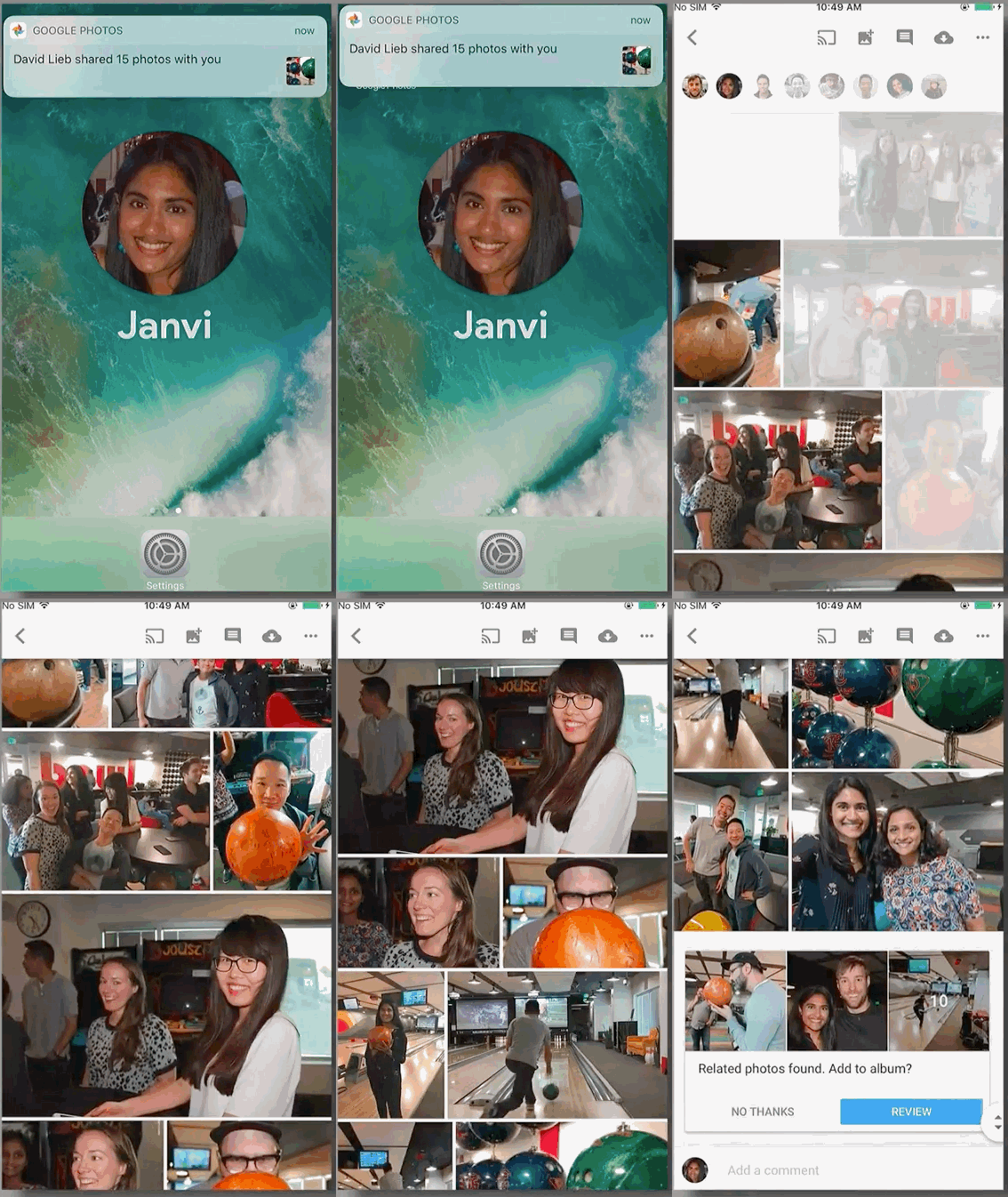
With shared libraries, you can now share a library with another Google user, and have photos with certain people in them automatically uploaded to the new library. Onstage, Sabharwal created a new album with his wife and set it up so that photos from each of their libraries of her and their kids to would upload to the shared collection.

He took a selfie with a cardboard cutout of his kids, which Google Photos recognized to add an image to the library. The feature resembles the Shared Albums feature within Apple's iOS Photos app, but Apple's version does not identify people within the photos and doesn't enable automatic sharing.
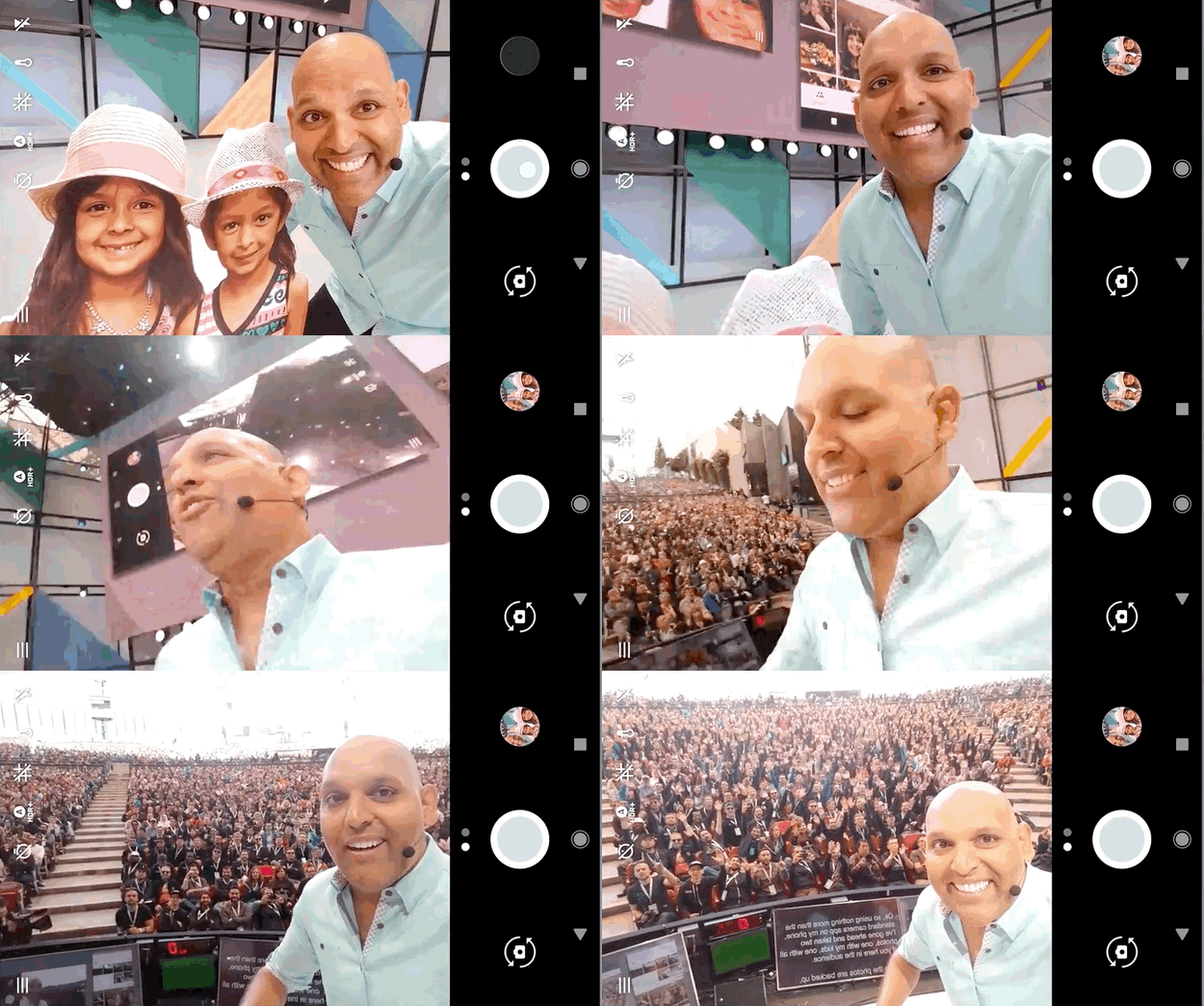
Photo books
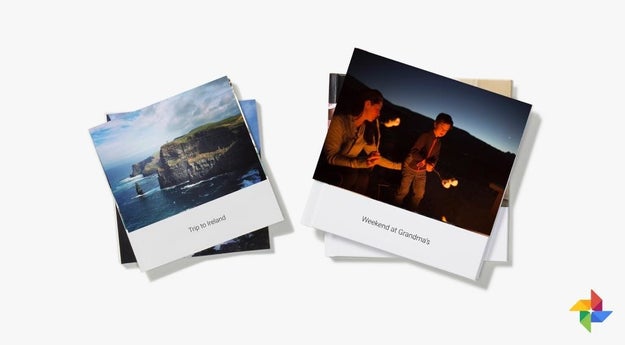
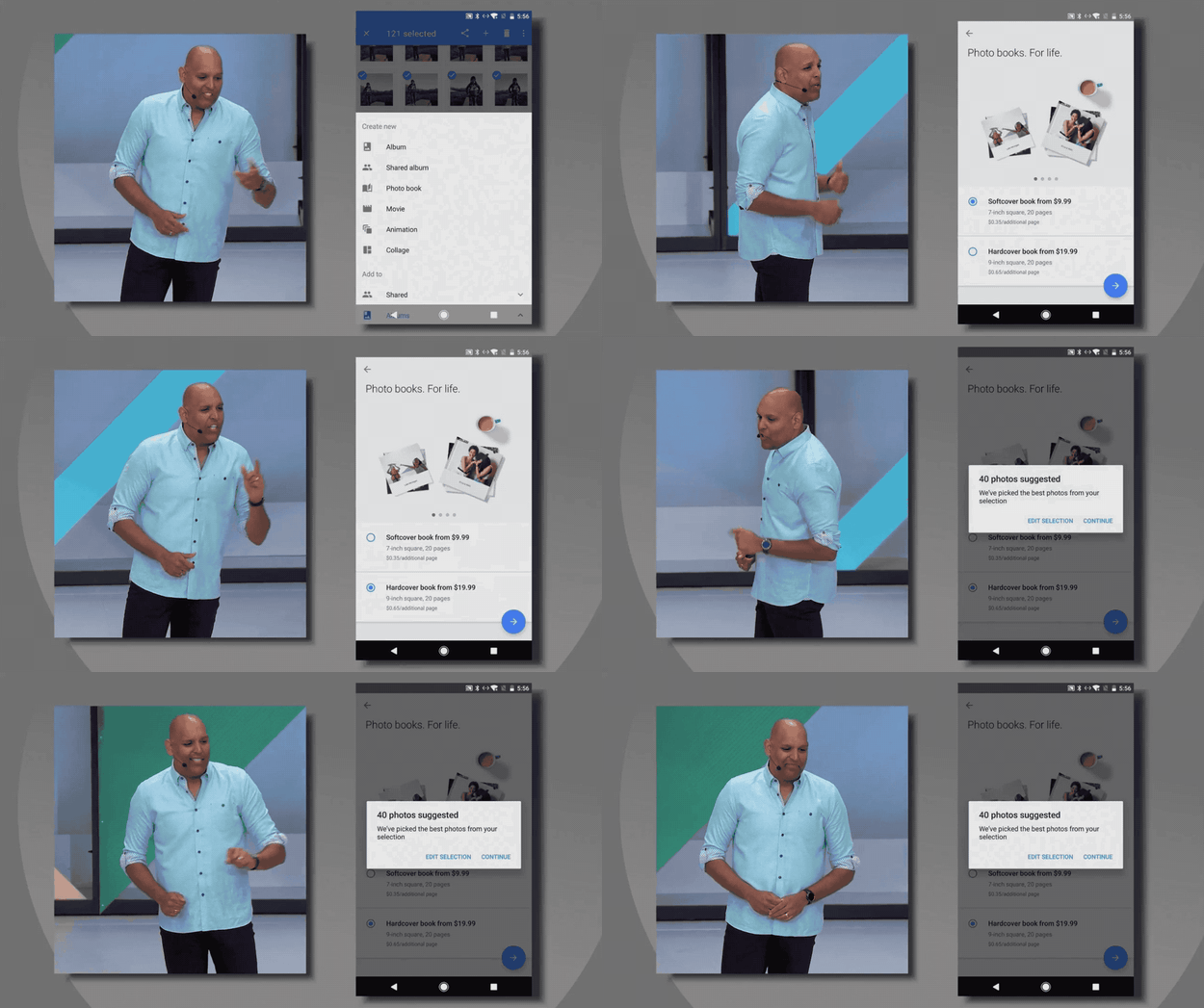
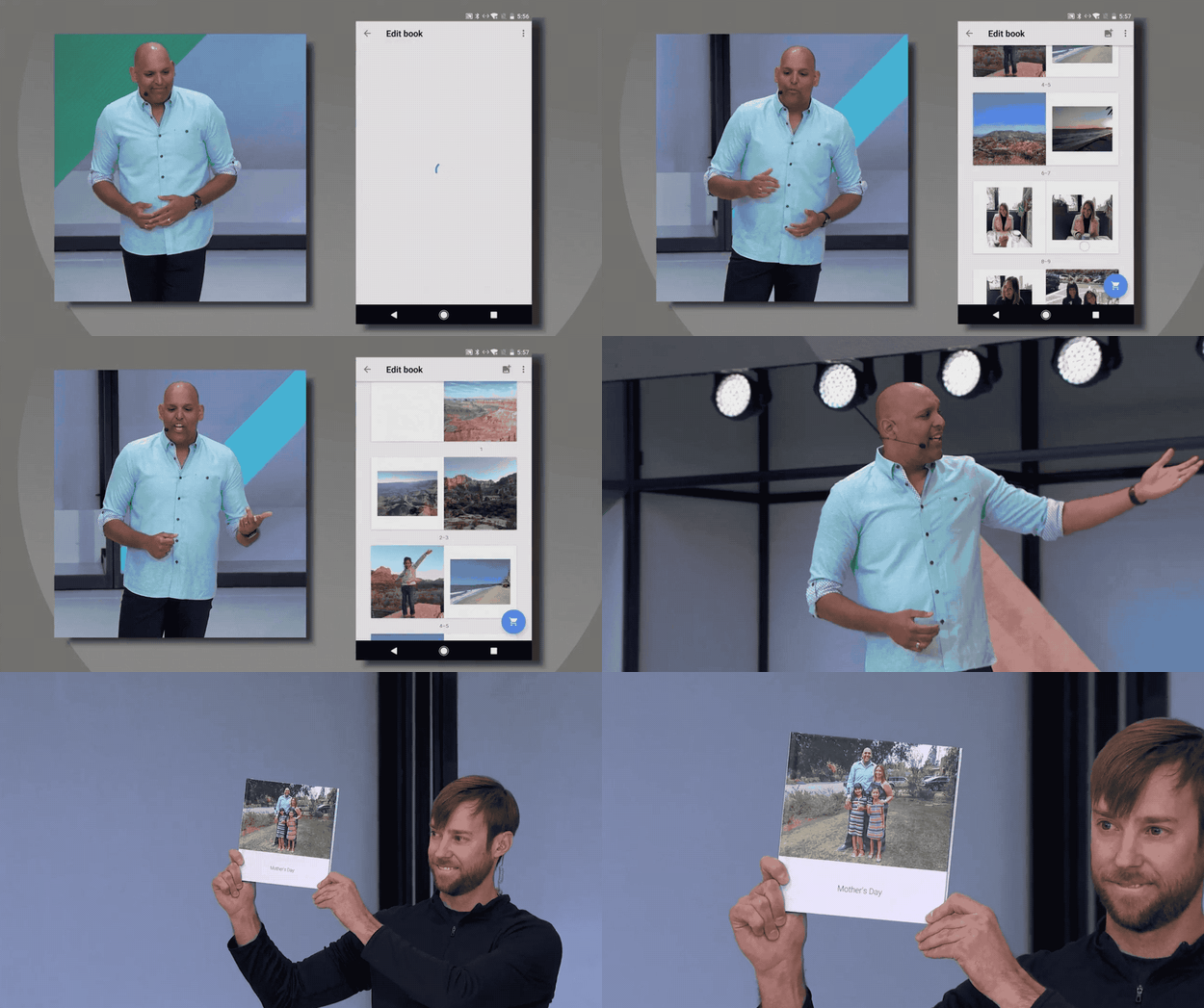
Google announced a shopping update to Google Photos that resembles the service Shutterfly: you can now buy physical books — hardcover for $19.99 or soft for $9.99 — within Google Photos. The app can select photos for a possible book in the same way that the Suggested Sharing feature identifies the best photos from your collection and offers them to you.
Google debuted a hardcover book onstage and offered a free one to all attendees at I/O
Integration with Google Lens

Finally, Google's AI-powered touchup feature Google Lens will now integrate with Google Photos, allowing you to enhance the photos in your library remove obstructing objects from them.

Quelle: <a href="Here Are All The New Things You Can Do With Google Photos“>BuzzFeed

Fotos: Googles Foto-App macht das Teilen einfacher

Google hat neue Funktionen für seine Galerie-App Fotos vorgestellt, die das Teilen von Fotos vereinfachen. Mit Suggested Shares können gemeinsame Bilder besser an Freunde gesendet werden, mit den Shared Libraries sogar automatisch. Künftig druckt Google zudem auch Fotobücher. (I/O 2017, Google)
Quelle: Golem

Docker at Microsoft Build 2017

Build is Microsoft’s premier developer event, run annually. This year Docker, Inc. and containers were everywhere, starting with a dedicated container pre-day, then with constant traffic to the Docker booth, and many shared container success stories.

Container Fest Pre-Day
Build is usually a three-day event, but this year saw the very first pre-day – run jointly by Docker and Microsoft. “Container Fest” was a whole-day event focused on containers and Docker, running on Windows and Linux, on-premises and in Azure.
There were 12 sessions throughout the day, presented by engineers and architects from Microsoft and Docker, Inc. They covered everything from the internals of Docker on Windows Server, through modernizing .NET Framework apps with Docker, to the options for running Docker containers on Azure.
A popular first step for modernizing traditional Windows applications is to use Image2Docker, which we demonstrated at the event. Image2Docker can extract existing applications from Windows machines into Dockerfiles, so you can automate the conversion of your app landscape to Docker. You can see Image2Docker in action from our session at DockerCon:

Over 300 people were at the Container Fest pre-day, and when the sessions had finished, they stayed on to run through the Hands-On Labs from DockerCon. Just like at DockerCon, we provisioned virtual machines in Azure for attendees to use for working through the labs, and the experts were available for help and advice.
The DockerCon 2017 labs cover a range of topics, including orchestration and networking, Docker Enterprise Edition and Docker Cloud, and running Docker containers on Windows. The labs are open source on GitHub now, as part of the main Docker labs repo. If you’re looking to get started with Docker on Windows, these labs give you a great roadmap:

Windows 101 – learn the basics of Docker and Windows containers
Modernize .NET Apps, for Ops – see how to package an ASP.NET app as a Docker image
Modernize .NET Apps, for Devs – modernize an ASP.NET by breaking features out into Docker containers
SQL Server – learn how to run SQL Server in Docker containers and package up a custom database schema into a Docker image

Partner Hub
Hundreds of attendees dropped into the Docker booth in the MS Build Conference Hub expo area to ask for help and advice, tell us about their Docker journey, or just to say Hi. The level of Docker experience was everything from complete beginners to folks running production workloads on Docker Enterprise Edition.
We had some videos running on loop, which were people found very useful – and these are on YouTube so you can check them out yourself. To start, there’s the Docker on Windows 101, which introduces you to how containers work on Windows:

And for the journey into production, we have a tour around Docker Datacenter, the Containers-as-a-Service (CaaS) platform available with Docker Enterprise Edition standard and advanced. 

The crack team from Docker were kept busy through the whole event, had a great time, and are thoroughly looking forward to next year.
Learn More:

Try out the DockerCon 2017 Hands-On Labs for yourself
Get the Modernize Traditional Apps kit to plan your MTA program with Docker
Scott Guthrie from Microsoft is on a European tour – Docker will be joining in Amsterdam, London and Dublin
Try out Image2Docker for Windows and Image2Docker for Linux
Learn more about Docker and Microsoft together

Highlights from #MSBuild: Internals of #Docker on Windows, modernizing .NET framework apps &…Click To Tweet

The post Docker at Microsoft Build 2017 appeared first on Docker Blog.
Quelle: https://blog.docker.com/feed/

Here's Everything You Need To Know About Android O

Google

Google's latest software update, Android 8.0, also called Android O, is packed with small – but meaningful – updates, and is slated to roll out to devices starting this fall.

Google’s own Pixel and Nexus phones will be the first to get the new system and, after that, it’ll be up to phone makers, like Samsung, Motorola, and LG, to support Android O.

There are two main themes to the update: “fluid experiences,” or optimizing small screen experiences, and “vitals,” or increasing the device’s battery and performance.

Google

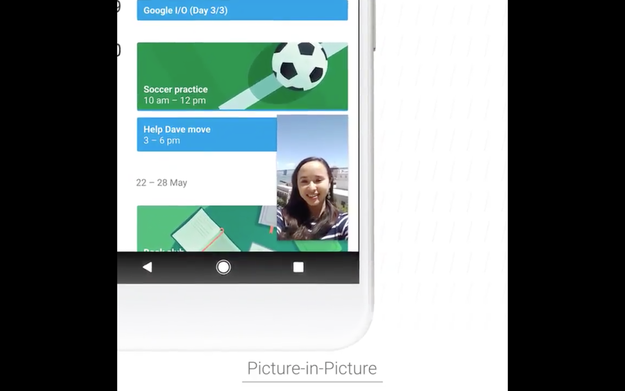
Android O is opening picture-in-picture support to all third-party video apps, not just YouTube. You’ll be able to see Maps navigation, Netflix, and other app windows on top of another app. So, for example, you can watch a DIY video on YouTube and take notes in the Notes app.

Developers can now implement auto-fill into their own apps. If users have their password and username saved in Google, then, after opting in and opening an app, their credentials will be filled automatically.

New “notification badges” are designed to draw attention apps with new activity. In the on-stage demo, Instagram's app showed a little dot on the homescreen when the user received a comment on their photo.

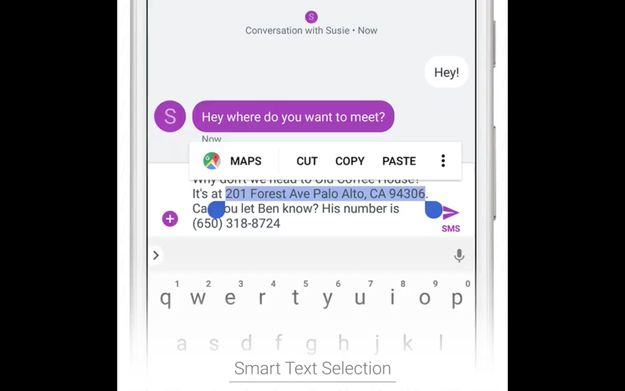
The new system also cuts down with annoying text-selection fiddling. If you double tap text to select an address, it’ll automatically select the entire address, without you having to adjust the text. It also works with phone numbers, email address, and places. Google calls it “smart text selection.”

Google

“Vitals,” meanwhile, refers to the optimization battery, performance, and security. Google is using machine learning to scan 50 billion apps for harmful or malicious software in the Play store. “Google Play Protect” is a similar software available for consumers.

Google also announced twice-as-fast boot time for apps and “wise limits,” which will put limits on how much apps can run in the background (but allow overrides for those who want to do so) to protect battery life and free up memory.

One of the biggest changes you’ll see is in the Settings page. It’s much shorter, with less categories than before. The battery and storage pages have been redesigned to be more readable. You can customize the lock screen even more, by changing the bottom corners from camera and voice assist to instead open whatever app you want with a quick swipe.

There are more features hidden in the notification shade, too. Long pressing a notification will prompt an option to disable all future notifications from that app, and sliding it to the right will let you snooze notifications from the app for a period of time.

In the “Quick Settings” window, an underline denotes that you’ll be able to manage that item’s settings right from the window. If not, tapping that icon will take you to the Settings app.

In addition to the Android O update, Google announced Android Go, that's essentially a version of the OS, core apps, and Play Store optimized for entry level device with 1 gigabyte or less of memory. The system is designed to run smoothly on phones primarily in developing countries coming online for the first time.

Earlier this month, Google also announced Project Treble, a program designed to make it easier for carriers and phone to update to the latest system of Android, which is usually a time consuming and expensive endeavor. The program should also make non-Google Android phones, which many experts have deemed unsecure, much safer by distributing patches for critical security bugs to more devices, faster.

There’s a preview available today at android.com/beta.

Quelle: <a href="Here's Everything You Need To Know About Android O“>BuzzFeed