YouTube Wants You To Test Drive Its Redesign

YouTube is working on a redesign of its desktop site, and it's looking for feedback to help shape its new look. This morning, the company announced a design preview of the new site and invited the YouTube community to test it.

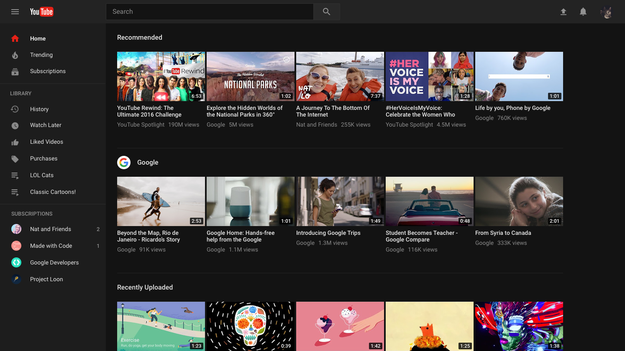
According to a YouTube spokesperson, the redesign is intended to declutter the site of the visuals that can sometimes distract from the video viewing experience, and to enable faster feature updates. Among the first of such updates is a Dark Theme that turns YouTube's typically white background black.

YouTube said in a statement that it wants the redesign to adhere to three main principles: “simplicity, consistency, and beauty.” YouTube has also rebuilt the site's backend with a framework called Polymer that it says will allow for faster feature updates.

“It's a clean, fresh look that makes the content shine,” the spokesperson told BuzzFeed News.

The changes are subtle for now. Here's YouTube's homepage before:

And here's the homepage redesigned.

The thumbnail images for videos are slightly wider, and instead of two rows of recommended videos, you see one row of recommended videos and one row of videos from a creator's channel that you subscribe to. And the old grey columns on either side of the page have been removed to make the page simpler.

And here's the new “Dark Theme.”

It's designed to cut down on glare and to make it easier to watch YouTube at night on your brightly lit devices.

Dark Theme is similar to Twitter's Night Mode:

YouTube said Dark Theme was the most-requested feature from YouTube users. Now you won't have to sear your eyeballs when you stay up past your bedtime to watch cat videos.

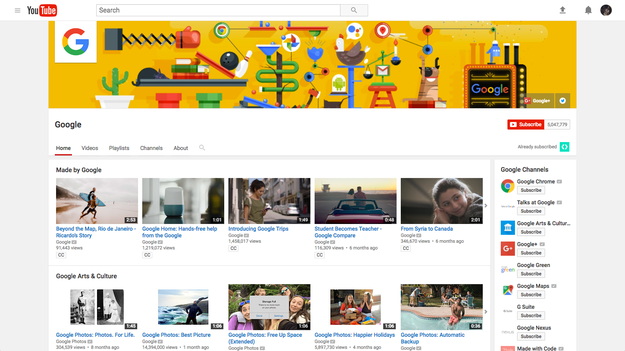
Channel pages are also getting a small facelift. Here's what they looked like before:

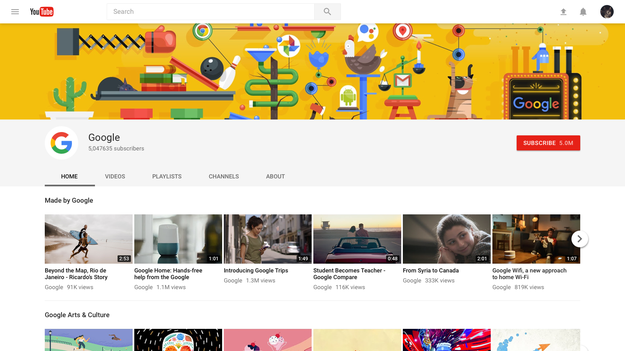
And after:

The tab on the right side of the screen that formerly recommended similar channels has disappeared, and the hero image at the top of the page now splashes across the entire page. The grey borders have been removed as well.

A YouTube spokesperson said of the expanded image, “It allows the creators to express themselves even more and show their audience who they are.”

You can opt into the trial at youtube.com/new. If you don't like it, you can return to the current design by selecting ‘Restore classic YouTube’ from the Account Menu, where you can also leave comments. YouTube said it will cap the number of people participating in the trial “when we reach enough users and feedback,” though it wouldn't specify how many people that was.

Quelle: <a href="YouTube Wants You To Test Drive Its Redesign“>BuzzFeed

Understanding performance and usage impact of releases using annotations in Application Insights

A little over a year ago, the Application Insights team re-introduced release annotations so that users would have the ability to correlate occurrences of app and services releases with their APM data. VSTS users can simply add a step to their release scripts to create annotations, and users leveraging third-party release engines can push release annotations to Application Insights by simply calling a Powershell script.

In the meantime, the VSTS team has been hard at work maturing continuous integration/deployment functionality in the VSTS release tools, as well as extending that functionality to many other platforms. As the concept of CI/CD continues to gain momentum and popularity in development shops around the world, the value of generating annotations for the associated tighter release cycle increases dramatically.

A simple example

In the above illustration, we have an app called MyEnterpriseApp being regularly deployed through continuous deployment. Two statistics have been chosen here: Users and browser page load time. Since annotations have been added to the release script, we can clearly see when our releases are occurring, and how they may be affecting performance or usage. In the earlier part of the chart, we see a very normal cadence of users: daily spikes during prime weekday hours, with valleys at night, followed by a lower number of users on the weekend. Our page load time is consistently around two seconds or less, and so our user base remains equally consistent.

If we look at the release that happens the following week (around April 17th on this chart), however, a problem is clearly introduced. Page load times shoot up to around eight seconds, and our number of active users goes into a nose-dive, dropping off dramatically until the number of users tolerating this level of performance is actually lower than what we would normally see on weekends. Following these events, we see another release around April 19th, which we can safely assume includes some kind of fix for the situation, because following the release our page load times drop back the normal range, and our active user count rebounds as well now that performance is back to an acceptable state.

So what happened? Was the release not tested properly? Did an environmental factor exist in production that wasn’t present in test? The natural next step is to investigate the problem to ensure it doesn’t happen again. Again, we can leverage our release annotations to begin drilling to greater detail to solve the issue. Remember that we can hover on an annotation, and it will give us information about the release:

If we click on the information balloon, a detail blade opens up describing the release, complete with a link to the release script in VSTS (or a 3rd-party system, so long as that was provided when the annotation was created through the Powershell script):

In this way, we can quickly see who we should contact about the release, and investigate individual steps or deployed components (if we suspect a code error was introduced).

Since we can save Metrics Explorer results as favorites, we can retain the view of these significant statistics for future use. This allows us to come back in the following days and very quickly get a view of our releases to ensure that our errors are not being repeated, or allow us to investigate them immediately if they are. Simply being able to correlate our releases with our performance and usage data by use of release annotations dramatically reduces the time required for confirmation or investigation.

As always, please share your ideas for new or improved features on the Application Insights UserVoice page. For any questions visit the Application Insights Forum.
Quelle: Azure

Viele iPhone-Apps nun teurer

Apple hat die angekündigte Erhöhung der Preisstufen im App Store inzwischen umgesetzt: Apps sind gewöhnlich um gut 10 Prozent teurer geworden. Einzelne Entwickler haben auf die Anpassung reagiert – und den Preis entweder wieder gesenkt oder weiter erhöht.

Quelle: Heise Tech News

Microsoft Announces The Surface Laptop, A Chromebook Competitor

Microsoft Announces The Surface Laptop, A Chromebook Competitor

Microsoft

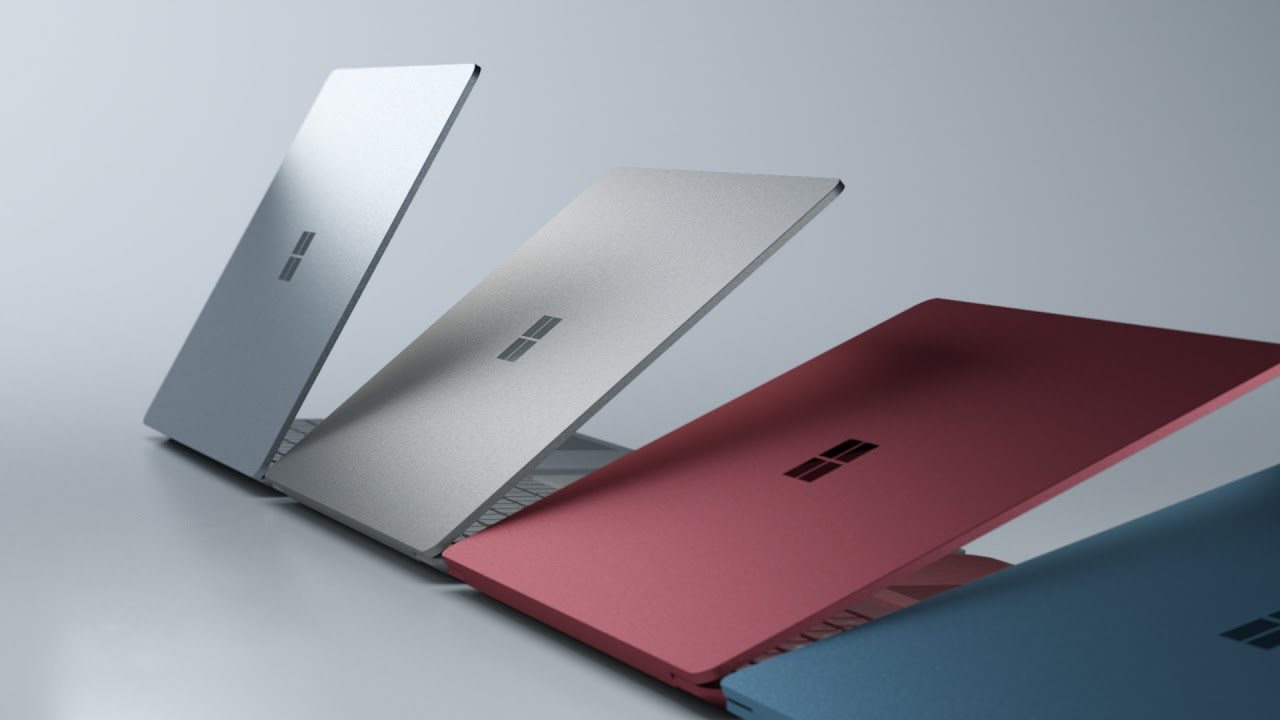
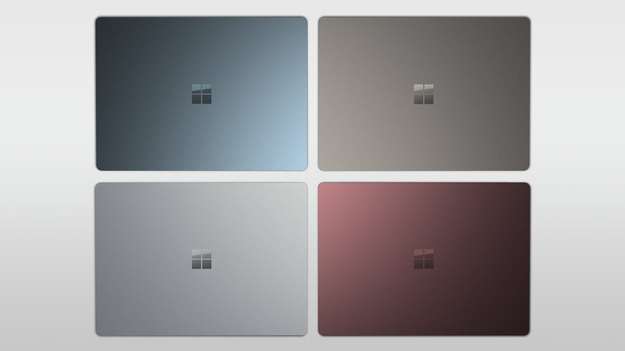
Microsoft announced a new lightweight laptop that runs a new version of Windows 10 customized for less powerful computers today at a press conference in New York City.

Called the Surface Laptop, the device will run the new OS, called Windows 10S, a stripped-down iteration of Windows 10 that only runs Windows Store apps. The Surface Laptop and Windows 10S are geared towards the education market, where they will go head to head against Google's Chrome OS and a passel of affordable Chromebooks, which have proven remarkably popular for educators and students.

Microsoft

Boasting a battery life of more than 14 hours, the 2.76 pound Surface Laptop will also come with a touchscreen.

At $999, the device will cost significantly more than many of its Chromebook competitors.

youtube.com

Quelle: <a href="Microsoft Announces The Surface Laptop, A Chromebook Competitor“>BuzzFeed